ወቅታዊ አፈፃፀም የሚያስተዳድር የምስል ቅርጸ ተንቀሳቃሽ ማግኘት
ወቅታዊ የድር ኦፕቲምዜሽን ለማድረግ የተመረጡት የምስል ቅርጾችን ይገነዘቡ። WebP, AVIF, SVG እና JPEG እንደ ድር ፍጥነት፣ የተጠቃሚ ተሞክሮ እና የፍለጋ ውርግ ለማሻሻል ይነጻጽሉ።
የተመነጨ ማስተካከያዎች

እውነኛው ትክክል እንዲህ ነው፦ ለዌብ ብቻ አንድ ምርጥ የምስል ቅርጸ ተዋጽኦ የለም። ትክክለኛው ምርጫ ሁልጊ즈ም በምስሉ በትክክል ምንድን እንደሆነ ሙሉ በሙል የሚከሰተው ስትራቴጂ ነው። ለፎቶግራፎች፣ AVIF ወይም WebP አስደናቂ ማጠቅαιያ ይሰጣሉ። ለሎጎች እና ምልክቶች፣ SVG ድንቅ ማስረጃ ነው። እና በቂরአን ምስል በግልጽ መደብር የሚያስፈልግ በዚያ ጊዜያት፣ PNG ደግሞ ወርስት የተደረገ መርሆ ነው።
ምርጥ የዌብ ምስል ቅርጸ ተዋጽኦችን መረዳት
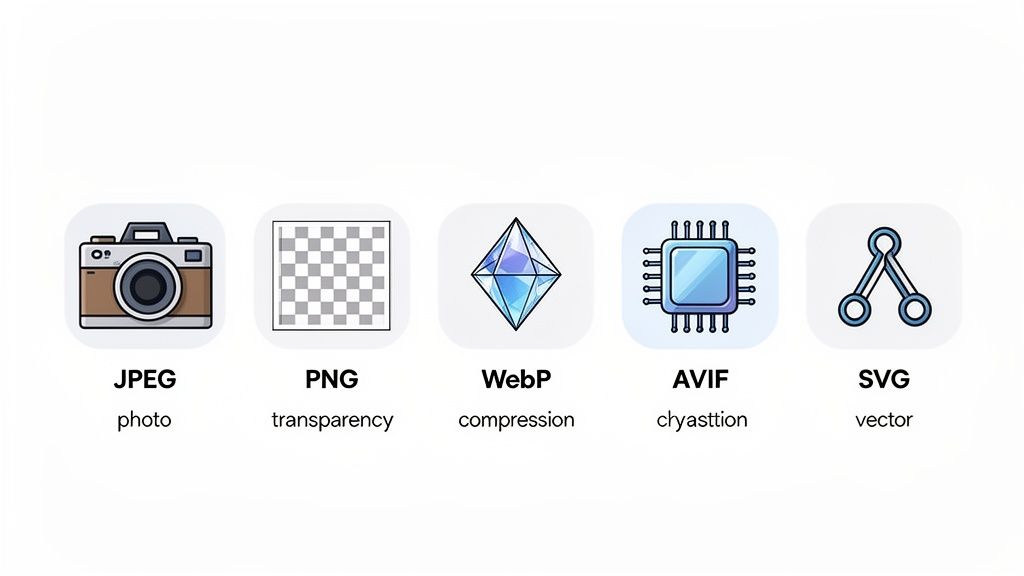
የመጠቀም የትክክለኛ የምስል ቅርጸ መምረጥ ሁሌም በእይታ ጥራት፣ የፋይል መጠን እና የሚፈለግዎት ባህሪያት መካከል የሚደረግ ድርድር ነው። ከምስል ላይ ለምትቀጥለው ኢ愽ንት የምታጣ እያንዳንዱ ኪሎባይት ወደ ገጾችዎ ፈጣን መጫን ያስተዋይችኋል፣ ይህም በተጨማሪም የተሻለ የተጠቃሚ ተሞክሮ እና ለፍለጋ ደረጃዎች አጓጊ ጭብጥ ይሰጥዎል። ቀደም ብለው እንደ ዴጅፔግ እና ፒንጅ ያሉ ባህሪያት ዛሬ እየተለማመመ ያለውን የምስል ዋርልድ መሠረት በመዋል ሲያወጡ፣ ወደ አዲስ ደረጃ አቅም አቅም እየመጡ ያሉ ዘመናዊ ቅርጸ ተግባራት እንደ ወብፒ እና አቪፍ አይነት አቅም ወደ ሙሉ በሙሉ አዲስ ደረጃ እያሳፈሩ ነው።
ይህ አንድ ብቻ ውሳኔ በድር ጣቢያዎ ላይ ተነሳሽነት ያሳያል፣ የሚFFECT የሚያስተምሩትን አንድ ጥቂት ቁልፍ ቦታዎች ተጠቃሚ ያደርጋል፡
- አቅም፡ ትንንሽ ምስሎች ፈጣን የመጫን ጊዜ ያመጣቸዋል። ይህን ብቻ ነው። ተጠቃሚዎችን በማድረግ እና ለጉግል ዋና የወብ ዋይታላት ለማለፍ ይህ ትልቅ ጉዳይ ነው።
- መልክዓ ባህሪ፡ እያንዳንዱ ቅርጸ ተግባር ቀለሞችን፣ ደካማ ዝርዝሮችን እና ጥንካሬን በራሱ መንገድ ይከላከላል። የተሳሳተ ምርጫ ቆንጆ ፎቶን ጉን赶赴 ያስተላይፋል ወይም አይකን አመቅ ያሳያል።
- ተግባራዊ ባህሪ፡ በግልጽ የሚያሳይ ድርቅ አለው የተለመደ ሎጎ ያስፈልግዎታል? ወይስ የእይታ ወለል ለማሳየት ተንኝፍ? በቂ ቅርጸ ተግባራት ብቻ ይህን ሥራ ማከል ይችላሉ።
የእንደው ምርጫዎች ለመሰረትዎ ፍጥነትና ጥራት እንዴት እንደሚያድርጉ በትክክል ለመረዳት፣ ከዚህ ለድር ገጾች ተስፋፋ መልክዓ ፋይል ለመምረጥ የሚሆን አጠቃላይ መመሪያ መጠቆም ይመክራል። መሠረታዊ ነገሮችን ትክክል ማድረግ ወደ ትክክለኛ ምርመራ የተደረገ መሰረት ወደመሠረት እርምጃ ነው።
የድር ምስሎች ፋይሎች ፍጥነት ማነጻጸሪያ
ከንቀት ለመለየት፣ ዋና ምርጫዎች እንዴት እንደሚቃወሙ መመልከት ይረዳል። እያንዳንዱ ፋይል ቅርጽ ተወሰን የተዘረዘረ መሳሪያ ነው። አይዞታ የሚያድርግ መሳሪያ አይኖረውም ማን ላይም ሰልፍ መቁረጥ ይችላል፣ ስለዚህ ለዕፍረት ያለ ፎቶግራፍ PNG መጠቀም የለም።
የዘመናዊ ምስል ምርመራ ዋና ሀሳብ ቀላል ነው፣ በተữu መልከ በምት የሚያስተዋይ የሚያስፈልግ ስለሆነ አነስተኛ ፋይል መስጠት። ይህ ለብዙ ቆይታ የምስሉ በአካባቢው ገፅታ ውብ እንደሆነ ለማድረግ በድር ገጻችህ ላይ የተለያዩ ፋይሎችን መቀላቀል ያስፈልጋል፣ አንድ ብቻ መጠቀም አይደለም።
በዚህ በጣም የተለመዱት ፋይሎችና ምን ለመሥራት ይeful ስለሆነ የአጠቃላይ እይታ እዚህ አለ። እያንዳንዱን በትንሹ ወደ ተጨማሪ ማብራት ከመጀመርዎ በፊት ይህን ሰንጠረዥ እንደ መመሪያ መጽሐፍ ያስቡ።
| ፋይል ቅርጽ | ለምን ይሻላል | ጠቅላላ ማንቃታ | ግልጽነት | እንቅስቃሴ |
|---|---|---|---|---|
| AVIF | ፎቶግራፎች፣ ከፍተኛ ዝርዝር ገበታዎች | ለዚህ ከፍተኛ ጥንቅቅ አለው እና ማጣቀሻ ስለማጣት ( | አዎ (አልፋ)) | አዎ |
| WebP | ፎቶግራፎች፣ ገበታዎች፣ እንቅስቃሴዎች | ጥሩ ማጣቀሻ ስለማጣት እና ከፍተኛ ጥንቅቅ | አዎ (አልፋ) | አዎ |
| JPEG | ፎቶግራፎች (የድሮት ዋስትና) | ጥሩ ማጣቀሻ ስለማጣት | አይደለም | አይደለም |
| PNG | ሎጎዎች፣ አይኮኖች፣ ስክሪንሾች | ከፍተኛ ጥንቅቅ ማጣቀሻ ስለማጣት | አዎ (አልፋ) | አይደለም |
| SVG | ሎጎች፣ አይኮኖች፣ ትምህርታዊ ምስሎች | ቬክተር (መጠን የሚያስተካክል) | አዎ | አዎ (CSS/JS) |
አቀንቃኞቹን ማወዳደር፣ በ JPEG፣ PNG እና GIF ውስጥ
ድንቅ ተናጋሪ ቅርጾች እንደ WebP እና AVIF መምህር ከተቀየሩ በፊት፣ የሦስት ቅርጾች ቡድን የኢንተርኔቱን ትስስር ገንባታ በመመስረት ላይ ነበር። JPEG፣ PNG እና GIF የሚሠሩትን ሰራተኛ የነበሩ፣ እያንዳንዱ ዌብ ለማስተዋወቂ በሳህን ውስጥ ያለው። አዳዲስ ቅርጾች ለምን ደንግጥሞ መሆናቸውን በእርግጥ ለመረዳት፣ ከመጀመሪያው መረጃ ጀምሮ መረዳት ያለበት ነው—አጋጣሚ ለሆኑ ችሎታዎቻቸው፣ ልዩ ልዩ ተግባራት እና በተለይም ለመፍትሔ ከተሰራቸው ችግሮች።
ነዚህ የቀድሞ ቴክኖሎጂዎች አሁንም ቦታቸውን ይይዛሉ፣ ብዙ ጊዜም ለጥንታዊ መሣሪያዎች የማይሰበር የመመለሻ ሥርዓት አደረገዋል። እያንዳንዱ በፋይል መጠን፣ በምስሉ ጥራት እና በግልጽነት ወይም በእንቅስቃሴ ያሉ ልዩ ባህሪያት የተለየ ሚዛን ይሠራል። ትክክለኛውን ማረጋገጥ ሁልጊዜ ሁኔታው ላይ የተመሰረተ ነው፣ ስለዚህ ይሄውን እንወቅ ይህም እንዴት እንደሚሠራ እና የት እንደሚያብራ እንፈትሽ።
JPEG: የፎቶግራፍ መደበኛ
ለዓመታት፣ JPEG (Joint Photographic Experts Group በአጭሩ) ለኦንላይን ፎቶዎች ያልተከለከለ ንጉሥ ነበር። የምስጢሩ መሣኪያው በ milhões ቀለሞች እና የተቀላለ ግራድIENTS ያላቸውን ምስሎች ለማሳንድ የሚችል ዘመናዊ ሎስይ አመቻቃቴ አደረገዋል—ተልስል ይመስላል ምን እንደልandscape, ቀሎች, እና የምርት ምስሎች። አመቻቃቴው ሰው ዓይን ማንኛውንም ስለማይፈልግ የእይታ መረጃ በማስረжение ይሠራል።
በはもちろん፣ ያ ማመቻቸት በሁለት ጐናዊ ሺምጮ ነው። "ሎስይ" ማለት መረጃው ለመጨረሻ ጊዜ ጠፍቷል አለማለት ነው። ማመቻቸቱን በጣም ከባድ ከሆነ፣ አርቲፋክቶችን ማየት ይጀምራሉ—የመሳይ ወይም የመደበኛ ክፍሎች የሚያረዱ ከተግባር የተነሳ ምስሎች። ይህ ይህንን ለምን እንደውም ከተግባር የተነሳ ምስሎች ለምን እንደውም ከተግባር የተነሳ ምስሎች ለምን እንደውም ከተግባር የተነሳ ምስሎች ለምን እንደውም ከተግባር የተነሳ ምስሎች ለምን እንደውም ከተግባር የተነሳ ምስሎች ለምን እንደውም ከተግባር የተነሳ ምስሎች ለምን እንደውም ከተግባር የተነሳ ምስሎች ለምን እንደውም ከተግባር የተነሳ ምስሎች ለምን እንደውም ከተግባር የተነሳ ምስሎች ለምን እንደውም ከተግባር የተነሳ ምስሎች ለምን እንደውም ከተግባር የተነሳ ምስሎች ለምን እንደውም ከተግባር የተነሳ ምስሎች ለምን እንደውም ከተግባር የተነሳ ምስሎች ለምን እንደውም ከተግባር የተነሳ ምስሎች ለምን እንደውም ከተግባር የተነሳ ምስሎች ለምን እንደውም ከተግባር የተነሳ ምስሎች ለምን እንደውም ከተግባር የተነሳ ምስሎች ለምን እንደውም ከተግባር የተነሳ ምስሎች ለምን እንደውም ከተግባር የተነሳ ምስሎች ለምን እንደውም ከተግባር የተነሳ ምስሎች ለምን እንደውም ከተግባር የተነሳ ምስሎች
አሁን ሌላ በጣም ትልቅ አለመተставት? በምንም ዓይነት ብርሃን አለመኖር። የJPEG ሁልጊዜ የተጠለፈ መሬት ይኖረዋል፣ ይህም በተለየ ቀለሞች ላይ ለመሬት የሚሆኑ አይኮኖች ወይም ምስሎች ላይ አይሠራም።
PNG: ለተሻለ ምስሎች እና ብርሃን
የአጓጊ አውታር ምስሎች (PNG) ቅርጸ ተብToWorld ተጨማሪው ከGIF በላይ የተሻለ፣ የ专利 ነፃ አማራጭ ነው። ዋናው ባህሪው ያልተቀረ ማመጠኛ (lossless compression) ነው፣ ይህም በእርግጥ ምንም ነገር አልተቀረም የሚል ድንቅ መንገድ ነው። የPNG ምስልን መቶ ጊዜ ማስቀመጥ ትችላለህ፣ እና ከመነሻው ጋር ልክ እንደሚያይ ይሆናል፣ እንዲህ ካልሆነ ከቀምሰው በኋላ የሚያስታውስ የJPEG አይሆንም።
ይህ የፒክስል ትክክለኛ ተወዳጅነት PNG እንዲሆን ያደረገው ለ፦
- ሎቶች እና አይኮኖች ጠንካራ መስመሮችን እና የተጠለፉ ቀለሞችን በትክክል ያደርቃል።
- ስክሪንሾቶች እና ዲያግራሞች የጽሁፍ እና የአይዩአይ አካላት በምንም ዓይነት ማመጠኛ ጊፍጋፊነት ሳይኖር በጣም ግልጽ ይሆናል።
- ከጽሁፍ ጋር ምስሎች JPEG ብዙ ጊዜ ከፊደሎች ዙሪያ የሚፍጥ ብርሃን አለመኖሩን ያስወግዳል።
PNG ለውጦቱ በጣም ግዴታ የሆነው የ አልፋ ግልጽነት (alpha transparency) ድጋፍ ነው። GIF ሊስራ የሚችለው በሰፋ ሁኔታ ለመሆን የሚያስፈልገውን ብቻ ነው፣ PNG ደግሞ የቀላልነት ደረጃዎችን 256 ሊፈጥር ይችላል (256 levels of opacity)። ይህ የሚያስቀን☦ ቆንጆ፣ ስለ ቅርጾች ያሉ ድንጋጌዎችን እንዲሁም በማንኛውም መሬት ላይ በቀላሉ የሚቀላቀሉ ስለ መከላከያ ጥላዎችን ለመፍጠር ይረዳል.
እዚህ ዋጋው የፋይል መጠን ነው። ከፍተኛ ፎቶግራፍ ለማንኛውም፣ ምንም አይነት ስህተት ላለማድረግ የሚያስተካክል የ PNG ፋይል ከተመሳሳይ JPEG—በወቅቱ 5-10 ጊዜ (5-10x) የሚያረጋ ሊሆን ይችላል። ለዚያ ነው ፎቶግራፍ ለመቀረጽ ለ幾乎 ሁልጊዜ መጠቀም የማይገባው፣ ለPerformance በጣምም ምንም በጎ ስለሌለው ማለት ነው። ከፍተኛ ፎቶግራፍ እንደ PNG ተቀምጧል፣ ፈጣን መቀየር አለበት። ይህን ለማገገም፣ በዝርዝር መመሪያ በመምራት እንዴት እንደሚቀይሩት ለማወቅ ተጨማሪ ይለማማሉ (.
GIF: ለቀላል፣ ዝቅተኛ ደረጃ ሥርጭት (
For Simple, Lo-Fi Animation)የกรাফክስ አልTERNATIVE ቅርጸ ተከላ (GIF) ከሁሉም ባለፊት የተጨረሰው ነው፣ ዛሬም ዋናው ሥራው ቀላል፣ በመวน የሚሄድ ሥርጭቶችን ለመፍጠር ነው። ብዙ ዓመታት በመረብ ቦታ ላይ መንቀሳቀስ ለማድረግ ፕلاግኢን ሳይፈልግ የሚቻለው ዘዴ እንደሆነ ተወዳጅ ነበር። ግን ይህ ቅርጸ ተከላ ከፍተኛ ችግሮችን በማቅረብ ለብዙ ዘመናዊ ዌብ ማዕከላት ተስፋ ስለሌለው አይሆንም)
GIFs በትንሣኤው በጣም ጥቂት የሆኑ 256 ቀለሞች ብቻ የተወሰዱ የምስል ፓለታ አላቸው። 256 ቀለሞች ስለሆነ የእንቅስቃሴ GIFs ብዙ ጊዜ ዝንግኖ ወይም ተፍታ የተለያዩ ይታያሉ፣ በተለይ ከየትኛውም ቪዲዮ አንዱ ሲሆን በመጀመሪያው በ миллионы ቀለሞች የተቀላቀለ ነበር። እንዲሁም ብቻ 1-ቢት ግልጽነት ይሏቸዋል፣ ይህም ምን ማለት ነው? ፒክስል በ100% ግልጽ ወይም በ100% ግባባ ሊሆን ይችላል—ምንም ለስላሳ ጠርዝ የለውም።
GIFs ሁሌም እንዲሠሩ እንደሚችሉም፣ የሚያገኙትን ለማግኘት ታላላቅ ፋይሎችን ያመነጭቃሉ። ወደ MP4 ወይም WebM የተመሳሰሉ ዘመናዊ የቪዲዮ ቅርጾች ተመሳሳይ እንቅስቃሴን በጣም በትንሣነው መጠን እና በጣም ምርጥ ቀለም ማቅረብ ይችላሉ። የተነሳሳ የWebP እና AVIF ቅርጾችም በጣም ጥሩ አማራጮች ናቸው። ዛሬ ዕለት ግን እነዚህ GIFs በጣም ለ电子邮件 ተጠቃሚዎች ወይም ለቪዲዮ ድጋፍ በቃ ያልሆኑ ቅርጾች ብቻ መውሰድ ይመከራሉ።
በግምት ዕድሜአቸው ቢኖርም፣ እነዚህ ቅርጾች ከማይጠቅሙ በጣም ርቀት ናቸው። የ W3Techs ትንታኔ ያሳያሉ ግን የ PNG አጠቃቀም ላይ 78.1% ቢያስተውልም JPEG እንደ ቁልፍ ስራ ፋቁ ይቆማል። ተመሳሳይ መረጃ የ WebP በ 18.7% እና በፍጥነት መጨመር ላይ እንደሆነ ያሳያል፣ ምክንያቱም ከ JPEG's ለ 25-35% ተጨማሪ በመሆኑ ግንባታው ይበልጣል። ይህም ዝቅተኛ ፋይሎች እና ፈጣን ጫፍ ዘዴዎችን ማለት ነው፣ በተለይ ለሞባይል ተጠቃሚዎች።
ዘመናዊ ቅርጾችን መረዳት: WebP እና AVIF
የድምጽ ቅርጾች ቀደም ሲል በመስተዋይ ዌብ ላይ የተሰራው ሲሆን፣ ለፍጥነትና ለብቃት ያለው መከታተል በጣም ጥሩ ነገር ያስፈልገናል። ይህም የሆነው WebP እና AVIF መመጠbow ነው። እነዚህ የነበሩትን ቴክኖሎጂ ለማሳመጥ ብቻ አይደለውም፤ ለፋይል መጠንና ለመመልከት ጥሩ ጥራት መካከል ያለውን ማመዝ祖父ዊያን ለማሻሻል ከመሠረቱ ጀምሮ ተሠራው ነው።
ጉግል WebP ወደ ምናምን ዕውቀት 2010 ለሁሉም ለሚሆን ቅርጽ እንደ ማወቅ ተሰጥሯል። ዋና ባህሪዎቹን በ.smart ሁኔታ ያቀላከላል፣ ኢዱጂግን እንዲያስተካክል የሚያደርግ ቢዝነስ ቁርጥራን እና ሶሰት ከመሆኑ በላይ ከ PNG በተሻለ ሁኔታ የሚያስተካክል ያልተቧረመ ቁርጥራን ያቀርባል። ከዚያም በላይ፣ ግልጽነትና እንቅስቃሴ ይከተላል፣ ይህም እሱን በእውነት የማገልገያ እንደ ማድረግ ያደርገዋል።
AVIF፣ አዲሱ ልጅ በመሆኑ፣ በጣም ጠንካራ የሆነው በ AV1 ቪዲዮ ኮዱ ላይ የተሠራ ነው። ይህ አምባ ለእሱ ትልቅ ጥቅም ያቀርባል፣ በመቻል በጣም አክብሮ ቁርጥራን ማድረግ ይችላል፣ ይህም ማለትም ከማንኛውም ሌላ ቅርጽ በተመሳሳይ ጥራት ደረጃ ላይ ከፍተኛ ፋይሎችን ይሰጣል። ለምንኛውም ተቋም ለተሰብስበው በጣም ማትከል የሚችል የሆነ ክስተት ለሚፈልግ ሰው፣ AVIF የሁሉም ዘመን ዋና መመዘኛ ነው።
የWebP ቁርጥራን ጉብኝት
የWebP ድብልቻ በተሻለ ትንታኔ የተመሰረተ ትንበያ ኮዲንግ ላይ ነው። በቀላል አስተንትኖ፣ የተወሰነ ፒክስልን የሚከ包围 ፒክሶችን ይመለከታል፣ ያውም ፒክሺል መጠኑ መሆን አለበት ብሎ ይተነኛል፣ እና ከዚያም የተቀረውን ብቻ ነፃ ልዩነትይጠብቃል። ይህ ከJPEG እና PNG የሚጠቀሙት ለኩራት የሚያደርግ ያህል የሚለይ እና ተቀናብሮ ዘይቤ ነው፣ ያም በጣም ድንቅ የፋይል መጠን ቁጠባዎችን ያመጣል።
ነጭነቱ ታላቅ ድልድይ ነው። አጠቃላይ ላይ WebPን መላክ ይችላለህ:
- ፎቶግራፎች: Đoist WebP የፋይል መጠኖችን በ 25-35% ሊቀንስ ይችላል፣ በተመሳሳይ ትዕይንት ጥራት ያለው JPEG ከመሆኑም በላይ።
- ግራፊክስ በግልጽነት የተሰጡ: ለሎጎዎችና አይኮኖች ሲሰጡ፣ ቻይለስ መስራት አለባቸው ብለው እያመጡ ቢሆንም የተሻለ ጥራት ለማምጣት ምንም ማቋረጥ የለሽ WebP በተለይ ከ PNG ጋር በነጠላ በቃል ማሳየት እንደሚችል ያገኘ።
- ቀን ቀን የሚሰሩ እንቅስቃሴዎች: ቀን ቀን የሚሰሩ እንቅስቃሴዎችን የሚያሳይ WebP ከጥላቻ ጋር በተሻለ የቀለም ድጋፍ እና በጣም በቀላል ፋይሎች በነጠላ በቃል ያለፈውን ጥንታዊ GIF ቅርጸ ተብሏል።
WebP ያለው ተለዋዋጭነት ትልቁ ጥቅም ነው። እርሱ ከነጠላ በቃል የተለያዩ የኋላ ሥራዎችን ማሳየት ለሚችል የነበሩትን JPEG፣ PNG እና GIF ወደ ነጠላ፣ በጣም ውጤታማ ቅርጸ ተብሏል፣ የሀብት አስተዳደር እና የማድረግ መስመሮችን ቀላል ማድረግ ነው።
በአይን汀ን በጣም ይህን ጥቅም ተቀብቧል። የ WebP ጥቅም እስከ ምርጥ ሁኔታ በመጠን 18.7% በሁሉም ዌብ ስייטዎች ላይ በመብረቅ ወጥቷል፣ እርስዎ ስለ በራስ ተመስርቶ በግንባታ ውስጥ ላይ ያለው ድጋፍ ዛሬም በተለየ ሁኔታ ባለፈ ባለው ነው። ይህ ማለት ለ几乎 all ተጠቃሚዎችዎ በ confidently WebP መስጠት እና ለእነሱ ፈጣን ተሞክሮ መስጠት እንደሚችሉ ማመን ነው።
AVIF: የ ትክክለኛ ትርፍ አዲሱ ንጉሥ
WebP ወደፊት የተቀየረ ከሆነ፣ AVIF ሌላ ትልቅ ጥልቀት ነው። የ AV1 ቪዲዮ ኮዱን የላመነ ዘዴዎችን በመጠቀም፣ AVIF የፋይል መጠን እንዲሆን ይችላል WebP በቃና 30% በጣም አነስተኛ ነው እና ከዚያ በላይ JPEG በቃና 50% በጣም አነስተኛ ነውሁሉም ምንም ባይታወቀ የጥራት መቀነስ ሳይኖርበት። በተለይ በተወሰኑ ቴክስቸር፣ ዝርዝር እና የቀለም ግራ데이ንት ያላቸው ምስሎች ላይ ጥሩ አPerform ያሳያል።
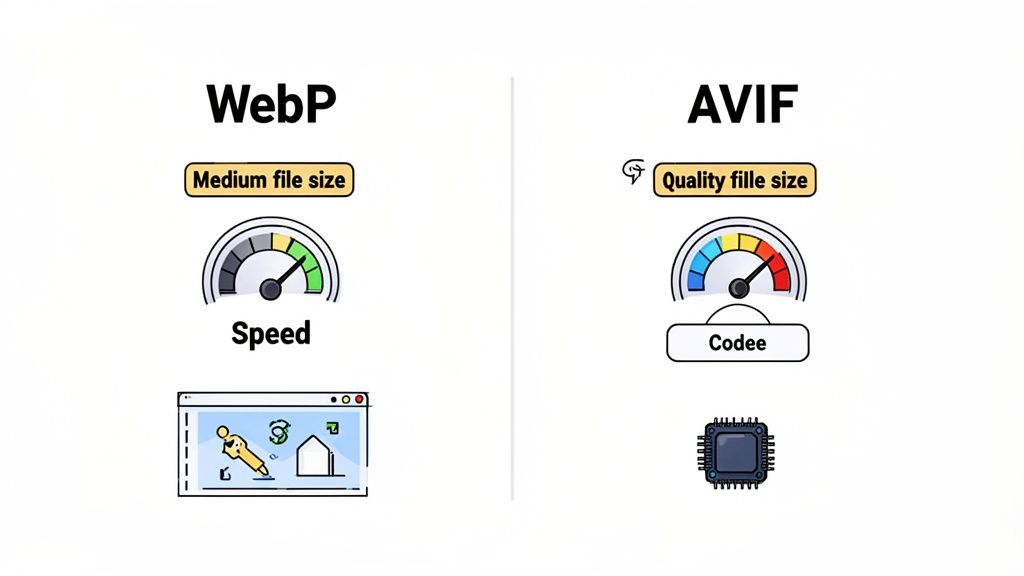
አቪኤፍ ዋና ባህሪዎቹ ከነበሩት አንዱ የከፍተኛ ዓይነት ቀለም እና ተጨማሪ ቢት ዕመቆችን ድጋፍ መስጠቱ ነው፣ ከነበሩት መካከል ከፍተኛ የማይንቀር ኃይል (ኤಚ ዲ አር)። ይህ ለተጠቃሚ የቁም ምስልዎች ወይም የምርምር ፎቶዎች ቀለም ትክክለኛነቱ ወሳኝ በሚሆንበት ሁኔታ ተጨማሪ ግልጽ እና ተመሳሳይ ለሆኑ ቀለሞች እና ሀብታም ልዩነት ይሠራል።
ግን ያህል ኃይል ቢሆን ትንሽ ዋጋ አለው። አቪኤፍ ምስሎችን ማመቻቸት እና መፈታት ከዌብፒ ወይም ጀፒጢ ጋር ሲነሣ ላይ ሲ ፒ ላይ ተጨማሪ ጥጋ蘑 ሊኖር ይችላል። ዘመናዊ መሣሪያዎች ብዙ ጥረት ሳይሰሩ ያችላሉ፣ ግን የአሮጌ ሀርድዌሮችን የሚደግፉ ከሆነ ማስታውስ ያለብዎት ነገር ነው። የማመቻቸት ሂደት ራሱ እንደគን ከፍተኛ ፈፃሚ ሊሆን ይችላል፣ ይህም ምስሎችን በፍጥነት ማመቻቸት ላይ የተመሰረተ የሥራ ሂደቶችን ሊጎዳ ይችላል።
ትክክለኛውን ምርጫ መምረጥ፡ ዌብፒ ይልቁንስ አቪኤፍ
ስለዚህ፣ የትኛውን መጠቀም ይፈልጋሉ? ውሳኔው በአብዛኛው ከፍተኛ ማቅነሻ ከከፍተኛ ግንኙነት ጋር መፈረጃ ላይ ይመሠራል። ሁለቱም ለዌብ ማመቻቸት ድንቅ ናቸው፣ ግን በትንሽ የተለያዩ ሁኔታዎች ውስጥ ይያያዛሉ።
መምረጥ ለመ┰ዕር፣ ዋና ቅርጾቹን ዋና ባህሪዎች በተቻለ ልዩነት ላይ እንመልከት።
የዌብ ሚዲያ ቅርጽ ባህሪ ማነጻጸሪያ
ይህ ሰንጠረዥ እያንዳንዱ ቅርጽ ምን እንደሚሰጥ በአጠቃላይ ቅጽበት ይሰጣል፣ እንዴት እንደሚነሣ በአንድ ጊዜ ማየት ቀላል ያደርገዋል።
| ባህሪ | JPEG | PNG | GIF | WebP | AVIF | SVG |
|---|---|---|---|---|---|---|
| ማቀዝቀዣ | የሚያጣርቅ | ያልተያዘ | ያልተያዘ | የሚያጣርቅ እና ያልተያዘ | የሚያጣርቅ እና ያልተያዘ | ተመስጦ ይሆናል |
| ግልጽነት | አይደለም | አዎ (አልፋ) | አዎ (ኢንዴክስ) | አዎ (አልፋ) | አዎ (አልፋ) | አዎ |
| ቀይ ስርዓት | አይደለም | ምልክት አይደለም (APNG) | አዎ | አዎ | አዎ | አዎ (SMIL) |
| የቀለም ጥልቀት | 24-ቢት | ከ 48-ቢት በላይ | 8-ቢት | 24-ቢት | ከ 36-ቢት በላይ | ተስማሚ አይደለም |
| ለምን በጣም ጥሩ ነው | ፎቶዎች | ሎጎዎች፣ አይኮኖች | አጭር ምOTION አኒሜሽኖች | ለሁሉም አላማ | ፎቶዎች፣ HDR | ሎጎዎች፣ አይኮኖች |
| የብራውዘር ድጋፍ | 100% | 100% | 100% | ~97% | ~93% | ~99% |
ይህን እየተመለከቱ፣ እንደ WebP እና AVIF ያሉ ዘመናዊ ቅርጾች ከ前辈ዎቻቸው በቀላሉ በጣም ብዙ አካባቢዎችን ይሸፍናሉ ብሎ ማየት ይችላሉ.
ለብዙ ድር ጣቢያዎች በዚህ ዘመን፣ WebP ከአداء እና ከተስፋፋኝነት መካከል ትክክለኛውን ቦታ ይያያዛል () ፡ ምክንያቱም ከเก 거의 ውጤታማ ድጋፍ (~97% የ ብራውዘሮች) እና ፈጣን መፍታት ስላለው፣ ለመረጃ ቅርጽ ማካካሻ ምርጫ ደህንነቱ የተጠበቀ እና ጥሩ የሆነ ነው። ነባር ምስሎችዎን ከፈለጉ፣ መሳሪያዎች በቀላሉ ይገኛሉ። የ JPG ከ WebP ወደ መቀየሪያ በመንገድ ማድረጊያ ማስተካከያ መመሪያ ግን ማንቂያ ይሰጥዎታል.
ከፍተኛ ጥቅም ላይ ያለ ንብረት የጋላይድ ቤት ምስል ለመቀነስ ካለመለማመዱ በላይ በጣም ትንሽ የፋይል መጠን የሚፈልጉ ጊዜ ላይ AVIF ነው የምትመርጠው። ምትኩ ያለው መቀነሻ እነዚህን የምርፃም ወይም የሚከሳ ሁኔታዎች ላይ ከእርስዎ ጋር ተጨባጭ የአداء ጥቅም ሊሰጥዎ ይችላል። ይህን እንደሚያውቁት (~7% የ ብራውዘሮች) አሁንም ያልደገፉትን ለማምከት እባክዎን WebP ወይም JPEG ወደ ነባር መመለሻ አဆင ያድርጉ።
በ SVG የቁርስ ቅርጾችን ግምባር በማድረግ
እስካሁን ያየነው ሁሉ—JPEG፣ PNG፣ WebP—/ሪስተር/ форматዎች ናቸው። ሁሉም በፒክስል መፍረር ላይ የተመሰረቱ ናቸው። አሁን፣ ለመቀየር ዘዴን እናም ለተለየ ዓይነት ነገር ስንthora ጥር ላይ: ስካላል ቬክተር ስ UIBar (__SVG__) .
የፒክስል መፍረር በመሆኑ በምትኩ፣ SVG ኮምፕዩተር ስሌቶችን በመጠቀም ቅርጾችን፣ መስመሮችን እና ክurveዎችን ይቀርባሉ። ይህ ከፍተኛ ጥቅም ምንድነው: መለያ ባይሰለጥን/. አንድ SVG ከትንሽ አዶን እስከ ታላላቅ ባንነር ሊዘልቅ ይችላል፣ በፍጹም ግን አለብ ወይም ቢት ሆኖ አይታይም። ብራውዘር ለአዲሱ መጠኖች ስሌቶችን እንደገና ብቻ ይሰራል፣ ሁሉንም መስመር በትክክል ያድርጋል.
የSVG ያልተቋቋመ ተለዋዋጭነት
SVG በእውነቱ ኮድ (በተለይ ቪኤክስኤምኤል) ብቻ በመሆኑ፣ ለቀላል ግራፊክስ በጣም ቀላል ናቸው። አንድ ሎጎ ምንን ዓይነት 30 ኪቢ ከPNG እንደሆነ 2-3 ኪቢ እንዲያንስ ይችላል (__SVG__). ይህ ለአፈጻጸም ትልቅ ዓ腊ም ነው.
ግን እውነኛው ድንቅ ይህ ኮድ በቀጥታ በሲኤስኤስ እና በጃቫስክሪፕት መቀየር ይችላል። ይህ ግሩም እድሎችን ይከፍታል:
- የተግባር ግራፎች: በማንቃте ላይ አርእስት ወይም በተጠቃሚ ተግባር ላይ የሚመለሰውን የተጠላጥ ሥርዓተ-ተንስአት ማድረግ ይችላላችሁ።
- ማግኘት የሚችሉበት: በ SVG ውስጥ ያለው ጽሑፍ ስለሆነ ትክክለኛው ጽሑፍይፈልጋል፣ ይመረጣል፣ እና በስክሪን ሪዳድሮች ያነበበዋል። ለመጠቀም ተመጣጣኝነት ላይ ይህ በጣም ትልቅ ጥቅም ነው።
- ቀላል ማስተካከያዎች: የድር ጣቢያዎን የቀለም ስህተት ማዘመን ይፈልጋሉ? የሎጎውን ቀለም በአንድ CSS መስመር መቀየር ይችላሉ፣ ከአ殉 dozen የተለያዩ ምስል ፋይሎች እንደገና ሳይላኩ።
SVG ኃይሉ በብራውзер ውስጥ ሳሉ ፎቶዎችን የመሰራጨት ሀይል ሳይኖራቸው በስክሪፕት መቋቋም የሚችሉ ዕቃዎች ሆኖ ያስረዳቸዋል። ይህ ለዘመናዊ፣ ተለዋዋጭ ፊንት ኢንድ ዲዛይን አስፈላጊ መሳሪያ ያደርገዋል።
ፎቶ ለመቅረጽ በኩራት መጠቀም አይችሉም። ነገር ግን በሁሉም የመጠን ስክሪን እና ሪዞሊውሽን መሬት ላይ ግልጽ ለሚ remained ይሆናል፣ ከተወዳዳሪ ሁሉም ተሿ留守儿童 ነው። ቅንጠኛው ፋይል መጠን እና የማቅንያት ችሎታዎች ይህን ያደርጋሉ ለድር ተመራጭ ምስል ቅርጸ ተፈጥሮ ሎጎዎች እና አይኮኖች ላይ፣ ብቻ።
መቼ ማንኛውንም SVG መምረጥ አለብን
መቼ SVG መጠቀም አለብን በጣም ቀላል ነው። ዝርዝር በሌለው ምስል ከመቀጠል የሚያስፈልገው ቀለማማ ጎረቤቶች ብቻ ከሆነ፣ SVG የተሳሳተ ምርጫ አይደለም።
እነሱ ዋና መጠቀሜያዎች እነሱ ናቸው:
- ሎጎ እና የብራንድ ምልክቶች: የሎጎ ቅርጽ ከትንሽ ፋቪኮን እስከ 4K ማሳያ በሰዓታት ላይ ፍጹም እንዲሆን ያረጋግጡ።
- UI ምልክቶች: ለምẹṇyū, ቁልፎች፣ እና ሌሎች ገጠር አካባቢ ዘዴዎች ምልክቶች በማንኛውም መጠን ግልጽ ይሆናሉ፣ እና የእርስዎን ቴማ ለማመቻቸት የምልክት ቀለም በቀላሉ መቀየር ይችላሉ።
- ቀላል ስእሎች እና ዲያግራሞች: የቀመጥ ጥንታዊ ጥበብ፣ ሰንጠረዦች፣ እና መረጃ ስእል ለSVG ተስማሚ ናቸው እና ለእኩልነት ያለው ቁጥር PNG ከሆነው በጣም ትንሽ ይሆናል።
- የተንቀሳቀሱ እና ተግባራዊ አካባቢ ዘዴዎች: ከቀላል GIF በላይ የተጠበቀ ችግር ስለ ላቪድ በስልክ ካልሆነ ለሆነ ምክንያት, SVG መንገድ ነው::
ከፍተኛ ሁኔታ, ከትንሽ ምስል ወይም JPG ጀምሮ መጠን ለመቀየር የሚችል ግራፊክ ለማድረግ አለበት ይሆናል። ለእነዚህ ሁኔታዎች, ለመቀየር ትክክለኛውን መንገድ ማወቅ ከፍተኛ ጥቅም አለው። እኛ የ $JPG እንዴት ወደ መጠን ለመቀየር የሚችል SVG $ መቀየር ያለው መመሪያ ለዚህ የስራ መርሐ ግብር ተስፋፋ ዋና አሠራር ያቀርባል። SVG ለትክክለኛ ሥራዎች በመቀበል, የእርስዎን ከፍተኛ ትስስር ሀብቶች ተግባራዊ, ለውጥ የሚያቅቁ እና ለወደፊት የተቀረ መሆናቸውን ያረጋግጡ።
የእያንዳንዱ ምስል ቅርጽ መረጃዎችን መعرفት አንድ ነገር ነው፣ ነገር ግን መቼ እያንዳንዱን መጠቀም መعرفት በድር አፈጻጸም ላይ በእውነት ለውጥ የሚያመጣው ነገር ነው። ትክክለኛው ምርጫ ሁልጊዜ በጋራ የሚገለጽ ነው። ለአስደናቂ ተማሪ ምስል ፍጹም የሆነ ቅርጽ ለ đơn giản የኩባንያ ሎጎ ተ综合整治 ነው።
ይህ ቦታው ነው የሃይልን በመሳብ የሚሄድ የተሞክሮ መንገድ የሚከፈትበት። ያጋጥማችሁን በጣም የተለመዱ የምስል ዓይነቶችን እንመልከት እና ምርጡን ቅርጽ ለመምረጥ ተግባራዊ መዋቅር እንገነባው። በዚህ መንገድ፣ እርስዎ ሁልጊዜ የእይታ ጥራትን ከፋይል መጠን እና ከተግባራዊነት ጋር ያመሳስላሉትን የאסትራቴጋዊ ምርጫ እያደረጋችሁ ይሆናል።
ነገር ማስጀት ለማድረግ፣ መጀመሪያው ምርጫ ሁልጊዜ በረስተር (በፒክሰል ላይ የተመሰረተ) ወይም በቬክተር (በሂሳብ ላይ የተመሰረተ) ቅርጽ መካከል ነው። ይህ ፍሎ ሰንጠረዥ ያንን መጀመሪያ ምርጫ ያቀርባል።

እንደ እርስዎ ማየት የሚችሉት ምስልዎ ከፒክስል መገናኛ ጋር ከተሰራ (ከፎቶግራፍ የተነሳ) ከሆነ ሪስተር ቦታ ላይ ነዎት። በቃላዊ ቀመሮች ከተገለጽ (ከአርማ የተነሳ) ቢያንስ ቢሆን ቭектор ትክክለኛ ሰIFI ነው።
የፎቶግራፍ ይዘት እና ቀይ ቅርጾች
እውነታዊ ዓለም ዝርዝሮችን የሚያስተሳስሩ ማንኛውም ምስል—የምርጥ ፕሮዳክት ፎቶሆች፣ ፓፖትሬቶች ወይም እነዚህ ትልልቅ፣ ውብ ባነር ምስሎች—ጊዜው ሙሉ በሙሉ ዝቅተኛ የጥራት ማጠፋት ከተቻለ አ.maximum ጫናቅ ማድረግ ላይ ይገኛል። ይህ ዘመናዊ ቅርጾች በእጅጌ ታዩ ዘንድ ለምን ይሆናል።
የመጀመሪያ ምርጫ፡ AVIF
AVIF ዛሬ ያለው ከፍተኛ ጫናቅ ይሰጣል። በተደጋጋሚ ከ WebP 30% ያነሰ እና ከፍተኛ ጊዜም ከ JPEG 50% ያነሰ ፋይሎችን ይፈጥራል። በቀዳሚ ቦታ ላይ ያለውን ትልቁን ተሞክሮ ተሞክሮ (LCP) ውጤትዎን በቀጥታ የሚጎዳው አስፈጻሚ መሪ ምስል አስፈጻሚ ሲሆን ያህል የፋይል መጠን ማጠናከሪያ ትልቅ ድልቅ ነው።ሁለተኛ ምርጫ፡ WebP
WebPን ምርጥ ሁሉም ተግባር ያለው አድራሻ ያድርጉት። ልዩ ጫናቅ ይሰጣል፣ ፈጣን ይፈታል እና ማንኛውም ብራውዘር ድጋፍ እንዳለ (~97%) ይጐልጣል። ለเกือብ ማንኛውም ፎቶግራፍ ቸኳ跤 የሆነ፣ ከፍተኛ አፈፃፀም ያለው እና ደህንነቱ የተጠበቀ ምርጫ ነው።ቦታ ማስቀመጫ: JPEG
ሁልጊዜ በሁልጊዜ JPEG ቦታ ማስቀመጫ መያዝዎ አለብዎ። የወብ ፎቶዎች ቋንቋ ሲሆን፣ በአሮጌ ብሮዘሮች ላለው አነስተኛ የተጠቃሚዎች ብዛት ቅጥር የተሰበረ ምስል በመመልከት እንዳይቀሩ ያረጋግጣል።
ይህንን በትክክል ማድረግ በኢ-ኮሜርስ ውስጥ በተለይ ጠቃሚ ነው። እነዚህ ምርጫዎች በትልቅ ገበያ ውስጥ እንዴት እንደሚሠሩ ለምትፈልጉት ዝርዝር ጥናት፣ ባለው አስተዋይ የአማゾን ምርት ምስል መስፈርቶችን.
ይመልከቱሎጎዎች፣ አይኮኖች እና UI አካባቢዎች
ከጥልቅ ቀጥታ መስመሮች፣ ግልጽ ቀለሞች እና ንጹህ ጂኦሜትሪክ ቅርጾች ጋር የሚተማምኑ ግራፊክሮችን በሚመርጡበት ጊዜ፣ መጠን መቀነስ እና ጥንቅቅ መሆን አስፈላጊ ነው። ፒክስል መሰረት ማድረግ የበይ ጠላትዎ ነው።
መደበኛ ምርጫ: SVG
ለሎጎዎች እና አይኮኖች, SVG ተልያይቷል አልፎ አይቻልም አሸናፊ ነው። ቬክተር ቅርጽ በመሆኑ፣ ከትንሽ ፋቪኮን እስከ ትልቅ ባይልቦርድ ድረስ ያለ የጥራት እኩልነት ወደ ማንኛውም መጠን ይመጣል። የብርድ ንብረትዎች በማንኛውም ማስኬጃ በፒክስል ልክ ይታያሉ። በተጨማሪም፣ የፋይል መጠኖች በጣም ቆንጆ ናቸው, እና ዕርስ ተጽዕኖዎችን ለመፍጠር የይeland ቅርጾችን በCSS ማሰናበት ትችላለሁ።ሁለተኛ ምርጫ፡ PNG
በአንድ ምክንያት SVG መጠቀም ካልተቻለ (ለምሳሌ፣ በመሣሪያ ገድBoundingBox ወይም በጣም ውስብስብ ገጽታ ምክንያት፣) PNG የሚቀጥለው ምርጫ ነው። ያለ ማጣτ ማሳ.compressions መስመሮችንና ትውስባን ሙሉ በሙሉ ግልጽ ይ始终保持። ስለዚህ ምርጫ አርንጓዴ ያላቸውን የተለያዩ ቀለማት መሬት ላይ ሎጎዎችን መድረክ ለማድረግ የአልፋ ግልጽነት ድጋፍ ሙሉ በሙሉ ግልጽ ነው።
ግልጽነት የሚፈልጉ ምስሎች
አንዳንዶች ላይ ግልጽነት ያላቸውን ቀለማት ያልቃሉትን ምስል ለምሳሌ፣ የምርት ቅርጽ ወይም የጀርባ ቅርጽ ያልቃለ ፎቶግራፍ ፍላጎት ሊኖር ይችላል።
መነሻ ምርጫ፡ WebP
WebP በዚህ ምክንያት የመረጥ ለውጥ ነው። ልክ እንደ PNG ሙሉ አልፋ ግልጽነት ይደግፋል ግን ብዙ ጊዜ በፍጹም የአባያ መጠን ይከልከላል። የሁለቱም ዓለም ተለማማች ይሆናችሁ፡ ውስብስብ ፎቶግራፊክ ዝርዝር እና ቀላል የሆነ ግልጽ የጀርባ ቅርጽ።ሁለተኛ ምርጫ፡ AVIF
AVIF ከተሻለ ማሳ.compressions ጋር በተጨማሪም ግልጽ ድጋፍ ይሰጣል። በጣም ቅድመ ተመራጭ ስለሆነ ልክ ያለው ትንሽ የፋይል መጠን ከሆነ AVIF በጣም ግሩም ምርጫ ነው።ተቀላጠፍ ምርጫ፡ PNG
PNG በተግባር እና በአስተማማኝነት ለግልጽነት የተለመደ አማራጭ ነው። ለፎቶግራፊክ ይዘት ፋይሎቹ ከፍተኛ ሊሆኑ ይችላሉ፣ ግን ድጋፍው በዓለም አቀፍ ደረጃ ስለሚኖረው ወፍራም ተሞክሮ ነው።
ከচਲਿਤ ንጥረ ነገሮች
መንገድ ላይ ለማንቀፍ ያለው ዓላማ፣ የመደበኛ GIFs የፍ የተነሳ የፋይል መጠን ከመቀነብ በተጨማሪ ከፍተኛ ጥራት ማሳያ በማቅረብ ላይ ነው።
በመጀመሪያ ምርጫ: MP4/WebM ቪዲዮ
በእውነቱ ከአጠቃላይ በ昆仑ል የሚያህል ሁሉ፣ ዘመናዊ የቪዲዮ ቅርጽ መጠቀም አለብዎት። አጭር፣ በ цикlical የሚሄድ፣ ድምጽ የማያቋርጥ MP4 ቪዲዮ በተደጋጋሚ ተግባር የሚሆነውን Animated GIF ይልቅ ቀላል ይሆናል እና በማይነት ጥሩ ይመስላል።ሁለተኛ ምርጫ: Animated WebP
ለቀላል፣ የGIF-አይነት ሥራዎች እንደ የመጫን ማሰሪያ ወይም ሥራ የሚሰራ አይኮን፣ Animated WebP ያስደናቂ ማሻሻያ ነው። ሙሉ የቀለም እና ግልጽነት ይደግፋል፣ ከቀድሞው ልጆቹ በ昆仑ል ቅንጅት ያለው ፋይሎችን በመፍጠር።ተደራሽነት: GIF
GIF በእርግጥ መጠቀም ካለቦት ብቻ ይጠቀሙ። ቋንቋው ዋና ሚስጥር በኢሜይል ግንኙነት ነው፣ የቪዲዮ ድጋፍ በድብርት አለመታመን የተከሰተ ቦታ።
በአጠቃቀም ጉዳይ ላይ የምስል ቅርጽ ምክር ሐሳቦች
ርሆን በተጨማሪ አግኝቷል፣ ያህል በቀላሉ በጣም ተስፋ ቆርጠን የምንሰጥ በመረጃ ማጠቃለያ ሰንጠረዥ እነሱን ምክሮች ያቀርባል። የእርስዎ ልዩ ችሎታ ከሆነ በትክክል ማድረግ የሚቻለውን ለማድረግ የሚያስፈልግዎ ማንኛውንም ጊዜ እንዲሆን ተቆጣጣሪ ሰነድ እንደሚያስፈልግዎ እርስዎ ያስቡት.
| የአጠቃቀም ሁኔታ | ዋና ቅርጽ ምክር | ተከታይ ቅርጽ ምክር | ዋና ድንጋጌዎች |
|---|---|---|---|
| ፎቶግራፎች እና ሃይሮ ምስሎች | AVIF | WebP, ከዚያም JPEG | ለፈጣን ጫፍ ለመጫን ትንሽ ፋይል መጠን ይያዙ (LCP). |
| ሎጎዎች እና አይኮኖች | SVG | PNG | መመጠን እና ጥልቅ ማስተካከያ ጠቃሚ ናቸው። ሁልጊዜ ቬክተሮችን ይጠቀሙ. |
| በግልጽነት ያሉ ምስሎች | WebP | AVIF, ከዚያም PNG | WebP ለግልጽ ፎቶዎች ጥሩ ጥራት እና የፋይል መጠን በመስጠት ላይ ተፈጥሯል። |
| ቀላል ተንኩሎች | የተንከባከበ WebP | የተንከባከበ GIF | ለሁሉም የሆነ ማመቻቸት ለማድረግ ዘመናዊ ቅርጾችን ይጠቀሙ፤ ለ电子邮件 ወዘተ ምርምር ስለሆነ GIF ብቻ ይጠቀሙ ( |
| የተወሰኑ ተንኩሎች | MP4 / WebM ቪዲዮ | የተንከባከበ WebP | ለረጅም ጊዜ ወይም ከፍተኛ ጥራት ያላቸው ተንኩሎች ቪዲዮ በጣም ውጤታማ ነው። |
ይህ ሰንጠረዥ የምስልዎን ዓላማ በተሻለ ቅርጽ እንድትያያዝ ይረዳሻል፤ ለአPerformans እና ለዓይነታዊ ጥብቃቸት ሁልጊዜ እንድትከተም ያረጋግጣል።
ስለ ምስል ቅርጾች በተደጋጋሚ የሚነሱ ጥያቄዎች
በዘመናዊ የምስል ቅርጾች ላይ መስራት አጋማሽ የሆኑ ግንኙነቶችን ሊያቀርብ ይችላል። ከተ开发者 እና ከድዛይነሮች የሚሰማን በጣም የተለመዱ ጥያቄዎችን እንፈታተን፣ እርስዎም ይህን ሁሉ እውቀት በተግባር እንድትፈጽም እንረዳለን።
WebP እና AVIF ከFallback ጋር እንዴት እንደሚጠቀማቸው?
ይህ ትልቁ ነገር ነው። የቀደሙ ባህሪዎች ያላቸውን ጎንደር በሆነ ብራውዘር ላይ ባሉ ተጠቃሚዎችን መተው አይችሉም፣ እንዲሁም የቀደሙ ብራውዘሮችን በሚጠቀም ጎንደር ለመተው ይችላሉ። መልስ ነው HTML <picture> ኤሌመንት ነው። ብራውዘሩ የከበበውን ሥራ እንዲሠራ የሚያድግ ቀላል መፍትሄ ነው።
ይ <picture> ታግ የም echangero ቅርፎችን ምናምን ማድረግ ይችላል። ብራውዘሩ ከላይ ጀምሮ፣ የመጀመሪያውን በማን ትርጉም እንደሚያስተዋይ ያገኘዋል፣ ሌሎቹንም ያሰናብታል።
ይህ በኮድ ውስጥ እንዴት ይታይ እንደሆነ እነሠ:

በዚህ ምሳሌ ውስጥ፣ ባᵂሮዝር በመጀመሪያ ለመጫን ይሞክራል image.avif. ካልተቻለ፣ ወደ image.webpይሄዳል። እዚህም ካልተሳካ፣ ወደ በጣም ታሪኩ ያለው image.jpg በ <img> መለያው፣ ሁልበሪያን ይሠራል።
ይህ ስልት አዝማድ ጥገኛ የመስጠት ይባላል። ለዘመናዊ መሳሪያ ተጠቃሚዎች ምርጥ ልምድ ይሰጣቸዋላችሁ፣ ለሌሎች ሁሉም ለሆኑ ተጠቃሚዎች ደግሞ ሙሉ በሙል የሚሠራ (እናም አሁንም ፈጣን) ድረ ገጽ መኖሩን ያረጋግጣል። ትክክለኛ የሁለት ማስከበር አቋም ነው::
AVIF ለሰፊ አገልግሎት ዝግጁ ነው?
አዎ፣ ከጥቂት ጥቅሶች ጋር። የAVIF የሚያቀርበው ማጠፊያ በእርግጥ ድንቅ ነው፣ የመሳሪያ ተጠቃሚ ድጋፍም ከበርካታ ዓመታት በኋላ በእርግጥ ወሳኝ ነጥብ ተከስቷል። Chrome፣ Firefox እና Safari ሁሉም ተሳትፈው በመሆን፣ AVIF አሁን በዓለም ዙሪያ 93% ተጠቃሚዎች ላይ ይሠራል::
ግን ማሰብ የሚገባቸው ከጥቂት ነገሮች አሉ፡
- የማመሳሰል ፍጥነት፡ የAVIF ፋይል ለመፍጠር ከJPEG ወይም WebP በላይ ተጨማሪ የሂሳብ ኃይል ይፈልጋል። የእርስዎ ሥራ ሂደት በሺዎች የሚቆጠሩ ምስሎችን በፍጥነት ለመፍጠር ከሚያካትተው፣ ይህ ችግር ሊሆን ይችላል::
- ማሰጠጠት አፈጻጸም፡ በብዛት ለዘመናዊ መሳሪያዎች፣ AVIF በፍጥነት ያሰጠጠታል። ግን በጥቂት በጣም ዝቅተኛ የሆነ ከ_hardware__ ላይ፣ ከWebP ይልቅ ፋይሉ ቢወ넓ም ቢሆንም ምስሉ ለማሳየት ሊያስፈልግ ይችላል::
ለበርካታ ጣቢያዎች AVIF ድንቅ ምርጫ ነው፣ በተለይም ለከፍተኛ ጥቅም ያላቸው ምስሎች እንደ ዋና ምስሎች የእርስ በርስ ክብ ቢሆን እያለ እያንዳንዱ ኪሎ ቢት አስፈላጊ ሲሆን። ሁሌም ከAVIF ድጋፍ የተነሳ የጎደለ ቅርጸ ከሌላቸው ተጠቃሚዎችን በ <picture> አካል
የምስል ቅርጸ ቃላት __Core Web Vitals__ን እንዴት ይፈጠራሉ?
የምስል ቅርጸ ቃላት ለእርስዎ Core Web Vitals በተወካይነት ላይ በፍጥነት የሚጠቅም ነው፣ በተለይም ለ Largest Contentful Paint (LCP)። LCP በስክሪኑ ላይ ያለውን ትልቁን የእይታ አካል ለመታየት የሚወስድበትን ጊዜ ይ đo ነው። ቆንጆ የሆነ ዋና ምስል ለመጠቅ የረሰ በሆነ ሁኔታ LCP ነጥብን የሚያስከትል በጣም የተለመዱ አንዱ ምክንያት ነው።
ቀጥታው ግንኙነት ይህን ነው:
- ትንሽ ፋይሎች፣ ፈጣን የውርወታ: ከJPEG ወደ AVIF ወይም WebP እንደ ዘመናዊ ቅርጸ ቃላት መቀየር የፋይል መጠኖችን በጣም ማሳን ይችላል።
- ፈጣን የዳਊንሎድዎች፣ ጥሩ LCP:: ፋይሉ በተቀላጠፈ መጠን ያለው ከሆነ በኔትወርክ ላይ ፈጥኖ ይጓዛል። ይህ ማለት ብራውዘር ዋና ምስልዎን በፍጥነት ማውረድ እና ማሳየት ይችላል፣ LCP ጊዜዎን በቀጥታ ያሻሽላል። እዚህ ጥቂት መቶ ሚሊ ሰከንዶችን በመቀነስ ከጉግል የ"ጥሩ" ውጤት እና "ማሻሻል ያስፈልጋል" ማስጠቂያ መካከል ሊፈልግ ይችላል.
- በCLS ላይ ባለፈው ተጽዕኖ:: ከልዩ ቅርጸ ጋር ባይገናኝም፣ ጥሩ ማሻሻያ ሂደት ምስሎችዎ ላይ
widthእናheightባህሪያትን ማካፈልን ያካትታል። ይህ ገጹ እንደሚያለምልም ይከላከላል፣ ይህም ለጥሩ አከፋፋይ የእቅድ መቀየር (CLS) ውጤት አስፈላጊ ነው.
ለድር ምርጥ የምስል ቅርጸ ሲመርጡ በዘፈቀደ የቴክኒክ ውሳኔ አይደላችሁም—በቀጥታ ተጠቃሚው ተሞክሮን እና ጉግል ስለሚያስፈልገው አስፈላጊ የአሠራር መካከሪያ ያሻሽላላችሁ.
ለምስል ቅርጸ መቀየር ምርጥ መሳሪያዎች ምንድን ናቸው?
ዕድሜ ባለው መቀየሪያ መሳሪያ በየስለማዳ ስለ መሳሪያ ቁጥር ማስፈልጊ ነው። ጥሩ ነገር ከመሳሪያ ዓይነት ድ.djangoproject ለውስታ ተግባራት እስከ ማብረር የሚችሉ የመስመር ላይ መቀየሪያ ብዙ ምርጥ ምርጫዎች አሉ.
ከእነዚህ ውስጥ ጥቅም የምሰጠኝ በጣም የምመርጠቸው::
- ዴስክቶፕ መተግበሪያዎች፡ ለፍጹም ቁጥጥር፣ እንደ Adobe Photoshop (በትክክለኛ ተቃራኒ ማሰሪያዎች ወርዶ)، Affinity Photo፣ ወይም ነፃና ክፍት ምንጭ ኃይለኛው GIMP. ያህሉ መሣሪያዎችን መ빴ር አይችልም።
- ኮማንድ-ላይን መሣሪያዎች፡ የሂደትዎን ለመሳራር ከፈለጉ፣ ኮማንድ-ላይን መሣሪያዎች በጣም ተስፋፋ ናቸው። WebP ለ
cwebpእና AVIF ለavifencይመልከቱ። ለስክሪፕት እና በቃ ስብስብ ሂደት ልዩ ተስፋፋ ናቸው። - ኦንላይን መቀየሪያዎች፡ Google የ Squoosh ከባድ ጥሩ ነው። የዚህ ዓለም መሰረት መሣሪያ በቀጥታ በጎንደር አቅመ ቅርጸ እና የመቀነት ደረጃዎችን በጥንዶ እንዲያነጻ ያደርግዎ በመሆኑ፣ ልዩ ለመማር በጣም ተስፋፋ መንገድ ነው።
አንዳንድ ጊዜ፣ ሶፍትዌር በመጫን ወይም ስለፍርስር መረጃ ወደ ተፈጥሮ ድር ጣቢያ በመላክ ሳይሆን ፈጣንና ቀላል መቀየር ብቻ ይፈለጋል። ይህ የብራውዘር መሣሪያዎች የሚያብሩበት ጊዜ ነው።
በቃሳ在網路上 የፋይሎችን በበቅሎ ለማስተዋል፣ ደህንነቱ የተጠበቀ እና ውስጥ ያለውን ሚስጥር ለመጠበቅ፣ ShiftShift Extensions ኃይለኛ የሆነ መሳሪያዎችን ይሰጣል። በJPG፣ PNG፣ WebP፣ AVIF እና SVG መካከል በብሄር ሂደት እና በተከበበ የጥራት ቁጥጥሮች መቀይር ይችላል። ሁሉም ሂደት በአካባቢ ብቻ የሚሰራ በመሆኑ፣ ፋይሎችዎ ከኮምፒዩተርዎ ለውጥ አይሄዱም፣ ሙሉ የሆነ ውስጥ መብት እና ከመስመር ውጪ የሚሠራ ተግባርን ያረጋግጣል።
የተሻለ የሆነ የስራ ሂደት ያግኙ።