JavaScript እንደ TypeScript ተቀይሯል መቀየሪያ መመሪያ
ወደ ማዕበል ዝግጅት ዝቅርብ ነው? ይህ መመሪያ ወደ TypeScript የሚለው የJavaScript ተቀይር መሣሪያ ማጠቃለያ ፣ የስርዓተ እቅድ እና የደህንነት የማሻሻያ ሂደት ለቀላል ወደ ማዕበል ሂደት ይወስዳል።

የተመነጨ ማስተካከያዎች

የጀቫስክሪፕት ከታይፕስክሪፕት መቀየር ማድረግ ማድረግ ማድረግ የሚችል ብልህ ስክሪፕት ነው። እሱ የእርስዎን የነበረውን ጀቫስክሪፕት ፋይሎች ይይዛል እና ወደ ታይፕስክሪፕት አቀራረብ ይተርካል፣ በመጀመሪያ ደረጃ ላይ በጣም ብዙ ጊዜ ይቆጥባችልናል። እነዚህ መሣሪያዎች ጥረ ሥራውን ይከፋፈላሉ፣ ፋይሎችን ከ .js ወደ .ts ወይም .tsx መቀየር እና መሠረታዊ የ any ዓይነቶችን መጨመርን ጨምሮ፣ ይህም ለሚመጣው ተጨማሪ ተግባራዊ እና በእጅ የሚደረግ ማሻሻያ ሥራ መሠረትን ያወጣል።
ለምን ቡድኖች ከጀቫስክሪፕት ወደ ታይፕስክሪፕት ይቀይራሉ
ከጀቫስክሪፕት ወደ ታይፕስክሪፕት መቀየር ማድረግ ለብቻው ዘመናዊ አይደለም፤ ቡድኖች ለረጅም ጊዜ የሚችል ሶፍትዌር እንዴት እንደሚገነጭቷቸው የስልጣኔ ለውጥ ነው። ላይን ባህሪው ለተቀያየሪ ቋንቋ የተደራጀ ዓይነቶችን መጨመር ከሆነም፣ ትክክለኛው ዋጋ በጣም ጥልቅ ነው። ችግሮችን በቀላሉ ማግኘት እስከ ግንኙነትን ቀላል ማድረግ እና ፕሮጀክቱን ለዓመታት ማረጋገጥ ድርስቶችን ሁሉ ይጎዳል። ይህ ለሆነ ነገር ብቻ ዘመናዊ ቴክኖሎጂን መቀበል ስለሆነ አይደለም፣ ነው ይሄው በተሻለ ሁኔታ ለጠንካራ መተግበሪያዎችን መገንባት ነው።
ዋና ጥቅም የሚያገኘው በኮድ ላይ ሳሉ ስህተቶችን ማ catch ነው ከዚህ በኋላ ለ ፕሮዳክሽን ሳድርዱ በኋላ አይደለም። JavaScript በቀላሉ ለመቀየር ስለሚችል ታዋቂ ሲሆን፣ ይህ ደግሞ እንደ ኦብጀክት ባህሪያት ላይ ያሉ ትክክለኛ ስህተቶችን ለመሆን ቀላል መሆኑን ማስፈን ነው ወይም በ ሴትሪንግ መሆን የሚገባውን ቁጥር ለማቅረብ። TypeScript's ቦታ እንደ ሁልጊዜ የሚሄድ ሌንተር ነው፣ በኮዱን ከመጫወት በፊት በ ኢዲተርዎ ውስጥ እነዚህን ችግሮች ሲያመለክṭ
የ ሀኪሞች በልመና መጨመር እና ውስብስብ ኮዶችን መቀነስ
ኮድ ቤት ሲሰፋ፣ ሁሉም ነገር እንዴት እንደሚያገናኝ ማሳየት ብቻ ሙሉ የ መስራት ሥራ ይሆናል። በ ትልቅ JavaScript ፕሮጀክት ውስጥ ብዙ ጊዜ በ ፋይሎች ውስጥ መቅழ መቅረት ይገኛል ወይም console.log ለ ማድረግ በ ሁሉም ቦታ ይዘረፍ ይገኛል እዚህ ውስጥ የ ኦብጀክት ቅርጽ ወይም ምንድን ነው የሚመለስ ተግባር ለ ማረጋገጥ ብቻ ነው። ያ ከ ልብ የሚወጣ ግብ ሁሉንም ያመለታል እና አዲስ ስህተቶችን ለማስገባት በጣም ቀላል ያደርገዋል.
TypeScript ይህን ድርስ ሙሉ በሙሉ ይቀይራል ኮዱን በራሱ ማስታወቂያ በማድረግ.
- ግልጽ ውሎች:: ኢንተርፌስ ወይም የ ተወሰነ ቅርጽ በምትጠቀምበት ጊዜ፣ ግልጽ፣ ንቁ ውል ይፈጥራሉ። ምን ዓይነት መረጃ እንደሚፈልግ ተግባር ወይም ኦብጀክት እንዴት እንደሚመስል ምንም ጥልቀት የለውም.
- የተጠቀሙ መሣሪያዎችን አቅንቷቸው: የኮድ አኳዴርዎ ለችግር በፍጥነት ብልጭ ይላል። ለብልጽግና ማመሳከሪያዎች፣ ለዓይነት ስህተቶች ፈጣን ማንቂያዎች እና በእርግጥም በትክክል የሚሠሩ የማሻሻያ መሣሪያዎች ይቀበላችሁ።
- ቀላል ማስገቢያ: አዲሶች የሆኑ ዘርፍ ሰራተኞች በጣም ፈጥነው ያዝንበታል። መልስ ለማግኘት ላስከፍተኛ ዘርፍ ሰራተኛ ማጠናከር በ.place of that, ዓይነቶችን በመመልከት መሠረተ ሁኔታውን ማየት ይችላሉ።
ዚህ ወደ ተዋ echangte, ዓይነት-ደህንነቱ በተጠበቀ ኮድ የሚሄድ መንገድ ልዩ ምርጫ ብቻ አይደለም። የኮድ ጥራት እና የቡድን ስኬታማነት ላይ ከተገለጹ እና ከተለመዱ ለውጦች የተደገፈ ዓለም አቀፍ ዘርፍ ለውጥ ነው።
ቁጥሮቹ አይሳలም
የ>TypeScript ዕድገት ጉጉት በርቀት ነበር። ለኮምፓይለሩ NPM ወደ Downloads በ2025 ዓ.ም. በመጀመሪያ ቆንዐ/በሳምንት ማምለጥ 60 ሚሊዮን ላይ ቀరድ ተነስቷል—ከ2021 ዓ.ም. ያለው ወደ ሳምንት ወደ 20 ሚሊዮን ያለው ማውረድ ጋር ማነጻጸር። ይህ አዝናኝ በትልቅ ቁጠባ ውስጥ ተጨማሪ ተግባር ነው፣ እዚያም ተቀባይነት ከ2020 ጀምሮ ከ400% በላይ የወጣ ነው.
ከመንመን እና ከልዩ ማስተዋይ ስለ ተለያዩ እንቅስቃሴዎች ጋር::Slack, Microsoft፣ እና Shopify እንደምን የታገሉ ከከፍተኛ የኮድ ቤቶችን ለማሳመን እንደምን ብዙ እንደሚወክሉ ይታያል። የTypeScript ረግብ ሲሆን እና ግልጽ ሲሆን በቂ የሚሆንበትን የምንም እርስ አርስ መገንባት ላይ ይሠራሉ። የTypeScript ከምርጥ እንቅስቃሴ እና የመቀበል ደረጃ ላይ ተጨማሪ መረጃ በመፈለግ ይህ እንቅስቃሴ ምን ያህል ውስን እንደሆነ ማየት ይችላሉ። ይህ የአብዮት ማስተካከያ አይደለም፤ ከታልመ በኋላ የተመራ መንገድ ለከፍተኛ መጠን በመልከት ማንቂያ ማስተካከያ መሆን ነው።
የምርምር ዘመቻዎን እንዴት እንደሚያቀርቡ
ያልተጠናከረ ዘመቻ እንቅስቃሴ በመጠራት ጉዳዩ እንደሚያስፈልግ ማስተካከያ ነው። እንደሚታይ ከመታየት ማዕከል መቃወም እንዴት እንደሚያስቸግር ይመስላል — ይሳሳታል፣ ያስቸግራል፣ እና ብዙ ጊዜ ያጣሳል። በጣም የተመከተ ዘመቻ የሚያስተካክለው ሰላማዊ መሸጋገጥ ከአደጋዊ ጊዜ ነፋስ ነው የሚለውን የሚያስተካክል ምክንያት ብቻ ነው። እርስዎ መንገድ ነው፣ ከየት መቅመት እንደሚፈልግ እና ከተቻለ ጊዜ ውጤታማ ማድረግ እንደሚችል ያስተካክላል።
ፋይል ስርጭት ለመቀየር ከመቀጠልዎ በፊት፣ መሠረታዊውን ሁኔታ ማወቅ አለብዎ። የ JavaScript ኮድ ቤትዎን ሙሉ በሙሉ ማጠቃለያ አለማድረግ አይችልም። አ/goto:structure ምን ያህል ነው? የተለያዩ ሞዱሎች ምን ያህል ውስብስብ ናቸው? የምን የምትጠቃጥ ነገሮች ናቸው? የእርስዎን ፕሮጀክት የተጠቃጡ መስመሮች ለማውላት በመጀመር ጀምር፣ ሁሉም እንዴት እንደሚገናኝ እንዲያይ ያደርጋል። ይህ ወዲያውኑ የትኞቹን መሠረታዊ ክፍሎች በመጀመሪያ መቅጠጥ እንደሚኖር ያሳያል - ለመሠረታዊ ነገሮች ብቻ የተጠቃṭu ያልሆኑትን።
የማጓጓዣ ዘዴዎን ምረጥ
ኮድ ቤትዎን በግልጽ ከተመለከቱ በኋላ፣ የመጀመሪያውን ትልቅ አመለካከት ተጠቃሚ ይሆናሉ። ሽታውን በመቀረፍ ሁሉንም በአንድ ጊዜ መቀየር ይፈልጋሉ («ታላላቅ ፍንባታ» ብለው የሚጠራውን) ወይስ በተቃራኒው በፍጥነት የሚያልፍ ዘዴ ይሆን ዘይቤ በጥንት በፋይል ፋይል ይሰራሉ? ሁለቱም ትልቅ ጥቅሞችና ጉዳቶች አሉት።
- ታላላቅ ፍንባታ: ይህ ሁሉንም ኮድ ቤት በአንድ ብርቅ ጥቅል በመሬት ላይ ለማስቀመጥ የሚያስፈልግ የ
javascript to typescript converterወይም ኮድሞድ ይፈጥሩበት ቦታ ነው። ፈጣን ነው፣ እና JS/TS ያልተሟላ አከባቢ ለማስቀየር ካለ ጭንቀት ይልቁን ተቀምጧል። ግን በጣም ይቅርታ የማይሰጥ ነው እና ሌሎች ተግባር ልማቶችን ሁሉ ይቁረጣል። ይህ ስልት አብዛኛውን ጊዜ ብቻ ለ Pinterest ያሉ ትልቅ ኩምપንዮች ሊሆን ይችላል እንደነሱ ያሉ የሙሉ ቡድን ለልማቱ ማከም ይችላሉ። - ተ䅽 አደረጃ የመለወጥ መንገድ፡ ይህ በጣም የተለመደ ነው፣ በፋይል በፋይል የሚሄድ አቀራረብ። ይህ በጣም ያልተበላሸ ነው እና የእርስዎን ቡድን ማንቂያን በቀጥታ በማሰብ የቻይናን ማወቂያ እንዲማሩ ያስቀምጣል።
"allowJs": trueበtsconfig.jsonውስጥ በማድረግ፣ የአሁኑን.jsፋይሎች እና አዲሱን.tsፋይሎች በቺ አድርገው ማብቂያ ይችላሉ። ለሁሉም ነገር ማስተኛ የማይችል ቡድኖች ይህ ሁልጊዜም በጣም ተግባራዊ ምርጫ ነው።
በዚህ ውስጥ አንድ ትክክለኛ መልስ የለም። ሁሉም ነገር የእርስዎን ቡድን መጠን፣ የፕሮጀክትዎን ፍጥነት እና ምን ዓይነት አደጋ መግዛት ይፈልጋሉ ዋጠኛ ይሆናል። ተ䅽 አደረጃ የመለወጥ መንገድ ደህንነቱ የተጠበቀ ነው፣ ነገር ግን ትልቅ ቅይን ቅይን መንገድ ወደ ማብቂያው በጣም ፈጥሮ ያመጣችኋል።
ይህ አሰራር ትክክለኛውን የተነሳ መንገዶች በትክክል ያሳያል ለምንድን እርስዎ ይህን እየሠሩ ይገኛሉ፣ ይህም ቡድኑን የማጽደቅ ለማድረግ ወሳኝ ነው።
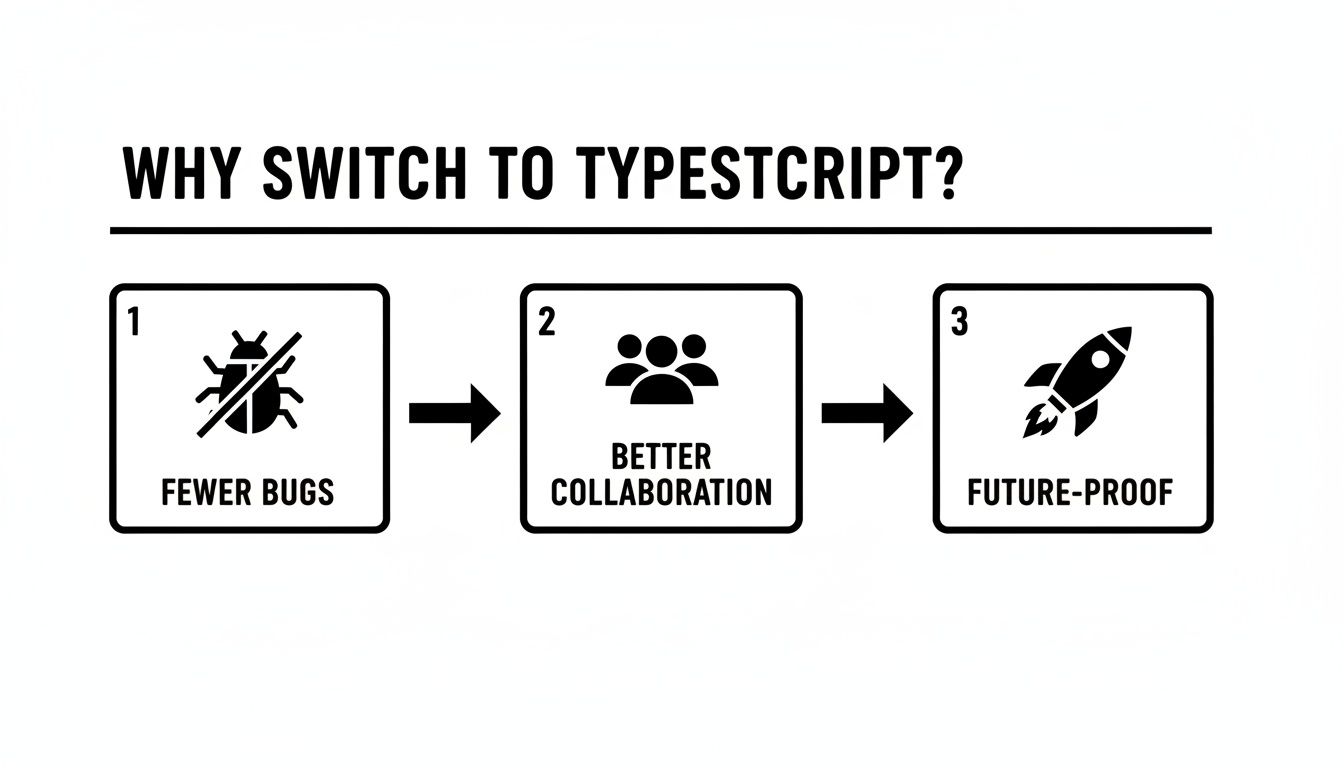
እነዚህን ዓላማዎች—ትክክለኛ በሆኑ ችግሮች፣ ጥሩ ትብብር፣ እና ለወደፊት የሚያገለግል አቀራረብ—መሸጥ ከመቻል ሁልጊዜም ማንኛውም ሰው ጉዞው ጥቅም ቢያውቅ ለማስታወስ ይረዳል።
ለስኬት መሠረቱን ማንጠል
አቅራቢያው በተመሰረተ ቁጥጥር ላይ ከሆነ፣ አንዳንድ መሠረተ ሕግዎችን ለማቀዝቀዝ ጊዜው ደርሷል። ይህን ደረጃ መዝገብ ለመስራት የተቋቋመ ስህተት ሲሆን፣ በኋላ ገዢ ችግሮችን እና ያልተስተካከሉ ነገሮችን ያመጣል።
በመጀመሪያ፣ ቡድንዎ በኮዲንግ ስምमችত ላይ ይስማሙ። interface ወይም type ይጠቀማሉ? ስለ any ዓይነት ምን ይሰማዎ? የተከለከለ ነውን፣ ወይም በጊዜያዊነት እንዲሄድ ተፍቅሬ ይሰጣልን? ይህን ውሳኔ በመመርቆ ይፃፉት። ከነዚህ ውስጥ በቋንቋ መመሪያ ውስጥ መጻፍ አለበት። በዚህ መካከል ያለው ደግነት ለቡድንዎ አጠቃላይ የDevelopers ድግስነት.
ከዚህ በኋላ፣ ያ::tsconfig.json ፋይልን ይፍጠሩ። በዚህ ቦታ መቼት በውድ የሆነ እና ተሰፋ የሚሰጥ ማሰናጃዎች አቅርበው ይጀምሩ። በመጀመሪያ ቀን ሁሉንም ጥንድ ማረጋገጫዎች ካላ𝐟তሩ፣ በሺዎች የሚቆጠሩ ስህተቶች ቡድንዎን ይያዝባቸዋል።
ለመጀመሪያ ያህል ጥንካሬ ያላቸው ነባሪ ማሰናጃዎች እነሆ)
tsconfig.json ማሰናጃ |
የመጀመሪያ ምክር ማሰናጃ | ምክንያት |
|---|---|---|
"noImplicitAny" |
false | ይህ ኮምፒለር አቀራረብ ባለመቻሉ ሲያስቆምት ከመጮህ ያገናኛል። |
"strictNullChecks" |
false |
ጥንታዊ ኮዱን ያለያዩ null እና undefined በሚከሰቱ ስህተቶች ዊናም ከመከልከል ራስን ይታ댑ሉ። |
"allowJs" |
true |
ይህ ያስፈልገን መተንፈሻ ሲሆን JS እና TS ፋይሎች አንድ ወላ ከግንባር ለመቀላቀል ይረዳል፣ ወስታ ለመፈተን ያደርገናል። |
በመጨረሻ ለግልጽ የሆኑ አይነቶችን በእጅ ያስቡ። ማንኛውንም አውቶማቲክ መሣሪያ ከመፈተንዎ በፊት ተቀምጠው የመተግበሪያዎን ዋና መረጃ መዋቅሮች—እንደ User, Product ወይም Session እንደሚኖሩት ራስን ያወቁ። ለእነዚህ TypeScript ባህሪዎች በእጅ መጻፍ የኮዱን ማዕከል ከመጀመሪያ በትክክል ተቀምጧል የሚል እርግጠኝነት ይሰጣል፣ በዚህ ላይ ለመገንባት ሚስጥራዊ መሠረት ያቀርባል።
3. ከባለበት የስራ ክፍል ለመስራት የአውቶማቲክ መሳሪያዎችን መጠቀም
ይቅርታ እንጠይква እውነቱን እንስራ፡ በሺዎች የሚቆጠሩ ፋይሎችን ከ JavaScript ወደ TypeScript በእጅ መቀየር ወደ ስራ አለመድረስ ደረጃ ያስነባል። ይህ የአውቶማቲክ መሳሪያዎች የሚገቡበት ቦታ ነው። እነዚህን እንደ ያልተለየ እርዳታዎ ልብ ይሁን፡ በትራንዚሽኑ ውስጥ ያሉትን ሁሉ ጥርጥር ያሉ እና ዳግም የሚከተሉ ክፍሎችን ይሰራሉ። ጥሩ javascript to typescript converter የወፍራም ድርድር ይሠራል፤ ቡድንዎ ላይ ለውጥ ማድረግ ያለባቸውን ሊያተኩር ያደርገዋል— ዓይነቶችን ማስተካከል እና በቃ የሆነውን ኮድ ጥራት ማሻሻል።
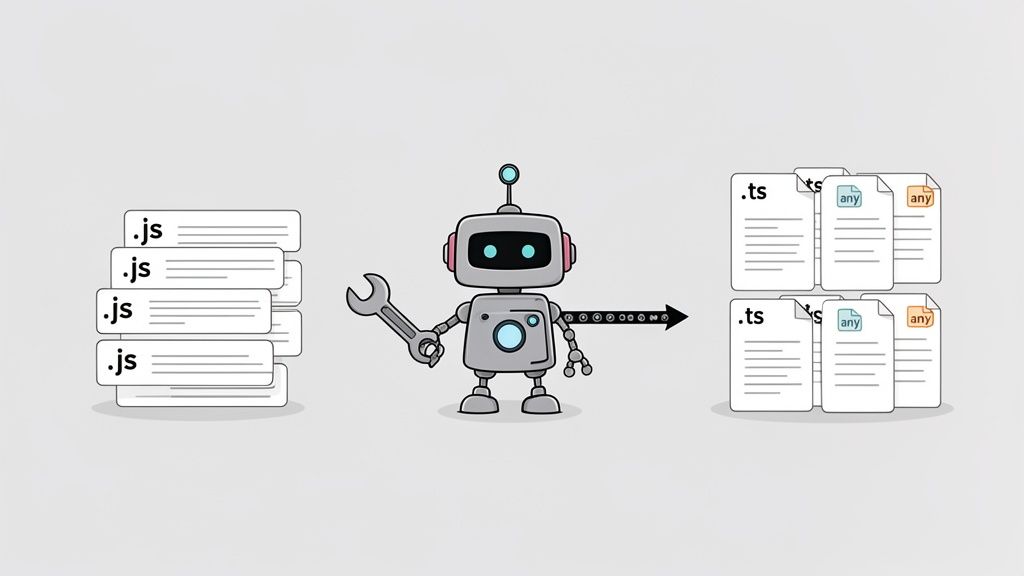
እነዚህ መሳሪያዎች የድርቀት መቀመጫ አይደለም፣ ግን ትልቅ ማፋጂያ ናቸው። የኮድ ቤትዎን ይሸ.contentSize=2048
- ፋይል እርስዎን መቀየር: ፋይል ቅርጸ ተብርክቶችን ከ
.jsወይም ከ.jsxወደ.tsወይም ወደ.tsx. መቀየር
- መነሻ መጻፍ: መሣሪያው ትክክለኛውን ዓይነት ማስታወስ ስለማይችል የ
anyዓይነት መጨመር። ይህ አስፈላጊ ምክንያቱም ሐረግዎን ወዲያውኑ በሚቀነበብ ሁኔታ እንዲሆን ያደርጋል። - ሰንትኳክስ ማዘመኛ: እንደ
PropTypesበReact ውስጥ ያሉ ዘደን田园ኛ የJavaScript ሞዴሎችን ወደ ተመሳሳዮቹ የTypeScript ተነጻጸሪዎች መቀየር።
ይህ መነሻ አዝናኝ መግባቢያ ለእርስዎ አዲሱ የTypeScript ሳንትኩክ የመጀመሪያ ሳብያ ፅሑፍ ያመጣል። ውብ አይሆንም፣ ነገር ግን እርስዎን ከመቼትም መቼትም አመለኝ አግባብ ሥራ መጻት ከመጠበቅ ይልቅ ምን ቢሆንም ትክክለኛ ሊሆን የሚችል መነሻ ነው።
ከኮዴሞዶች እና መቀያየሪዎች ጋር የመጀመሪያ ጉብኝትዎ
በራስ-መቅጫ ልውውጥ አስፈላጊነት ሲኖረው ስለ ኮዴሞዶች ብዙ ይሰማዎታል። እነዚህ ሐረግዎን በፕሮግራም እንዲሆን የሚቀይሩ ስክሪፎች ናቸው። ለዚህ ሥራ ከሚገኙት ምርጥ ቴክኒካዊ መሳሪያዎች አንዱ ነው ts-migrate፣ እሱም ከየራሱ ትልቅ ልውውጥ በኋላ Airbnb በህብረት ሥራ ከፍቶ የቀረበ ነው።
መጀመሪያ በብቻ በፕሮเจክትዎ ላይ በሚገኝ መሠረታዊ ማዕከል ውስጥ አንድ ትዕዛዝ በማስኬድ ብቻ ይሠራል። ለምሳሌ፣ የመጀመሪያው ክስተት መሰረታዊ ደረጃ ብዙ ጊዜ ፋይሎቹን እንድንቀይፍ ነው።
ያ ts-migrate rename ትዕዛዝ በትክክል ያ ነው፡npx ts-migrate rename .
ይህ ትዕዛዝ በፕሮเจክትዎ ላይ በፍጥነት ያሮጣል፣ ሁሉንም .js እና .jsx ፋይሎችን ወደ .ts እና .tsx ዕቅዶቻቸውን ይቀይራል። ከዚያ በኋላ በቂ ዓይነት የተወሰኑ እና ትክክለኛ ተርጓሚዎችን በማስተካከል ከToolkit ውስጥ ሌሎችን codemods ማስኬድ ይችላላችሁ፣ ይህም በክፍል በክፍል በኮድ ቤቱ ላይ ሥራ መፈጸም ያስችላል።
ዋና ትምህርት፡ ማሳወቂያው አርእስት በአንድ ጠቅታ ለመሳብ አይደለም። የ 80% ከእጅ በእጅ የሚሰራ ሥራ አንዳንድ ፋይሎችን ለማድረግ ነው፣ ለማንኛውም ተጠቃሚ የትክክለኛ ተርጓሚዎችን በትክክል ለማመልከት የሚያስፈልጉትን የተጨማሪ ሥራ ለመስራት ይሰጣል።
ኮድሞድ ከፈጸመ በኋላ ለውርውር በትክክል ምን ተቀይሯል መፈረጅ ጥሩ ነው። ማንኛውንም ነገር ከመቀረጽዎ በፊት ለፈጣን የእይታ ማረጋገጫ በነጻ መሣሪያ ይጠቀሙ በፊት እና በኋላ ያለውን ጽሁፍ ያነኳ當您在። መሣሪያው የሚተግብር ዘዴዎችን ለማስተዋል ይረዳዎታል::
ተወዳጅ አደረጃጀት ያላቸው መቀየሪያ መሣሪያዎች
እነዚህ መሣሪያዎች በዚህ የመጀመሪያ ለውጥ ላይ ሊረዱ ይችላሉ። እያንዳንዱ ጥቅሞቹ ያሉት በመሆኑ ትክክለኛውን መምረጥ ከእርስዎ ልዩ ስታክ እና ዓላማዎች ይወሰናል::
| የመሣሪያ ስም | ዋና ተግባር | ለማን ጥሩ ነው | ዋና ባህሪ |
|---|---|---|---|
| ts-migrate | ሁሉን አቀፍ የኮድሞድ መሳሪያ ስብስብ | ተለያዩ ለውጦች ለመፍጠር የሚሆን ትልቅ የኮድ ማከፋፈያ ስብስብ ( | ለተለያዩ የማስተካከያ ተግባራት የተነካ ተሰᐟሪያዎች ስብስብ |
| ts-morph | የኮድ ማስተካከያ ቤተ መንግስት | ግልጽ እና ውስብስብ የማስተካከያ ስክሪፒቶች ለመገንባት | መግለጽ ስብስብ ዛፋ (AST) ላይ ጥልቅ ቁጥጥር በትክክለኛው ማሻሻያ ላይ |
| TypeWiz | የመሬት ሁኔታ ዓይነት መረጃ ይሰበስባል | ጥሩ ሙከራ ሽፋን ያላቸው ፕሮጀክቶች | ኮዱ በመሬት ሁኔታ በእውነት እንዴት ይሠራ እንደሆነ መሰረት ዓይነቶችን ያመክራል |
| js-to-ts-converter | ቀላል የመስመር ላይ መቀየሪያ | ንዑስ ፋይሎችን ወይም ቆንጆ ቅርẓinoችን ፈጣን መቀየር | ቀላል ኮpliant-and-ient መቀየሮችን ለመስጠት የድር ማዕከል በመረጥ |
[ts-migrate] እንደ መሳሪያ በታላቅ ፕሮጀክት ላይ በጣም ጥሩ ቢሆንም፣ [js-to-ts-converter] እንደ እርስ በድር ያገኘነውን ቆንጆ መገለጫ ወይም አካል ፈጥን በመቀየር ጠቃሚ ሊሆን ይችላል.
አውቶማቲክ መሰረተ ልማት ዓይነት የሚያውቁ
የአውቶማቲክ መቀይርዎች በጣም ኃይለኛ ናቸው፣ ነገር ግን ድብልቅ አይደሉም። የሆነው የቃላት ስርዓት ለውጦች ባለቤቶች ናቸው—ግልጽ እና ትንታኔ ሊደረግበት የሚችል ንድፍ እንደሚከተል ይሄና ነው። ያሉትን ይችላሉ የሆነው ኢንተርፕራይዝ ሂደት ወይም ትክክለኛውን አድራሻ የኮዑ ጀርብ ውስጥ። እርስዎ፣ ለማን የማይተወ የሆነው ቦታው እዚያ ነው።
የእርስዎ መሳሪያ ምን ማድረግ ይችላል እና ምን ለእርስዎ ይቀርባል የሚለውን ከዚህ ምክር ጀምሮ ማየት ይችላሉ።
אוטומציה ምርጥ የሚያደርገው ✅
- ፋይሎችን ከ...
.jsወደ.ts. - መቀባት
anyየኮድ ይቀራ ለማድረግ በመላው ቦታ። - React መቀየር
PropTypesወደ መነሻ TypeScript መ惕ዎች። - ቀላል የቃል ማስተካከያ እና መነሻ ለውጦች።
ማንነት የሚፈልግበት አካል 🧑💻
- ከባድ እና የንግድ ተግባራዊ መ惕ዎች መግለጽ (ለምሳሌ፣
UserProfile,ShoppingCart,Invoice). - በጥንቃቄ ሁሉንም ይተካል
anyበልዩ እና ጥብቅ ዓይነት በመትከል - ከቃለ ምስክር በሚሰጡ እና ከችግር ጋር የሚሄዱ ነገሮችን ዳግም ለመገንባት
- ባልተዘረገቡ ባልተመጠረ
@typesፓኪጅዎች ለሌሎች ቤተ መንግስታዊ ሰውነቶች በእጅ ዓይነት በመጨመር
ፒንተረስት ያሉ ድርጅቶች ተሞክሮ፣ ከ3.7 ሚሊየን ቁጥር የሆነ የኮድ መስመሮች ያደረጉት፣ ይህን የተወሰነ መንገድ ማብራራት ያለው ምሳሌ ነው። የመጀመሪያ ከባድ ስራውን ለማድረግ የተቀመጠ ኮድ ለማሻሻል ስርዓት አካሂደው፣ ከዚያም መሳሪያዎች ለማንኛውም ሊያጠናቅቁት የማይችሉትን ሁሉ ተጨባጭ ነገሮችን ለመቋቋም ልዩ ሥክሪፕቶችንና በእጅ የተጠገኑ ማሻሻያዎችን ተከትohen
በመጨረሻ፣ የእርስዎ ባለሙያነት የመጨረሻው ክፍል ሲሆን፣ ቃለ ምስክር የተጻፈውን በትክክል የሚሰራ ዘርፍ ወደ በእውነት ዓይነት አስተማማኝ፣ ጠንካራ እና ጥገኛ ዘርፍ ይቀይረዋል።
4. በልበ ሙሉነት ማሻሻል: ከ'ማንኛውም' እስከ አስደናቂ
ተቀመጠ javascript to typescript converter ፕሮጀክትዎን ከመጀመሪያ ምስጠራ ጀምሮ ያወስدهዋል — የተሰለቸውን የፋይል ስም ለማቀዝቀዝ እና የተቀረውን ቃላት ለማስተካከል ያስፈልገውን ያከናውናል፣ ትክክለኛው የሚሰራ ዘርፍ ያቀርባል። ነገር ግን ይህ እውነተኛ ሥራ የሚጀምርበት ቦታ ሲሆን፣ ትክክለኛው ዋጋ ያለው ሥራ ነው።
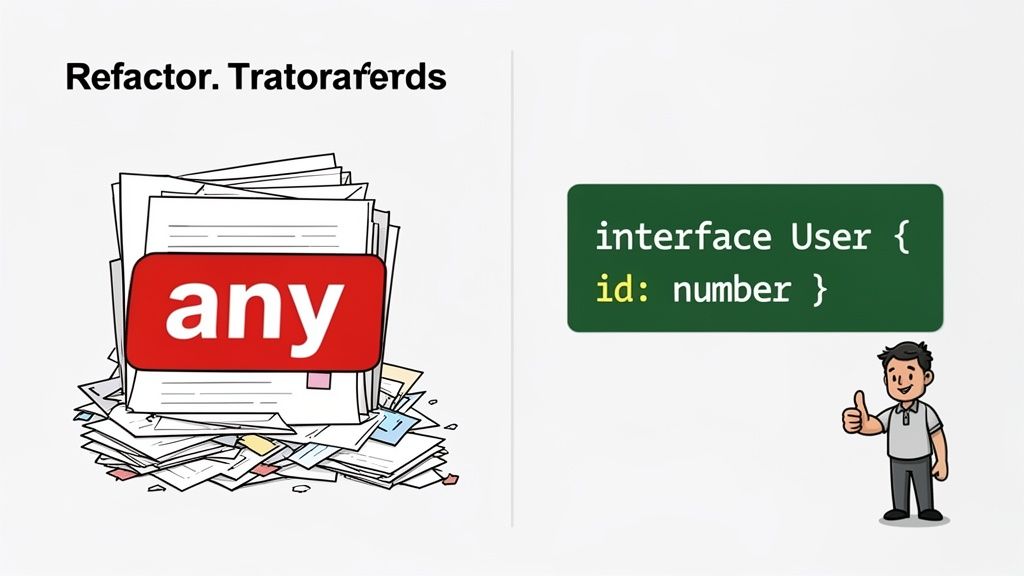
የትራንስፎርም ማደረግ ያለፈው ፋይሎችዎ በ any ዓይነት ተላላጭ ይሆናሉ፣ ይህም በ TypeScript ምንድን ነው የሚለውን "ስለ ይህ ምንም ልናውቅም" ማለት ነው። ከ any ወደ አስደናቂ የመቀየር ሂደት የተሟላ ቁጥጥር ያለው፣ ራሱን መግለጫ ያለው እና የሚጠግን እንደሆነ ከ简单的 በፍላጎት ብቻ "የተቀየረ" ወደ እውነት ቁጥጥር ያለው ለማድረግ የሚያገለግል ወደ የእጅ ሥራ ሂደት ነው.
ይህ የማሻሻያ ደረጃ የውይይት ስልጣኔ ብቻ ሳይሆን የመርምር ሥራ ነው። ዓላማዎ ማንኛውንም any በትክክል መቅረጽ ያለውን በትክክል የሚገልጽ አይነት ለመቀየር መፈለግ ነው። ይህ የትምህርት ቤት ውስጥ ብቻ የሚሆን ሥራ አይደለም፤ ይህ የTypeScript ማዕከላዊ ጥቅሞችን—በ편ር ውስጥ ስህተት ለማግኘት፣ ጠንካራ አውቶኮምፕሊሽን ለማግኘት፣ እና ኮዴዎን ለሌሎች (እና ለአሁን ያለዎትን ራስዎ) በጣም ቀላል ለማድረግ—የመክፈቻ መንገድ ነው። ማሽን በፍጹም ማድረግ የማይችልበት የሰው ምስጋና ነው.
የንጹህ በረድተቶችን እና የአይነት ተጻፊዎችን ማድረግ
የመጀመሪያ ተግባርህ በኮድ ቦታህ ውስጥ ያሉትን ውስን ነገሮች መፈለግ እና ለነገር ስም እና ቅርጽ መስጠት ነው። ኮንቨርተሩ በቁልፍ ምልክት የጣላቸውን የፋንክሽን ፓራሜተሮች ወይም API ምላሽ መረጃዎችን ይፈልጉ any ይህን። እነዚህ ለመሆን ተስ貓ሚ አሠогዎች ናቸው interface ወይም ለ type ማዕር ስም።
እቃ ቅርጽ ለመግለጽ፣ interface የተሻለ ባልደረባዎ ነው። ለምሳሌ፣ በ JavaScript ውስጥ ሁልጊዜ የተደበቀ የዚያ user እቃ አሁን በግልጽ መንገድ መግለጽ ይችላል።
ከዚህ በፊት: ውስንነት ያለው JavaScript Object
function displayUser(user) { // What's in a 'user'? Who knows.
console.log(Welcome, ${user.firstName});
}
ከዚህ በኋላ: ራሱን የሚስረከብ የTypeScript ገጽታ (
interface UserProfile {
id: number;
firstName: string;
lastName: string;
email: string;
isAdmin?: boolean; // ምርጫዊ ባህሪ
}
function displayUser(user: UserProfile) {
console.log(Welcome, ${user.firstName});
}
በዚህ መልኩ ማምጫው አልነበረም። ኢዲተሮሮህ በ "user" ብJECT ላይ ያሉትን ባህሪዎች በትክክል ያውቃል፣ ይህም ማንኛውም ጽሁፍ ስህተት እንዳይሆን እና እጅግ በጣም ይገዛኛል የአውቶማቲክ ማጠናከሪያ ነገር መሆኑን ማይከላከል።
ለተለያዩ ወይም ለተለዋዋጭ የመረጃ ስርዓቶች፣ "type" ተብሎ የሚጠራው ምርጫ አለው። ጥንድ ዓይነቶችን፣ ድምር ዓይነቶችን ለመፍጠር ወይም ለመደበኛ ዓይነት ተጨማሪ ትርጉም ለመስጠት ተስፋፋ ናቸው።
- የጠቅላላ ዓይነቶች (:
type Status = 'pending' | 'approved' | 'rejected'; - ዕ RouteServiceProvider:
type UserWithPosts = UserProfile & { posts: Post[] };
ማህደሮችን እና ሦስተኛ ወገን ኮዱን መብቃት
የእርስዎ ዋና ውስታ ስንቀም በተደረገ በኋላ፣ የሚቀጥለው ትክክለኛ እርምጃ የእርስዎን ማህደሮች በትክክል መብቃት ነው። ይህ ማለት ማህደሩ የሚቀበለውን ዓምዶች እና የሚመለሰውን ዋጋ መብቃት መሰረት ነው፤ ይህም TypeScript ማብራሪያ ሊያስፈጽም የሚችል ጠንካራ "ቃል ኪስ" ይፈጥራል።
ቀላል አገልግዮት ማድረጊያ ያዩ። ያልተወሰኑ ዓምዶች ብቻ በተሻለ ሁኔታ መሆንን ተስፋ ይላሉ።
ከዚህ ቀደም: በፍጥነት የተገለጸ ማህደር
function calculateTotal(items) {
return items.reduce((acc, item) => acc + item.price, 0);
}
ይህ ኮድ ይሠላል items የአንድ ስብስብ እንደሆነ እና እያንዳንዱ እንደስብስብ price ንብረት እንዳለው። TypeScript ይህን ተስፋ በግልጽ ማድረግ ይፈልግሃል።
ከዚህ በኋላ: በትክክል የተወሰነ ማህደር
interface CartItem {
id: string;
name: string;
price: number;
}
function calculateTotal(items: CartItem[]): number {
return items.reduce((acc, item) => acc + item.price, 0);
}
አሁን በጣም ግልጽ ነው፤ ይህ ተግባር የ CartItem ሰRuntimeObject ማከማቻ ወስዶ በተጠበቀ ሁኔታ የሚመልሰው numberነው። ምንም ግራ ባይነት የለውም።
ሌላ የተለመደ ችግር የሦስተኛ ወገን ቤተ መጻህፍት መስራች መሆኑ ነው። ጥሩ ዜና ያው ብዙ ታዋቂ ፓኬጅዎች በ DefinitelyTyped ፕሮጀክት። ብዙ ጊዜ በቀላል ትዕዛዝ ማግኘት ይችላላችሁ:npm install --save-dev @types/package-name
እነዚህን ማስቀመጥ @types ፓኬጆች ማስቀመጥ ለTypeScript ወዲያውኑ ለብራትሬሪው አፒአይ ጥልቅ ሐሳብ ይሰጣል፣ ለራስዎ ኮድ ያላችሁትን ተመሳሳይ ራስ መሙላት እና የዓይነት ማረጋገጫ በመስጠት የ developsment ተሞክሮዎን ያጓጎል።
የዚህ መርሆ አቀራረብ ለማድረግ በመቀይሽ ብቻ ሳይሆን ከግልጽ በላይ ጥቅማት ያቀርባል። በደንብ የተቀረጹ ኮዶች ዘመናዊ የ development tools መሰረት እንዲሠሩ ያቀርባሉ፣ ስለዚህ ምርጫ እጅግ በጣም ይሻሻላል።
TypeScript እና ዘመናዊ የ開發 መሣሪያዎች መካከል ያለው ቅርኑ በግልጽ ይታያል። GitHub Copilot, Tabnine እና Cursor ያሉ የመፍጫ AI ረዳቶች ከተመደቡ ቋንቋዎች ጋር በጣም የበለጡ ውጤታማ ናቸው። 2025 እስከ ዛሬ ድረስ፣ GPT-5 እና የተለያዩ AI IDE ረዳቶች እንደ GPT-5 ያሉ ትልቅ የቋንቋ ሞዴሎች (LLMs) ተመደቡ የተመደቡ የኮድ መሠረቶችን በበለጠ ስለሚረዱ፣ ለሂደትዎ ወደፊት የሚቀጥል ስለሆነ ይህ መሸጋገጥ ብልጭታ አቀራረብ ነው። TypeScript ምንድን ነው ለዘመናዊ ልማት የሚያሻሻለው ስለ abbacustechnologies.com ተጨማሪ ግንዛቤዎችን ማግኘት ይችላሉ.
ዘመናዊ የልማት ለማሰሪያ ዘዴዎችን መቀበል
መጨረሻ በጣም ጥሩ ዕድል ሲሆን ይህ የማስተካከያ ሂደት ኮዴዎን ለዘመናዊ ማድረግ ይጠቅምዎታል። በይ❈ታ ማውሰዶችን ከተመደቡ ማስጠቂያዎች ጋር በመጠቀም ተግባራትዎን በቀላሉ እና በፍጥነት አንብበው ማንበብ ይችላሉ።
ከመውሰድ በፊት: ባህላዊ ባህሪ መድረስ
function getAdminEmail(user: UserProfile): string | null {
if (user.isAdmin) {
return user.email;
}
return null;
}
ከኋላ: በአይነት መፍጠር በመጠቀም
function getAdminEmail({ isAdmin, email }: UserProfile): string | null {
return isAdmin ? email : null;
}
ቸልተኛ ለውጥ ነው፣ ግን የተግባሩ ዝምድናዎችን በግልጽ አደርገዋል እና ኮዱን በጣም ያቀላጥፋል። በክፍል ሁኔታ በመተካት any፣ ተግባሮችዎን በአይነት መፍጠር፣ የማህበረሰቡን አይነት መጠቅልል፣ እና ዘመናዊ ዘዴዎችን በመቀበል፣ ኮዱን ከበለንጋ የጀስክሪፕት ፕሮጀክት ወደ ግንባር የሆነ፣ ለተገንቢ ምቹ የአይፕ ጅምር አቅም ይቀይራሉ።
የፈተና እና CI/CD ፕይፕላይን በማስተካከል
ስለዚህ፣ የምንጪ ኮዱን ቀይ铊ዎ። ይህ ትልቅ እርምጃ ነው፣ ነገሩ ግን አልተከለም። ይህን በዚህ ሁኔታ ያስቡ፡ የመተግበሪያ ኮዱ አሁን TypeScript ይገላጥላል፣ የእርስዎ የልማት መሠረተ ልማቶች—የፈተና ማስኬጃዎች፣ የመሠራተኛ ሥክሪፕቶች እና CI ሂዶች—አሁንም በJavaScript ላይ ቆንĝዎ። አ javascript to typescript converter ይህን አይንካም፣ በኢነ︶tionዎ ውስጥ አስፈላጊ ቅርጽ ይተዋል።
ምንም ዓይነት ስርዓቶችን ካልተመቸኑት፣ ያንን ዘመናዊ የመለያ ስህተት የተሻሻለ ማጣቀሻ ለእርስዎ የአካባቢ ኢዲተር ብቻ ይሆናል። ኃይል የለውም። የኮድ ጥራትን ለማረጋገጥ የተነገሩት በቂ ሂደቶች ሙሉ በሙሉ ይተዋሉታል::
የዚህ ሂደት ክፍል ሙሉ በሙሉ TypeScript (tsc) ወደ የእርስዎ የልማት ዕድሜ ዘመን ማንባብ ላይ ይገኘዋል። የመለያ ማረጋገጫ ተቋም የማይቀይር በር አስከባሪ መሆን አለበት። ዓላማው የተለያዩ የመለያ ስህተቶች ያላቸው ምንም ኮድ በድምም በማይቀላቀል ወይም በማይሰራ መሆን እንደሚችል ለማረጋገጥ፣ TypeScript ከጠቅላላ መሳሪያ ወደ የመተግበሪያ ታማኝነት መሠረታዊ አምባ መቀየር ነው::
የምርመራ ፍሬምወርክዎን እንደገና ማዋቀር
መጀመሪያ ላይ መጀመሪያ: የነበረው ምርመራ ስብስብ ምን ማድረግ እንደሚችል .ts እና .tsx ፋይሎችን ላይ ምንም ሐሳብ የለውም። የምርመራ ማስኬጃው እንዴት እንደሚያስተናግድ ማስተማር ያስፈልጋል። Jest ወይም Vitest እንደሚሆኑ በጣም በተለመዱ ፍሬምወርኮች ላይ፣ ይህ ማለት በተለይ ተ专门为ት ለመቀየር መጨመርን ይጨምራል።
እርስዎ Jest እየተጠቀሙ ከሆነ፣ የማህበረሰብ ደረጃው ts-jest ነው። ከጫን በኋላ ለማስኬድ jest.config.js ውስጥ ትንሽ ማሻሻያ ብቻ ያስፈልጋል።
// jest.config.js
module.exports = {
// ...other configs
preset: 'ts-jest',
testEnvironment: 'node',
transform: {
'^.+\.tsx?$': 'ts-jest',
},
};
ይህ አነስተኛ ቅርጸ ተብይTOts-jest ይጻፍ ሲል Jestን ያስተensa፣ "ቻይ ማንኛውም ጊዜ TypeScript ፋይል እንደ ታገኘህ፣ ምርመራዎችን ከመፈተንዎ በፊት ለማቀዝቀዝ
የግንባታ ስክሪፕቶችን እና CI ዝርዝሮችን ማዘመን
የእርስዎን የቀጠላ የማጣቀሻ ዘመናዊነት (CI) መንገድ የመጨረሻ የመከላከያ መስርትዎ ነው። ይህ የትዕዛዞችዎን ወደ ተግባር ማስገባት የሚሆንበት ቦታ ነው። እዚህ ላይ ያለው ብቸኛው አስፈላጊ ማዘመን ወደ ዝርዝር የአይነት ማረጋገጫ ደረጃ በመንገድ ላይ መጨመር ነው።
package.json ውስጥ ለዚህ በተልዩ አዲስ ስክሪፕት ማከል ምርጡ ተሞክሮ መሆኑን አግኝቼታለሁ.
"scripts": {
"test": "jest",
"build": "tsc",
"type-check": "tsc --noEmit"
}
ያ::--noEmit ባህሪው ቁልፍ ነው። ይህ ለTypeScript ተቀርጭ ሁሉንም ምርመራዎች ያስ运行 ዘንድ ይፈቅዳል ግን አይሰራም በእውነቱ ምንም የJavaScript ውጤት ፋይሎች አይ 생성ም። ይህ አይነት ስህተቶችን ያረጋግጣል
ምርመራ ከبناء እና ለመፈተን ስክሪፕቶችዎ ቆይቶ በCI በመስመርዎ ውስጥ ለተወሰነ ተግባር ቦታ ማድረግ አለበት። ይህ የተፈተኑ ሙከራ ስብስብ ምንም የተደበቁ የአይነት ስህተቶች እንዳይሸፈን ያረጋግጣል፣ ችግሮችን በፈጣን እና በአስተዋይ ሁኔታ አያግዝም።
ያንን ስክሪፕት ያዘጋጀ ቢሆን፣ በቀጥታ ወደ CI ማዋቀሪያዎ ማስገባት ይችላሉ። ለምሳሌ፣ በGitHub Actions ውስጥ እንዴት እንደሚሆን እዚህ ይታያል::
.github/workflows/ci.yml
jobs:
build:
runs-on: ubuntu-latest
steps:
- uses: actions/checkout@v3
- uses: actions/setup-node@v3
with:
node-version: '18'
- ላይን: npm install
- ላይን: npm run type-check # አዲስ ቪን ለማረጋገጫ መስኬድ
- ላይን: npm test
- ላይን: npm run build
እንዲህ ዓይነት አንድ መስመር በመጨመር—npm run type-check—ሁሉንም የপুል ጥያቄ ለአይነት ትክክለኛነት ይፈተሻል። ካልተሳካ፣ ጠቅላላው የCI ስራ ይ隅mentsል፣ ማዋ疄ም ይከለከላል። ይህ የTypeScriptን በትeamዎ የስራ መስመር ውስጥ በእርግጥ እንዴት እንደሚቀላች ነው፣ የአይነት ደህንነትን በጋራ፣ በራስ-ሰර ኃላፊነት ማድረግ።
እና በማንኛውም የማወቂያ ፋይሎችዎ ውስጥ በመፈለግ ላይ ከሆኑ፣ ከእኛ በነፃ ሊፈልጉ ይችላሉ JSON formatter ለመሸንተናቸውን ነገሮች እንደ package.json እና tsconfig.json ንጹህ እና በቀላሉ ለማንበብ የሚችል ይሆናል።
የማይቀር መጓደኛ መንገዶችን በማስቀጠል
እንግዲህ በእውነት እንመልከት፡ በተሻለ ዕቅድ እና በሚገባ መሰረት ቢሆንም javascript to typescript converter፣ ምንም ማስከበር ሙሉ በሙሉ ምቹ አይደለም። አንዳንድ ችግሮችን ታገናኛላችሁ። ይህን ለተወሰዱ ኮምፓይለር ስህተቶች እና ለተለያዩ የተወሰኑ ዘዴዎች አጋዦ መመሪያ አድርጉ፣ ይህ ሁልጊዜም ይፈጠራል።
አንድ መጀመሪያ ችግር ሊከሰት የሚችልው የሦስተኛ ወገን ቤተሰብ ሳይኖረው በትክክል የተቀመጠ የጠርዝሮች መግለጫ ማለት ነው። ፓኬጅ አInstall ትሆናል፣ እና ላይ እንታይ እየተናገሩ እንደሆነ TypeScript ወዲያውኑ ምንም አለመረጋጋቱን ይጻፋል። DefinitelyTyped ማከማቻው ትልቅ ነው፣ ነገር ግን ሁሉንም አይሸፍንም። ይህ ሲፈṣt የሚከሰት ሲሆን፣ የቋንቋውን መልክዓ ምስል ለTypeScript መሰረታዊ ስራ ምስል ለማቅረብ ራሴን ማሰራት እና ብጁ የተወሰነ ስብስብ ፋይል (.d.ts) መፍጠር ያስፈልግዎታል.
የ any አርystack በማረጋጋት
የራስ ተስፋፊ መቀየር ሰሪ ከሠራን በኋላ ኮድዎ ይሠራል፣ ነገር ግን any የetypes በጣም ያህል ሊሆን ይችላል። እውነተኛ ሥራ የሚጀምረው በ "noImplicitAny": true ቁልፍ በ tsconfig.json ውስጥ በሚቀይሩ ጊዜ ነው። ከልክ ባልተከተለ የተቀመጠ ችግሮች ዝግጅት ያድርጉ፤ ይህ የተቀዳজ አይደለም—TypeScript ለከፍተኛ ድርጅቶችዎ የሚሰጥ የመንገድ ኮርታ ነው።
ቀልዶው አይመልከትም ነው። በስልኩ መሆን አለብህ። ሁልጊዜ ከመሠረታዊ ኮዶችህ ጋር መጀመር እንመክራለሁ፣ እንደ ዋና መገንበያዎች እና የውስጥ ሞዴሎች አይነት። በብዙ ተጠቃሚ ረድኤት ውስጥ የሚጠቅም ከአንድ implicit any ማስተካከል ብዙ ሌሎች ስህተቶች በቀላሉ እንዲያלמות ሊያደርግ ይችላል።
የ
implicit anyስህተቶችን እንደ ስንት አይחשבም። ከኮምፒላር የተደረጉ ተደራሽ የሆኑ ተግባራት ናቸው። እነዚህን ከመስተካከል እያንዳንዱ መተግበሪያዎን ያረጋቸዋል።
ሌላ ታዋቂ አስቀያሚ ሥርዓት ባለው ስብስብ ጋር ግንኙነት ያልተቀኘ አሮጌ የጀቨርስክሪፕት ስርዓቶችን መፍታት ነው። ይህን በፍላጎቶች ባሉ ስንተኛ ተለያዩ ክርክሮችን የሚቀበሉ ተግባራት ወይም ዲናሚክ ቁልፍ ያላቸው ኦብጀክቶች ያሉ ነገሮች ላይ ታያለህ።
እነሆ ዛሬ በጣም የሚታዩ አንዳንድ ሁኔታዎች እንዴት መፍታት እንደሚቻል፦
- ዲናሚክ ቁልፎች ያላቸው ኦብጀክቶች፦ ኦብጀክትን እንደ መዝገብ ወይም ካርታ ብትጠቀም፣ index signature የምትፈልገው ነገር ነው። ይህ
[key: string]: numberይሄ ነው የሚለውን ቅርጽ ያለው ሲሆን፣ ለTypeScript ምን መጠበቅ እንደሚችል ይገልጽልሃል። - ብዙ ስህተት ያላቸው ተግባራት: የተለያዩ አለያማዎችን በመላክ ልዩ ተግባራትን የሚሠራ ተግባር ጋር ገጥሞ ታይቷል? የተግባር ተብዶ ማስወደድ እዚህ ድጋፍ ይሆንልዎ። ተግባሩን በትክክል መጠቀም የሚችሉትን መንገዶች ማስነገድ ያስችሎታል.
- ዕበይ ያለው እንከን ማሰሪያ ሐሳብ: በጋራ የሚፈጠሩ ሁኔታዎች ላይ የምትዛወጥ ዓይነት ያላቸውን ተለዋዋጮች ለማስተካከል፣ የዓይነት ጠብቆች እና የተለያዩ የተለያዩ ስብስቦች መጠቀም ያስፈልግዎታል። እነዚህ ጥቅም ላይ የሚወጡ አዝናኝ ለሆነው የ应用程序 ሐሳብ ተንታኝ ማድረግ የሚረዱ ኃይለኛ ዘዴዎች ናቸው.
እነዚህን ችግሮች እያንዳንዳቸውን በመቅጣት ያለውን ቀጣይነት ያስቀጥላሉ። ግራ የሚያነሳ የኮምፒላር ውጤቶችን ወደ ግልጽ፣ ተግባራዊ ደረጃዎች መቀየር በእርግጥ ተመጣጣኝ ዓይነት ደህንነቱ የተጠበቀ ኮድ ቤት እንዳይቻል ያደርገዋል.
የእርስዎን ከፍተኛ የሸንተና ጥያቄዎች ማስተካከያ
በውጪ ላለው ምክር ቢሆንም ጥያቄዎች ይኖርዎታል። ከJavaScript ወደ TypeScript መቀየር ትልቅ እርምጃ ነው፣ ለቡድንዎ እና ለመሠረተ ልማትዎ ይህ ማለት ምን እንደሆነ በመጠየቅ ላይ ሙሉ በሙሉ ያልተገመገመ ነው። ልዕለ አንዳንድ ተለምዏ ችግሮችን ወደ አንድ ላይ እንስጥ።
በሁልጊዜ የሚጠይቁኝ ጥያቄ አንድ ነው፣ "ይህ ሙሉ የስ您的孩子 (በእርግጥ (ይህ ሙሉ የስ您的孩子 (
ስለዚህ، የስ您的孩子 (
ይህ ባህላዊ "ይ תלוי (
ግን ለተለያዩ በቅርጽ (
የሰዓቱን ርዝመት የሚያስተንፍሰው ከፍተኛ ምክንያቶች(
- የኮድ መሠረተ ሕንፃ( ምን ዓይነት "የዝርዝር ኮድ" እያከናውኑ ነው? የተጠበጠቡ ግንኙነቶች ትልቅ የጊዜ ስር (
- የቡድን ግንኙነት: ቡድንዎ በTypeScript ላይ የበለጠ ምቹ ነውን፣ ወይስ በመመርመር ብቻ ይማራሉ?
- የምርመራ ጥብቅነት: ጠንካራ የምርመራ ስብስብ ምርጥ ወዳጅዎ ነው። ለውጥ በማድረግ ነገሮችን ሳይሰብር ይፈቅድልዎታል።
TypeScript መፃፍ ይዘዝናችሁን?
በመጀመሪያው ከጥቂት በላይ ይዘዝዎታል። ዓይነትዎችንና ተቃራኒዎችን ለመፈረcję ከመቀደም በፊት የበለጠ ጊዜ በእርግጠኝነት ይចspent አይደልም። ግን ያ የመጀመሪያ ጊዜ ከፍታ ተሞክሮ አይደለም። በኋላ በፍላጎት የተገነባ ትጠቃሚነት ወዲያውኑ ይመጣል። የ undefined is not a function ስህተቶችን ከመከታተል ያንን በጣም ያህል ይቆጥባሉ፣ ብዙውን ጊዜ እርስዎ እንዲሠሩ ይወስኛሉ።
ይህ ባህላዊ "በቀስত ወደ ፈጥነት" ጊዜ ነው። ዓይነቶችን ለመግለጽ የሚያሳይቷቸው ደንበኛ ደንቦች በቀረጸ ስህተት ከመቀረጽዎ በፊት ያው አይተዎታል፣ የመሳሪያ ባህሪ ማጥፋት ያለመሳሪያ ለማስተካከል ይፈቅድልዎታል፣ ወይም የታስተካከለ የኮድ ዘዴ በኩራት ማስተካከል ይፈቅድልዎታል።
ኢንተርፕራይዝ መረጃዎቹ ይህንን ያረጋግጣሉ። ዛሬ፣ የ__[" (65% የጃቫስክሪፕት መተግበሪያ ሐበerule በጣይፕስክሪፕት ይሠራሉ። ይህ የሚያልፍ ዘመን ብቻ አይደለም፤ ብልጽግና እንደ __(" (.angular ሌሎች ዋና ፍሬምወርኮች ለቀላል ቋንቋ ተቀብዬ እንዲጠቀም ያደረጋቸዋል፣ የዚህ ቦታን በዘመናዊ የዌብ ቅርጽ ውስጥ ያጸናቃል። በማህበረሰቡ ውስጥ ስሜቱ ከፍተኛ ነው፣ በ __(" (90% በላይ መተግበሪያ ሐበerule በ2024 የስታክ አበረክቶ በኩል ለመጠቀም ተወዳጅ መሆኑን ገለጹ። እርስዎ __ ( ስለ ባይፕስክሪፕት ተጠቃሚነት ተጨማሪ ማብራረering ከ hypersense-software.com ማግኘት ይችላሉ። እነዚህ ብቻ የፍላጎት መለቆች አይደሉም፤ የመጀመሪያው የመማር መንገድ በኮድ ጥራት እና በመተግበሪያ ሐበረት ለተሻለ ማሻሻያ አነስተኛ ዋጋ መሆኑን ያሳያሉ።
ኮድ ለማስተካከል ብቻ ከሆነ የወደዱትን የማበልጸኛ መሠረት ከፍ ለማድረግ ዝግጁ ነዎት? ShiftShift Extensions የሚያቀርቡት ባለስልጣን እና ተጨባጭ መሣሪያዎችን በቀጥታ በአ暠ሪ ብራውዘር ውስጥ ነው። JSON ፎርማተር፣ የጽሑፍ ማነጻጸሪያ መሣሪያ፣ ኩኪ ማስተዳደሪያ እና በአንድ ቁልፍ ስህተት የእናንተን ተጨማሪ ስርዓተ መሣሪያዎች ለማግኘት ይችላሉ.https://shiftshift.app.