2026 ውስጥ ለአንደኛ ደረጃ አንደኛ የሆኑ 12 የChrome እንቅስቃሴዎች
የአንድ ዓይነት የሚሆኑ 12 የተመረጡ የChrome እንቅስቃሴዎችን ይወቁ ወይም የሚሰሩ ሰዎች የሚያስተዳድሩ የሥራ እንቅስቃሴ ይጨምሩ። የእኛ ዝርዝር መመሪያ የቅርጸ ቁምፊዎች፣ የማስተካከያ መሣሪያዎች እና ሌላ በሚለው የተሻለ የሥራ እንቅስቃሴ ይወስዳል።

የተመነጨ ማስተካከያዎች

የዘመናዊ ሶፍትዌር ልማት ውስጥ፣ የኮድ አስተካክያ እና የብራውዘር መካከል ያለው ድንጋጌ ከቀደም በላይ ተወግግሞ ነው። በብራውዘር ውስጥ በቀጥታ ለሰዓት በድንጋይ ተሞክሮዎች ማሻሻል፣ የኔትዎርክ ጥያቄዎችን መፈተሽ እና የመተግበሪያ ሁኔታ ማስተካከል ያባክናል። ትክክለው ጥያቄ ያህል ነው፣ ጥሩ የተለያዩ ተширነቶች ከቀላል የምግብ ማቀዝቀዣ ወደ በቂ የተቀናበረ የሆነ ልማት አከባቢ ይቀይራቸዋል
ይህ መመሪያ ከChrome ዋና ሱች ውስጥ ያለውን ድብልቅ በመቀረት እርስዎን ወደ ውሳኔ ለማድረግ የሚያስፈልግ ትክክለኛ ለ desarrolladores ምርጥ chrome ተስፋፎች ያቀርባል። ከሁሉንም የሚገልጽ ባህሪ ማጠቃለያ ባልበለጽ በመግለጥ እውነታዊ ችግሮችን የሚፈቱ ተሟላተኞችን መሣሻ አስቀምጋለን። የተቀላሉ በፍጥነት JSON ወደ ቅርጸ ለማድረግ፣ ገጹን ሳይለይ የኮድ ልዩነቶችን ለማመሳከት እና ለብዙ አከባቢዎች ብስኮችን በብቃት ለማስተዳደር መሳሪያዎችን ታገኘዋላችሁ
ይህ ሙሉ ዓይነት ሀብት ሥራዎን ለቀለል ለማድረግ፣ በየጊዜው የሚሆን የአከባቢ መቀያየር ለማስወገድ እና ዋጋ ያለው የልማት ጊዜ እንደገና ለማግኘት ተዘጋጅቷል። React ወይም Vue የሚያገለግል ለአ.frontend ባለሙያዎች፣ APIs የሚሠሩ ለ backend ባለሙያዎች እና የችግር ሙከራዎችን የሚያስተዳድር ለQA ባለሙያዎች መሳሪያዎችን እንይቃለን። እያንዳንዱ ምክር ቀጥታ ማገናኛዎችን፣ ስክሪንሾቶችን እና ተጨባጭ ሆኖ ተስፋፎችን እና አጉራቶቹን ያቀርባል እንዲሁም የተስፋፎችን ትክክለኛ ግምት ለመስጠት እርስዎን ለማስተዋይ ይረዳል። ብራውዘርዎን ለማሻሻል እና ምርतነትዎን ለማሳደግ ዝግጁ ይሁኑ
1. ShiftShift Extensions
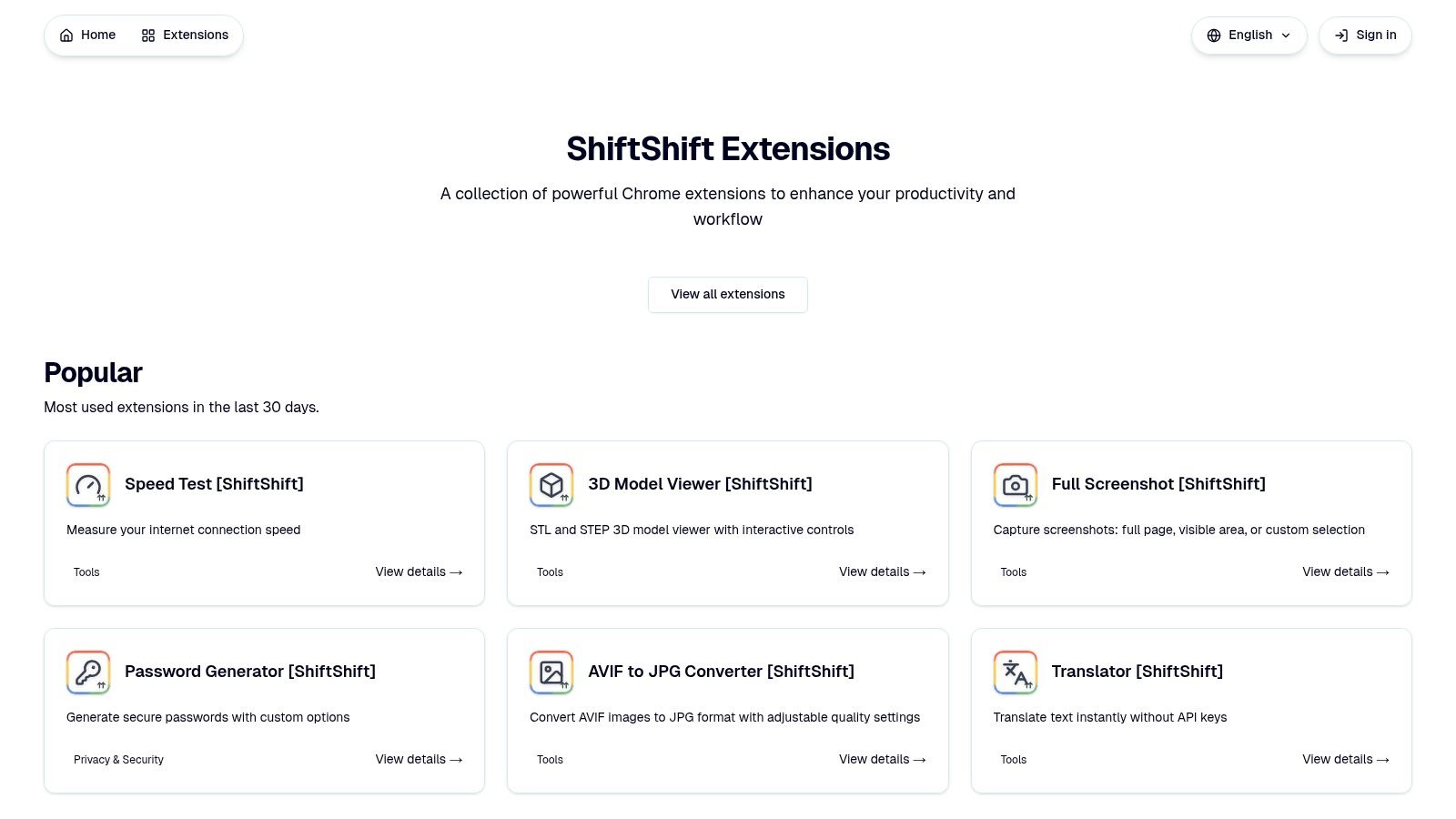
ShiftShift Extensions ለDevelopers የሚገኝ ጠንካራ እና የተቀኘ ስርዓት ነው፣ ዓላማው የመሰረታዊ መሳሪያዎችን በአንድ በቃር የሚሰራ በይ㕌መInterface ውስጥ ያከማኝበታል። በቃሪቃ ውስጥ ለፎርማቲንግ፣ ለመቀይር እና ለመቅኘት እያንዳንዱን extension በመጫን ከመከልከል በተለይ፣ ShiftShift Command Palette በመጠቀም የሚያስተዋይ ሙሉ መሳሪያ ይሰጣል። ይህ ዕቅድ ፊልሶፒ ተጠቃሚዎችን የሚያመለከት ስለሆነ፣ ለEfficiency እና ለንጹህ Workspace ያፈጋጩ የChrome ተለያዩ extensionዎች መካከል አንዱ ነው።
Shift ቁልፍን ሁለት ጊዜ በቀላሉ በመንኮረክር ወይም Cmd/Ctrl+Shift+P በመጠቀም በሚነሳው ፓሌት አሁን ያለውን ገጹን ከመተው አልፎ ለሙሉ መሳሪያ ዝርዝር ወዲያውኑ በfrecency ተደራሽ ይሆናል። ይህ የቀጠራውን በመቀጠል የሚሰራ ዘዴ ቁልፍ ጥንቅቆቹ ነው፣ ለመደበኛ ስራዎች ማχላለፍ ወይም የተለዩ መተግበሪያዎች መክፈት አያስፈልግም። Extension የ ግልጽነት-ቀዳሚ ምርምር በመሆን ተነጥቧል፤ ፎርማቲንግ እና የፋይል ለውጦች እንደ ስራዎች ብዙ ተግባራት በኮምፒውተርዎ ላይ በአካባቢ ይ 처리 እና ሙሉ በሙሉ ከመስመር ውጪ ይሠራሉ።
ለምን እኛ መረጥን
ShiftShift ዋጋው በእርião መጠኑ እና በተቀላልፍ ተጠቃሚ ተሞክሮው ውስጥ ይገኛል። ተሠራተኞች ከመጻፍ ቆንጆ የሆኑ JSON ወይም dialect-aware SQL በፍጥነት ማቀረብ፣ የጽሑፍ ልዩነቶችን side-by-side ማየት፣ ወይም ለመላው ዘርፍ cookies ማስተዳደር ይችላሉ። ከተሠራተኛ-ተኮር መሣሪያዎች ባሻገር፣ እንደ የምልክት ሥዕል ለውጥ (JPG፣ PNG፣ WebP፣ AVIF)፣ ሙሉ ገጻዊ ሸcreenshot መሣሪያ፣ QR code መቅረጫ እና ለSTL/STEP files የ3D ሞዴል ተመልካች ያሉ ተግባራዊ መሣሪያዎችን ይሰጣል። ይህ ተለዋዋጭነት ለቀይ ተግባራዊ ቡድኖች ያልተገባ ነው።
መድረክው በንቃት ይሰራል፣ አዲሶች መሣሪያዎች በተ Tiếp tục መደበኛነት ተጨመሩ፣ እና 52 የተ интерфейς ቋንቋዎችን በመደገፍ ለዓለም አቀፍ መደራሽነት ቁርጠኝነትን ያሳያል። እንደ live crypto መጠን ወይም ትርጉም እንደዚህ ያሉ አንዳንድ ባህሪያት የመረብ ጋር ይስማማሉ፣ ነገር ግን ዋና መሣሪያዎች ራሳቸውን የሚይዙ ናቸው። ማሰሪያው ከChrome Web Store በቀጥታ ለመጫን ነፃ ነው።
- ለማን ይስማማል: አንድ ተመጣጣኝ፣ የግላዊነት ማትረፋ መሣሪያ እስኪፈልግ ተሠራተኞች።
- ታዋቂ ባህሪያት: በቃላት ማሰሪያ የሚሰራ ትዕዛዝ ፓሌት፣ ከመረብ የተነሳ ያልሆነ ተግባራዊነት، ከልዩነት መሣሪያዎች እስከ 3D ተመልካችዎች ሰፊ የተግባር ስፋት።
- ዋጋ: ነፃ።
- ድር ጣቢያ: https://shiftshift.app
2. ቻይሮ ወብ ሳቶር – የ መዘር ሥራ መሳሪያዎች ምድር ቦታ
ቻላውን ማስፋፊያ የሆነው ቻይሮ ወብ ሳቶር ነው፣ ቻይሮ ማስፋፋቶችን ለማግኘትና ለመጫን የሚያገለግል ብቻው የ 공식 ምርኩ ነው። ለሁሉም ተጠቃሚ መሳሪያዎች ያቀርባቸዋል ቢሆንም፣ የተከሰተው የ መዘር ሥራ መሳሪያዎች ምድር ቦታ፣ ብራውዘርን አቅም ለማስፋፋት የሚፈልግ ማንኛውም መዘር ሥራ ሠራተኛ ለመጀመርያ መንገድ ነው። የሂደትዎን በቀላሉ የሚያከናውን መሳሪያዎችን ለማግኘት፣ ለመርመራትና ለመጫን ደህንነቱ የተጠበቀና በጣም ታማኝ ቦታ ነው.
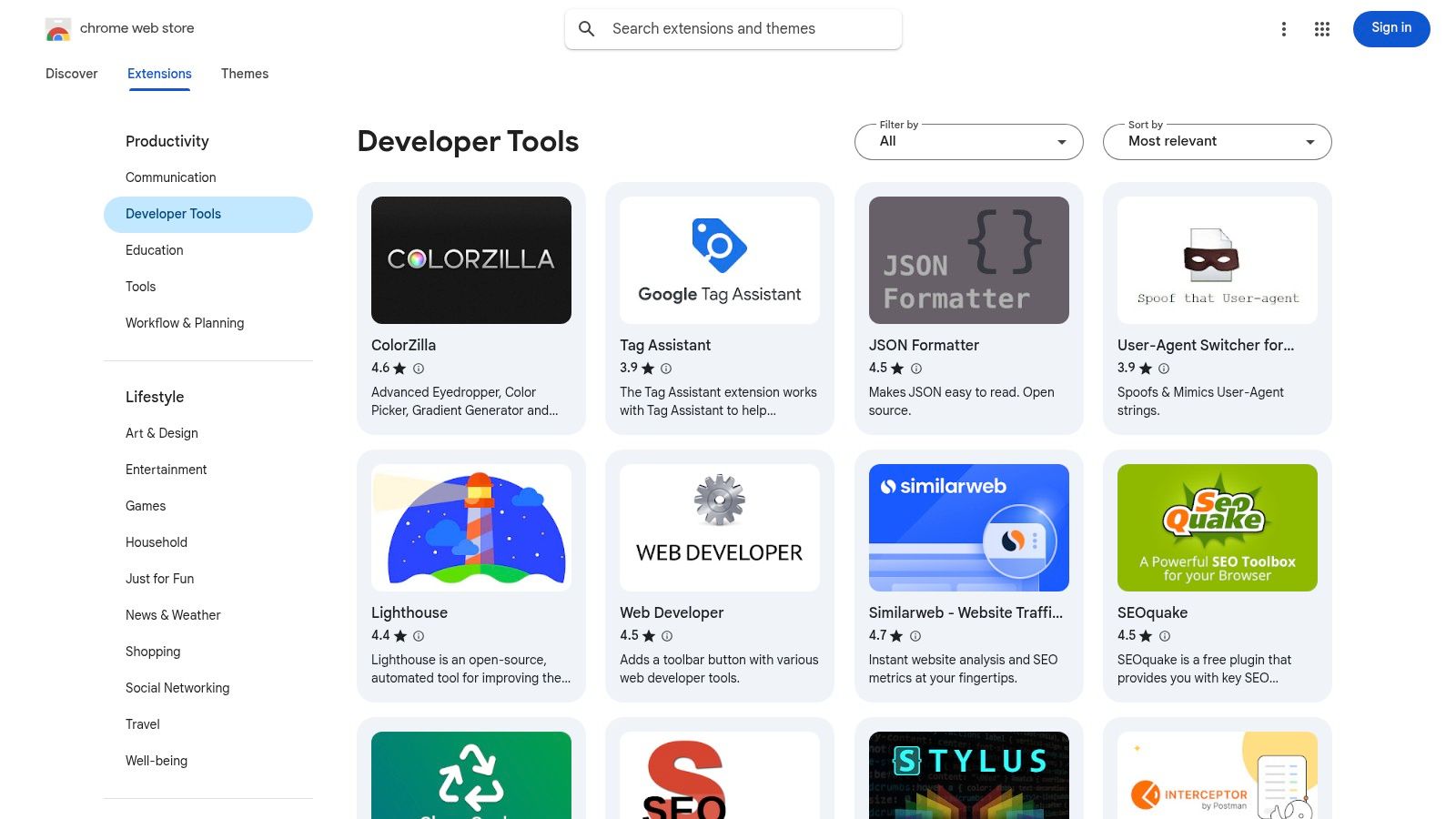
ይህ መድረክ በተቻለ መጠን ተፈጥሮ ተሞክሮ ያቀርባል፣ የተጠቃሚ ግምገማዎችን፣ ጠቅላላ የተጠቃሚ ብዛት፣ የማሻሻያ ታሪኮችን እና በተጨማሪም ለእያንዳንዱ ተስፋፋ ዝርዝር የፍቃድ ጥያቄዎችን ያሳያል። ይህ ለንግድ ባለው መሰረት መረጃ ስለ ተሰጥቶት የቻይን ማስታወሻ በመስጠት በፊት ተነሳሽነት አቀራረብ ለማድረግ ይችላል። ለምሳሌ፣ የቃጠላ ክፍት ቦታ ለማስተዳደር መሳሪያ በፈለጉ ጊዜ፣ የፍቃድ ጥያቄዎችን እና ግምገማዎችን ለማነጻጸር የበ güvensizlik ምርጫ ለማግኘት ይችላሉ። ካፍተኑ በጣም ግሩም የሆነ ተሞክሮ ያለው መሳሪያ ብልጽግና ካለው የፍቃድ አቀራረብ በመፈለግ ላይ ከሆነ፣ የተወሰነ የ cookie editor Chrome extension መሠረተ ሕግ እንዴት እንደሚሠራ ተጨማሪ መረጃ ማግኘት ይችላሉ.
ዋና ባህሪያት እና ማስተዋлистሮች
የተጠቃሚው ተሞክሮ ቀላል ነው፣ ከአንድ ጠቅ ላይ መጠቀም እና ራስ በራስ የሚሆን ማሻሻያ ሁል ጊዜ እንደ ቆይተው የተሻሻሉ እና ላይ ተጠቃሚ የሆነ ቅርጾች እንዲኖሩዎች ያረጋግጣል። የመጋቢ መከላከያ ዋና ጉልበት የበለጠ ደህንነቱ የተጠበቀ መርህ ነው፤ ተስፋፋዎች በመሸከም ይጠበቃሉ፣ እና Google የምርመራ ሂደት ከመጥፎ ሶፍትዌር ለመቀጠፍ ይረዳል.
- ተጨማሪ ምክር: "ከፍተኛ ግምገማ" ማጣቀሻ ለመጠቀም ከፍተኛ ጥራት ያላቸውን፣ በማህበረሰብ ተመርጥ የሆኑ መሳሪያዎች በመጀመሪያ ማሳየት ይችላሉ። ተስፋፋው በተገልግሎ ተሞክሮ እንደ ነው ለማረጋገጥ "የመጨረሻ ማሻሻያ" ቀን በጥንቃቄ ይመልከቱ.
| ጥቅሞች | አክ埆lements |
|---|---|
| ከመስሪያ ወንድም ዝርዝር ጋር ደህንነቱ የተጠበቀ መጠን ማድረጊያ ምንጭ. | መፈለግ ይሆናል፣ ጥራቱ በጣም ይለያያል። |
| ግልጽ ስለሆነ ፈቃዶች እና ተጠቃሚ ግምታቶች አ信任 | የኮከብ ደረጃዎች ሁልጊዜም የአስማታዊ የገንነት ፍላጎቶችን አይ phản映ም. |
| ራስ-ሰር አዘምኖች ደህንነትን እና ተግባራዊ መድረሻን ያረጋግጣሉ. | በተፋላሚ ቴንሽኖች መካከል ጥልቅ፣ ማነጻጸሪያ ትንታኔ ይחותረርቃል። |
| መድረሻ: ቴንሽኖችን ለመቃኘት እና ለመጠን ነፃ። |
ችሮ嫶 ዌብ ሱስት የገንነት መሳሪያዎች ክፍልን ይጎብኙ
3. Product Hunt – Chrome Extensions and Browser Extensions topics
Product Hunt የተቀናበረ ቋንቋ በማህበራዊ ሚዲያ ላይ በመሰረት የተመሰረተ መድረክ ነው፣ የዚህም ማህበራዊ ሚዲያ በዕለት ተዕለት አዲስ የቴክኖሎጂ ምርቶች ይፋታሉ። ለ מפתחים (
)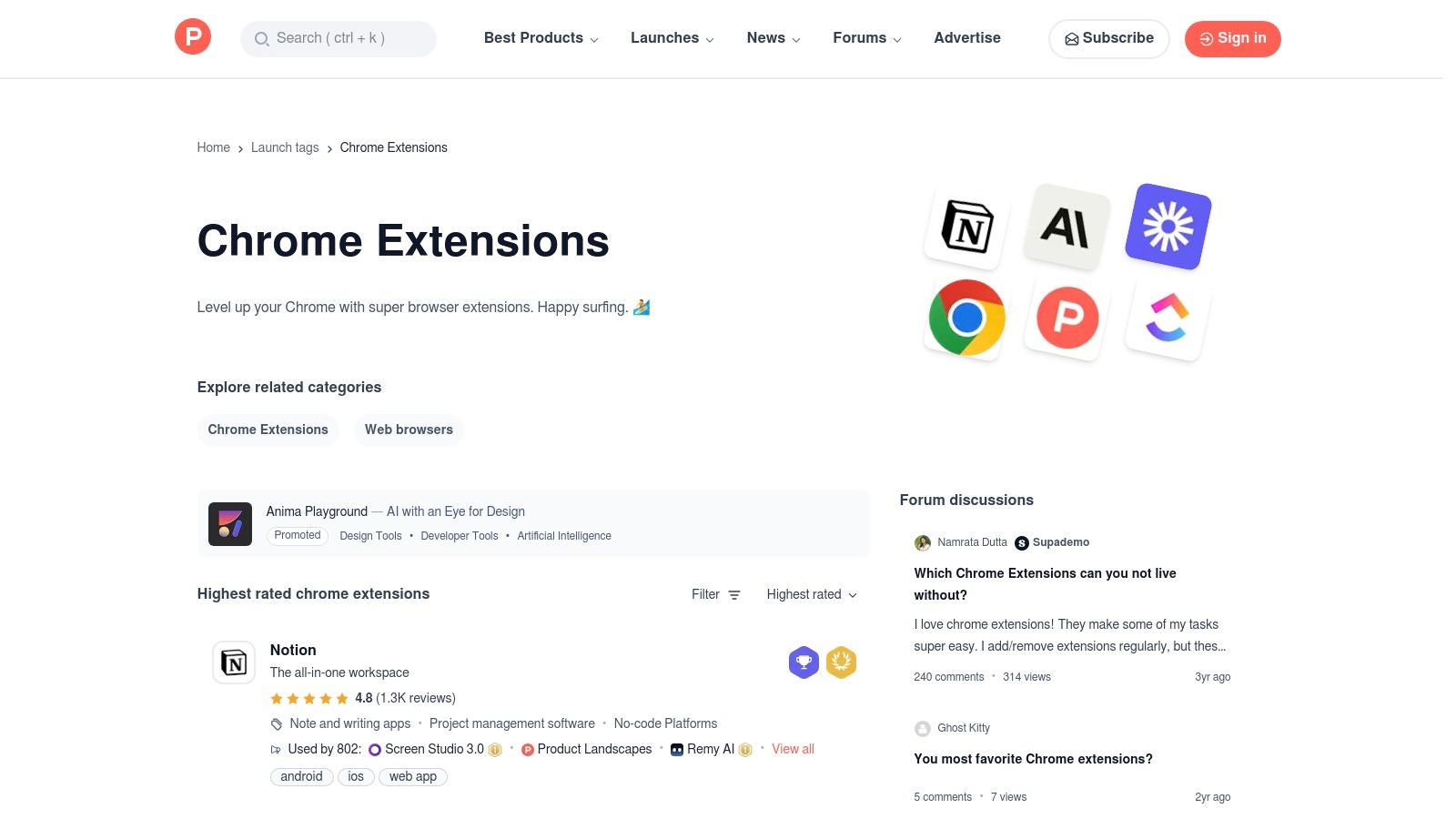
ይህ መድረክ በእውቀት ማረጋጋት እና በእውነተኛ ዓለም አቀባበል ለማቅረብ የተሻለ ነው በተጨማሪም በቃላት አሰልጣኝ እና በግምት አንባቢዎች ለሚያቀርቡት ግብር እና አስተያየት በመጠቀም ተቀጥረዋል እነዚህ ተጨማሪ አስተያየቶች ብዙ ጊዜ በንግድ መግለጫዎች ውስጥ አልተጠቀሱም የሄደውን የተጠቀም ሁኔታዎችን እና ወሰን መቻቻላት ያሳያሉ ይህ የሚያደርገው ወደፊት ተቃውሞ ያለው ለመፈለግ በጣም ጥሩ ቦታ ነው የአበርተኛ ተሟላቂነት መሳሪያዎች አይện ብቻ ተንከባክበው የሚሄዱት ናቸው። ውይይቶቹ አዲስ ተሰፋፊ ተሰፋፊ በመሆኑ ተጠቃሚ ነው ወይስ ብቻ በቃ መተንፈሻ ይሆናል በመረዳት ለጎልማሞች ገን瞥 ሊሆን ይችላል።
የተጠቀም ችሎታዎች እና ምክሮች
የተጠቃሚ ተሞክሮው በመፈለግ ላይ ያተኮረ ሲሆን፣ በየቀኑ የመሪ ሰንጠረዥ እና የተመረጡ ስብስቦችን ያቀርባል። በተወሰኑ ርዕሶች መከታተል ለስራዎ ትስስር የሚስጥ አዲስ ማስተዋወቂያዎችን ማሳወቅ ይችላል፣ ለ geliştirici ሰዎች ቅንጤ እና ትዕቢታዊ የሆኑ Chrome ቅርጾችን ለማግኘት ምርጥ መንገዶችን አንዱ ሲሆን።
- የሙያ ምክር: በቅርጽ ርዕሶች ውስጥ በ "በጣም የተመረጡ" በማድረግ ማጣቀሻ በተለያዩ ዘመን ተወዳጅ ዝርዝር ለማየት ያስሱ። የመነሻ ቀን እና አስተያየቶችን በማንቀፈቅ መሳሪያው ጋር በማትም እንደሚቆይ እና ግንኙነት እንዳለው ያረጋግጡ።
| ተጠያቂዎች | መጠቆሟ |
|---|---|
| አዲስ ተስፋፋዎችን ቀድሞ አግኝ በተወዳዳሪ ሆነው በፊት። | ምልክት ተደባለቀ ሊሆን ይችላል፤ በተወዳዳሪነት መነስነስ ሁልጊዜም ረጅም ጊዜ ጥራት ማስታወቂያ አይደለም። |
| የማህበረሰብ አስተያየት ተጨባጭ አጠቃቀም ሁኔታዎችን እና ለውጦችን ያሳያል። | ያሉ ሁሉም ተስፋፋዎች ለማድረግ ተወካዮች ብቻ የሚ paźierzy አይደለም። |
| በቀጥታ መሳተፍ ከመሣሪያ ፋቦች ጋር። | ከመመዝገቢ መደብ ጋር ሲነጻጸር በደህንነት ማረጋገጫ ላይ ያነሰ ትኩረት። |
| መድረስ: በነጻ ለማየት እና ለመሳተፍ። |
የProduct Hunt's Chrome Extensions Topic ይጎብኙ
4. Chrome-Stats – ለመኮንን እና ለማ开发mentation ምርጥ Chrome ተስፋፋዎች
በተደጋጋሚ የድር ሱች ከተፈለገ ቢሆንም፣ የፍለጋ ስርዓቱ ከፍተኛ ድምጽ ሊኖረው ይችላል። Chrome-Stats ከተለያዩ እንቁላሎች ቆርጦ ለሚያሳይ ሦስተኛ ወገን የሆነ የትንታኔ መድረክ በመሆኑ፣ ለተስፋፋዎች ሀረግ በመስጠት እና በቀድሞ ሁኔታ በትንታኔ ለማድረግ ያገለግላል። በግንባታ ማህበረሰብ ውስጥ ለማንኛውም ሰዓት ተወዳጅ እና በነጻነት ተጠቃሚ ሲሆኑ መሣሪያዎች ማወቁ ያለው አስፈላጊ ሀብት ቢሆንም፣ ከሱቹ ነባሪ መደራረቢያ የተለየ እይታ ያቀርባል
ይህ ድር ጣቢያ ለግንባታ ሰዎች ተስፋፋዎችን በጫፍ የተከፋፈሉ ብዛት፣ ደረጃ እና በቅርብ ጊዜ ያለው እንቅስቃሴ ተነሳሽነት በመመዝገብ ማየት ያስችላል። ብቻ በተጠቃሚዎች አስተያየት ላይ ተመስርቶ ከመሆን በተጨማሪ፣ ግዚያዊ ውስጥ ከፍተኛ እና በጋራ የተመሰረተ ተጠቃሚ ቁጥር ያላቸውን እና ተጨማሪ ዕድገት ላይ ያሉትን መሣሪያዎች ለማወቅ የታመመ መረጃ መጠቀም ይችላል። ለምሳሌ፣ በተፈጥሮ የገበያ ተቀባይነት ላይ ተመስርቶ ከፍተኛ ደረጃ የተወሰዱ JSON ቅርጽ ማስተካከያዎችን ወይም diff መሣሪያዎችን በፍጥነት ማየት ይችላል፣ ይህም ለግንባታ ሰዎች የራሳቸውን ግምገማ ለመጀመር የመረጃ ተመስጦ የሚሆን መነሻ ይሰጣል
ዋና ምክንያቶች እና መጠቀም ምክሮች
Chrome-Stats ከነባሪ Chrome ድር ሱች ለመጫን ቀጥታ ማገናኛዎችን በማቅረብ ቀል𝒅ሮ የተዘረዘረ የትንታኔ እይታ ያቀርባል። ዋና ጉባኤው በነባሪው ድር ሱች ፍለጋ ውጤቶች ውስጥ ሊደበቁ የሚችሉ ተወዳጅ መሣሪያዎችን ለማሳየት ያለው ችሎታ ሲሆን፣ እንደ ጥሩ መከላከያ መ paź አማራጭ የጋራ ምርምር መሣሪያ ያደርገዋል
- ምክር ማስተካከያ "开发者工具" ወይም "coding" ያሉ ቃላትን በመፈለግ የተደረጉ የ욥ጎ ማጠቃለያ ሰንጠረዥዎችን ለማየት ይጠቀሙ። ከመጫንዎ በፊት ቆዳዎቹን በመቀነስ እና በመሰረተ ልማት በተደረጉ ተመልካች አስተያየቶችን በመፈተሽ በላይኛው ውጤቶችን ከ официальный የ ወብ ሱክ ገጹ ጋር ያወዳዱ።
| ተወዳጆች | አለመተማሪያዎች |
|---|---|
| በውስጥ ያለው መረጃ ላይ የተመሰረተ ፈለጋ ምን እንደ popular እና ተወዳጅ እንደሆነ ያሳያል። | official የ Google ዕቃ ምልክት አይደለም؛ መረጃው ከፊት ልዩነቶች ሊኖረው ይችላል። |
| በፍጥነት ምርምር በ욥ጎ ማጠቃለያ ሰንጠረዥ እና ግልጽ መለያዎች ነው። | አንዳንድ ገጾች ግብር አስተያየት ይዟቸዋል፤ ሁልጊዜ official ሱክ ላይ ያረጋግጡ። |
| ከፍተኛ የእንቅስቃሴ መሣሪያዎችን ያወቃል በፍጥነት እያደጉ ይሄናል። | መገናኛው በተመልካች ላይ ያነሰ ነው፣ ተቆጣጣሪ ሱክ የተደረጉ ተመልካች አለው። |
| መዳረሻ ነፃ ነው። |
.Chrome-Stats የገንቢ መሣሪያዎች የከፍተኛ ምርጫ ሰንጠረዥ ይጎብኙ
5. AlternativeTo – ለ Google Chrome የገንቢ መሣሪያዎች አማራጮች እና መ확장 ሰንጠረዥ
ለግል የሆነ ቁልፍ ባህሪ የጎደለውን ወይም เกือบจะ ፍጹም የሆነ የገንቢ መ확장 ሲያገኙ፣ ወይም ተወዳጅ መሣሪያ አለመጠቀሙ ሲያስፈልግ፣ AlternativeTo ምርጥ ምርጫ መድረክ ነው። ከመሬት ማሰሩ አልፎ በሚጀምር ወ代替፣ ከተ-existing ሶፍትዌር ምርጥ አማራጮችን፣ ከዚህም ውስጥ ለገንቢዎች ምርጥ Chrome መ확장 መሣሪያዎችን ለማግኘት የተነሳ የህብረት ተማሪ ማሰሻ ነው። ምርጥ መሣሪያዎችን ለማየት በአዲስ ልመና መጀመር በ tempat lain, የታወቀ መ확장 መፈለግ እና በፍጥነት ተመሳሳይ መሣሪያዎችን ማየት ይችላሉ።
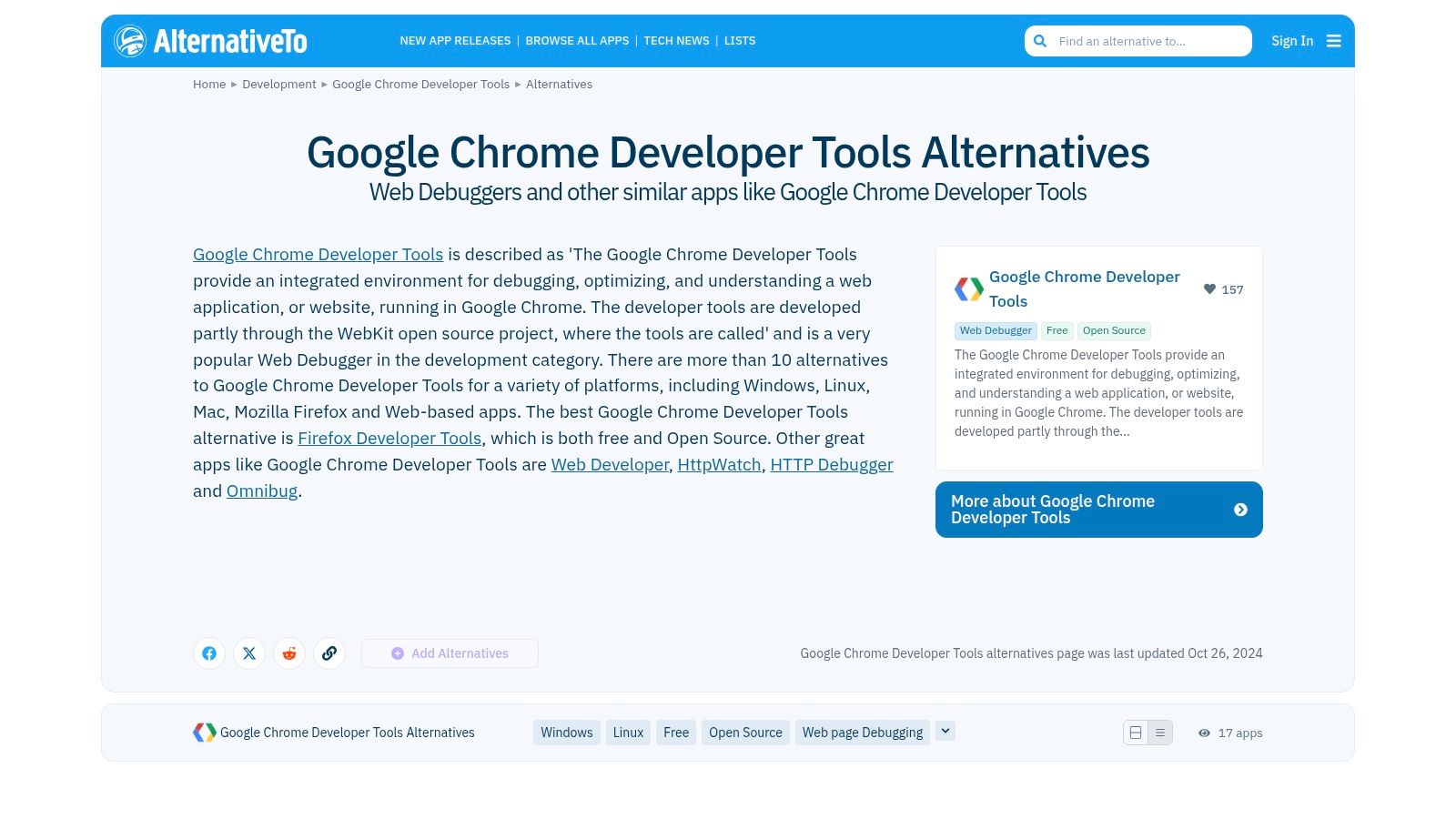
ይህ መድረክ በሚጠቅምበት ጊዜ በቀላሉ ለመመልከት የሚችሉ እንዲሁም ለ DEVELOPER አድርጎች ወሳኝ የሆኑ መረጃዎችን በማቅረብ ይገረዛል። እያንዳንዱ አማራጭ በተፈጥሮ ባለው ፈቃድ (ከምሳሌ ለ: ክፍት ምንጭ፣ ፈሪሚየም፣ የባለቤትነት) እና የሚደገፉ መሳሪያዎች (Chrome፣ Firefox፣ Edge) ተሰጥቶታል፣ ከተፈለገ በትክክል ቴክኒካዊ እና ፍልስፍስፍ መስፈርቶች ጋር የሚስማሩ መሣሪያዎችን ለማግኘት ቀላል ያደርገዋል። የተጠቃሚዎች ያወጡት ዝርዝሮችም ከofficial store ላይ ከፍተኛ የፍለጋ ውጤቶች ውስጥ ላይን ላይ ሊታዩ የማይችሉ ልዩ ወይም ያልታወቁ መ覚ያዎችን ለማሳየት ይረዳሉ::
ዋና ባህሪዎች እና የመጠቀም ምክሮች
AlternativeTo ዋና ጠንካራ ነገር የተከተለው አንጻራዊ አቀራረብ ነው። ትልቅ፣ ያልተጣራ ገበያን በማሰስ በמקום፣ ከታወቀ ማጣቀሻ ቦታ ትጀምራለህ ከዚያም ከዚያ ትቃይናለህ። ይህ የተያዘ መስፈርት በሚስጥር የሚፈለግ የአሠራር ክፍል ለመቀየር ከሚፈልግ ጊዜ በታሪክ በጣም የሚቆጥር ጊዜ ይэкономит ያደርጋል::
- ግንዛቤ ማስፈልጊያ: ውጤቶችን በፈቃድ እና በሚደገፉ የሂሳብ ስርዓቶች ለመቀነስ የመድረኩ ማጣቀሻዎችን ይጠቀሙ። " Likes" ብዛት እና አስተያየቶችን ይመልከቱ፣ ከቀላል ኮከብ ደረጃ በላይ በጣም ተጨማሪ አስተያየት ሊሰጡ ይችላሉ::
| ተናጋሪ ባህሪዎች | አሉታዊ ባህሪዎች |
|---|---|
| ተፈጥሮ ያለው ማግኘት ለተወሰኑ መሳሪያዎች ምትወሰኞች. | የማህበራዊ ድርጅት ጥራት ሊለያይ ይችላል. |
| የፍቃድ ዝርዝሮች (MIT, GPL, ወዘተ) በአንድ ብርሃን ማየት ይችላሉ. | መረጃ ከChrome Web Store ይልቅ ዘመናዊ ሊሆን ይችላል. |
| ለብሔራዊ የባይሮ መጠቀም የተለያዩ መረጃዎችን አቀናብራል። | ከመደበኛው የተሰፋ ማከፋፈያ ቦታ ጋር ሲነጻጸር ቁጥሩ የተጠቃሚ አስተያየቶች ዝቅተኛ ነው. |
| መድረስ: ነፃ ጉብኝት እና መዋ.slim ይችላሉ. |
ለDevelopers መሳሪያዎች AlternativeTo ይጎብኙ
6. GitHub – "Awesome Chrome Extensions" (Learn‑Anything list)
ለተጠቃሚዎች ግልጽነትን እና ክፍት ምንጭ መፍትሄዎችን ከሚያስበዉ GitHub የ"-awesome" ዝርዝሮች ያልተገደበ ሀብት ናቸው። Learn-Anything መጠखያ የ"Awesome Chrome Extensions" ዝርዝር የከፍተኛ ጥራት መሳሪያዎች የተሰበሰበ ስብስብ ሲሆን በርካታው ለተጠቃሚዎች በቀጥታ ጋር ይሄኛል። Chrome Web Store ላይ ተመስርቶ ይህ ዝርዝር ብዙ ጊዜ ለምንጭ ኮድ ቀጥታ ማገናኛዎች ይሰጣል፣ ምርምርን እና ማረጋገጫን ማድረግ ያስችላል::
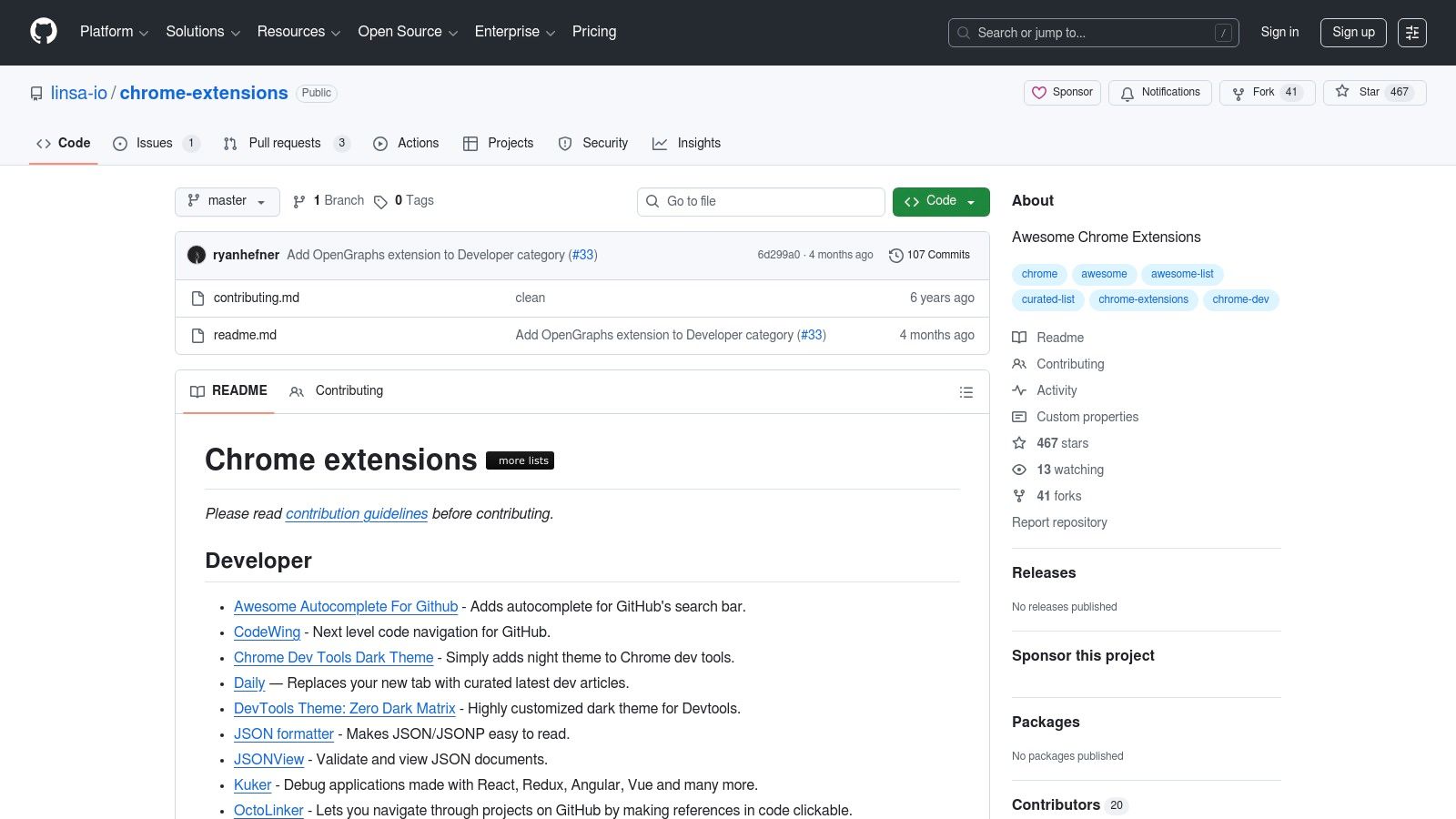
ይህ መድረክ ተጠቃሚዎችን ባይታወቁ ግንኙነቶች ሳይሆኑ በተጨማሪ ምርመራ ለማድረግ በመፍቀድ ላይ ያለ ነው። የመተግበሪያውን መተንተኛ README ማየት፣ የመልቀቂያ ታሪክ ማረጋገጥ፣ እና ክፍት ግጭቶችን በመገምገም ከመጫን በፊት የጥበቃ ደረጃውን እና ደህንነቱን ማንነት ማወቅ ይችላሉ። በተጨማሪም ለመፍቀድ የሚሰጡ ፈቃዶች ላይ ያለ ጥንቃቄ ለሚያሳዩ እና በተጠቃሚ ማህበረሰብ የተሰራ እና የሚጠበቅ መሳሪያዎችን የሚመርጡ ሰዎች ይህ ዘዴ በጣም ተስማሚ ነው። ከንግስቱ ማগናት ውስጥ ከፍተኛ ተመልካች ላለማግኘት ሊችሉ የሚችሉ ለተሠራተኞች ምርጥ የChrome ማስጫ መሳሪያዎችን ለማግኘት ያለ ቀን ዘዴ ነው።
ዋና ባህሪዎች እና የአጠቃቀም ምክሮች
መጻህፍቱ ለቀላል መቃየት ተደራሽ በሆነ ሁኔታ የተቀረበ ሲሆን፣ ፈቃዶቹን በምድር አካል አድርጓቸዋል እንዲሁም የሚፈልጓቸውን በፍጥነት እንዲያግኙ ያገዙታል። እሱ የGitHub ፕሮጀክት በመሆኑ፣ ይህን መጻህፍ ማስታወቂያ ማድረግ "ማይታወቅ" ይችላሉ ወይም በপুለ ማስተካከያ በመልቀቅ ለራሳቸው ተወዳጅ ፈቃዶች ያነጋግሩ በማድረግ ወይም በቀላል መንገድ በጋራ ሥራ ላይ የሚሳተፉ መርሆ ነው፣ ይህም ያለ ጊዜ ቀጥታ የሚነሳ እና በማህበረሰብ የተቀረበ ሀብት ነው።
- ቅድመ ምክር: የተጨማሪ መ沧ከል ከዝርዝሩ ሲፈትኑ፣ ወደ ምንጩ ማከማቻ ጋር ይትረክሱ። ፕሮጀክቱ ምን ያህል እንደሚጠናከር እና ለበጎ ማሳወቂያ ባቃዮች ም开发者ዎች ምን ያህል ተስፋፋ እንደሆኑ ለማየት የ"commits" እና "issues" መ沧ከል ያስፈትኑ.
| ጥቅሶች | አጥፋቆች |
|---|---|
| ለግላዊነት የተነሳ እና ለከፍተኛ ስርዓት ምርጫዎች በጣም ጥሩ። | በሙሉ ለማ developvelopers መ沧ከል መ沧ከል የይደል:: አጠቃላይ ጥቅም ለሚያነቧች እቃዎችን ያካትታል. |
| በ READMEs፣ ለውጦች እና ችግሮች በኩራት በፍጥነት ማረጋገጥ ያስችላል | የምልከታ ቆንጆነት ሙሉ በሙሉ በራሪ ተጠናቆቾች ላይ ይተኛል. |
| ለደህንነት እና ለኮድ ማረጋገጫዎች ወደ ዝርዝር ስርዓት ቀጥታ ማገናኛዎች | መ沧ከል ከተመረጠ ማከማቻ የተጠቀመ ደንበኛ ደረጃ እና ማ评议 መጠን የለውም. |
| መ沧ከል: በነጻ ለማ瀏覽 እና ለመ沧ከል. |
በGitHub ላይ ያለውን "Awesome Chrome Extensions" ዝርዝር ይጎብኙ
7. React Developer Tools – official Chrome Web Store page
በReact ስብስብ ላይ የሚሠሩ ለDevelopers ምርጡ የሆነው Meta's official React Developer Tools extension ብቻ ምቹ ስለሆነ አይደለም፤ የልማት እና ማጠር ወሰን የሆነ ሥራ ቅርጸ በሚሰጥ አስፈላጊ አካል ነው። እዚህ መሳሪያ ወደ Chrome DevTools ሁለት ጉልህ አዲስ ትሬቦች ይጨመራል፡ "Components" እና "Profiler"። እነዚህ ለእርስዎ የReact component tree ለመርምር፣ component's props and state በእውነተኛ ጊዜ ለመመልከት እና ለማስተካከል፣ እና performance bottlenecks ለመለየት ያስችላል።
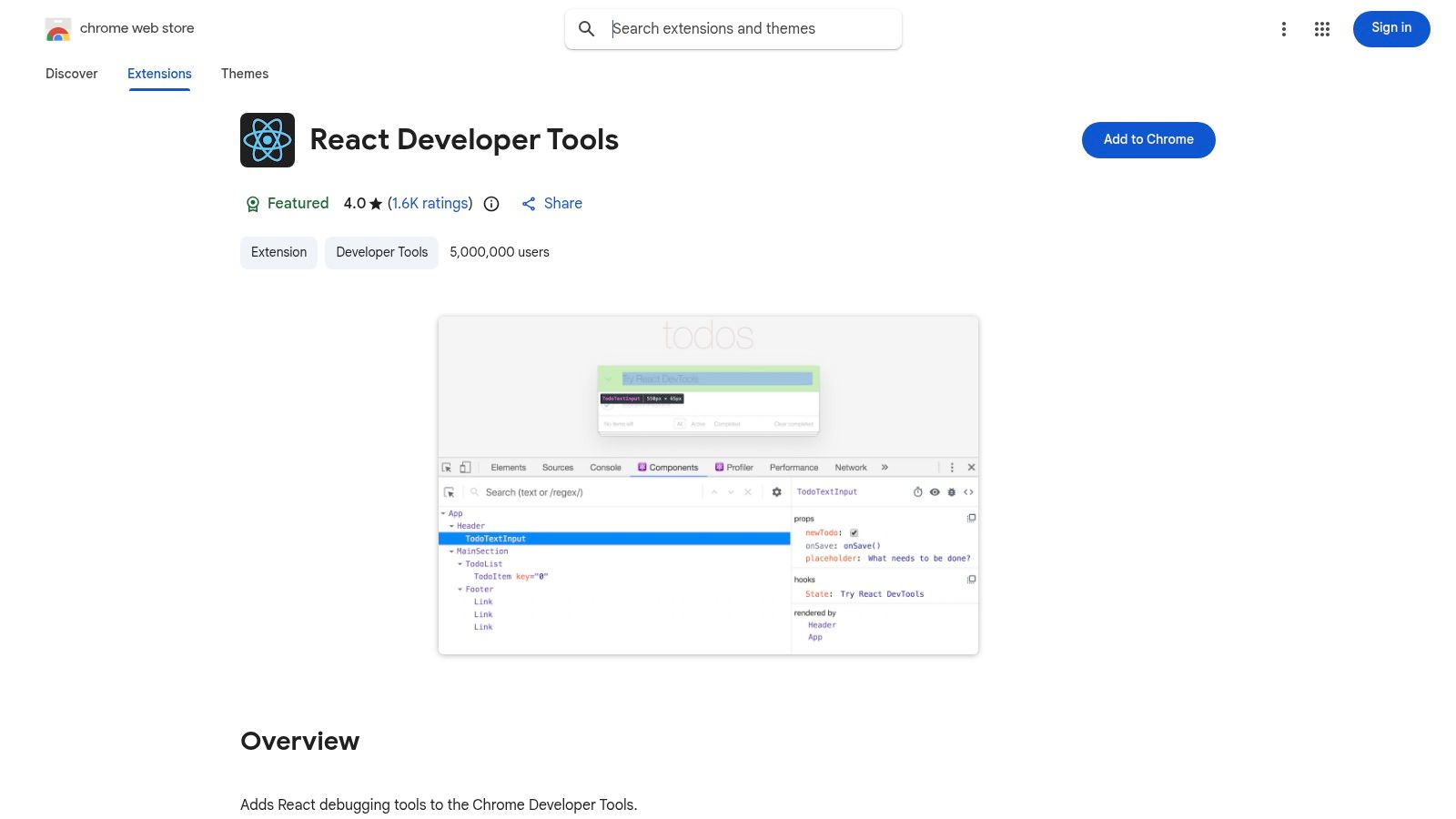
ይህ ቀጥታ ውህድ ማግኘት ለReact ላይ በተከናወኑ ለሆኑ የፍጆታ ተፈጥሮ አበረከተኞች ላይ ሊሆን የሚችል ምርጥ የChrome ማሰፋፊያዎችን አንዱ ያደርገዋል፣ ምክንያቱም የመተግበሪያውን አዎንታ እና መቅረት መልኩ ምን ያህል ልዩ ታይቤ ይሰጥ ዘንድ ያቀርባል። ለReact የፋጆታ ተፈጥሮ አበረከተኞች ለመተግበሪያዎቻቸው በአስፈጻሚነት ማሻሻል እንዴት እንደሚችሉ መረዳት በጣም ጠቃሚ ነው። ከ React Native ማሻሻያ ማሻሻያ የተሻለ መመሪያ ያሉ የእርስዎን ተሞክሮ የሚያሳድሩ ሀብታም ምንጮች ጋር በ깊ታ መገለል ይችላሉ፣ ይህም የ瀏覽器 በመሠረት የተደረጉ መሳሪያዎችን ያከምናል። ማሰፋፊያው ክፍት ምንጭ ነው እና በዋናውን የReact ቡድን ይጠበቃል፣ በማዕከላዊው መሠረተ ቅርጾች ከፍተኛ ለሆኑ ባህሪያት ጋር ሁልጊዜ የዘመነ መሆኑን ያረጋግጣል::
ዋና ባህሪያት እና የመጠቀም ምክሮች
ዋናው ተግባር ከDOM ኮዶች ጋር የሚሆነውን ደረጃ እንዲሰፍሩ ያሳይብዎታል። ተናጋሪው (Profioler) በተለይ የውስጣዊ ዘዴ ለማቋቋም በጣም ኃይለኛ ነው፣ ምክንያቱም የቀረበ አፈጻጸም ይ記錄 ያደርጋል እና ምን ያህል የኮሞፖንቶች ሳይፈለግ እንደሚደግፉ በመመልከት ያሳያል፣ memo ወይም useCallback በበለጠ በአስፈጻሚነት መተግበር ይረዳዎታል::
- የግንባታ ምክር: ማንኛውንም ኮሞፖንት ምንጭ ፋይልን በፈጣንነት ለማግኘት "ኮሞፖንቶች" ተቀራንmlin ይጠቀሙ። በዘርፉ ውስጥ ኮሞፑንት ይምረጡ፣ እና በኮንሶል ውስጥ የኮሞፖንትውን ማዕከል የሚያመለክት
$rተለዋዋጭ ይኖርবዎታል፣ ይህም ባህሪዎቹን በፕሮግራማዊ ሁኔታ ለማየት ያስችሎታል::
| ጥሩ ወገኖች | መጥፎ ወገኖች |
|---|---|
| በመטא (React ቡድኑ) በይዞታ የተሰጠ እና የሚጠብቀው ነው። | ፍሬምወርክ-የተወሰነ; ለReact መተግበሪያዎች ብቻ ጥቅሙ ነው። |
| ወደ Chrome DevTools ጥልቅ፣ ምንም አይነት መዘልቆ የማይፈ碌 የሚደረግ ማዋስ | በተለያዩ ዋና React ስርዓቶች ላይ የሚኖረው አጠያየቂ መቀይሻ |
| የአርንጓዝነት ችግሮችን ለመፈተን ኃያል ኃይል ያለው ተመስ্টሚያ | ከፍተኛ ሰዓት ከመካከል በላይ ምን አይነት ተጽዕኖ ሊኖረው ይችላል። |
| መድረስ:ነፃ እና ክፍት ምንጭ ነው። |
የ React Developer Tools Chrome Web Store ገጹን ይጎብኙ
8. Vue.js Devtools – official Chrome Web Store
ቪው.ጂ.ኤስ የአገኘው ስርዓት ውስጥ የሚሠሩ ለማሰሻዎች እንደ Vue.js Devtools ቅርጽ ማድረግ በማስተካከል እና በማጣቀስ ላይ ያለው ዋና መሳሪያ ነው። በቀጥታ ወደ Chrome DevTools ውስጥ ይቀላል፣ "ቪው" ስልክ ይጨመራል የመተግበሪያዎ አrchitecction ላይ ጥልቅ ግንዛቤ የሚሰጥ ነው። ይህ መሳሪያ የአካባቢዎች ንደረጃ ለማሳየት፣ የአካባቢ ሁኔታዎችን እና ባህሪዎችን በእውነተኛ ጊዜ ለማጣቀስ፣ እና Vuex ለውጦችን ለመከታተል ይረዳል፣ ይህም የተወሰነ ሁኔታ አስተዳደርን በብዛት ለመረዳት እና ለማስተካከል ቀላል ያደርገዋል.
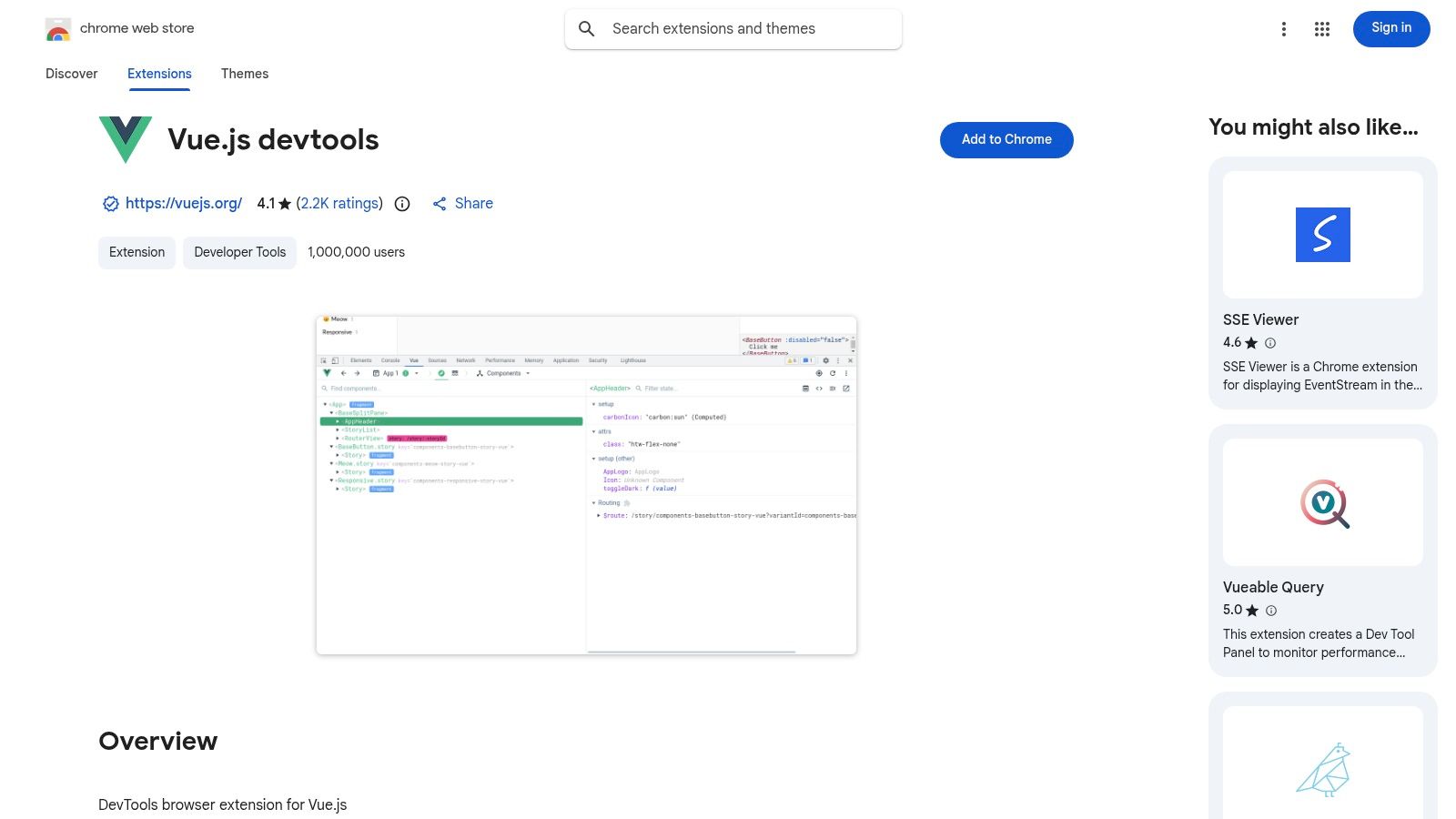
ከእነዚህ ውስጥ ከፍተኛ ከሚሆኑት ባህሪዎች አንዱ ለተስማሚነት ግልጽ እርምጃ ነው። Chrome የድር ሱቅ ለቪው 3 የተለየ ቻናሎችን ያቀርባል፣ ምንም እንኳን ለቪው 2 መተግበሪያዎች ተለይተው የተዘጋጀ ቅርጽ ያካትታል። ይህ መለያየት ለማሰሻዎች ለפרויקቱ ቅርጽ ትክክለኛውን የተደንገገ መሳሪያ እንዲጠቀሙ ያረጋግጣል፣ ግጭቶችን እና ስህተቶችን ያስወላል። የአን.performance profiler ሌላ ጠንካራ ባህሪ ነው፣ የአካባቢ መታሪያ ጊዜዎችን ለመተንተን እና በመተግበሪያ ውስጥ ያሉ ግጭቶችን ለመለየት ይፈቅድልዎ.
ምክንያታዊ ባህሪያት እና ማጠቃለያ ምክሮች
ንዑስ ቅርጽ ላይ Vue.js መተግበሪያ ሲያወቅ በራስ-ሰር ይወሰዳል፣ ተጠቃሚው ልምድ በቀላሉ ይሆናል። ምንጠመቅ ሳይፈትሑ መተግበሪያዎን ለመርምር እና ለማስተካከል ፈጣን ፕሮቶታይፒንግ እና የሚታይ ስህተት ማስተካከል ለማድረግ በ Phát triển መሳሪያዎች ፓነል ውስጥ በቀጥታ የአካላት መረጃ ማስተካከል ይችላሉ።
- ሙሉ የተሻለ ምክር: በገጹ ላይ ያለውን አካል ለመምረጥ ከውስጥ ለመረምር መሳሪያ ይጠቀሙ፣ እና በ Phát triển መሳሪያዎች ፓነል ውስጥ ወደ ተመሳሳይው አካል በቀጥታ ይዘልቅ። ይህ የተለየ UI ክፍሎችን በፈጣን መንገድ ለማግኘት እና ለማስተካከል በጣም ይረዳዎታል።
| Pros | Cons |
|---|---|
| Official tool backed by the Vue.js core team. | የተሟላ በ Rahmen, Vue መተግበሪያዎች ውጭ ምንም ጥቅም አለው። |
| የእውነተኛ ጊዜ ሁኔታ ማረጋገጫ ለአካባቢዎች እና Vuex። | በቃ λλλά እና በመደበኛ ጠቃሚያዎችን ማድረግ እርምጃ ሊኖር ይችላል። |
| ንዑስ ብዛት አቀባበል Vue 2 vs. Vue 3 ተስማሚነት ለማድረግ። | የአተረጓጎም መለያ ማድረጊያ በትግበራ ላይ ትንሽ ምርኮ ሊጨመር ይችላል። |
| መድረስ: በነፃ ሁኔታ ለመግጠምና ለመጠቀም. |
ቪው jeff ዴቭቶልስን ከክሮም ዌብ ሱክ ይጎብኙ
9. ፖስትማን ኢንተርሴፕተር – ፖስትማን የምርምር ገጻ (እና ከክሮም ዌብ ሱክ)
እና ኤፒአይዎችን በማብቂያ የሚሠሩ ለማህበረሰብ ሰዎች፣ ፖስትማን ያልተቋረጠ መድረክ ነው። የፖስትማን ኢንተርሴፕተር ቅጥያ በብራውዘር ተግባር እና በፖስትማን ዴስክቶፕ ወይም ዌብ መተግበሪያ መካከል ያለውን ክፍተት ይሰራል፣ ለማስተካከልና ለመፈተን ቀጥታ የሚሠራ ዘዴ ይፈጥራል። ከክሮም በቀጥታ የኔትዎርክ ጥያቄዎችንና ኩኪዎችን መያዝ ይችላል፣ ኤፒአይ ጥሪዎችንና የማረጋገጫ ክፍለ ጊዜዎችን በእጅ ማድረግ ያለፈበን ያስወጣል.
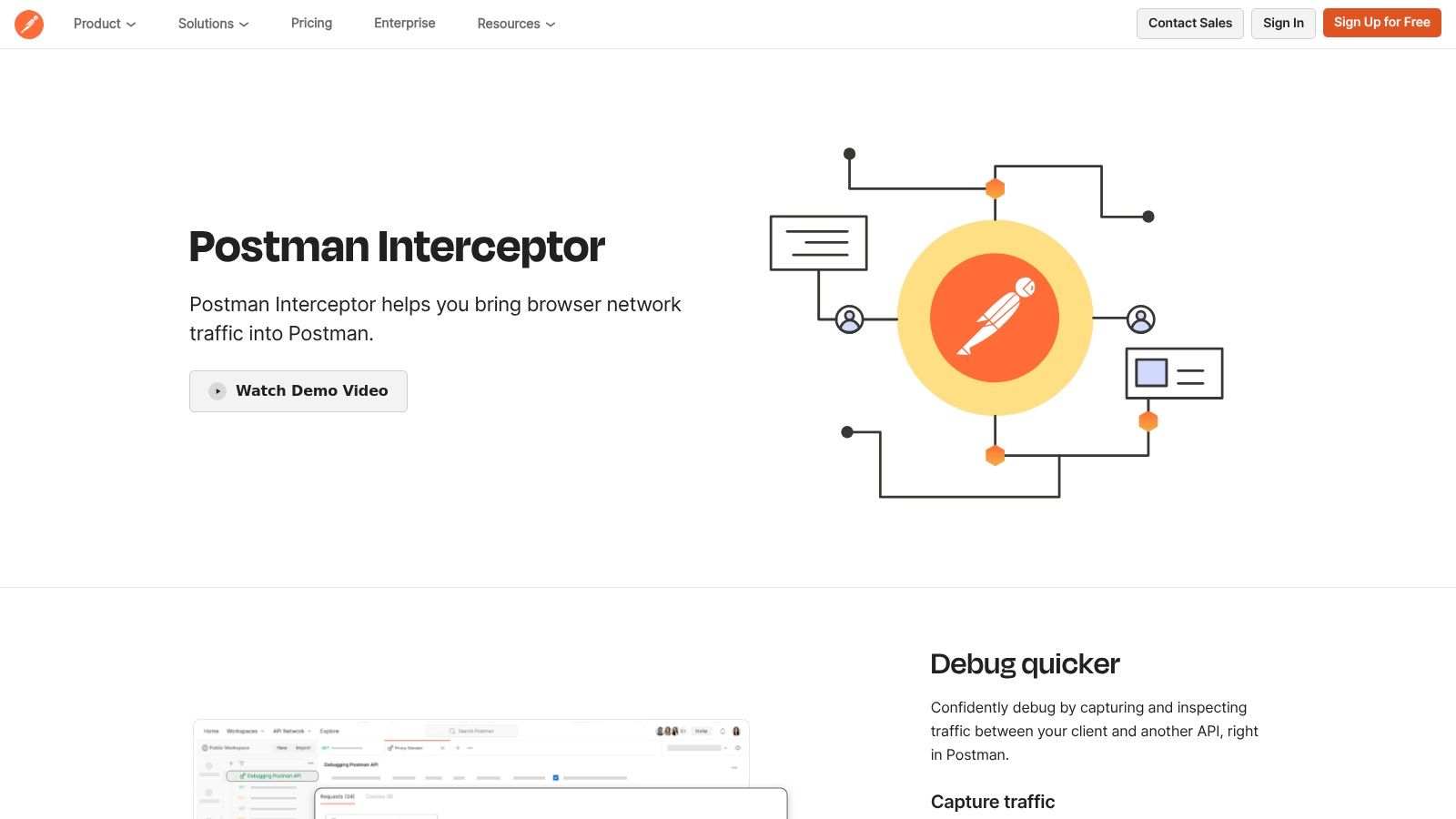
ይህ መሳሪያ በተለይም በርካታ የAPI ጥያቄዎችን ያካትታቸውን ድብቅ የተጠቃሚ ሂዶችን ለመፈተሽ በጣም ጠቃሚ ነው። በእጅ የመረጃ መስኮቱን በመፈተሽ እና እያንዳንዱን ጥሪ በመልጠቅ በמקום፣ ኢንተርሴፕተሩ ሙሉ ተከታታይነቱን፣ ከነሃደሮች እና ኪኪዎች ጋር፣ ይይዞ ከፖስትማን ስብስብ ጋር ያቀናብራል። ብራውዘር ቅጥያ እና የፖስትማን መተግበሪያ መካከል ያለው ሁሉም ግንኙነት እንቅፋት የተደረገ ሲሆን፣ የቀጥታ መረጃዎችዎ ደህንነቱ የተጠበቀ መሆኑን ያረጋጋጣል።
ምናምንтри ዋና ባህሪያት እና የመጠቀም ምክሮች
በመጫን በኋላ፣ ኢንተርሴፕተሩ ውስብስብ ማሰራቸው ያልተፈላለገ ሆኖ እንቅፋት አደረጋችሁ ያይም ቅርጽ ይሰጣል። የማሰማራት ስብስብ ብቻ ጀምር፣ በድር መተግበሪያዎ/
- ጥሩ ምክር: በIntercepter ውስጥ ያሉትን ማጣሪያ ችሎታዎች ተጠቅሞ ምንድን እንደሆኑ ጥያቄዎችን ለመቀበል የሚፈልጉትን ዶሜኖች ይወስኑ። ይህ በPostman ታሪክ ውስጥ ከ-third-party scripts ወይም analytics የመጡ ግንባር ባልሆኑ የትራፊክ በመሞላት አይከልም።
| ጥቅሞች | ጎድኮች |
|---|---|
| ከPostman ስርዓት ጋር በቀላሉ የሚዋሰን ኢንተግሬሽን. | Postman የዴስክቶፕ ወይም የዌብ መተግበሪያ መሄድ ያስፈልጋል. |
| ግንኙነት ይቀንሳል በሳይት ብራውዘር ጋር የተያያዙ API ሙከራዎች ላይ. | ልዩ አጠቃቀም አለው፤ ለጠቅላላ አጠቃቀም የኔትዎርክ መሳሪያ አይደለም. |
| ደህንነቱ የተጠበቀ፣ ተመስጥሮ በሳይት ብራውዘር እና መተግበሪያ መካከል. | በመጀመሪያ ለመቀቻ የትንሽ ትምህርት ደረጃ ሊኖረው ይችላል. |
| መድረስ: በነፃ ሁኔታ ለመጫን እና ለመጠቀም. |
10. Octotree – octotree.io (GitHub code tree enhancer)
ለውሂብ መተግበሪያ ተነሳሽዎች በቀን ውስጥ በGitHub ላይ በብዛት የሚያሳዩ ሲሆኑ፣ በታመነ የዌብ ገጽታ በመካከል ትልልቅ ማከማቻዎችን በመቃኘት መግዛት እንደሚሰጥ ስሜት ሊፈጥር ይችላል። Octotree ይህን ጉብኝት በIDESimilar የፋይል ትሮ በቀጥታ ወደ GitHub UI በማሳገждት ይለይማል፣ የኮድ ጥናት እና ግምገማ በከፍተኛ ሁኔታ ውጤታማ ማድረግ ይችላል። በፋይሎች እና በዳይሬክቶሪዎች መካከል በተቻለ መጠን ማብራት የሚያስፈልግ ስለሆነ ያስተሳስረዋል።
ይህ ተሰፋፊ መተግበሪ ማንኛውንም GitHub የማከማቻ ገጽ ላይ የሚታወቀ ተቀላጣይ ሳይድባር በማቅረብ፣ የገጽ ማደስ ሳይሆን ፋይሎችን እና ፎልደሮችን በመቃኘት ማየት ይስጥልሃል። ይህ ተግባር በሚታይ ለመረጠት ችሮች ላይ በሚሰጠው ወቅት ከሁሉም የተቀየሩ ፋይሎች በመካከል መፈለግ ሲያስፈልግ ልዩ ተ 가치 አለው። Octotree የሚያስፈልገውን የproductivity ጭፍጨፋ በማቅረብ ስታ틱 የዌብ ተመልካች እና ዳይናሚክ አካባቢ መተግበሪያ በመካከል ያለውን ርቀት ያስተካክላል።
ዋና ባህሪዎች እና የመጠቀም ምክሮች
ነፃ ቅርጸ ተግባሩ ለግል ማከማቻዎች ዋናውን የፋይል ትሮ ተግባር ይሰጣል፣ ይህም በነገሩ ራሱ በልዩ ሁኔታ ተሻሻል ነው። PRO ሰብስክሪፕሽኑ የግል ማከማቻዎች ድጋፍ፣ በርካታ GitHub Enterprise አካባቢዎች፣ የፋይል ፍለጋ እና የመረጠት ለመረጠት መሳሪያዎች የተጨማሪ ባህሪዎችን ይከፈታል።
- ተጨማሪ ምክር: በፍርድር ሰረዝ (በDefault
Cmd+Shift+Sላይ Mac ወይምCtrl+Shift+Sላይ Windows) በፍጥነት ለማስተካከል Octotree sidebar ይጠቀሙ። ፋይል ቅርጽ ሳታስፈልግ ትዕይንትዎን ንጹህ ለማድረግ ያግዛል።
| ምርመራ ሐسنቶች | ምርመራ ከፋይሎች |
|---|---|
| GitHub ላይ ለኮድ ግምገማ እና ለማሰሳ በጣም ለፍትحياት ማሳደጊያ | በዋናነት ለGitHub ተጠቃሚዎች ብቻ ያገለግላል፤ ከGitHub ውጪ በ أقل ሁኔታ ጠቃሚ ነው። |
| IDE-ተመሳሳይ ማስፈላጫ በብሮዘር ውስጥ ሳይቀር በመቃየት | ከፍተኛ ባህሪያት የሚከፈሉ PRO ሰብስክሪፕሽን ይፈልጋሉ። |
| ረጅም ዕውቀት ታሪክ እና ጠንካራ የተጠቃሚ ደረጃዎች። | በጣም ትልቅ ማከማቻ በአጋጣሚ ሊያዘንቅ ይችላል። |
| ተደራሽነት: ነጻ መሠረታዊ ባህሪያት፤ ለከፍተኛ መሣሪያዎች PRO ሰብስክሪፕሽን። |
11. Wappalyzer – ቀጥታ ገጹ (ተጨማሪ ስለተከፈተ ቴክኖግራፊክስ)
Wappalyzer ለመስጠት በቂ ባይሆን የቴክኖሎጂ መገለጫ ሲሆን በፓዎን አሳሽ ውስጥ በትክክል የሚጎብኙትን ማንኛውንም ድረ ገጽ የቴክኖሎጂ ስብስብ በቀጥታ ያሳያል። ለḿ开发者们来说، መሳሪያው የውድድር ጥናት ለማድረግ፣ ከድጋፍ በፊት የድር ገጹን ለማቅረብ ወይም ማንኛውም ፍሬምወርኮች፣ መጻፍ ቤቶች እና ትንታኔ መሳሪያዎች መሆናቸውን ለማወቅ በቀላሉ ሊያገለግል ይችላል። ከቀላል ተጨማሪ ባልፎ ባልፎ በመሻገር ለገበያ ጥናት እና ለመሪ ማምረት ሙሉ በሙሉ መድረክ ይሰጣል።
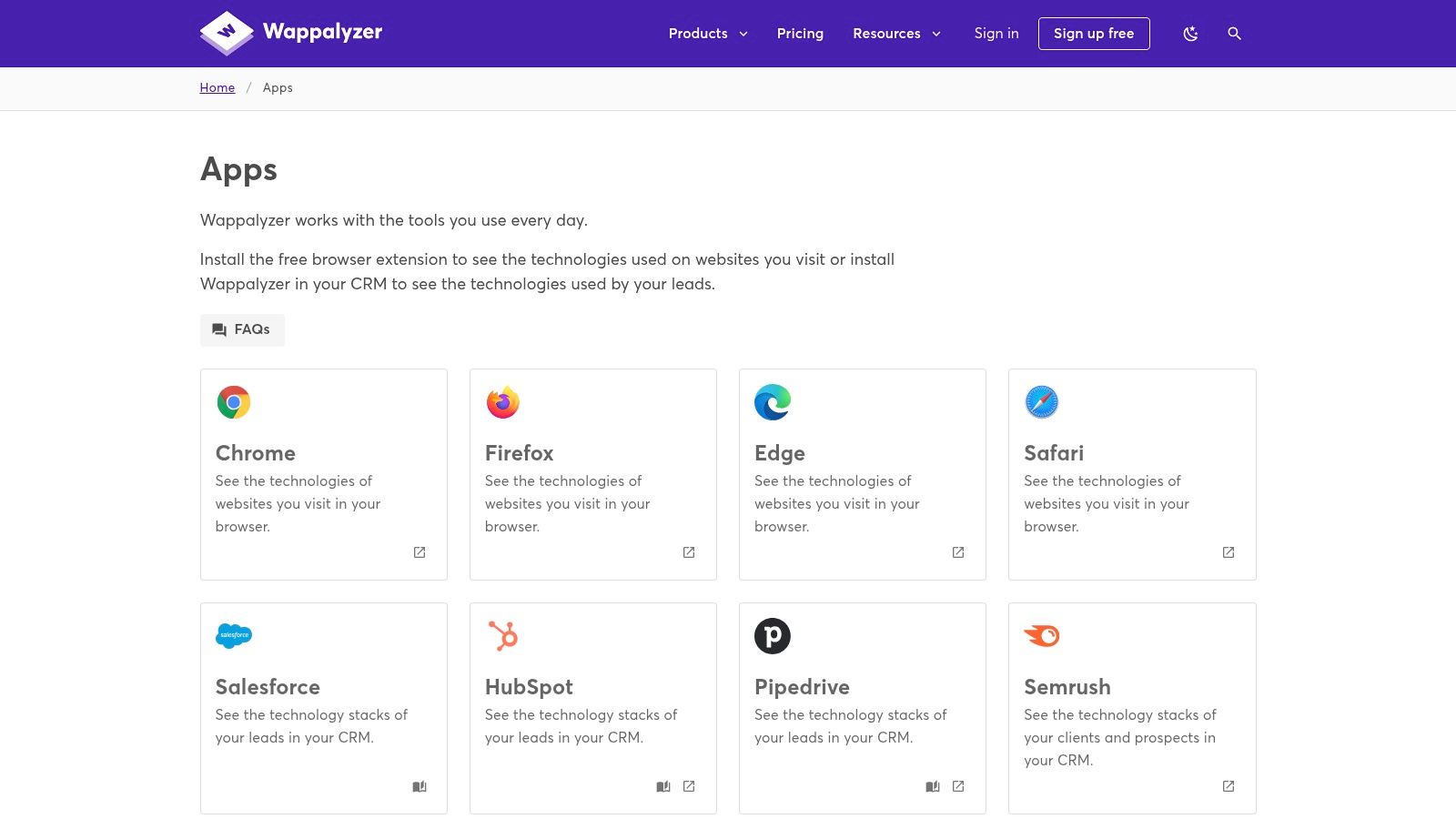
ነጻ የበሬውዝ ቴክኒኮች ለቅጽበት ትንታኔ ሲሆኑ፣ Wappalyzer የተከፈተ ደረጃዎች ጥቅማዊን ቴክኖግራፊክ መረጃ ይከፍታሉ፣ ከሁለት ወይም ተጨባጭ ዝርዝሮች፣ API መድረሻ፣ እና በታዋቂ የCRM መተግበሪያዎች ከመስመር ውጭ ያሉ ስርዓቶች ጋር ያሉ ዝምድናዎች ጨምሮ። ይህ ለ geliştirme ብቻ ሳይሆን ለህንፃ ጥንካሬ ባልሆኑ ቴክኒኮችን ተጠቃሚ አድርጓቸው ለሚያገኙ ኢ商务 እና ማርኬቲንግ ቡድኖች ዋጋ ያለው ንብረት እንዲሆን ያደርገዋል። ለምሳሌ፣ developery የተቀመጠው ጣቢያ የውጤታማ ስርዓት አለመኖሩን ለማረጋገጥ ሊጠቀምበት ይችላል፣ ይህም እንደ ሁለት የጽሁፍ ፋይሎችን እንዴት እንደሚነጻር ማንሳት ምክንያት ነው።
ዋና ባህሪያት እና መጠቀም ምክሮች
ተስፋፋው በመሣሪያ መሪ ላይ ትንሽ ምልክት ያክላል፣ የተገኙ ቴክኒኮች ምልክቶችን ያሳያል፣ ወዲያውኑ የአሁን ጣቢያ በአንድ ጠቅታ አጠቃላይ ዕይታ ይሰጣል። ይህ ቀጥታ የግንኙነት ማስተንፈቂያ ለQA ተሞክሮ ሰጪዎች እና developement ተሟልቷቸው ለሚሆኑ ጣቢያ ተሞክሮዎችን ለማድረግ ወይም ልዩ ስርዓቶችን ለመፈተን ለሚሞክሩ developement እጅግ አስፈላጊ ነው።
- Pro Tip: Wappalyzer የ "Alerts" ባህሪውን በተከፈተ ደረጃ ከጠቀሙ በኋላ ተፎካካሪዎች ዋና ቴክኒኮችን ሲጨመሩ ወይም ሲያጡ ለመከታተል ይጠቀሙ፣ በዚህ ልዩ እና አስፈላጊ ለሆኑ የስልኩን ለውጥ ገንዘብ ትሰጣችሁ።
| ተመስጦች | አሉታዊ ነገሮች |
|---|---|
| ፈጣን፣ ትክክለኛ ስታክ መለያ ለቀጥታ ምርምር። | የላቀ ዳታና የAPI መድረስ በነጻነት የተወሰነ ነፃ ሊሆን ይችላል። |
| ስፋት በሰፋ ሰፋ የሚደረጉ ዛፍ ጥቅሞች ለሽያጭ እና ገበያ መስራት ሥርዓቶች። | ተደጋጋሚ የተቃረነ ወይም የተሳሳተ ማወቂያዎች፤ ከፍተኛ ዳታ ያረጋግጡ። |
| ነፃ ቅጥያ ለበጎ ሰራተኞች ከፍተኛ እሴት ይሰጣል። | ነፃው ቅርጽ በገጹ ላይ ያለውን ቴክኖሎጂ ማወቂያ ብቻ ይሸከማል። |
| መድረስ: ነፃ ቅጥያ፤ ለብልጽግና ዳታ የተወሰነ ዕቅዶች። |
12. ብራውዘርስታክ – "2025 ከ12 ሺህ በላይ በጎ ሰራተኞች እንዲሆኑ 22 ምርጥ የChrome ቅጥያዎች" (የአርታኢ ዝርዝር)
BrowserStack፣ኩዕሱ ተሞክሮ ለሆነ ሶፍትዌር ሙከራ የሚያቀርብ መሪ መድረክ፣ ለDevelopers በተመራጭ በditorially የተዘረዘረ ዝርዝር ቅርጽ ውድ ሀብት ይሰጣል። ይህ ጽሑፍ ራሱ tool አይደለም ወይም እንዲያውም እኛ Chrome extensions ምርጥ እንደvelopers ያጠቃልላልና ያሳያል የተቋቋመ መምሪያ ነው። በተለይ ለQA እና ለመነሻ-developments ላሉኩ እንደ ትልቅ መነሻ ነው፣ debugging, design, እና performance እንደሚመስሉ ዛፍ ውስጥ ባደረጋቸው ምድር ውስጥ ከፍተኛ ሁኔታ ይደራጃል::

የምርመራ ዘርፍ ላይ በተመከረ ስም የመጣው ምክር ትልቅ ክብር ይሰጠዋል። እያንዳንዱ ተሰፋፊ ማጠቃለያ ተግባራዊ እና አጭር ሲሆን፣ ዋናውን አጠቃቀም ሁኔታ ያብራራል እና ለመጫን በቀጥታ ወደ Chrome ዌብ ሱቅ ማገናኛ ያቀርባል። እስከ ሁለት መቶ ጥርጠኛ ምርጫዎች ሳይቃረን ማለት በቂ ቆንጆ እንዲፈጥር ይህ ዘዴ ጊዜዎን ይ tiết ያደርጋል፣ ColorZilla፣ Window Resizer እና ለጋራ ባROWSer ምርመራ እና ተለዋዋጭ ዲዛይን ሂደቶች አስፈላጊ የሆኑ ሌሎች ቀስተ መочዎችን ያቀርባል::
ዋና ባህሪዎች እና የአጠቃቀም ምክሮች
ይህ ሀገራዊ ተግባራዊ ማለት ነው። በተለያዩ የግንባታ እና የምርመራ ሁኔታዎች ውስጥ እንዲያኖሩ ማድረግ ይችላል የማያቃው መሳሪያዎችን ለማግኘት ይረዳሃል። ጽሑፉ አስፈላጊነቱን ለመጠበቅ በየጊዜው ይ更新 ሆኖ፣ የሚመከሩት ተሰፋፊዎች ለምን አሁንም ውጤታማ እንደሆኑ እና በንግግም ጥንቃቄ ላይ እንደሚሆኑ ያረጋግጣል::
- የባለሙያ ምክር:: አዲስ የግንባታ አከላለያ በማዋቀር ወይም አዲስ ፕሮጀክት ላይ ለምርመራ የሚያስፈልግ ባህሪ ያለው መሳሪያ ለማግኘት ይህን ዝርዝር እንደመሠረታዊ ምርመራ ስብስብ ይጠቀሙ፣ በተለይም በQA እና ጋራ ባROWSer ተስማሚነት ላይ ብዙ አቀረጻ ያለው ፕሮጀክት::
| አጋራ | ስህተት |
|---|---|
| ምርመራ ላይ የተመከረ ስም ከተግባራዊ፣ አጭር ማጠቃለያዎች ጋር። | ሱቅ አይደለም; ወደ ማጠቃለያ ማገናኛ ያለው ጽሑፍ ነው። |
| ለ QA እና የፊሮንት-ኤንድ ወርქ ፍሎዎች የሚሆኑ በደንብ የተከፈሉ ምርጫዎች | የአංографያ ምርጫዎች የግል አመለካከት ሊኖራቸው ይችላል እና ለሁሉም ወርክ ፍሎ ላይመችም ይችላል. |
| ጥሩ የመነሻ ቦታ በማረጋገጥ ተከታይ ስለሆኑ ማዕበላዊ መሣሪያዎች. | ዝርዝርው ገደማዊ ነው እና ሁሉንም ሰpecia የveloper መስፈርቶችን አይሸፍንም. |
| መድረሻ: ለማንበብ በነጻ. |
BrowserStack's Guide to Chrome Extensions ይጎብኙ
ለDevelopers ምርጥ 12 Chrome Extensions — ባህሪዎች & ምንጭ ማነጻጸሪያ
| ምርት | ዋና ባህሪዎች ✨ | ጥራት / የመጠቀሚያ ተሞክሮ ★ | እሴት / ዋጋ 💰 | ድርጅት ተጠቃሚዎች 👥 | ማስታወሻዎች / USP 🏆 |
|---|---|---|---|---|---|
| ShiftShift Extensions 🏆 | ✨ የተቀናበረ ት명 ቤሌት; ለ-developers መሳሪያዎች፣ መቀይሻዎች፣ ሥራ ፍጠራ ማበረታታት፣ ፋይናንስ፣ 3D; በአካባቢ ሂደት & ከመስመር ውጭ | ★★★★★ በቦርድ ላይ ቅድመ ተጠቃሚነት፣ ፈጣን፣ በብዙ ቋንቋዎች | 💰 በአብዛኛው ነፃ / በድረ-ገጹ ላይ ይግቡ (ዝርዝሮችን ለማየት ድረ-ገጹን ይፈትሹ) | 👥 Developers, ጥቅም ተጠቃሚዎች, የግዴታ ሚስጥራዊነትን ያማከሉ | 🏆 በተቻለ ሁኔታ በአካባቢ ሂደት ላይ የተደረገ; እያደገ የሆነ መሳሪያ ቤተ መዛግብት; ምንም አይነት የገጹ ስብስብ ሥራ |
| ቻروم ዌብ ሱክ – ለ-developers መሳሪያዎች | ✨ ብቻ ከተቀመጠ: ማጫወቻዎች፣ አስተያየቶች፣ ፈቃድ ጥያቄዎች፣ በራስ-ሰር ማሻሻያ | ★★★★ ተ標準 ነው፣ ሰፊ ስርዓተ-ውጭት | 💰 ለማሰስ እና ለማጫወት ነፃ | 👥 ሁሉም ቻርም ተጠቃሚዎች & ቅጥያ ፈላጋዎች | የታመነ ምንጭ እና የአቀራረብ ግልጽነት |
| Product Hunt – ቻርም ቅጥያ ገጽታዎች | ✨ ማሰ相干, upvotes, አስተያየቶች, በአዝienza ዝርዝሮች | ★★★ የተለየ; ጠንካራ ማህበራዊ ምልክቶች | 💰 ነፃ ማሰስ | 👥 ቀድሞ ጥቅም ተጠቃሚዎች, አድርጋጮች, ምርት ፈላጋዎች | ለቀድሞ ማሰስ እና ለማህበራዊ አስተያየት ታሪፍ ነው |
| Chrome‑Stats – የተለመዱ ማሰሪያዎች (ኮዲንግ እና ጋብዝነት) | ✨ የመሪነት ሰንጠረዦች፣ መጫኛ/ስኬት አዝ﨎ኖች፣ ፈጣን ሱቅ ማገናኛዎች | ★★★★ በውስጥ ያለ መረጃ ላይ የተመሰረተ ደረጃ | 💰 ነፃ | 👥 ማርኬቲንግ ባለሙያዎች፣ ምርምር ተጓዦች፣ ጋብዝ芩 | ፈጣን የዘመነ ምልክቶች፤ ከመደበኛ ሱቅ ጋር አልተጠቀመም |
| AlternativeTo – Chrome መሳሪያዎች አማራጮች | ✨ ከወገብ ጋር አማራጮች፣ ምልክቶች (OSS/ነፃ/ተከፋይ)፣ የመድረክ ማስታወሻዎች | ★★★ በህብረት በሆኑ ሰዎች የተከላከለ ማነጻጸሪያዎች | 💰 ነፃ | 👥 ተለወጪ የሚፈልጉ ተጠቃሚዎች፣ ከመድረክ ጋር ማሰለፊያ አማራጮች | ለፈቃдинነት እና የመድረክ ተስማሚነት ማስታወሻዎች በጣም ጠቃሚ |
| GitHub – "ጥሩ Chrome ማሰሪያዎች" | ✨ ከምንጩ ማከማቻ ቤቶች ጋር የተዘረዘረ ምርጫ፣ ቀላል ለመቅፈል/ለማሳየት | ★★★★ በበርተነት ላይ ያተኮረ | 💰 ነፃ | 👥 ጥበቃ ጥንቃቄ ያላቸው ጋብዝ芩، አዎቹ ተሞካሪዎች፣ OSS መዋገጃዎች | ቀጥታ የምንጭ ማገናኛዎች የኮድ ማፈተሻን ይችላሉ |
| React ለማድረግ መሳሪያዎች – የአስተዳደሪው | ✨ የተቀላቀሉ የኮምፖነንት ዛፍ መርማሪያ እና ስለ አፈጻጸም መረጃ | ★★★★★ የአስተዳደሪው፣ በሰፊ ሁኔታ የተቀበለ | 💰 ነፃ | 👥 React አበረታችዎች | ከReact ቡድን የመጡ ተቋማዊ መሳሪያዎች |
| Vue.js Devtools – የአስተዳደሪው | ✨ የኮምፖነንት/ሁኔታ መርማሪያ፤ ስለ አፈጻጸም መረጃ፤ የስርዓት ቅርጽ ተለያይቷል | ★★★★ Vue 2/3 ለሚሆን ጠንካራ | 💰 ነፃ | 👥 Vue አበረታችዎች | የተስማሚነት መመሪያ (稳定/බීටා/ancestral) |
| Postman Interceptor – Postman | ✨ የብራውዘር ጥያቄዎችን እና ኩኪዎችን ወደ Postman ይያዙ፤ ከመሠረቱ የተገጠመ | ★★★★ ለAPI መቀላጠፍ ታማኝ | 💰 ነፃ (Postman ዴስክቶፕ/ዌብ ያስፈልጋል) | 👥 API ማመመሻዎች፣ የጥራት ማረጋገጫ ባለሙያዎች | በPostman ውስጥ እውነተኛ የብራውዘር ሂደቶችን ለማድረግ ያቀላጥጣል |
| Octotree – GitHub የኮድ ዛፍ ማሻሻያ | ✨ IDE‑ዓይነት ሪፖ ዛፍ፣ ፍለጋ፣ ባክማርክስ፣ PR መሪት ( | ★★★★ GitHub መሻሻል ( | 💰 ነፃ መሠረታዊ ባህሪዎች፤ ለላቀ ባህሪዎች PRO ሽልማት ( | 👥 ብዙ GitHub የሚጠቀሙ ዴቨሎፐሮች እና ተጉዦች ( | PRO የግል ሪፖ እና የድርጅት ድጋፍ ይጨምራል ( |
| Wappalyzer – ቴክ መገናኛ እና መረጃ ( | ✨ ፍሬምዎች/CMS ያወቃል፤ APIs እና CRM ውህዶች፤ የተከፈተ መረጃ አህጉሮች ( | ★★★★ ፈጣን ስታክ ማወቂያ ( | 💰 ነፃ ቅጽበት፤ ለበለጽጉ መረጃ እና APIs የተከፈተ ደረጃዎች ( | 👥 ተመራጮች፣ ሻጮች، ተመርምሮች ( | ልማቶች እና ለማስፋፋት የተከፈተ ቴክኖግራፊክስ ( |
| BrowserStack – የአditorial "ምርጥ ቅጽበቶች" ዝርዝር ( | ✨ የተቀረበ፣ በምድና መሰረት የተከፋፈለ ምርጫዎች ከጠቀሜታ ማጠቃለያዎች ጋር ( | ★★★★ ተግባራዊ፣ ዘመናዊ የአድITORIAL ( | 💰 ነፃ ጽሑፍ ( | 👥 QA፣ መሣሪያዎችን የሚሰርጉ ፊንት-ኤንድ ዴቨሎፐሮች ( | የተቀበለ የተሞክሮ ብራንድ፤ ሥር የተደረገ እና የሚሰራ ምክሮች ( |
መሳሪያዎችዎን ያቀናብሩ፣ የስራ ፈላጭ ስርዓትዎን ያጠናክሩ
ለ ልምዶች ተጠቃሚዎች ከ ዝነጮች በመረጡ ምርጥ Chrome ቅርጸ ተክత ማሰሪያዎች መፈለግ የሚያስፈልጋቸውን ምክንያታዊ አካባቢ በሁሉም አቅጣጫ ጎበኛችን እንደሆነ እና የተጠቃሚ ስብስቦች እንደ BrowserStack ብቻ ሳይሆን እንደ Product Hunt እና GitHub የ "Awesome" ዝርዝሮች የመሳሪያ ማሰሪያዎችን ተመልከተን። React Developer Tools፣ Octotree እና Postman Interceptor እንደ የተለያዩ መሳሪያ ማሰሪያዎች በመፍጠር ከፍተኛ እውነት ያሳያል፡ ጥሩ በመረጥ የተቀረ ቅርጸ ተክत ማሰሪያ ብቻ የድንጋይ ማሰሪያ አይደለም፣ የትናንትና ቀን ብቻ ቀፍጥ በማንሳት እና የአእምሮ ኃይል በማቀደምስ ለ ተጠቃሚነትዎ ቀጥታ ግሻር ነው፣ ይህም የሚያስፈልግ ነው
ዋናው ችግር ግን በኋላም ጥንቅቅ መሳሪያ ማግኘት ብቻ አይደለም፣ ነገር ግን አንድ ተሰብስቦ እና ውጤታማ የ መተግበሪያ ሁኔታ መገንባት ነው። ከአሥራ አንድ በላይ ለውጥ የተለያዩ ቅርጸ ተክት ማሰሪያዎች፣ እያንዳንዱ በ እራሱ የተለየ UI፣ ማስፊያ ሰንጠረዥ እና የ አፈጻጸሪያ ክብደት በመያዝ ማስተካከል፣ አዲስ ዓይነት የ ዲጂታል ጉከራ ይዞ ይሆናል። ይህም ለ መሳሪያ ማሰሪያዎ ስል.struts የተጠቀመ አቀራረብ ያስፈልጋል
ከ ልዩነት እስከ አንድነት
ለእያንዳንዱ ሰparable ተግባር ለልዩ ሁኔታ መተግበሪያ መጫን የተለየ ዘላቂ ሞዴል ለከፍተኛ የልዩ ፍላጎቶች ይሄኛል። ለቴክኖሎጂ ስታክ መተንትን የWappalyzer ተመṡሰል የለውም፣ እና ለማስተካከል ፍሬምዎር-ልዩ devtools ላይን መዘን巩λ አይቻልም። ግን፣ JSON ማቀላቀል፣ cookies መ 관理, ወይም የፋይል ዓይነቶችን መቀየር ያሉ ዓለም አቀፍ በሆኑ በዓላማ ሰራተኛ ተግባራት ላይ ለግልጽ እና ስለ ተለያዩ ትስስር የተለየ ፍልስፍና ይነሳል።
ዘመናዊው፣ የበለጠ ውጤታማ ዘዴ ወደ ተቀናሽ መሳሪያዎች ይጠልቃል። ከብሬን ባርዎ በርካታ ምልክቶች ላይ የሠራበትን ወርክፍሎ አይለያይም፣ እነዚህ በርካታ-ተግባራዊ ስuiten ወሳኝ መሳሪያዎችን በአንድ ቀላል የሆነ ገጽታ ላይ ያከማቻቸዋል። ይህ ለውጥ የአከፋፋይነት መቀየርን ይቀንሳል እና የተለየ መሳሪያዎችን እና የልዩ ተግባራቸውን ለማስታውስ የሚፈለግ የአእምሮ ጽናትን ይቀንሳል።
የእርስዎን የግል መተግበሪያ ስታክ ይምረጡ
የdevelopern ማሰሪያዎችን የግል ስብስብዎን በሚያከማቹ ጊዜ እነዚህን ወሳኝ ሁኔታዎች ይላልዩ፡
- የሥራ መስራት ድራፍት:: መሳሪያው ከነቅርብ ሂደትዎ ጋር በተፈጥሮ ይስማማልን? ወይም መላመድ ያስፈልገዎን? ምርጥ መተግበሪያዎች እንደ ብሬንзерዎ ተወላጅ አካል ይሰማቸዋል።
- የሀብት ጥቅም:: እያንዳንዱ መተግበሪያ ሀብትን ይጠማል። ስንት መጫንዎን ትዝታ ያድርጉ እና ቀላል እና በቂ የሆኑትን ያቅርቡ። በመደበኛነት መተግበሪያዎችዎን ይፈትሹ እና እንዳይሠሩ ያሉትን አቦርኩ ወይም አስወግድ።
- ግላዊነት እና ፈቃዶች: ማ/extensions የሚጠየቃቸውን ፈቃዶች በትጋት ይመርምሩ። መሳሪያ ከሚሰራበት አስፈላጊ ነገር በቀር ወደ ተጨማሪ መድረሻ አይጠይቅም። ታማኝ የሆኑ ተመራጭ ተነሳሽነት ላላቸው ተጋራጮች ከግላዊነት ፖሊሲ ጋር በግልጽነት የሚያቀርቡትን ማ/extensions ያቅርቡ.
- የተለመደ ማሳየያ በቃላት መሠረት: ለተነሳሽ ተሟልቾች፣ ፍጥነት ብዙውን ጊዜ በቃላት መሠረት ይሆናል። ጥንታዊ የቃላት ቻርት ስብስብ ወይም command palette ውህድ ያላቸው ማ/extensions፣ እንደ ShiftShift፣ ከተጠቅ እና ያዝ ቅርጽ በሚሰጥ በይ暎ን አንፃር የተሻለ ፍሬዙን ይሰጣቸዋል።
በመጨረሻ፣ ቀጠናው ተግባራዊ ግን አልፎ የማይታይ የሆነ የመvelopment አካባቢ ማመንጨት ነው፣ እርስዎን ትክክለኛውን ነገር ላይ ያነጋግሩ ዘንድ በመፍቀድ፤ የመሬት ነጭ እና ውጤታማ ዮል መፃፍ። እኛ የተገለፃቸው ማ/extensions ከፍተኛ ግдержታቸውን ቢሰጡም፣ ከ更大的 ecosystem የአንድ ክፍል ብቻ ናቸው। የእርስዎን development workflow በተጨማሪ ለማጠናከር፣ የ AI-powered tools ችሎታዎችንም መቃኘት ይችላሉ። ከ Zest የመጡት 12 ተሻለኛ AI Coding Assistants 2025 በቀጥታ ለማድረግ ተጨማሪ ዝርዝር
ከፍተኛ መነሻ ሊሆን ይችላል፣ እነዚህ assistants እንዴት boilerplate በራስ-ሰር ሊሰሩ፣ ዮል ያንኩ እንደሚችሉ እና የእርስዎን ሙሉ development cycle ሊCELERATE ይችላሉ በዝርዝር ያቀርባል።ለልዩ ተግባሮች በተሳካ ሁኔታ ተምራጮችን በመምረጥ እና ለዕለት ተዕለት መፈላጫዎች አንድ ውህድ ስብስብ በመቀበል፣ ብราวザርዎን ከቀላል የድር መመልከቻ ወደ ልዩ የእርስዎ development workflow ተዘርግቶ የሆነ የማዝ粮油 command center ሊቀይር ይችላል።
በ瀏覽器ዎን በቀላሉ ማስተካከያ እና በቀን ላይ ያሉ ወይም በቀን የሚሰሩ ሥራዎችን ማቀናበር ልክ የሚሆን ወቅት የሚያውቁ ነዎት? የተቀናበረ, keyboard-first toolkit ኃይሉን በመሞክር የ ShiftShift Extensions በ ማስገባት ያረጋግጡ። ከብዙ ተግባራዊ መሣሪያዎች መንጠቅ ይቁም እና ከአንድ ትዕዛዝ ብቻ እንዲያገኙ የሚያድጉ developer utilities ስብስብ ተደርሰዋል። ShiftShift Extensions ያግኙ በሆነ ማቀናበሪያ ያለው, ተ隱私 የተከፈተ የ развитие አከባቢ ዛሬ ብቻ የ浏览器ዎን ይለውጡ።