The 12 Best SQL Formatter Online Free Tools for 2025 (Ranked)
Discover the top 12 SQL formatter online free tools for 2025. Compare features like dialect support, privacy, and browser integration to clean up your code.
Recommended Extensions

In the world of data, readability is king. Messy, inconsistent SQL queries are more than just an eyesore; they're a direct line to slower debugging, confusing code reviews, and costly errors. While a functional query might get the job done, a well-formatted one ensures clarity, maintainability, and seamless team collaboration. This is where a reliable sql formatter online free tool becomes an essential part of any developer's or data analyst's toolkit. These browser-based utilities instantly transform tangled blocks of code into standardized, legible statements, saving you valuable time and preventing future headaches.
But with so many options available, finding the best one for your specific workflow can be a challenge. This guide cuts through the noise to help you make an informed choice. We will dive deep into the top 12 free online SQL formatters, providing a comprehensive comparison of the features that matter most. We'll analyze everything from dialect-specific syntax support (like PostgreSQL, MySQL, and T-SQL) and privacy-focused local processing to the availability of handy browser extensions. Each review includes screenshots, direct links, and an honest assessment of its strengths and limitations, ensuring you find the perfect tool to keep your code clean and efficient.
1. SQL Formatter [ShiftShift]
The SQL Formatter from ShiftShift distinguishes itself by moving powerful formatting capabilities directly into the browser, operating as a lightweight and privacy-centric Chrome extension. This design makes it a premier choice for developers and data analysts who require a sql formatter online free without the security risks of uploading sensitive queries to a third-party server. Its core strength lies in its entirely local processing model, ensuring that proprietary or confidential SQL code never leaves your machine.
![SQL Formatter [ShiftShift]](https://cdn.outrank.so/9d63d2f7-ab9c-4b70-bf5c-df66cbda740c/screenshots/9c0c5a0a-9e54-41cb-95bf-79a1f7da026f/sql-formatter-online-free-sql-formatter.jpg)
The extension provides robust support for seven major SQL dialects, including MySQL, PostgreSQL, T-SQL, and PL/SQL. This multi-dialect capability ensures that the formatted output adheres to the specific syntax rules and conventions of your database environment, a crucial detail for maintaining code consistency and preventing errors.
Key Features and Use Cases
- Privacy and Security: Since all formatting happens client-side, it is an ideal tool for professionals working in regulated industries like finance or healthcare, where data privacy is non-negotiable.
- Workflow Integration: As part of the ShiftShift Extensions ecosystem, it can be invoked via a unified Command Palette. This allows users to format SQL with a simple keyboard shortcut without ever leaving their current webpage or application.
- Code Reviews: The tool excels at standardizing SQL snippets for code reviews. A developer can quickly format a complex query before sharing it, making it significantly easier for colleagues to read, understand, and debug.
| Feature | Details |
|---|---|
| Processing | 100% local, in-browser |
| Access | Free Chrome Extension |
| Dialect Support | MySQL, PostgreSQL, SQLite, MariaDB, T-SQL, PL/SQL, Standard SQL |
| Special Trait | Keyboard-accessible via Command Palette and works offline |
While its focus on the Chrome ecosystem is a limitation for users of other browsers, its performance, security, and seamless integration make it an exceptional tool for its target audience. You can get started and explore the SQL Formatter extension on ShiftShift's website.
2. SQLFormat (sqlformat.org)
SQLFormat is a standout free online SQL formatter that prioritizes privacy and simplicity. Its core strength lies in its 100% client-side processing model. By leveraging Pyodide (Python running in the browser) and the sqlparse library, it ensures that your SQL code never leaves your device. This makes it an ideal choice for developers working with sensitive or proprietary data who cannot risk sending code to an external server.
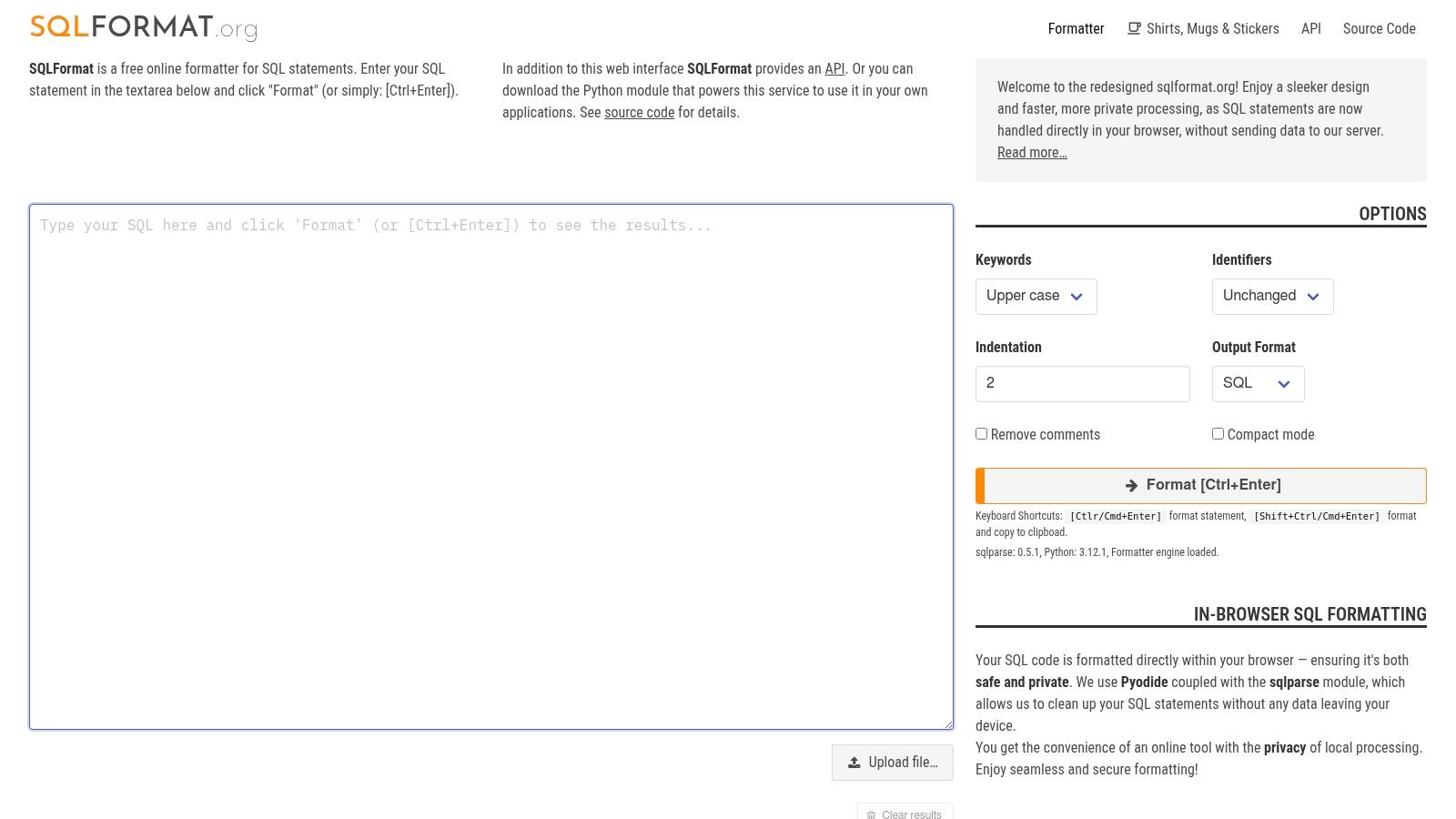
The user interface is clean, fast, and mobile-responsive, focusing on core functionality without overwhelming users with options. You can paste your code, use the Ctrl+Enter shortcut to format it instantly, or even upload a .sql file directly. A simple toggle allows for the removal of comments during formatting. For those also working with other data formats, exploring similar client-side tools is beneficial; you can learn more about a powerful client-side JSON formatter to keep all your data handling secure.
Key Features & Assessment
While it lacks the advanced dialect-specific rules of more complex tools, its performance and uncompromising privacy stance earn it a high rank.
- Privacy: 100% client-side processing means your data stays on your machine.
- Performance: The tool is incredibly fast and lightweight.
- Usability: A simple, intuitive interface with keyboard shortcuts and file upload support.
- Limitation: It primarily formats standard SQL and offers limited customization options.
Website: https://sqlformat.org
3. Poor SQL (poorsql.com)
Poor SQL is a free, open-source T-SQL beautifier designed for developers who need deep control over their code's appearance. Its main advantage is the extensive set of granular formatting switches, allowing precise adjustments for elements like join breaks, comma placement, and CASE statements. This makes it a powerful sql formatter online free tool for teams enforcing strict T-SQL coding standards.
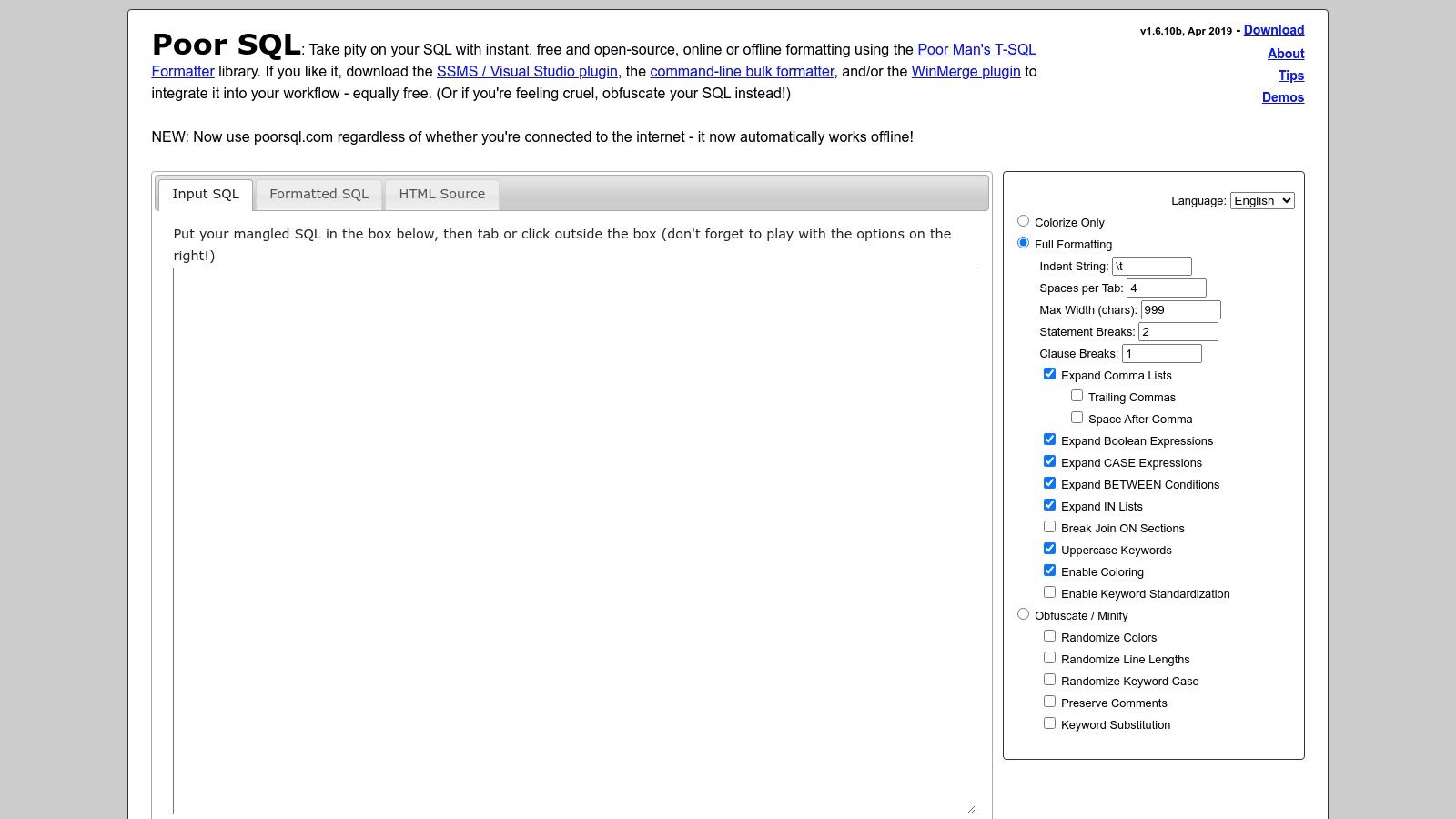
Beyond formatting, Poor SQL offers unique modes for obfuscating code to safely share snippets or minifying it for compact storage. The platform works offline after its initial load and is part of a broader ecosystem that includes plugins for SSMS and VS Code, plus a command-line interface. Before committing changes, you can verify them with a robust online diff checker to see exactly what the formatter altered. While its user interface is dense with options, it provides unparalleled command over T-SQL styling.
Key Features & Assessment
Poor SQL excels with its specialization in T-SQL and its utility-focused features like obfuscation, setting it apart from more generalized formatters.
- T-SQL Specialization: Deep, granular control over T-SQL formatting rules.
- Versatility: Includes useful obfuscate and minify modes beyond standard formatting.
- Ecosystem: Open-source with available plugins for popular editors and a CLI for automation.
- Limitation: Heavily focused on T-SQL; other dialects may not format correctly. The UI can be overwhelming for new users.
Website: https://poorsql.com
4. ExtendsClass – SQL Formatter
ExtendsClass offers a practical and versatile sql formatter online free as part of its broader suite of developer tools. Its standout feature is the support for multiple SQL dialects, including Standard SQL, Oracle PL/SQL, IBM DB2, and even Couchbase's N1QL. This makes it highly valuable for developers working in diverse database environments who need to format scripts tailored to specific systems. The tool provides a clean, two-pane interface where code is automatically formatted as you type or paste.
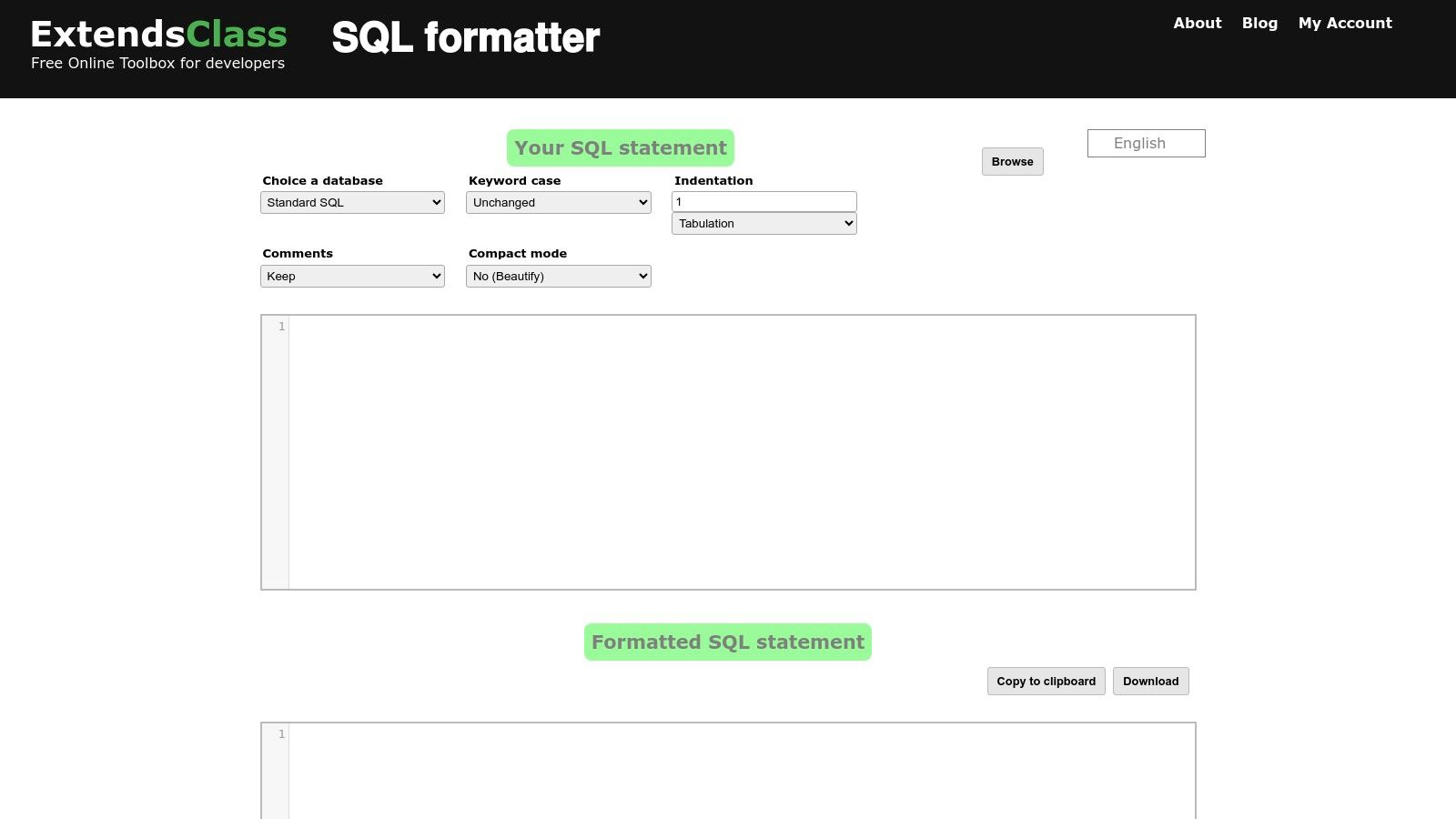
Users can easily adjust settings like keyword case, indentation size, and comment handling. It also includes a useful "Minify" option to compact code, alongside standard copy, download, and file drag-and-drop functionalities. The workflow is immediate and requires no login, making it a quick solution for on-the-fly formatting tasks across different database syntaxes.
Key Features & Assessment
While the user interface has some minor language quirks, its dialect-specific options and immediate feedback provide significant utility for real-world scenarios.
- Dialect Support: Format code specifically for Standard SQL, Oracle, DB2, and N1QL.
- Functionality: Includes both formatting and minification (compacting) modes.
- Usability: Simple two-pane layout with instant auto-formatting and file upload support.
- Limitation: It does not make an explicit claim about client-side-only processing, which may be a concern for users with highly sensitive data.
Website: https://extendsclass.com/sql-formatter.html
5. FreeFormatter.com – SQL Formatter
FreeFormatter.com offers a robust and reliable free online SQL formatter as part of its broader suite of developer utilities. Its primary distinction lies in its excellent handling of file-based workflows. The tool allows users to either paste SQL code directly or upload a .sql file, making it particularly useful for formatting entire scripts saved on a local machine. It stands out by providing explicit support for various character encodings like UTF-8, UTF-16, and Windows-1252, addressing a common pain point when working with legacy database scripts or files from different operating systems.
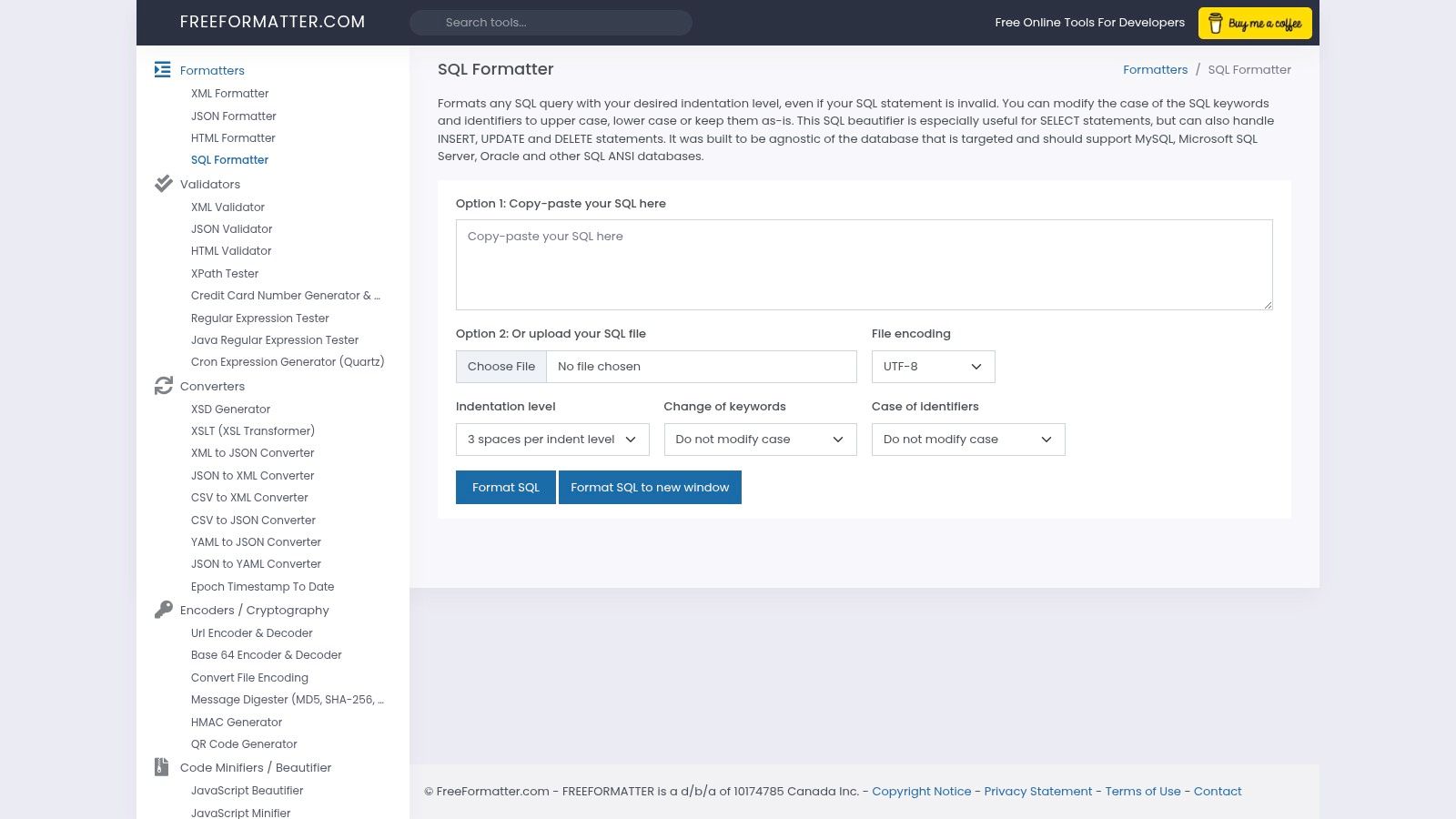
The user interface provides clear and straightforward customization options directly below the input area. You can easily configure indentation using spaces or tabs and control the case settings for both SQL keywords and identifiers. This simplicity makes it a dependable choice for quick formatting tasks, especially when dealing with files that might have non-standard encoding, without needing to install any software. The tool is effective for general ANSI/ISO SQL standards.
Key Features & Assessment
While the ad-supported interface can be distracting, its file-handling capabilities and encoding support secure its place as a practical utility for many developers.
- File & Encoding Support: A key advantage is the ability to upload
.sqlfiles and specify the character encoding, which is rare for online tools. - Customization: Offers simple but effective controls for indentation and case formatting for keywords and identifiers.
- Usability: The interface is straightforward and functional, getting the job done with minimal configuration.
- Limitation: It lacks advanced dialect-specific parsing and its ad-supported layout can be cluttered.
Website: https://www.freeformatter.com/sql-formatter.html
6. Code Beautify – SQL Formatter
Code Beautify offers a versatile suite of developer utilities, and its SQL formatter is a popular choice for those needing broad dialect support. Beyond standard SQL, it handles specific syntax for N1QL, DB2, MariaDB, and Oracle SQL & PL/SQL, making it a flexible tool for teams working across different database environments. This platform is more than just a simple beautifier; it provides a complete workflow with options to load SQL from a URL and download the formatted result.
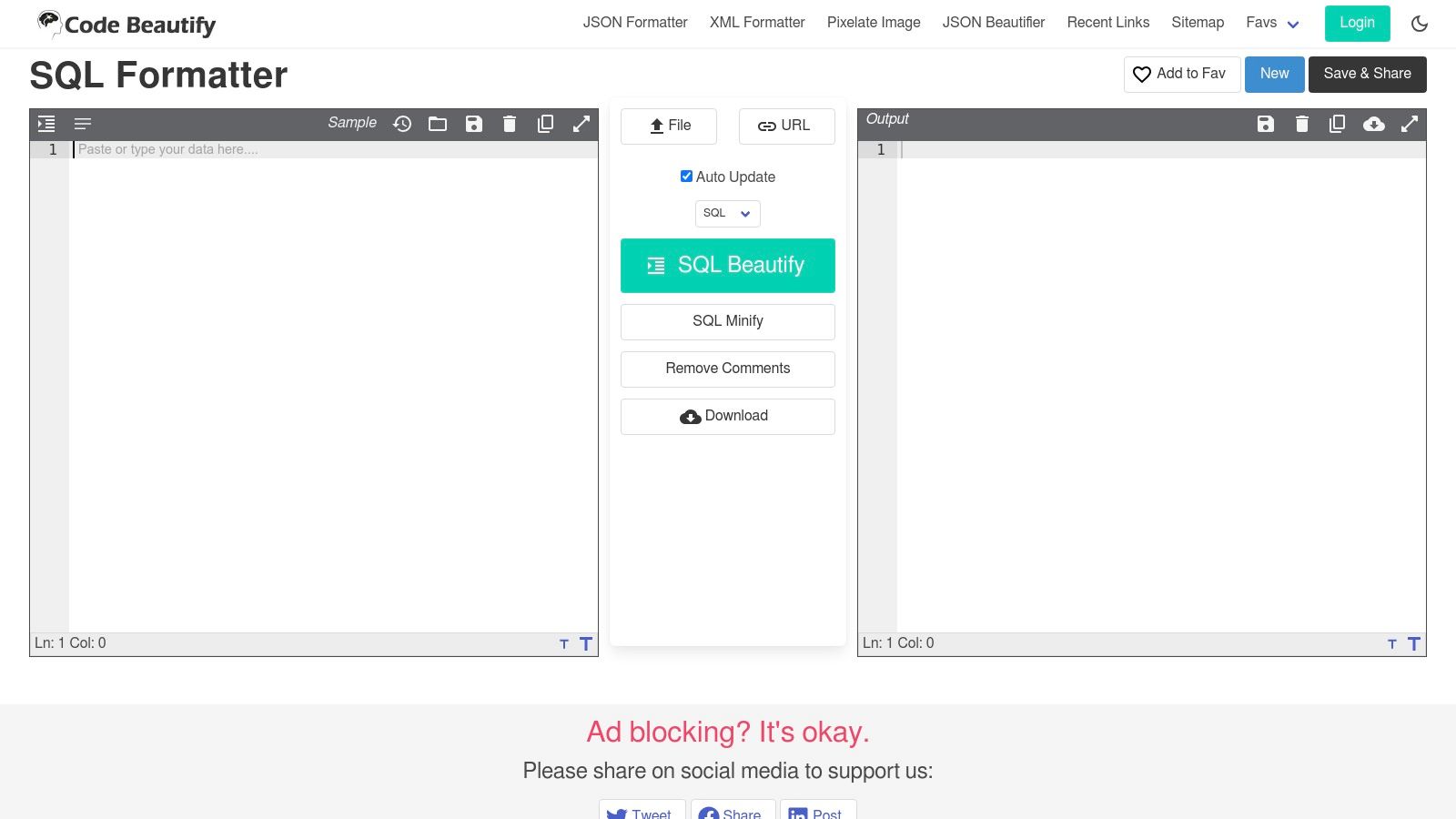
The user interface includes clear options to beautify or minify code, remove comments, and adjust indentation settings directly. While its feature set is robust, the platform relies on server-side processing, which may not be suitable for developers handling sensitive or proprietary data. The presence of on-page advertising can also be a minor distraction for some users.
Key Features & Assessment
Code Beautify’s strength is its functionality as part of a larger developer toolkit, offering more than just a basic sql formatter online free.
- Dialect Support: Excellent support for multiple SQL dialects, including N1QL, DB2, MariaDB, and Oracle PL/SQL.
- Workflow Integration: Allows users to load SQL from a URL and download the formatted file, which is useful for sharing and collaboration.
- Functionality: Includes both beautify and minify options, providing flexibility for different use cases.
- Limitation: The platform processes code on its server, which is a critical privacy consideration for sensitive queries.
Website: https://codebeautify.org/sqlformatter
7. SQL Formatter (Demo) by sql-formatter library
This website serves as the official demonstration for the widely-used open-source sql-formatter JavaScript library. Its primary value is for developers who want to test the library's output before integrating it into their projects via its CLI, editor plugins (like for VS Code), or as a direct dependency. It offers one of the most extensive dialect coverages available in a free online SQL formatter, supporting everything from standard SQL to BigQuery, Snowflake, T-SQL, and PL/SQL.
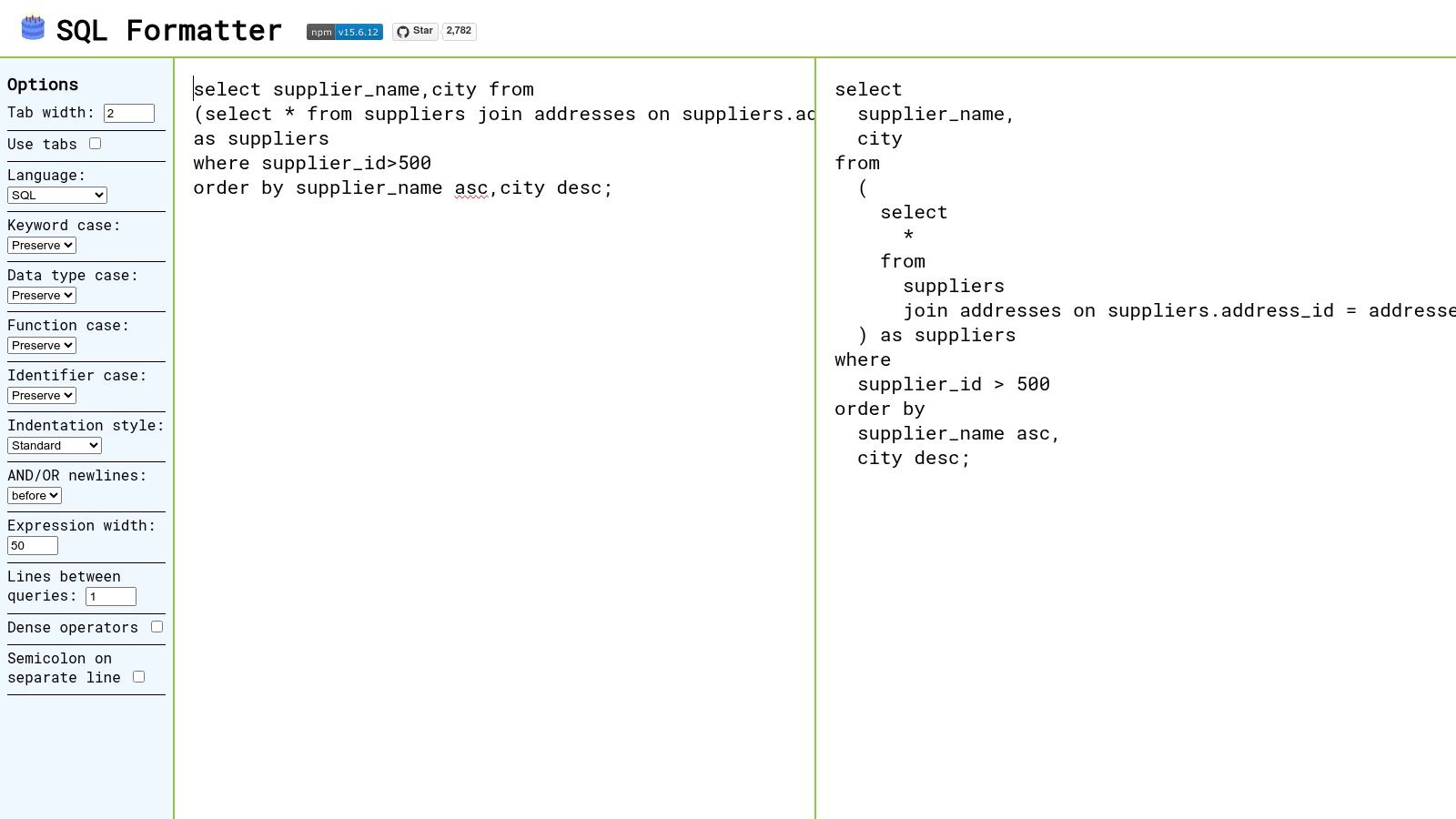
The interface is intentionally minimal, focusing purely on showcasing the library's core formatting capabilities. Users can select a dialect, choose indentation options, and set the preferred case for keywords. This direct-from-the-source approach ensures that the formatting you see in the demo is exactly what you will get when automating the process in your own development workflow, guaranteeing consistency.
Key Features & Assessment
While the demo UI is basic, its power lies in faithfully representing a robust, community-supported library. It’s an excellent tool for validation and experimentation.
- Dialect Support: Exceptional coverage of modern and traditional SQL dialects.
- Consistency: The online output directly matches the behavior of the library, perfect for pre-integration testing.
- Open-Source: The underlying library is MIT licensed, allowing for free use in commercial projects.
- Limitation: The demo interface is barebones, and the library itself does not support stored procedures.
Website: https://sql-formatter-org.github.io/sql-formatter/
8. PrettySQL (prettysql.com)
PrettySQL is a free online SQL formatter that excels in simplicity and speed, designed for developers who need to quickly beautify SQL code for documentation or sharing. Its standout feature is the ability to export the formatted code as either plain text or syntax-highlighted HTML. This makes it incredibly useful for embedding clean, readable SQL snippets directly into blogs, wikis, or internal documentation without extra manual styling.
The user experience is built around an immediate paste-format-copy workflow. The interface is exceptionally clean and uncluttered, presenting the input and output panes side-by-side for a clear comparison. While it currently lacks an API and extensive configuration options, its focus on core formatting and unique HTML output gives it a distinct purpose among other tools. It's the perfect choice for when presentation matters as much as structure.
Key Features & Assessment
PrettySQL carves out its niche by serving a specific need: preparing SQL for presentation. It sacrifices deep customization for an unparalleled and focused user experience.
- HTML Export: Its unique ability to output formatted HTML is a key differentiator for documentation purposes.
- Performance: The tool is lightweight and provides instant formatting results.
- Usability: A minimalist, two-pane interface makes it one of the easiest formatters to use.
- Limitation: It offers very few customization settings and does not currently support dialect-specific formatting rules.
Website: https://prettysql.com
9. FormatSQL.dev
FormatSQL.dev is a modern, privacy-focused online SQL formatter that delivers a clean and efficient user experience. Its primary appeal is its commitment to security through 100% client-side processing, ensuring that your SQL queries are never transmitted to a server. This makes it a safe choice for developers handling sensitive database schemas or proprietary business logic who need a quick and reliable formatting tool.
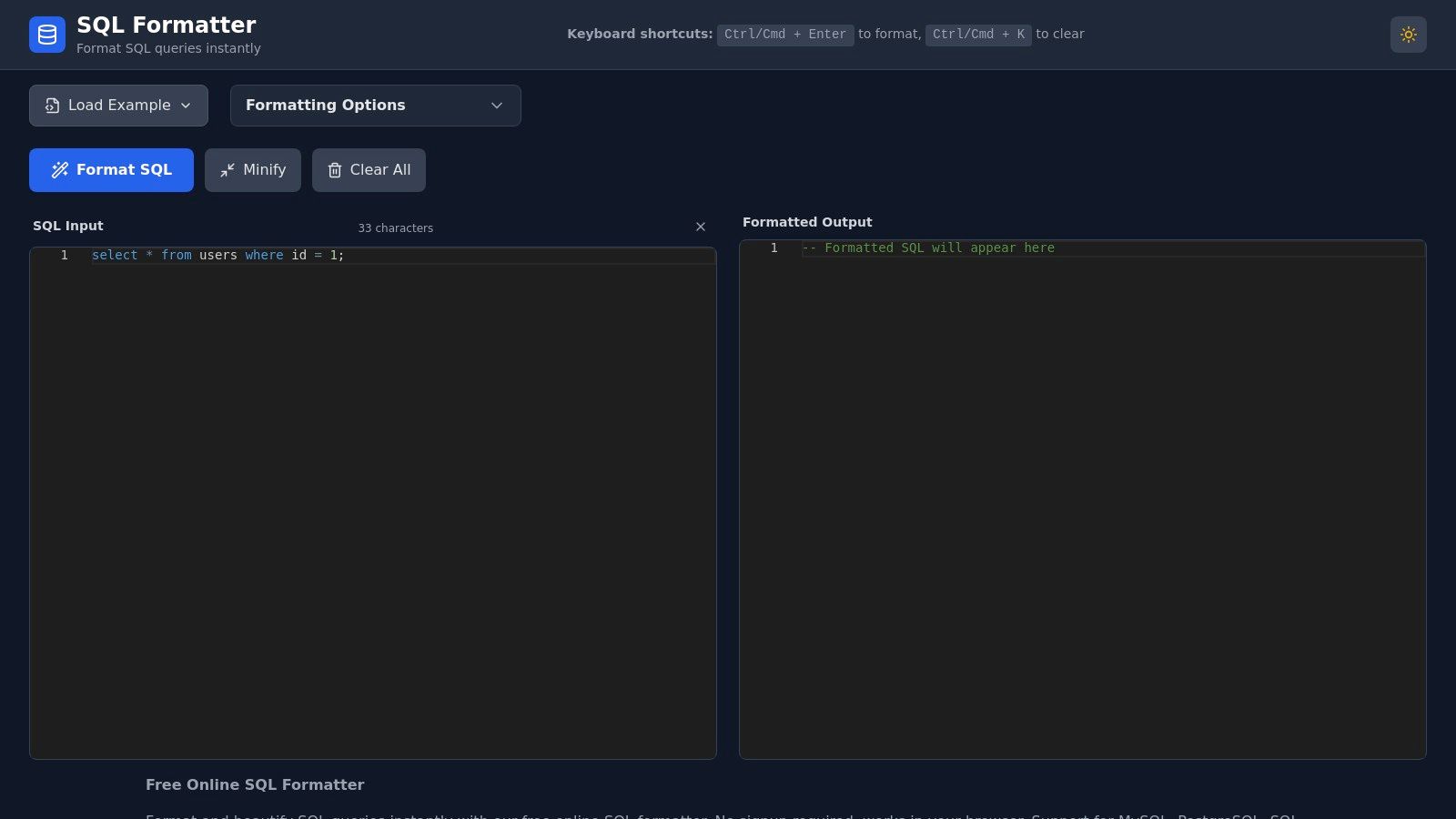
The interface is refreshingly simple and intuitive, offering essential controls without any clutter. Users can easily switch between beautify and minify modes, adjust indentation levels, and set keyword casing preferences (upper or lower case). Additional convenience features like a dark mode, one-click copy, and the ability to download the formatted code as a .sql file enhance the workflow. No signup or login is required to access its full functionality.
Key Features & Assessment
While it claims support for major databases, the specific dialectical rules are not as granular as more established tools. However, its speed, modern design, and privacy guarantee make it an excellent daily driver for general formatting tasks.
- Privacy: All formatting is done locally in your browser, so your code remains private.
- Usability: A clean, modern UI with practical toggles for indentation, casing, and minification.
- Convenience: Includes dark mode, one-click copy, and file download options without requiring an account.
- Limitation: Dialect-specific formatting is less advanced, and as a newer site, it has fewer community integrations.
Website: https://formatsql.dev
10. SQLFormatter.online
SQLFormatter.online is an efficient, in-browser SQL formatter that strongly emphasizes privacy and a streamlined workflow. Like other modern tools, it processes all data locally on your device, ensuring that your queries are never transmitted to an external server. This makes it a reliable choice for developers handling sensitive database information who require a secure formatting environment.
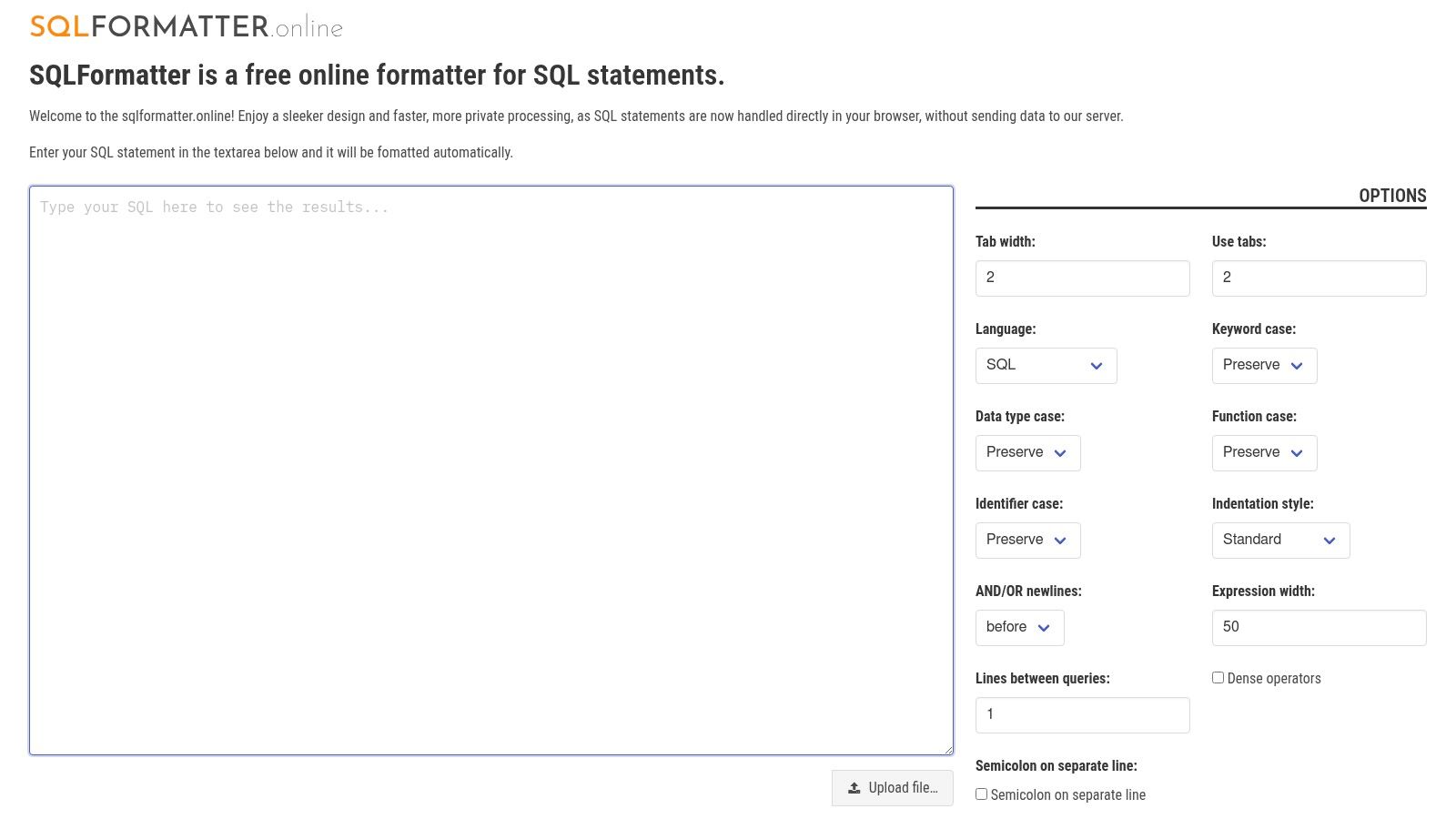
Its most distinctive feature is the "Auto-format on input" functionality, which automatically beautifies your SQL code as you type or paste it into the editor. This hands-off approach removes the need for a manual format button, speeding up the process significantly. The interface also supports direct file uploads and one-click copying to the clipboard, catering to a quick, no-fuss user experience. It's a great example of a simple yet powerful sql formatter online free tool.
Key Features & Assessment
While it lacks the advanced configuration and dialect-specific rules of more mature platforms, its focus on speed, privacy, and automatic formatting makes it an excellent tool for quick, standard SQL cleanup tasks.
- Privacy: All formatting is handled 100% on the client-side, keeping your SQL code secure.
- Performance: The auto-format feature provides instant feedback, making the tool feel incredibly responsive.
- Usability: A minimalist interface with automatic formatting creates a frictionless and fast workflow.
- Limitation: Offers very few customization options and no ability to select a specific SQL dialect.
Website: https://www.sqlformatter.online
11. Encode64 – SQL Formatter
Encode64 offers a feature-rich, client-side SQL formatter online free from the constraints of server-side processing. It strikes an excellent balance between advanced customization and user privacy, clearly stating its "no servers, no logs" policy. The tool's standout feature is its live formatting capability, which beautifies your SQL code in real time as you type, providing instant visual feedback. This makes it highly efficient for iterative query development and refinement.
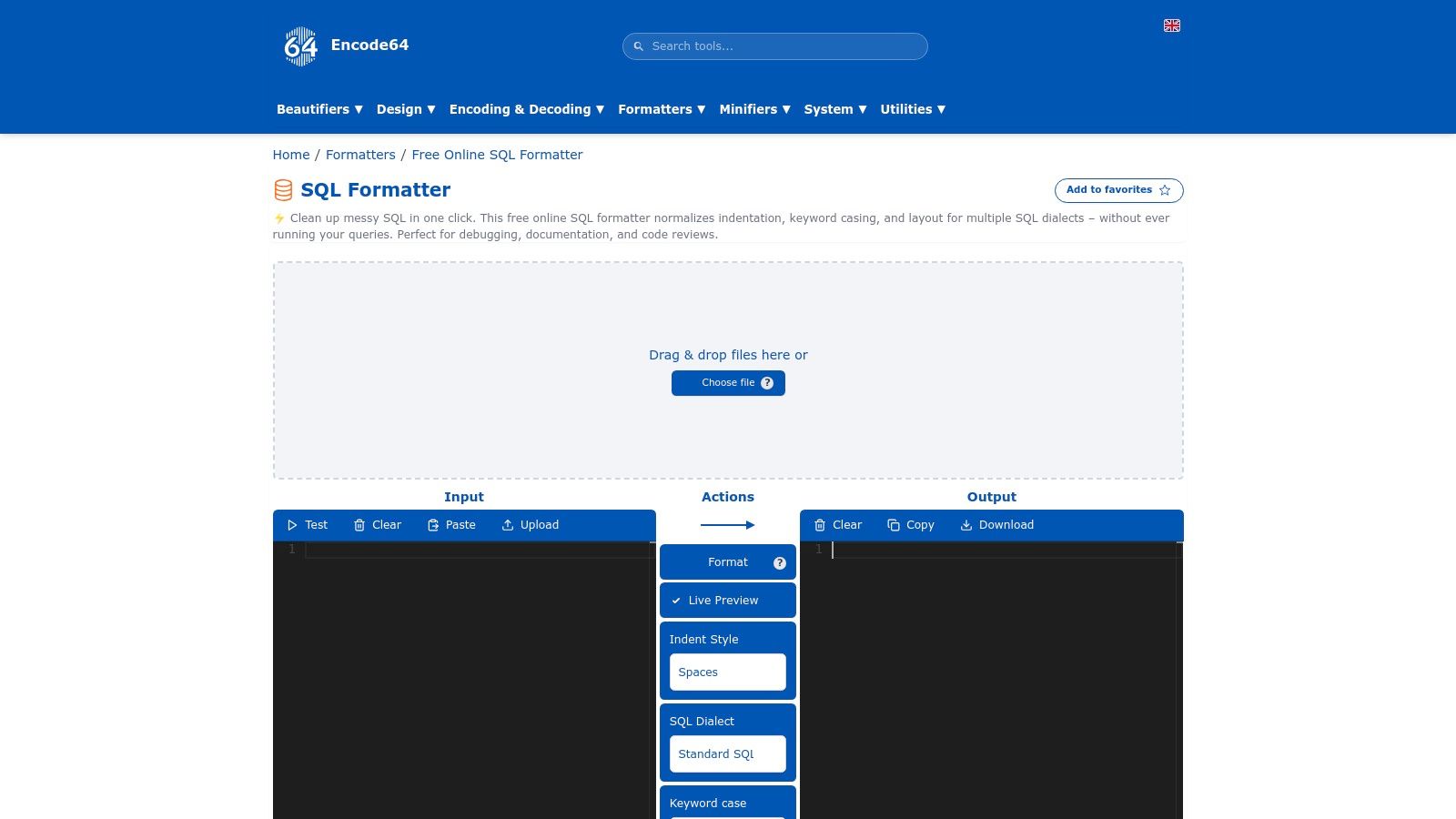
The platform supports a comprehensive list of dialects, including PostgreSQL, MySQL, SQL Server, BigQuery, and Snowflake, making it versatile for developers working across different database systems. Users can fine-tune the output with granular controls like adjusting indent size, toggling between tabs and spaces, and adding blank lines between separate queries. This last option is particularly useful for improving the readability of long, multi-statement SQL scripts.
Key Features & Assessment
Encode64 is a powerful utility for developers who need dialect-specific formatting rules and robust privacy assurances without sacrificing a clean, interactive user experience.
- Privacy: All formatting is done 100% in-browser, ensuring your code is never transmitted externally.
- Customization: Offers a strong set of pro-level toggles and supports numerous SQL dialects.
- Usability: The live preview feature and clear layout make it intuitive and efficient for daily tasks.
- Limitation: As part of a larger toolkit site, it lacks build integrations or an API for programmatic use.
Website: https://encode64.com/en/formatters/sql-formatter
12. TabLab – SQL Formatter (tablab.app)
TabLab presents a polished and versatile free online SQL formatter that is part of a larger ecosystem of developer tools. Its key strength is integrating a capable formatter with other essential SQL utilities like an AI query generator and a visual query builder, making it a convenient one-stop shop. The interface is clean, professional, and provides a seamless two-pane editor for instant comparison of your raw and formatted code.
The tool supports a solid range of SQL dialects, including PostgreSQL, MySQL, BigQuery, and Snowflake, allowing for more accurate formatting based on specific database syntax. Users can easily configure options such as keyword casing and indentation style directly within the interface. This combination of a professional UI and integrated toolset makes TabLab an excellent choice for developers who frequently switch between writing, formatting, and generating SQL queries.
Key Features & Assessment
While it doesn't offer the most granular, dialect-specific rule sets of some dedicated tools, its usability and integrated nature provide significant value.
- Multi-Dialect Support: Handles syntax for major databases like PostgreSQL, MySQL, and Snowflake.
- Integrated Suite: Sits alongside an AI SQL generator and visual query builder for a complete workflow.
- Usability: A clean, responsive two-pane interface with clear customization options.
- Limitation: Customization options are good but not as deep as more specialized, single-purpose formatters.
Website: https://www.tablab.app/sql/format
Side-by-Side Comparison of 12 Free Online SQL Formatters
| Tool | Core Features ✨ | UX & Accuracy ★ | Privacy & Price 💰 | Target Audience 👥 | Standout / USP 🏆 |
|---|---|---|---|---|---|
| SQL Formatter [ShiftShift] | 7 dialects, Chrome ext, Command Palette, offline | ★★★★☆ — fast, keyboard-first | 💰 Free · local processing | 👥 Developers & analysts using Chrome | 🏆 Browser extension + instant palette access |
| SQLFormat (sqlformat.org) | Pyodide + sqlparse, file upload, comment removal | ★★★★ — simple, mobile‑responsive | 💰 Free · 100% client‑side | 👥 Privacy‑minded users, quick web use | 🏆 Transparent Pyodide/sqlparse stack |
| Poor SQL (poorsql.com) | Granular T‑SQL switches, obfuscate, CLI/plugins | ★★★★☆ — deep control for T‑SQL | 💰 Free · open‑source | 👥 T‑SQL teams, SSMS/VS users | 🏆 Rich T‑SQL options + editor/CLI plugins |
| ExtendsClass – SQL Formatter | Multi‑dialect selector, auto‑format, download | ★★★★ — clear two‑pane workflow | 💰 Free · no login required | 👥 Devs needing quick web formatting | 🏆 Multi‑dialect support + file workflows |
| FreeFormatter.com – SQL Formatter | File upload, encoding support, indent/case control | ★★★☆☆ — reliable but ad‑supported | 💰 Free · ad‑supported | 👥 File/workflow users with odd encodings | 🏆 Strong file & encoding handling |
| Code Beautify – SQL Formatter | Many dialects, load from URL, download | ★★★☆☆ — feature‑rich but ads/server hints | 💰 Free · may use server processing | 👥 General devs wanting many tools | 🏆 Large toolset & URL/file integrations |
| SQL Formatter (Demo) by sql‑formatter | Broad dialect coverage, CLI/editor library | ★★★★☆ — very accurate, minimal UI | 💰 Free · MIT open‑source | 👥 Devs automating formatting/CI | 🏆 Proven library with integrations |
| PrettySQL (prettysql.com) | Instant paste→format, HTML/plain output | ★★★★ — very fast, uncluttered | 💰 Free | 👥 Writers, bloggers, quick formatting | 🏆 Fast HTML export for docs/blogs |
| FormatSQL.dev | Client‑side, minify/beautify, dark mode | ★★★★ — clean modern UI, practical toggles | 💰 Free · privacy‑first | 👥 Users wanting polished web UI | 🏆 Clean interface + dark mode |
| SQLFormatter.online | Auto‑format as you type, file upload, clipboard | ★★★★ — hands‑off, fast | 💰 Free · client‑side claim | 👥 Users who want auto‑format workflows | 🏆 Auto‑formatting while typing |
| Encode64 – SQL Formatter | Live preview, dialect select, many pro toggles | ★★★★☆ — pro toggles, good multi‑stmt support | 💰 Free · no‑logs claim | 👥 Power users handling multi‑statement scripts | 🏆 Pro‑level toggles + privacy focus |
| TabLab – SQL Formatter | Multi‑dialect, two‑pane, AI SQL + visual builder suite | ★★★★ — polished, responsive UI | 💰 Free/Tool suite (web) | 👥 Users wanting multiple SQL utilities | 🏆 Integrated tools (AI generator, visual builder) |
Choosing the Right Formatter for Your Workflow
Navigating the landscape of free online SQL formatters reveals a diverse ecosystem of tools, each with distinct strengths tailored to different user needs. We've explored over a dozen options, from powerful browser extensions to minimalist web-based interfaces, and the core takeaway is clear: the best tool is not one-size-fits-all. Your ideal choice depends entirely on your specific workflow, privacy requirements, and the complexity of the SQL dialects you handle daily.
The central theme emerging from our analysis is the critical trade-off between convenience, features, and security. While web-based tools offer instant access without installation, they often require you to send your code to a remote server, introducing potential privacy risks. This is a significant concern for developers working with proprietary or sensitive database schemas.
Key Decision Factors Revisited
When selecting your go-to formatter, prioritize your decision based on these critical factors:
- Privacy and Security: For professionals, client-side processing is non-negotiable. Tools like the ShiftShift SQL Formatter extension, SQLFormat.org, and the sql-formatter library demo excel here by performing all formatting locally within your browser. This ensures your code never leaves your machine.
- Workflow Integration: How seamlessly does the tool fit into your daily tasks? A browser extension with keyboard shortcuts offers the most integrated and efficient experience, eliminating the need to switch tabs or copy-paste code constantly. For occasional, one-off formatting, a simple, bookmarkable website might suffice.
- Dialect-Specific Accuracy: Generic formatters can sometimes struggle with the nuances of specific SQL dialects. If you primarily work with a single, complex dialect like T-SQL or PL/pgSQL, a specialized tool like Poor SQL will provide more accurate and context-aware formatting than a general-purpose option.
- Customization and Control: Advanced users often require fine-grained control over formatting rules, such as indentation, capitalization, and line breaks. Tools offering extensive configuration options allow you to enforce team-specific style guides and maintain code consistency across projects.
Your Actionable Path Forward
To find the perfect sql formatter online free for your needs, start by evaluating your most common use cases. Are you frequently debugging complex queries directly in a web-based database client? A browser extension is your best bet. Do you need to quickly clean up a script for a code review? A reliable, privacy-focused website like SQLFormat.org is an excellent choice.
By consciously weighing these factors against the detailed reviews in this guide, you can confidently select a formatter that does more than just prettify your code. The right tool will enhance your productivity, improve code readability for your entire team, and safeguard your sensitive data, ultimately becoming an indispensable part of your development toolkit.
Ready to elevate your in-browser productivity beyond just SQL formatting? ShiftShift Extensions offers a comprehensive suite of over 25+ powerful, privacy-first tools, including diff checkers, cookie editors, and image converters, all accessible with a single click. Discover a smarter way to work by installing the all-in-one toolkit from ShiftShift Extensions today.