12 nejlepších nástrojů pro výpočet složeného úroku v roce 2026
Objevte nejlepší kalkulačku složeného úroku pro jakoukoli situaci. Přezkoumáváme 12 nejlepších webových, mobilních a prohlížečových nástrojů, které vám pomohou vizualizovat růst investic.

Doporučené rozšíření

Albert Einstein slavně nazval složené úročení "osmým divem světa," ale vizualizace jeho dlouhodobé síly může být abstraktní a obtížná. Kvalitní kalkulačka přetváří tento mocný koncept z vágního finančního cíle na konkrétní, realizovatelný plán. Je to nezbytný nástroj, který překonává propast mezi odhadem vašich úspor na důchod a přesným věděním, jaké příspěvky jsou potřebné k dosažení vašich cílů. Správný nástroj vám umožňuje vidět, jak malé, konzistentní investice mohou v průběhu času exponenciálně růst.
Nicméně, internet je nasycen možnostmi a ne všechny kalkulačky jsou si rovny. Mnohé jsou příliš zjednodušené, některé jsou zatíženy rušivými reklamami a jiné postrádají sofistikované funkce potřebné pro nuancované, reálné finanční modelování, jako jsou nastavitelné plány příspěvků nebo výnosy upravené o inflaci. Nalezení nejlepší kalkulačky složeného úročení pro vaše specifické potřeby může být frustrující cvičení pokusů a omylů.
Tento průvodce je navržen tak, aby odstranil tuto nejistotu. Pečlivě jsme otestovali a zhodnotili 12 nejlepších dostupných nástrojů, zahrnujících webové aplikace, specializované finanční weby, vládní zdroje a dokonce i výkonné rozšíření pro prohlížeče. Ať už jste nováček v investování, který plánuje svůj první úsporný plán, vývojář modelující finanční projekce, nebo zkušený profesionál porovnávající složité scénáře, tento pečlivě vybraný seznam vám poskytne potřebnou jasnost. U každé možnosti najdete přímý odkaz, podrobný přehled jejích funkcí a upřímné hodnocení jejích silných a slabých stránek, které vám pomohou vybrat dokonalý nástroj pro převzetí kontroly nad vaší finanční budoucností.
1. Složené úročení [ShiftShift]
Pro investory a plánovače, kteří si cení rychlosti, soukromí a integrovaného pracovního postupu, se kalkulačka složeného úročení ShiftShift vyznačuje jako špičkové řešení pro prohlížeče. Místo samostatné webové stránky je tento nástroj lehkým, ale výkonným rozšířením pro Chrome, které přináší sofistikované finanční modelování přímo do vašeho prohlížeče, což z něj činí mimořádně efektivní volbu pro naši nejlepší kalkulačku složeného úročení. Jeho hlavní síla spočívá v bezproblémové integraci a schopnostech vizualizace v reálném čase.
![Složené úročení [ShiftShift]](https://cdn.outrank.so/9d63d2f7-ab9c-4b70-bf5c-df66cbda740c/screenshots/050192da-d8a2-4cd1-99d1-97f19281bdc6/best-compound-interest-calculator-compound-interest.jpg)
Okamžitě přístupná prostřednictvím příkazové palety ShiftShift (dvojitým stisknutím Shift nebo Cmd/Ctrl+Shift+P), kalkulačka vám umožňuje na místě upravovat proměnné jako hlavní částku, pravidelné příspěvky, úrokovou sazbu a frekvenci složení. Interaktivní graf se okamžitě aktualizuje, aby odrážel vaše změny, a poskytuje jasnou, vizuální reprezentaci růstové trajektorie vaší investice. Tento okamžitý zpětnovazební cyklus je neocenitelný pro porovnávání různých scénářů, aniž byste museli opustit aktuální kartu.
Klíčové silné stránky a případy použití
Tato kalkulačka je navržena pro moderní, soukromí si vědomé uživatele. Všechny výpočty jsou zpracovávány lokálně na vašem zařízení, což znamená, že žádná citlivá finanční data nejsou nikdy nahrávána na server. Tento design také umožňuje plnou funkčnost offline po počáteční instalaci. S podporou pro více než 50 měn je to univerzální nástroj pro mezinárodní investory nebo kohokoli, kdo modeluje aktiva v různých denominacích.
Pochopení obrovské síly složeného úročení pro růst bohatství také znamená být si vědom jeho účinků v opačném směru, například když potřebujete vypočítat úroky z kreditní karty a efektivně spravovat dluh. Pro ty, kteří mají zájem o mechaniku těchto projekcí, ShiftShift nabízí podrobný přehled vzorce složeného úročení a jeho aplikace.
| Funkce | Specifikace |
|---|---|
| Typ | Rozšíření pro prohlížeč (Chrome/Chromium) |
| Přístup | Zdarma, vyžaduje instalaci prohlížeče |
| Klíčový diferenciátor | Lokální zpracování, přístup v prohlížeči, uživatelské rozhraní zaměřené na klávesnici |
| Offline schopnost | Ano, plně funkční offline po instalaci |
| Podpora měn | 50+ mezinárodních měn |
| Soukromí | 100% lokální výpočty, žádné sledování ani nahrávání dat |
Výhody:
- Interaktivní, grafy v reálném čase pro snadnou vizualizaci růstu
- Podporuje více frekvencí složení a 50+ měn
- Architektura zaměřená na soukromí s offline schopností
- Bezproblémový přístup prostřednictvím jednotné příkazové palety pro rychlé pracovní postupy
Nevýhody:
- Vyžaduje prohlížeč založený na Chrome/Chromium a instalaci rozšíření
- Žádná vestavěná synchronizace cloudu pro ukládání nebo sdílení scénářů napříč zařízeními
Webová stránka: https://shiftshift.app/compound-interest
2. SEC Investor.gov – Kalkulačka složeného úročení
Pro uživatele, kteří hledají důvěryhodný a jednoduchý nástroj podložený významným finančním regulátorem, je SEC Investor.gov – Kalkulačka složeného úročení vynikající volbou. Poskytováno Komisí pro cenné papíry a burzy USA, tato bezplatná webová kalkulačka upřednostňuje vzdělání a jednoduchost před složitými funkcemi. Nabízí čistý, bezreklamový uživatelský zážitek, což z ní činí spolehlivý zdroj pro každého, od studentů po zkušené investory, kteří potřebují rychlý, bezproblémový výpočet bez rozptýlení. Rozhraní je intuitivní, což vám umožňuje rychle nastavit vaši počáteční investici, výši příspěvku a časový horizont.
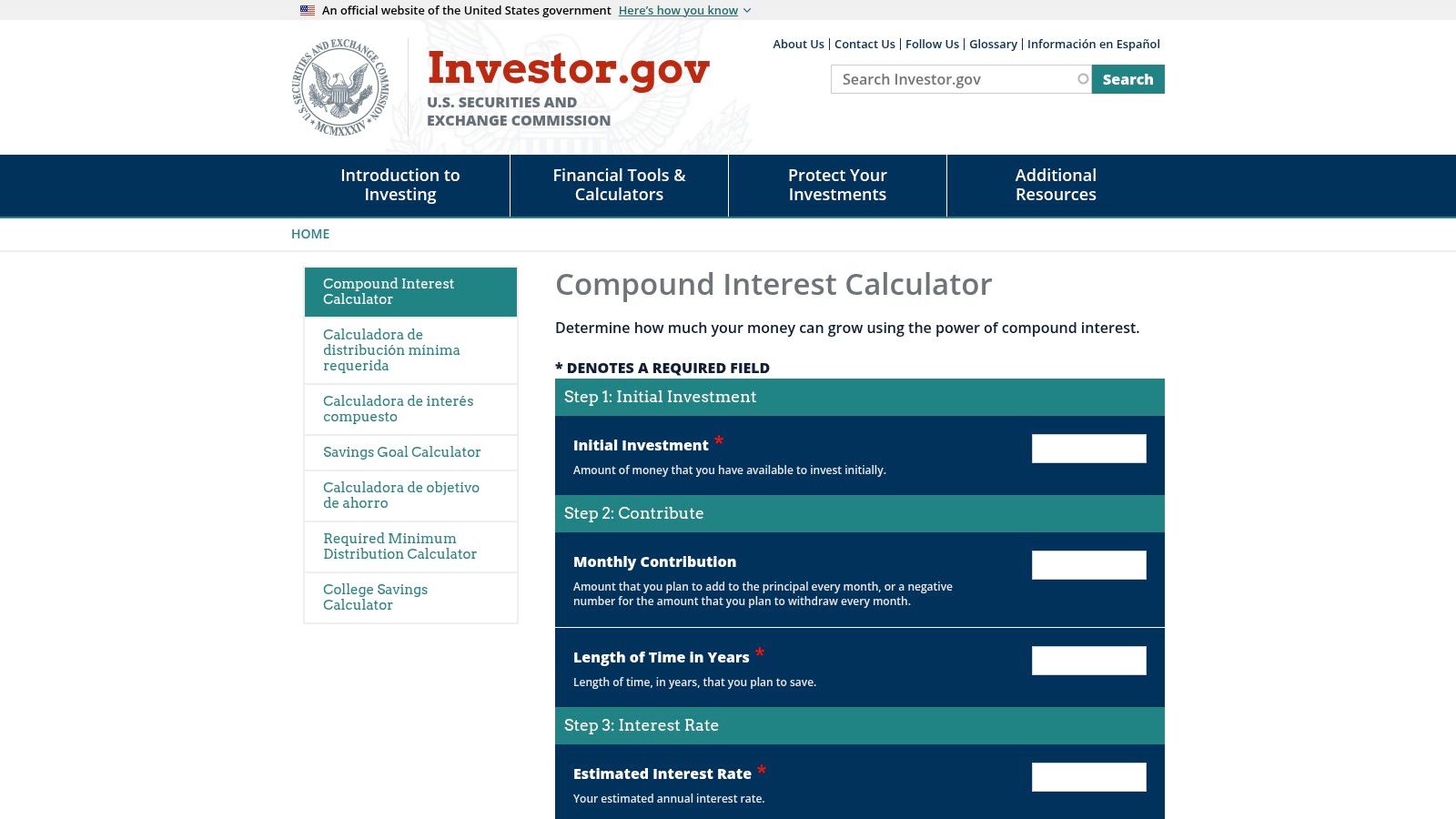
Výraznou funkcí platformy je možnost přidat variabilitu úrokové sazby. To vám umožňuje porovnat dva různé scénáře růstu vedle sebe, což je ideální pro vizualizaci toho, jak i malý rozdíl ve vašem ročním výnosu může výrazně ovlivnit vaši konečnou bilanci v průběhu času. Výsledky jsou prezentovány v jednoduché tabulce, která jasně rozděluje budoucí hodnotu. I když postrádá pokročilé možnosti jako zohlednění daní nebo poplatků, její spojení s širším webem Investor.gov poskytuje bohatství vzdělávacích materiálů a kvízů. Pro ty, kteří chtějí hlubší pochopení mechaniky, můžete prozkoumat podrobné průvodce o jak vypočítat složené úročení ručně.
Klíčové funkce a hodnocení
| Funkce | Dostupnost | Poznámky |
|---|---|---|
| Cena | Zdarma | Úplně zdarma k použití bez reklam nebo sledování. |
| Podporované vstupy | Počáteční hlavní částka, měsíční příspěvek, roky, úroková sazba | Také podporuje volitelnou variabilitu úrokové sazby pro porovnání. |
| Frekvence příspěvků | Denně až ročně | Flexibilní možnosti pro různé úsporné strategie. |
| Grafy | Ne | Výsledky jsou zobrazeny v jasné, snadno čitelné tabulce. |
| Export/Tisk | Ne | Postrádá funkčnost pro ukládání nebo export vašich výpočtů. |
| Soukromí | Vysoké | Jako vládní web nesleduje ani neukládá osobní finanční data. |
Webová stránka: https://www.investor.gov/financial-tools-calculators/calculators/compound-interest-calculator
Výhody:
- Vysoce důvěryhodný zdroj od americké vládní agentury.
- Čisté, bezreklamové rozhraní zajišťuje soustředěný uživatelský zážitek.
- Funkce variability úrokové sazby je skvělá pro plánování scénářů.
Nevýhody:
- Postrádá pokročilé vstupy jako daně, inflaci nebo plány výběru.
- Žádné vizuální grafy nebo diagramy pro výsledky.
- Žádná možnost exportu, tisku nebo ukládání dat výpočtu.
Nejlepší pro: Vzdělávací účely, rychlé a důvěryhodné odhady a uživatele, kteří upřednostňují jednoduchý, bezpečný a bezreklamový zážitek.
3. Bankrate – Kalkulačka složeného úročení
Pro jednotlivce, kteří chtějí mocný výpočetní nástroj zabudovaný do širšího ekosystému osobních financí, je Bankrate – Kalkulačka složeného úročení vynikající volbou. Podporováno jedním z nejuznávanějších jmen v oblasti spotřebitelských financí, tato kalkulačka kombinuje robustní funkčnost s praktickými, realizovatelnými radami. Nabízí čisté, intuitivní rozhraní, které provádí uživatele nastavením počátečního vkladu, pravidelných příspěvků a frekvence složení, což z ní činí ideální nástroj pro plánování úsporných cílů, jako je důchod nebo záloha. Kalkulačka je dobře přizpůsobena pro každého, kdo chce nejen počítat čísla, ale také pochopit jejich finanční důsledky.
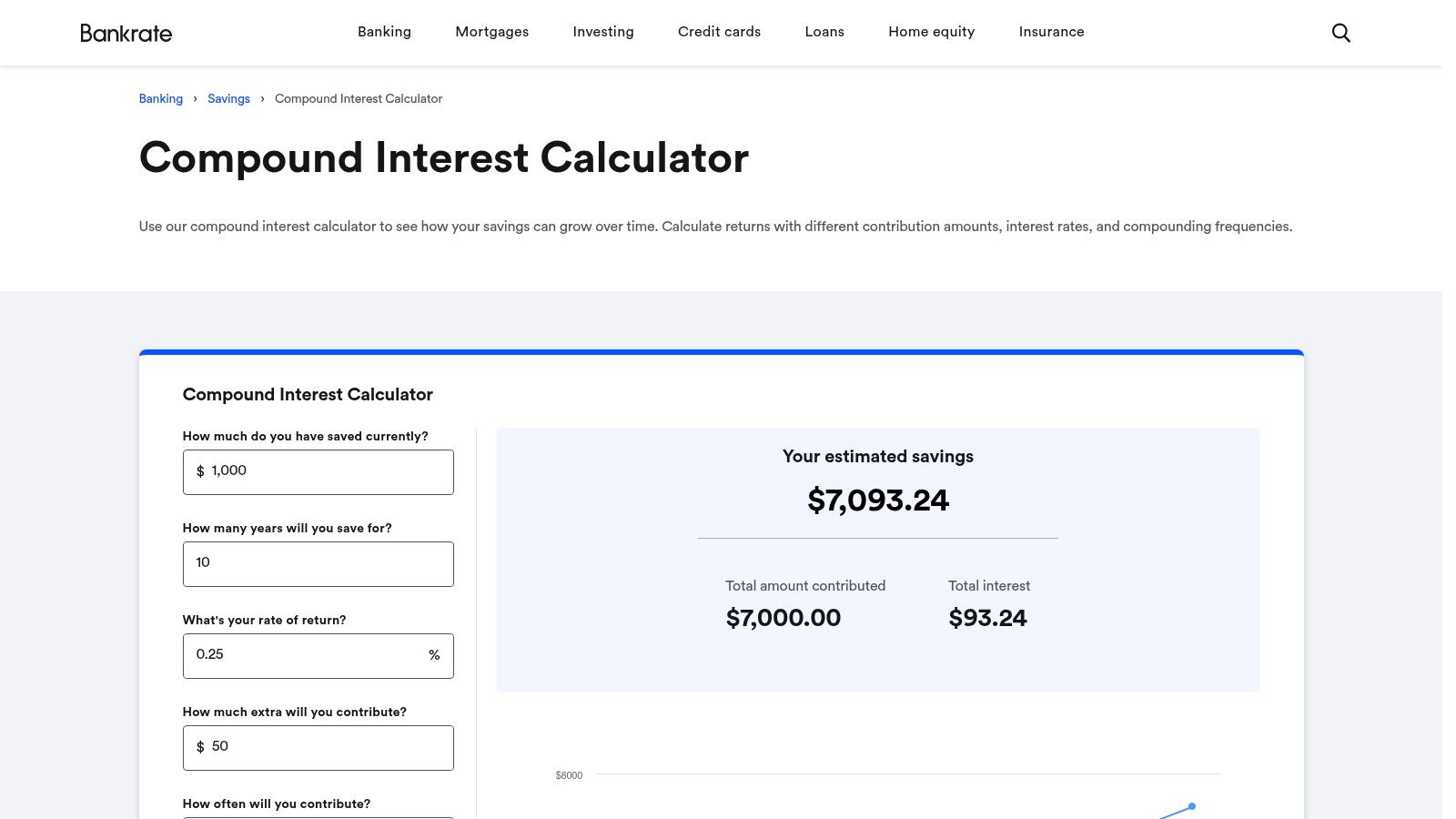
Co odlišuje kalkulačku Bankrate je její integrace s příbuzným obsahem a doporučeními finančních produktů. Po výpočtu vašich výsledků platforma poskytuje užitečné články a odkazy na účty s vysokým výnosem, což vám pomáhá okamžitě jednat podle vašeho finančního plánu. Výsledky jsou zobrazeny v jasném shrnutí a podrobné tabulce rok po roce, ukazující hlavní částku, úroky a konečnou bilanci. I když přítomnost reklam a propagací je drobnou nevýhodou, kombinace solidní kalkulačky s relevantními finančními radami z ní činí jedinečně praktický zdroj pro průměrného spotřebitele.
Klíčové funkce a hodnocení
| Funkce | Dostupnost | Poznámky |
|---|---|---|
| Cena | Zdarma | Podporováno reklamami, s propagacemi finančních produktů. |
| Podporované vstupy | Počáteční vklad, výše příspěvku, časový horizont, úroková sazba | Standardní sada vstupů pro komplexní finanční plánování. |
| Frekvence příspěvků | Týdně až ročně | Podporuje týdenní, dvoutýdenní, měsíční nebo roční příspěvky. |
| Grafy | Ne | Výsledky jsou prezentovány v shrnutí a podrobné tabulce rok po roce. |
| Export/Tisk | Ne | Postrádá schopnost ukládat nebo exportovat data výpočtu. |
| Soukromí | Střední | Jako komerční web používá sledování pro reklamy a analýzu. |
Webová stránka: https://www.bankrate.com/calculators/savings/compound-interest-calculator-tool.aspx
Výhody:
- Od důvěryhodné, zavedené značky osobních financí.
- Uživatelsky přívětivé rozhraní s jasnými, snadno pochopitelnými výstupy.
- Spárováno s relevantními články a radami, které pomáhají maximalizovat úspory.
Nevýhody:
- Obsahuje reklamní a propagační obsah pro finanční produkty.
- Nabízí žádné grafy nebo vizuální reprezentace růstu.
- Žádná funkčnost pro export nebo tisk výsledků pro offline použití.
Nejlepší pro: Uživatelé hledající spolehlivou kalkulačku, která je propojuje s realizovatelnými finančními radami a souvisejícími úspornými produkty.
4. NerdWallet – Kalkulačka složeného úročení
Pro začátečníky, kteří chtějí kalkulačku zabudovanou do komplexního vzdělávacího průvodce, je NerdWallet – Kalkulačka složeného úročení vynikající volbou. Tento nástroj je méně samostatnou aplikací a více interaktivním prvkem v rámci podrobného článku vysvětlujícího základy složeného úročení. Jeho hlavní síla spočívá v jednoduchosti a cenném kontextu poskytovaném hned vedle čísel, což z něj činí jednu z nejlepších zkušeností s kalkulačkou složeného úročení pro ty, kteří jsou noví v oblasti finančního plánování. Rozhraní používá intuitivní posuvníky pro rychlé úpravy vaší počáteční částky, úrokové sazby a časového rámce, což nabízí okamžité vizuální pochopení toho, jak tyto proměnné interagují.
Co odlišuje NerdWallet je jeho vzdělávací zaměření. Jak používáte kalkulačku, okolní obsah objasňuje klíčové koncepty, jako je rozdíl mezi APY a úrokovou sazbou, což vám pomáhá provádět informovanější vstupy. I když je nástroj sám o sobě základní a postrádá pokročilé funkce jako zohlednění daní nebo podrobné plány příspěvků, jeho účelem je učit, nikoli provádět složité finanční modelování. Výsledky jsou jasně zobrazeny, ukazující celkovou hlavní částku, úroky a konečnou bilanci. Je to vynikající výchozí bod pro každého, kdo chce pochopit základní sílu složeného úročení, než přejde na sofistikovanější nástroje.
Klíčové funkce a hodnocení
| Funkce | Dostupnost | Poznámky |
|---|---|---|
| Cena | Zdarma | Podporováno reklamami, s přítomnými affiliate odkazy na stránce. |
| Podporované vstupy | Počáteční vklad, měsíční příspěvek, roky, úroková sazba | Základní vstupy jsou spravovány pomocí jednoduchých posuvníků a polí. |
| Frekvence příspěvků | Denně, měsíčně, ročně | Nabízí běžné frekvence složení pro základní scénáře. |
| Grafy | Ne | Výsledky jsou zobrazeny v shrnující tabulce bez vizuálních grafů. |
| Export/Tisk | Ne | Neexistují žádné možnosti pro ukládání nebo export výpočtu. |
| Soukromí | Standardní | Jako komerční web používá standardní sledování a cookies. |
Webová stránka: https://www.nerdwallet.com/banking/learn/what-is-compound-interest
Výhody:
- Vynikající pro začátečníky díky integrovanému vzdělávacímu obsahu.
- Jednoduché, uživatelsky přívětivé rozhraní s posuvníky pro rychlé úpravy.
- Jasně vysvětluje finanční koncepty vedle kalkulačky.
Nevýhody:
- Postrádá pokročilé funkce pro podrobné finanční plánování.
- Webová stránka obsahuje reklamy a affiliate propagace.
- Žádné grafy, diagramy nebo možnosti exportu dat.
Nejlepší pro: Studenty, finanční nováčky a každého, kdo se chce naučit základy složeného úročení při provádění jednoduchých výpočtů.
5. Calculator.net – Kalkulačka složeného úročení
Pro uživatele, kteří si cení matematické transparentnosti a rozsáhlé přizpůsobitelnosti, je Calculator.net – Kalkulačka složeného úroku špičkovou volbou. Tento nástroj vyniká nejen přesnými výpočty, ale také zobrazením použitých vzorců a podrobným pohledem na základní finanční principy. Jeho utilitární design upřednostňuje funkci před formou, což z něj činí mocný zdroj pro studenty, akademiky a investory orientované na detaily, kteří chtějí pochopit „jak“ a „proč“ za čísly. Je to jedna z nejlepších možností kalkulačky složeného úroku pro ty, kteří chtějí auditovat matematiku.
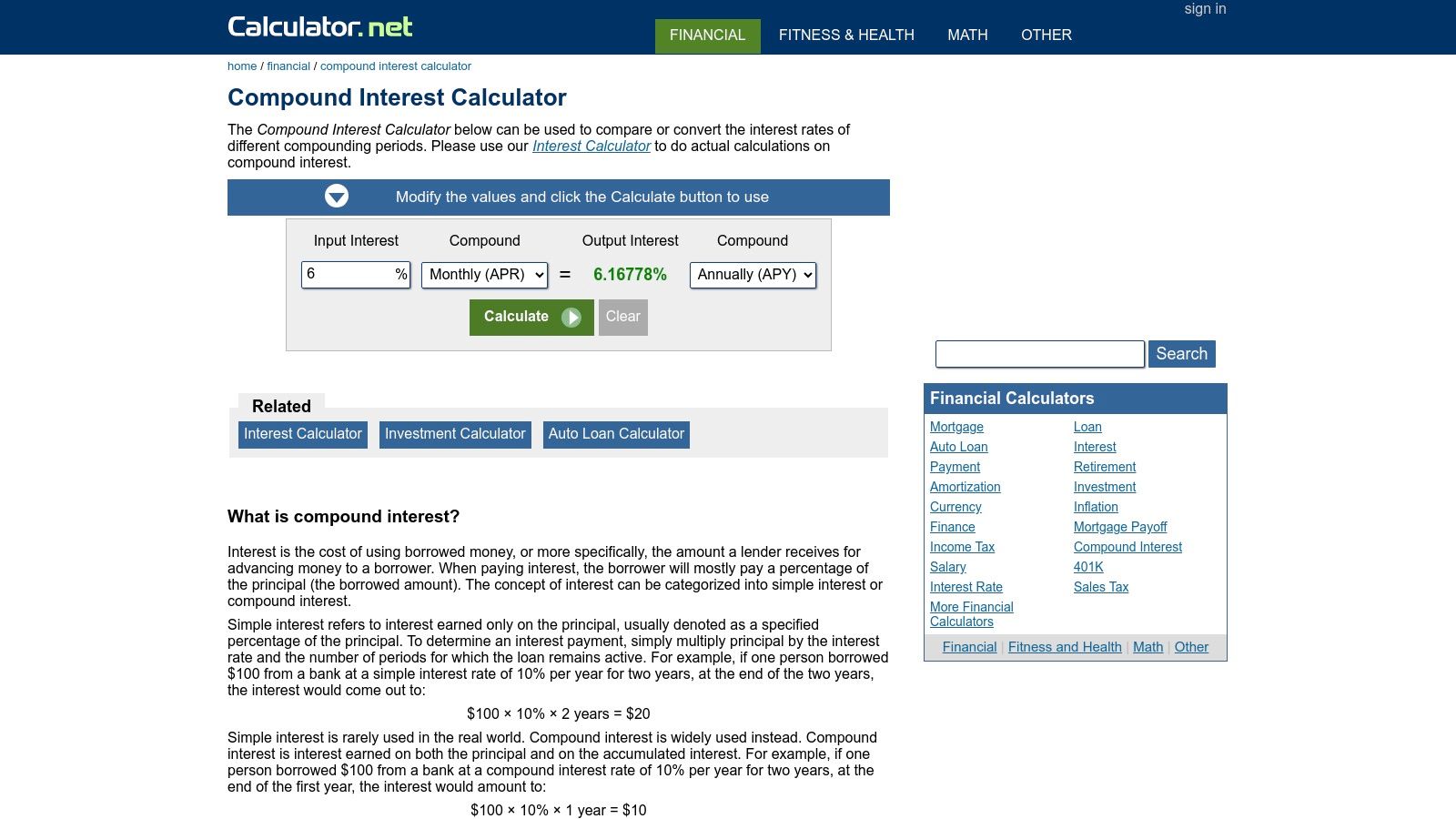
Hlavní silou kalkulačky je její flexibilita. Můžete nastavit frekvence úročení od denní až po kontinuální, což je funkce, která se běžně nenachází v jednodušších nástrojích. Také vám umožňuje řešit různé proměnné, jako je nalezení požadované úrokové sazby nebo časového období potřebného k dosažení konkrétního finančního cíle. I když je uživatelské rozhraní zastaralé a podporované reklamami, stránka to kompenzuje sadou souvisejících finančních kalkulaček a podrobnými vysvětleními, což z ní činí komplexní centrum pro finanční modelování a vzdělávání.
Klíčové vlastnosti a hodnocení
| Funkce | Dostupnost | Poznámky |
|---|---|---|
| Cena | Zdarma | Podporováno reklamami, ale plně funkční bez nákladů. |
| Podporované vstupy | Hlavní částka, Příspěvky, Sazba, Čas, Frekvence úročení | Také vám umožňuje řešit jakoukoli z těchto proměnných. |
| Frekvence příspěvků | Denně až ročně | Zahrnuje širokou škálu možností pro plány vkladů. |
| Grafy | Ano | Poskytuje základní sloupcový graf pro vizualizaci růstu v čase. |
| Export/Tisk | Ne | Postrádá vestavěnou funkci pro export nebo tisk výsledků. |
| Soukromí | Standardní | Jako typická stránka podporovaná reklamami může používat sledovací cookies. |
Webová stránka: https://www.calculator.net/compound-interest-calculator.html?utm_source=openai
Výhody:
- Extrémně flexibilní s širokým rozsahem frekvencí úročení, včetně kontinuálního.
- Zobrazuje přesné vzorce použité pro plnou transparentnost a vzdělávací hodnotu.
- Umožňuje uživatelům řešit více proměnných, nejen konečný zůstatek.
Nevýhody:
- Uživatelské rozhraní je zastaralé a přeplněné reklamami.
- Postrádá pokročilé funkce jako úpravy inflace nebo daní.
- Žádná možnost uložit, sdílet nebo exportovat výpočty.
Nejlepší pro: Studenty, finance profesionály a každého, kdo chce pochopit matematické vzorce za výpočty nebo řešit proměnné jiné než budoucí hodnotu.
6. TheCalculatorSite – Kalkulačka složeného úroku
Pro uživatele, kteří potřebují modelovat specifické, reálné scénáře úročení, TheCalculatorSite – Kalkulačka složeného úroku nabízí jedinečnou úroveň kontroly. Jako dlouhodobý a zavedený nástroj poskytuje robustní a praktickou sadu funkcí, které přesahují základní výpočty. Je obzvlášť vhodný pro jednotlivce, jejichž investice se úročí na denní bázi, jako jsou určité typy úročených účtů nebo scénáře vysokofrekvenčního obchodování, protože umožňuje jemnější úpravy než většina ostatních kalkulaček.
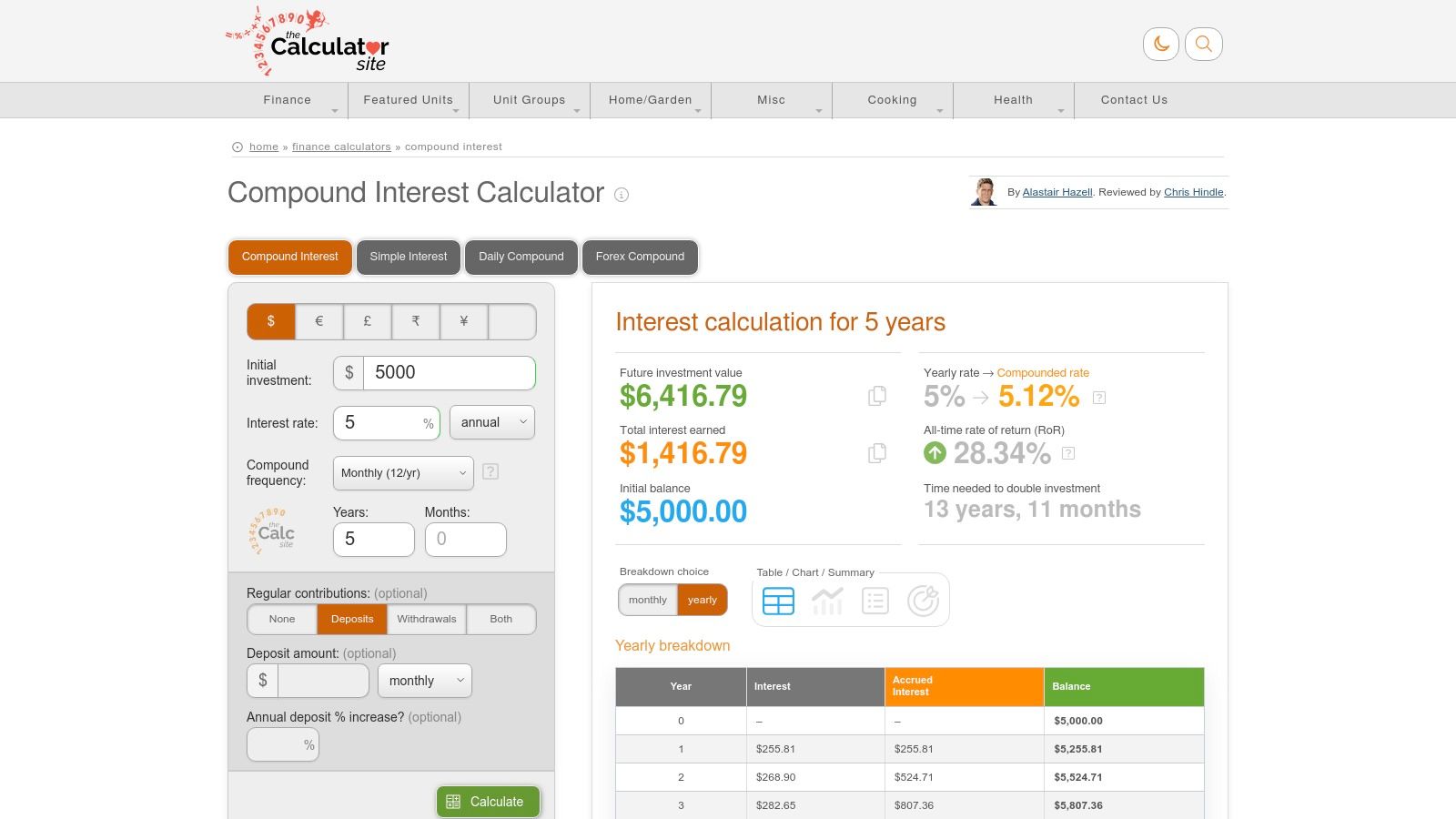
Výraznou vlastností platformy jsou podrobné možnosti denního úročení. Můžete specifikovat vlastní počet úročených období za rok (od 1 do 365) a dokonce si vybrat, zda vyloučit víkendy z výpočtu, což je praktická možnost pro modelování investic vázaných na obchodní dny trhu. Kalkulačka také podporuje více měn, zobrazuje výsledky s příslušným symbolem. I když je rozhraní funkční a přehledné, obsahuje reklamy, což může být nevýhodou pro některé uživatele. Výsledky jsou prezentovány v jasné tabulce a doplněny jednoduchým čárovým grafem pro vizualizaci.
Klíčové vlastnosti a hodnocení
| Funkce | Dostupnost | Poznámky |
|---|---|---|
| Cena | Zdarma | Podporováno reklamami, ale bez nákladů na použití plné funkčnosti. |
| Podporované vstupy | Hlavní částka, Příspěvky, Sazba, Ročníky, Frekvence úročení | Zahrnuje také možnost vyloučit víkendy pro denní úročení. |
| Frekvence příspěvků | Denně až ročně | Nabízí plný rozsah standardních frekvencí příspěvků. |
| Grafy | Ano | Jednoduchý čárový graf vizualizuje růst investice v čase. |
| Export/Tisk | Ne | Postrádá vestavěnou funkci pro uložení nebo export výsledků. |
| Soukromí | Standardní | Jako veřejná stránka s reklamami může používat standardní sledovací cookies. |
Webová stránka: https://www.thecalculatorsite.com/finance/calculators/compoundinterestcalculator.php?utm_source=openai
Výhody:
- Vysoce granularní kontrola nad frekvencí úročení.
- Jedinečná možnost vyloučit víkendy pro realistické denní úročení.
- Podporuje více měn pro mezinárodní uživatele.
Nevýhody:
- Uživatelské rozhraní obsahuje reklamy.
- Postrádá pokročilé funkce pro modelování daní nebo inflace.
- Výsledky nelze exportovat nebo snadno uložit.
Nejlepší pro: Uživatelé, kteří potřebují modelovat specifické denní úročení, mezinárodní uživatelé a ti, kteří chtějí zralou, osvědčenou kalkulačku s praktickými možnostmi.
7. CalculatorSoup – Kalkulačka složeného úroku
Pro uživatele, kteří chtějí pochopit „jak“ a „proč“ za svými výpočty, je CalculatorSoup – Kalkulačka složeného úroku vynikajícím vzdělávacím zdrojem. Více než jen jednoduchý nástroj pro vstup a výstup, tato kalkulačka rozebírá celý matematický proces, ukazuje přesné vzorce použité a krok za krokem práci, jak dospět k finálnímu číslu. Tato transparentnost z ní činí mocnou pomůcku pro učení pro studenty, učitele nebo každého, kdo chce vybudovat hlubší finanční gramotnost a ověřit své vlastní manuální výpočty.
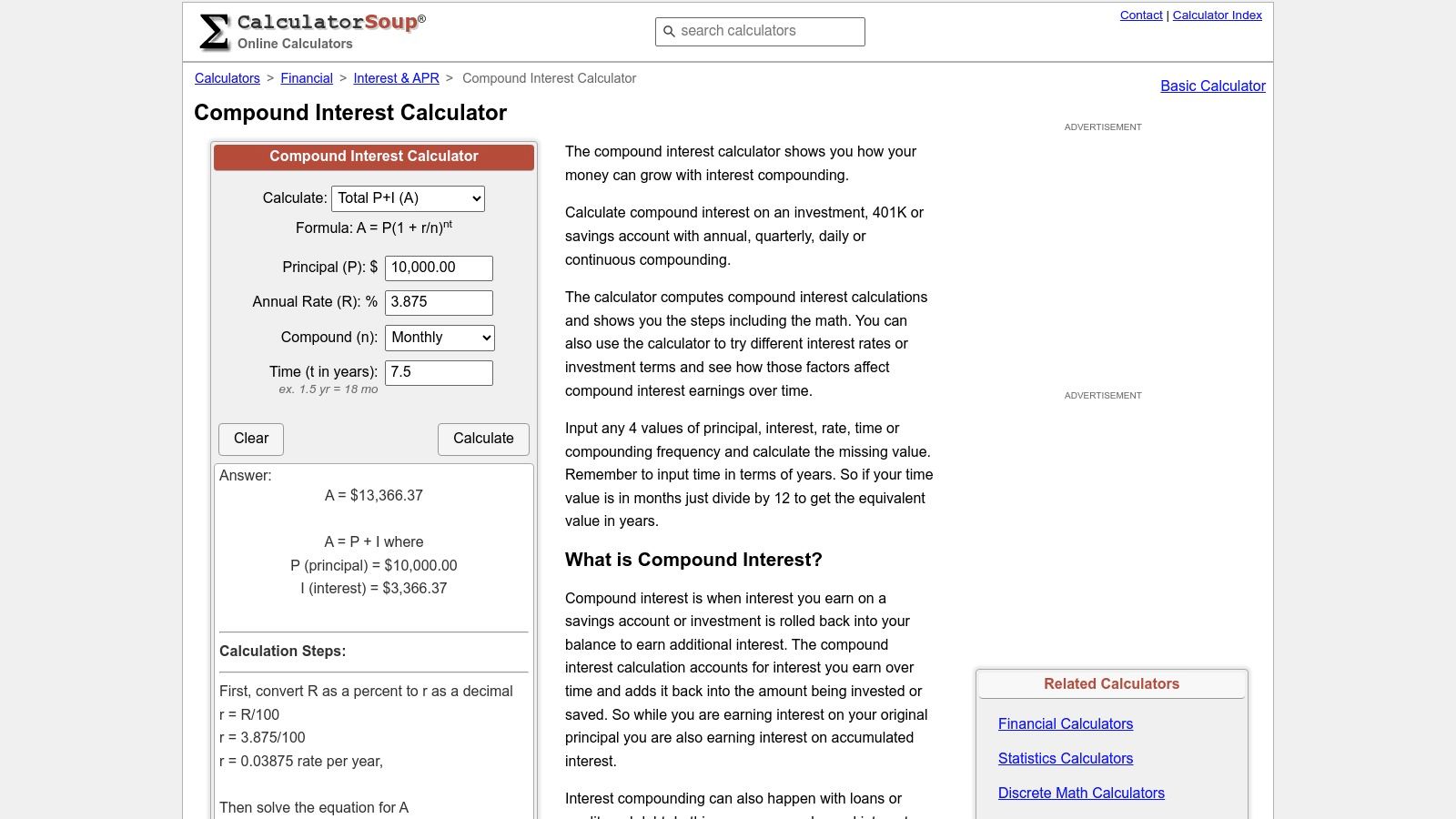
Nejvýraznější vlastností platformy je její schopnost řešit různé proměnné, včetně budoucí hodnoty (A), hlavní částky (P), sazby (R) nebo času (t). Také poskytuje připravené vzorce, které můžete přímo zkopírovat do Excelu nebo Google Sheets, čímž se překlenává propast mezi rychlým webovým výpočtem a robustnějším osobním tabulkovým procesorem. I když rozhraní obsahuje reklamy a postrádá sofistikované vizuální grafy, jeho zaměření na podrobné, transparentní vysvětlení z něj činí jednu z nejlepších možností kalkulačky složeného úroku pro vzdělávací účely a pro ty, kteří chtějí integrovat vzorce do svých vlastních finančních modelů.
Klíčové vlastnosti a hodnocení
| Funkce | Dostupnost | Poznámky |
|---|---|---|
| Cena | Zdarma | Podporováno reklamami, ale zcela zdarma k použití. |
| Podporované vstupy | Hlavní částka, Sazba, Čas, Frekvence úročení | Také podporuje měsíční, čtvrtletní nebo roční příspěvky. |
| Řešení proměnné | Ano | Může řešit A, P, R nebo t, ukazuje práci pro každou. |
| Grafy | Ne | Zaměřuje se na číselné tabulky a výpočetní kroky. |
| Export/Tisk | Ne | Poskytuje kopírovatelné vzorce pro Excel/Google Sheets místo toho. |
| Soukromí | Standardní | Veřejná stránka s reklamami; není ideální pro citlivá data. |
Webová stránka: https://www.calculatorsoup.com/calculators/financial/compound-interest-calculator.php
Výhody:
- Vynikající pro učení, protože ukazuje plné krok za krokem výpočty.
- Poskytuje kopírovatelné vzorce pro přímé použití v tabulkách.
- Dostatečně flexibilní k tomu, aby řešil různé proměnné ve vzorci složeného úroku.
Nevýhody:
- Uživatelské rozhraní zahrnuje bannerové a postranní reklamy.
- Postrádá jakékoli formy vizuálních grafů nebo diagramů.
- Design se zdá být více funkční a méně moderní než konkurence.
Nejlepší pro: Studenty, pedagogy a uživatele, kteří chtějí pochopit základní matematiku nebo potřebují hotové vzorce pro Excel a Google Sheets.
8. Moneychimp – Kalkulačka složeného úroku
Pro DIY investory a finance nadšence, kteří ocení klasický, bezfrills přístup, je Moneychimp – Kalkulačka složeného úroku dlouhodobým favoritem. Tento lehký, webový nástroj upřednostňuje funkci před formou, poskytuje rychlé a přesné výpočty bez jakýchkoli moderních designových rozptýlení. Nabízí jednoduché, nepřeplněné rozhraní, které jde přímo k věci, což z něj činí jednu z nejlepších možností kalkulačky složeného úroku pro uživatele, kteří potřebují provádět rychlé „co kdyby“ scénáře bez navigace složitými menu nebo reklamami. Jeho minimalistický design zajišťuje, že se okamžitě načte na jakémkoli zařízení.
Klíčovým rozdílem pro Moneychimp je jeho podpora specifikace, zda jsou příspěvky prováděny na začátku nebo na konci každého období. Tento jemný, ale důležitý detail umožňuje přesnější finanční modelování, zejména pro ty, kteří analyzují anuity nebo specifické investiční plány. I když postrádá vizuální grafy a pokročilé funkce, stránka poskytuje roční rozpis v jednoduché tabulce. Platforma také odkazuje na sadu dalších základních investičních kalkulaček, což z ní činí užitečný, záložkovatelný zdroj pro širokou škálu finančních výpočtů.
Klíčové vlastnosti a hodnocení
| Funkce | Dostupnost | Poznámky |
|---|---|---|
| Cena | Zdarma | Úplně zdarma k použití, podporováno minimálními, nenápadnými reklamami. |
| Podporované vstupy | Hlavní částka, Roční přírůstek, Roky k růstu, Úroková sazba | Zahrnuje klíčovou možnost pro příspěvky na začátku vs. na konci období. |
| Frekvence příspěvků | Ročně | Příspěvky jsou modelovány pouze na roční bázi. |
| Grafy | Ne | Výsledky jsou zobrazeny v tabulce dat rok po roce. |
| Export/Tisk | Ne | Můžete zkopírovat a vložit datovou tabulku, ale neexistuje žádná specializovaná funkce pro export. |
| Soukromí | Vysoké | Žádná osobní data nejsou vyžadována ani ukládána; výpočty jsou zpracovávány v prohlížeči. |
Webová stránka: https://www.moneychimp.com/calculator/compound_interest_calculator.htm?utm_source=openai
Výhody:
- Extrémně rychlé, lehké a bez rozptýlení rozhraní.
- Funkce pro vklady na začátku vs. na konci období umožňuje přesnější modelování.
- Součástí širší sady důvěryhodných, jednoduchých finančních nástrojů.
Nevýhody:
- Zastaralé uživatelské rozhraní nemusí vyhovovat všem uživatelům.
- Postrádá vizuální grafy, diagramy a moderní exportní možnosti.
- Podporuje pouze roční příspěvky, což je méně flexibilní než jiné nástroje.
Nejlepší pro: DIY investory, finance studenty a každého, kdo potřebuje rychlou, bezproblémovou kalkulačku pro rychlé testování scénářů a základní analýzu.
9. SmartAsset – Kalkulačka růstu investic
Pro nové investory, kteří upřednostňují jasné vizuály a snadno pochopitelné rozdělení svých potenciálních výnosů, je SmartAsset – Kalkulačka růstu investic silným konkurentem. Tento bezplatný nástroj je navržen tak, aby modeloval růst investic s opakujícími se příspěvky, což z něj činí vynikající výchozí bod pro ty, kteří plánují svou cestu k úsporám. Platforma provádí uživatele nastavením počáteční částky, průběžných příspěvků, časového rámce a očekávané míry návratnosti, přičemž výsledky prezentuje v vysoce stravitelném formátu. Jeho čisté rozhraní se zaměřuje na zpřístupnění finančních projekcí, spíše než aby bylo ohromující.
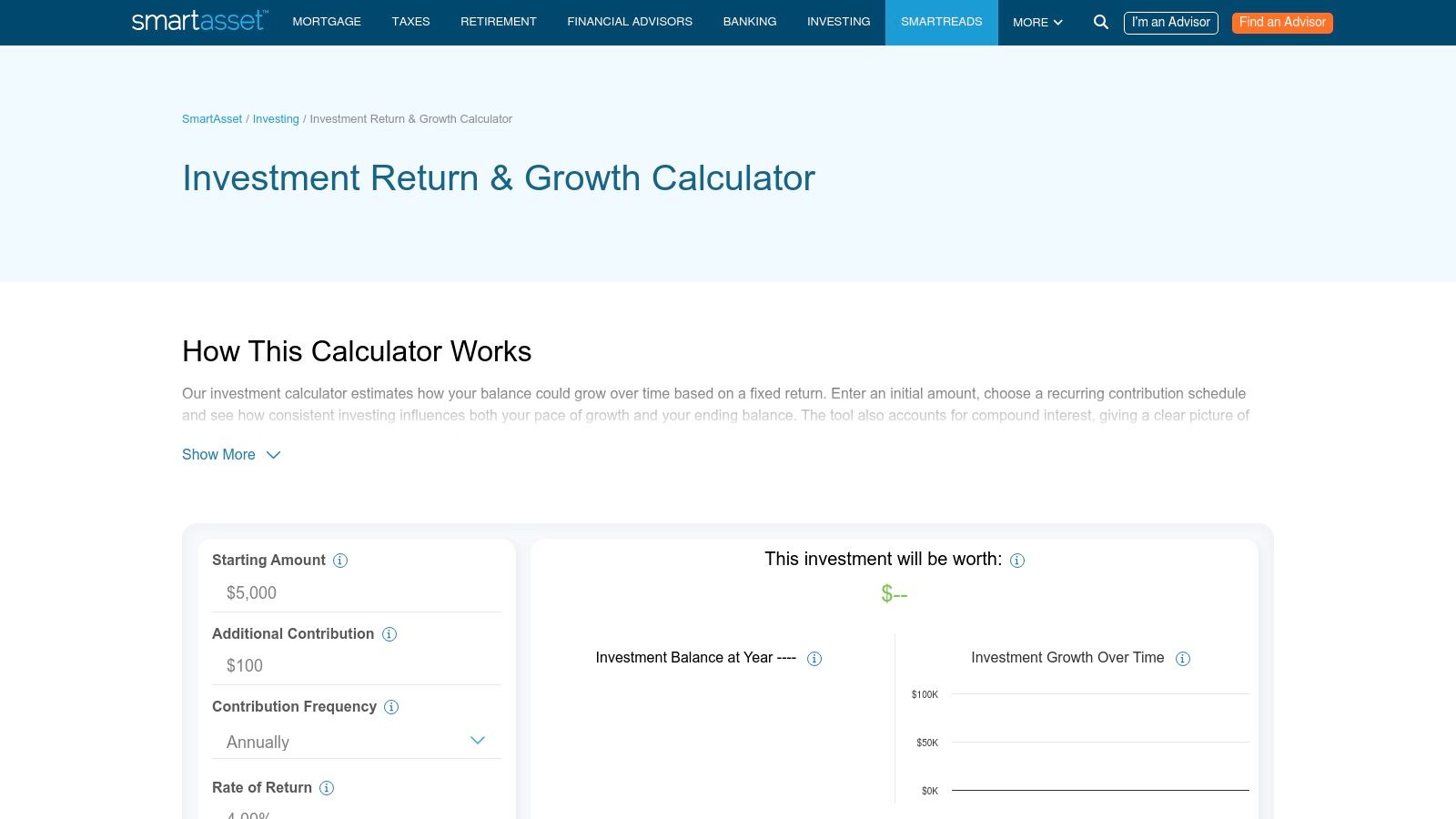
Hlavní silou kalkulačky je její vizuální prezentace. Generuje jednoduchý čárový graf, který ukazuje trajektorii růstu, a poskytuje jasný přehled, který odděluje celkové příspěvky od celkových úroků. Toto rozlišení je nesmírně užitečné pro začátečníky, kteří chtějí vidět, kolik z jejich konečné bilance pochází z úrokového zúročení. I když je to mocný vzdělávací nástroj, postrádá pokročilé vstupy, jako jsou daně nebo poplatky. Uživatelé, kteří chtějí podrobnější pochopení výkonnostních metrik, se mohou naučit jak vypočítat výnosy z investic sami. Stránka také obsahuje výzvy k propojení s finančními poradci, což může být pro některé nevýhodou.
Klíčové vlastnosti a hodnocení
| Funkce | Dostupnost | Poznámky |
|---|---|---|
| Cena | Zdarma | Podporováno reklamami a zahrnuje výzvy k získání kontaktů pro finanční poradce. |
| Podporované vstupy | Počáteční částka, měsíční příspěvek, roky, úroková sazba | Zaměřuje se na základní proměnné pro jednoduché investiční projekce. |
| Frekvence příspěvků | Měsíčně | Omezeno na měsíční příspěvky, což nemusí vyhovovat všem spořicím plánům. |
| Grafy | Ano | Poskytuje jasný čárový graf vizualizující růst investiční bilance v průběhu času. |
| Export/Tisk | Ne | Neexistují žádné vestavěné možnosti pro uložení, export nebo tisk výsledků. |
| Soukromí | Střední | Jako komerční stránka může používat data pro marketing nebo získávání kontaktů. |
Webová stránka: https://smartasset.com/investing/investment-calculator
Výhody:
- Vynikající vizuální shrnutí a grafy pro snadné pochopení.
- Jasně rozlišuje mezi příspěvky a získanými úroky.
- Uživatelsky přívětivé rozhraní je ideální pro začátečníky.
Nevýhody:
- Postrádá pokročilé vstupy jako daně, inflaci nebo poplatky.
- Zahrnuje výzvy k propojení uživatelů s finančními poradci.
- Frekvence příspěvků je pevně stanovena na měsíční.
Nejlepší pro: Začínající investory, uživatele, kteří preferují vizuální reprezentaci dat, a každého, kdo potřebuje rychlou, jasnou projekci růstu investic.
10. Wolfram|Alpha – Kalkulačka úroků/úrokového zúročení
Pro uživatele, kteří potřebují řešit složité nebo nestandardní finanční problémy, Wolfram|Alpha – Kalkulačka úroků/úrokového zúročení je méně jednoduchou kalkulačkou a více mocným výpočetním nástrojem. Místo vyplňování formulářových polí mohou uživatelé zadávat dotazy v přirozeném jazyce, jako například „úrokové zúročení na 5000 $ při 6 % po dobu 10 let s měsíčními vklady 100 $“, aby získali podrobný rozpis. Vyniká v řešení unikátních scénářů, včetně kontinuálního zúročení, vlastních časových období nebo dokonce řešení pro neznámou proměnnou, jako je úroková sazba.
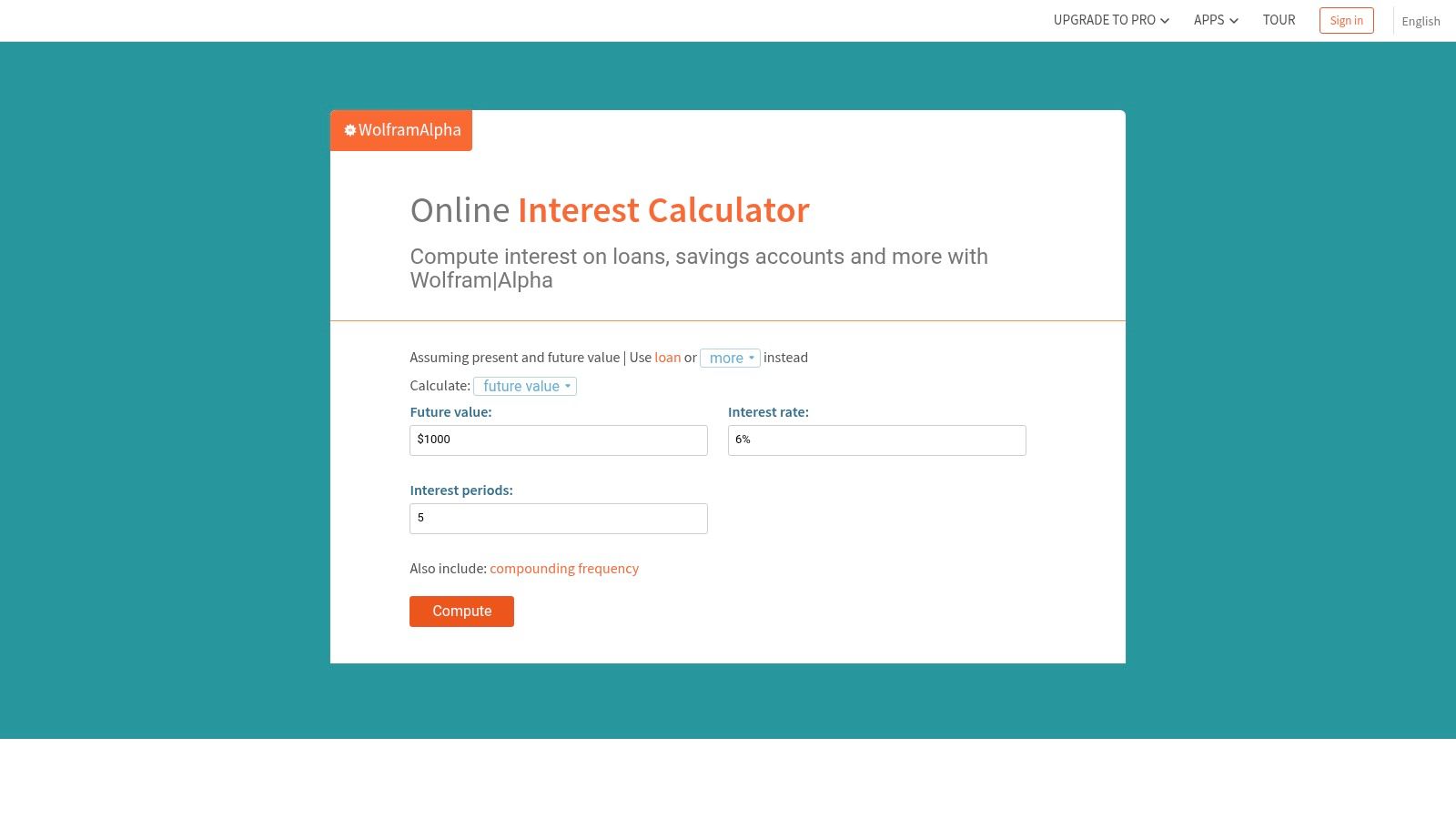
Co skutečně odlišuje Wolfram|Alpha, je hloubka jeho výstupu. Platforma automaticky generuje přesné symbolické výrazy, grafy a datové tabulky ukazující růst investice v průběhu času. To z něj činí neocenitelný nástroj pro studenty, akademiky a finance profesionály, kteří vyžadují matematickou přesnost a podrobné vizualizace. I když je rozhraní méně vedené než u typických kalkulaček a bezplatná úroveň má některá omezení, jeho schopnost interpretovat a počítat téměř jakýkoli finanční dotaz z něj činí jeden z nejvíce univerzálních a mocných nástrojů dostupných pro výpočty úroků.
Klíčové vlastnosti a hodnocení
| Funkce | Dostupnost | Poznámky |
|---|---|---|
| Cena | Freemium | Základní výpočty jsou zdarma; Pro verze odemyká více výpočetní síly a krokové řešení. |
| Podporované vstupy | Dotaz v přirozeném jazyce | Podporuje téměř jakoukoli proměnnou: hlavní částku, sazbu, čas, příspěvky a dokonce i kontinuální zúročení. |
| Frekvence příspěvků | Jakákoli | Může specifikovat denní, týdenní, měsíční nebo jakoukoli jinou vlastní frekvenci v dotazu. |
| Grafy | Ano | Automaticky generuje grafy ukazující růst investice a bilanci v průběhu času. |
| Export/Tisk | Ano (Pro) | Pro uživatelé mohou stahovat výsledky jako PDF nebo v jiných formátech. |
| Soukromí | Střední | Dotazy mohou být uloženy a použity k vylepšení služby; vyhněte se zadávání citlivých osobních údajů. |
Webová stránka: https://www.wolframalpha.com/calculators/interest-calculator?utm_source=openai
Výhody:
- Extrémně mocný pro nestandardní a složité výpočty.
- Vstup v přirozeném jazyce z něj činí flexibilní a univerzální nástroj.
- Automaticky produkuje podrobné grafy, tabulky a matematické výrazy.
Nevýhody:
- Rozhraní může být zastrašující pro uživatele, kteří hledají jednoduchý, vedený zážitek.
- Plná funkčnost a kroková řešení vyžadují placené předplatné Pro.
- Méně intuitivní pro jednoduché plánování scénářů „co kdyby“.
Nejlepší pro: Akademiky, studenty matematiky a pokročilé uživatele, kteří potřebují řešit složité, nestandardní úrokové problémy s matematickou přesností.
11. Dinkytown.net Finanční kalkulačky – Úrokové zúročení
Pro finanční instituce nebo podniky hledající profesionální, licencovatelné řešení, Dinkytown.net Finanční kalkulačky – Úrokové zúročení je unikátní vstup. I když je veřejně přístupná pro individuální použití, jejím primárním modelem je poskytování kalkulaček s bílou etiketou, které lze vložit do bank, úvěrových unie a finančních poradenských firem. To znamená, že nástroj je vybudován na profesionální úrovni, často s dodržováním ADA a aktualizacemi odrážejícími aktuální finanční předpisy. Rozhraní je obchodní, zaměřené na jasný vstup dat a komplexní reporting spíše než na okázalé vizuály.

Výjimečná kvalita platformy je její spolehlivost na institucionální úrovni a soubor funkcí. Na rozdíl od mnoha bezplatných nástrojů Dinkytown.net často zahrnuje podrobné zprávy, amortizační plány a tisknutelné shrnutí, i když přesné funkce se mohou lišit v závislosti na verzi, kterou získáte od konkrétní instituce. Pro jednotlivce slouží jako mocná a robustní kalkulačka úrokového zúročení, ale její skutečná hodnota se projevuje pro organizace, které potřebují bezproblémově integrovat osvědčený finanční nástroj do svých vlastních webových stránek. Poskytuje úroveň důvěry a přizpůsobení, kterou aplikace zaměřené na spotřebitele obvykle postrádají.
Klíčové vlastnosti a hodnocení
| Funkce | Dostupnost | Poznámky |
|---|---|---|
| Cena | Zdarma (veřejná ukázka), placené (licencování) | Zdarma pro veřejné použití; organizace platí poplatek za verze s bílou etiketou. |
| Podporované vstupy | Liší se, ale obvykle zahrnuje Hlavní částku, Příspěvky, Sazbu, Čas | Často zahrnuje pokročilejší možnosti, jako jsou daňové úvahy v licencovaných verzích. |
| Frekvence příspěvků | Měsíčně až ročně | Standardní frekvence jsou podporovány pro modelování různých spořicích návyků. |
| Grafy | Ano | Zahrnuje grafy a podrobné pohledy na zprávy pro jasnou vizualizaci dat. |
| Export/Tisk | Ano | Často zahrnuje možnosti tisku nebo zobrazení podrobné zprávy. |
| Soukromí | Vysoké | Jako poskytovatel B2B jsou soukromí a bezpečnost dat prioritou. |
Webová stránka: https://www.dinkytown.net/?utm_source=openai
Výhody:
- Profesionální kalkulačka na úrovni institucí, které důvěřují banky.
- Nabízí verze, které lze vložit a licencovat pro obchodní weby.
- Zahrnuje podrobné zprávy a vizuální grafy.
Nevýhody:
- Veřejné ukázky mohou mít nekonzistentní rozhraní.
- Licencování zahrnuje náklady pro podniky, které chtějí značkovou verzi.
- Může se zdát složitější než jednoduché, spotřebitelsky zaměřené nástroje.
Nejlepší pro: Finanční instituce, podniky a blogery, kteří potřebují vložit spolehlivou a profesionální kalkulačku na své vlastní webové stránky.
12. Apple App Store – „Kalkulačka úrokového zúročení“ (aplikace pro iPhone/iPad)
Pro uživatele Apple, kteří preferují specializovanou mobilní aplikaci, je „Kalkulačka úrokového zúročení“ pro iPhone a iPad mocným a vysoce hodnoceným nástrojem. Tato aplikace vyniká nabídkou jak režimu plánování růstu, tak plánování výběru na důchod, což z ní činí všestranného finančního společníka pro různé životní etapy. Překračuje základní výpočty tím, že zahrnuje úpravy inflace, což poskytuje realističtější projekci vaší budoucí kupní síly. Čisté, nativní rozhraní iOS zajišťuje plynulý a intuitivní uživatelský zážitek pro rychlé testování scénářů na cestách.
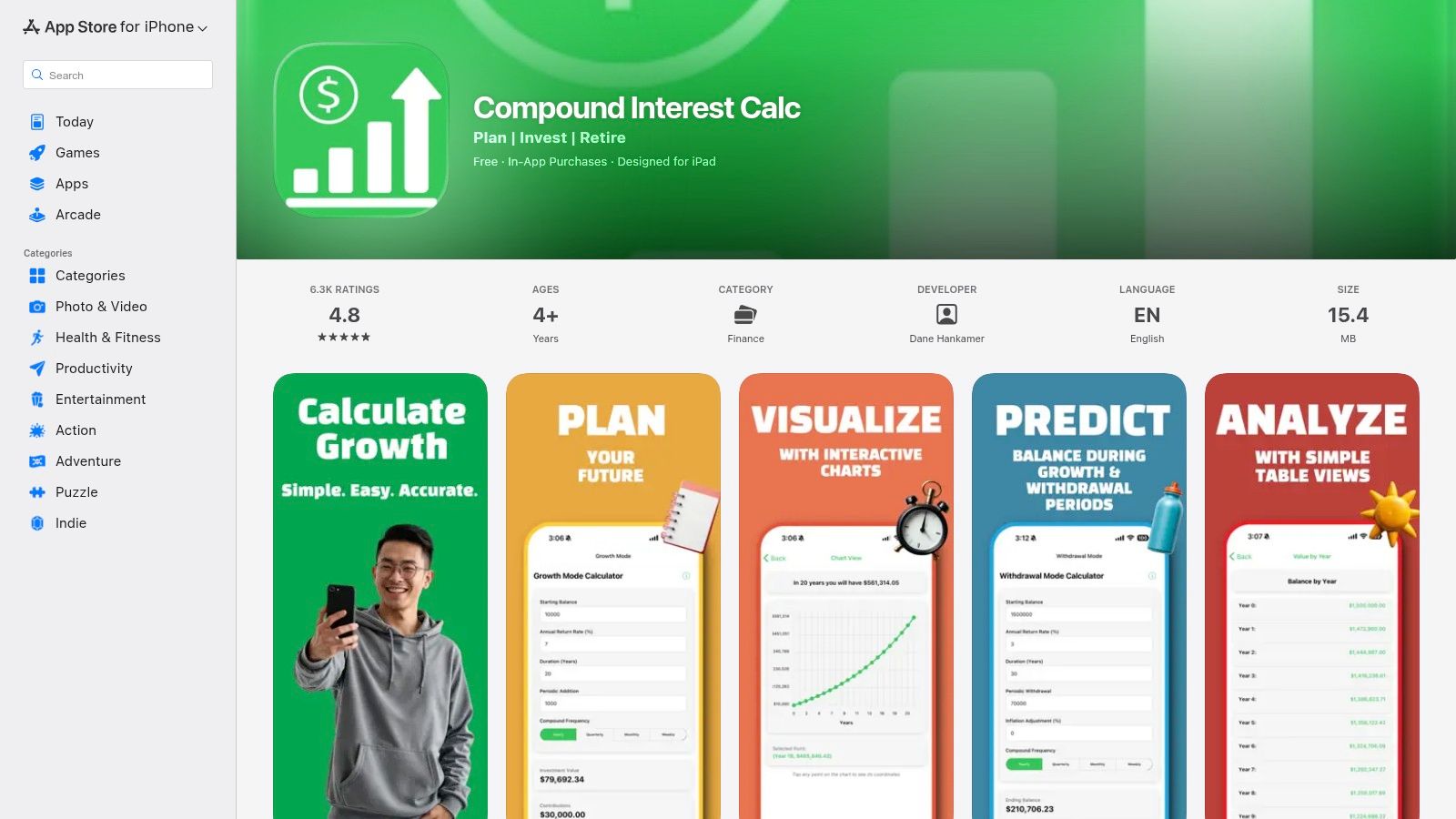
Jednou z vynikajících funkcí aplikace je její podrobná tabulka rok po roce, která rozkládá vaši bilanci, příspěvky a získané úroky za celé investiční období. To je doplněno interaktivními grafy, které pomáhají vizualizovat vaši trajektorii růstu, což činí složitá data snadno pochopitelnými. Jako nativní aplikace funguje zcela offline, což zajišťuje, že vaše finanční data zůstávají na vašem zařízení. I když je aplikace zdarma s reklamami, malý jednorázový nákup v aplikaci poskytuje zážitek bez reklam, což z ní činí jednu z nejlepších možností kalkulačky úrokového zúročení pro oddané uživatele iOS.
Klíčové vlastnosti a hodnocení
| Funkce | Dostupnost | Poznámky |
|---|---|---|
| Cena | Zdarma (s reklamami) | Malý jednorázový nákup v aplikaci je k dispozici pro odstranění reklam. |
| Podporované vstupy | Počáteční hlavní částka, příspěvky, sazba, roky, inflace | Zahrnuje jak režimy akumulace, tak výběru (důchod). |
| Frekvence příspěvků | Měsíčně až ročně | Standardní možnosti pro typické spořicí a investiční plány. |
| Grafy | Ano | Interaktivní grafy vizualizují růst v průběhu času. |
| Export/Tisk | Ne | Postrádá funkčnost pro export dat nebo tabulek. |
| Soukromí | Vysoké | Všechny výpočty se provádějí na zařízení a data nejsou sdílena. |
Webová stránka: https://apps.apple.com/us/app/compound-interest-calc/id1509212588?utm_source=openai
Výhody:
- Funguje offline, což zajišťuje soukromí a dostupnost kdekoli.
- Zahrnuje jak režimy růstu, tak plánování výběru na důchod.
- Obsahuje úpravy inflace pro realističtější prognózy.
Nevýhody:
- Exkluzivní pro zařízení iOS a iPadOS; není k dispozici na Androidu nebo webu.
- Bezplatná verze obsahuje reklamy.
- Žádná možnost uložit nebo exportovat výsledky výpočtů.
Nejlepší pro: Uživatele iPhone a iPad, kteří chtějí specializovanou, funkčně bohatou mobilní aplikaci pro rychlé finanční plánování a testování scénářů, i bez připojení k internetu.
Top 12 kalkulaček úrokového zúročení — Srovnání
| Nástroj | Hlavní funkce | UX (★) | Cena (💰) | Cílová skupina (👥) | Unikátní / Vynikající (✨/🏆) |
|---|---|---|---|---|---|
| Úrokové zúročení [ShiftShift] | Interaktivní grafy, více frekvencí, 50+ měn, lokální/offline | ★★★★★ | 💰 Zdarma, zaměřeno na soukromí | 👥 Investoři & pokročilí uživatelé | ✨ Lokální zpracování & přístup k příkazové paletě; 🏆 klávesnicí první, vícejazyčné |
| SEC Investor.gov – Úrokové zúročení | Konfigurovatelné příspěvky, scénáře variace sazby, vzdělávací odkazy | ★★★★☆ | 💰 Zdarma (důvěryhodné .gov) | 👥 Maloobchodní investoři & studenti | 🏆 Oficiální, vzdělávací zdroje |
| Bankrate – Úrokové zúročení | Ovládání příspěvků, možnosti zúročení, články s radami | ★★★★ | 💰 Zdarma (reklamy/promo) | 👥 Spotřebitelé hledající praktické rady | ✨ Spárované rady & tipy na spoření |
| NerdWallet – Úrokové zúročení | Posuvníky pro vklady/sazbu/čas, vysvětlující obsah | ★★★★ | 💰 Zdarma (partnerský obsah) | 👥 Začátečníci a studenti | ✨ Tipy přátelské k začátečníkům a kontextové vedení |
| Calculator.net – Složené úroky | Mnoho režimů složení, možnosti řešení, průvodce vzorci | ★★★★ | 💰 Zdarma (reklamy) | 👥 Pokročilí uživatelé DIY a auditoři | ✨ Transparentní matematické kroky a flexibilita |
| TheCalculatorSite – Složené úroky | Vlastní počty složení, vyloučení víkendů, více měn | ★★★★ | 💰 Zdarma (reklamy) | 👥 Uživatelé potřebující podrobné denní modely | ✨ Možnost vyloučení víkendů; vysoká granularita |
| CalculatorSoup – Složené úroky | Řešení pro A/P/R/t, vypracované kroky, kopírovatelné vzorce pro tabulky | ★★★★ | 💰 Zdarma (reklamy) | 👥 Studenti a uživatelé tabulek | ✨ Vzorce připravené k vložení do Excelu/Sheets |
| Moneychimp – Složené úroky | Vklady na začátku/konce období, jednoduché rozhraní, související nástroje | ★★★★ | 💰 Zdarma | 👥 Investoři DIY, kteří chtějí rychlost | ✨ Rychlé, bezrozptýlené testování co‑kdy |
| SmartAsset – Růst investic | Modelování opakovaných příspěvků, jasné grafy, shrnutí úroků | ★★★★ | 💰 Zdarma (výzvy k získání kontaktů) | 👥 Noví investoři | ✨ Vizualizované onboarding; jasné shrnutí získaných úroků |
| Wolfram | Alpha – Úrok/Složené úroky | Vstup v přirozeném jazyce, symbolické výrazy, grafy a tabulky | ★★★★★ | 💰 Bezplatná úroveň; placená Pro pro pokročilé | 👥 Pokročilí uživatelé a výzkumníci |
| Dinkytown.net – Složené úroky | Shoda s ADA, grafy/zprávy, vkládací/licencovatelné kalkulačky | ★★★★ | 💰 Bezplatné ukázky; placené licence 🏷️ | 👥 Banky, úvěrové unie, instituce | 🏆 Profesionální vkládací/licencovatelné kalkulačky |
| Apple App Store – “Kalkulačka složených úroků” | Režimy růstu a výběru, úprava inflace, tabulky rok po roce | ★★★★★ | 💰 Zdarma / IAP pro odstranění reklam | 👥 Uživatelé mobilních iOS zařízení | ✨ Offline mobilní grafy; režim plánování výběru |
Výběr vašeho partnera pro růst: Konečná doporučení
Prošli jsme různorodou krajinou kalkulaček složených úroků, od autoritativní jednoduchosti nástrojů podporovaných vládou po pokročilou výpočetní sílu platforem jako Wolfram|Alpha. Cesta odhalila jasnou pravdu: nejlepší kalkulačka složených úroků není univerzálním řešením. Místo toho je to ta, která dokonale odpovídá vašim specifickým potřebám, pracovnímu postupu a finanční zvědavosti.
Naše zkoumání zdůraznilo různé kategorie nástrojů. Pro naprosté začátečníky, kteří hledají základní znalosti a důvěryhodné, přehledné projekce, vyniká kalkulačka SEC’s Investor.gov. Její rozhraní bez reklam a vzdělávací zaměření z ní činí spolehlivý výchozí bod pro každého, kdo je nováčkem v konceptu složení. Podobně pro ty, kteří potřebují vidět „jak“ za výsledky, CalculatorSoup podrobné rozbory vzorců poskytují neocenitelné akademické poznatky.
Pro uživatele, kteří preferují specializované webové platformy s robustnějšími funkcemi, nástroje od Bankrate a NerdWallet nabízejí kombinaci výpočtu a kontextového finančního obsahu. Tyto však často přicházejí s nevýhodami reklam a nutností navigovat na konkrétní web, což může přerušit váš tok myšlenek nebo výzkumu.
Shoda nástroje s vaším finančním pracovním postupem
Výběr správné kalkulačky závisí výhradně na vašem hlavním použití. Abyste učinili nejlepší volbu, zvažte své každodenní návyky a dlouhodobé cíle.
- Pro příležitostného plánovače: Pokud potřebujete provádět projekce jen párkrát ročně, jednoduchý, záložkovatelný webový nástroj jako TheCalculatorSite nebo Investor.gov je zcela dostatečný. Jsou spolehlivé a splní úkol bez zbytečné složitosti.
- Pro akademického studenta: Pokud je vaším cílem pochopit mechaniku složených úroků, CalculatorSoup nebo výpočetní engine Wolfram|Alpha vám poslouží nejlépe. Tyto nástroje odhalují základní vzorce a umožňují složitější dotazy řízené proměnnými.
- Pro investora zaměřeného na mobilní zařízení: Pokud většinu svého finančního sledování provádíte na cestách, specializovaná mobilní aplikace jako “Kalkulačka složených úroků” z Apple App Store poskytuje pohodlí offline přístupu a rozhraní přátelského k dotykovému ovládání, což je ideální pro rychlé kontroly kdykoli a kdekoli.
- Pro pokročilého uživatele a každodenního stratéga: Pro ty, kteří často modelují různé investiční scénáře, testují strategie příspěvků nebo potřebují okamžité odpovědi bez přerušení koncentrace, jsou požadavky náročnější. Tento uživatel potřebuje rychlost, soukromí a bezproblémovou integraci do svého stávajícího digitálního prostředí.
Naše nejlepší doporučení pro efektivitu a soukromí
Po důkladném přezkoumání a praktickém testování se Kalkulačka složených úroků ShiftShift ukazuje jako naše nejlepší doporučení pro moderního pokročilého uživatele, vývojáře a každodenního investora. Její základní výhodou je jedinečné dodání jako rozšíření prohlížeče, které je okamžitě přístupné prostřednictvím příkazové palety. To zcela redefinuje uživatelskou zkušenost. Není třeba otevírat novou kartu, hledat záložku nebo se odklánět od článku nebo tabulky, kterou právě analyzujete.
Tato pohodlnost v prohlížeči je revoluční pro produktivitu. Můžete číst článek o finančních zprávách, vidět zmínku o 7% ročním výnosu a okamžitě modelovat, jak to vypadá za 20 let, aniž byste opustili stránku. Tento bezproblémový pracovní postup podporuje častější a spontánní finanční modelování, což je klíčové pro budování silné finanční intuice.
Navíc závazek ShiftShift k lokálnímu zpracování přímo reaguje na rostoucí obavy o ochranu dat. Vaše finanční vstupy – váš počáteční kapitál, částky příspěvků a úrokové sazby – nejsou nikdy odesílány na server. Jsou zpracovávány výhradně ve vašem prohlížeči, což zajišťuje, že vaše finanční plánování zůstává zcela důvěrné. Přidání interaktivních grafů, podpory více měn a čistého, zaměřeného rozhraní z něj činí nejen nástroj, ale skutečného partnera pro růst integrovaného přímo do vašeho každodenního digitálního života. Z těchto důvodů je to nejlepší kalkulačka složených úroků pro ty, kteří si cení rychlosti, bezpečnosti a bezproblémové integrace.
Připraveni transformovat, jak vizualizujete svou finanční budoucnost? Kalkulačka složených úroků je jen jedním z více než 75+ mocných, na soukromí zaměřených nástrojů dostupných v ShiftShift Extensions. Nainstalujte si dnes celou sadu, abyste získali okamžitý, v prohlížeči přístup k nástrojům, které zjednodušují váš pracovní postup, od konvertorů obrázků pro designéry po kontrolory rozdílů pro vývojáře.