Váš průvodce nejlepším online kalkulátorem s historií
Objevte, jak online kalkulačka s historií může transformovat váš pracovní postup. Naučte se zlepšit přesnost, ušetřit čas a ověřit svou práci s tímto nezbytným nástrojem.

Doporučené rozšíření

Online kalkulačka s historií je přesně to, co to zní: kalkulačka, která uchovává běžný záznam všeho, co děláte. Automaticky ukládá každé výpočty, takže se můžete vrátit zpět, zkopírovat výsledky a zkontrolovat svou práci. Myslete na to méně jako na plastovou stolní kalkulačku a více jako na chytrý zápisník pro vaše čísla.
Tato jednoduchá funkce řeší jeden z největších problémů tradičních kalkulaček: ztrátu vaší práce nebo nutnost začít znovu kvůli jedné malé chybě.
Proč váš prohlížeč potřebuje kalkulačku s pamětí
Všichni jsme to zažili. Jste hluboko v komplexním, vícestupňovém výpočtu, když zazvoní telefon, a vy zcela ztratíte nit myšlení. Nebo možná uděláte chybu při zadávání jednoho čísla na začátku dlouhé rovnice, což vás donutí zrušit celý výpočet a začít znovu.
To jsou klasické problémy, protože většina základních kalkulaček žije výhradně v přítomnosti. Nemají žádnou paměť.
Kalkulačka s funkcí historie mění vše. Stává se spolehlivým asistentem, který zaznamenává každou operaci, kterou provedete. To vytváří viditelnou, interaktivní "pásku" vaší práce, přetvářející jednoduchý nástroj na tajnou zbraň pro efektivitu. Můžete se podívat zpět, zkontrolovat svou logiku a odhalit chyby, než se stanou většími problémy.
Odstranění běžných frustrací
Skutečná magie této funkce spočívá v tom, jak řeší každodenní problémy pro téměř každého, od studentů po zkušené profesionály.
- Pro studenty: Představte si, že se snažíte najít chybu v dlouhém fyzikálním nebo algebraickém problému. S historií můžete zpětně sledovat každý krok, abyste viděli, kde jste udělali chybu, a přetvořit frustrující chybu na skutečný učební moment.
- Pro finanční profesionály: Když vytváříte zprávu o výdajích nebo rozpočtovou prognózu, mít auditovatelnou stopu je zásadní. Historie výpočtů zajišťuje, že každé číslo je zohledněno a ověřitelné.
- Pro vývojáře: Potřebujete rychle vypočítat rozměry rozložení, převést jednotky nebo zjistit transformace dat? Historie vám umožňuje udělat vše bez opuštění vašeho pracovního postupu, přičemž uchovává záznam vašich rychlých výpočtů po ruce.
Tento obrázek ukazuje, jak čistě může funkce historie zapadnout do moderního nástroje prohlížeče, udržující váš pracovní postup neat a organizovaný.
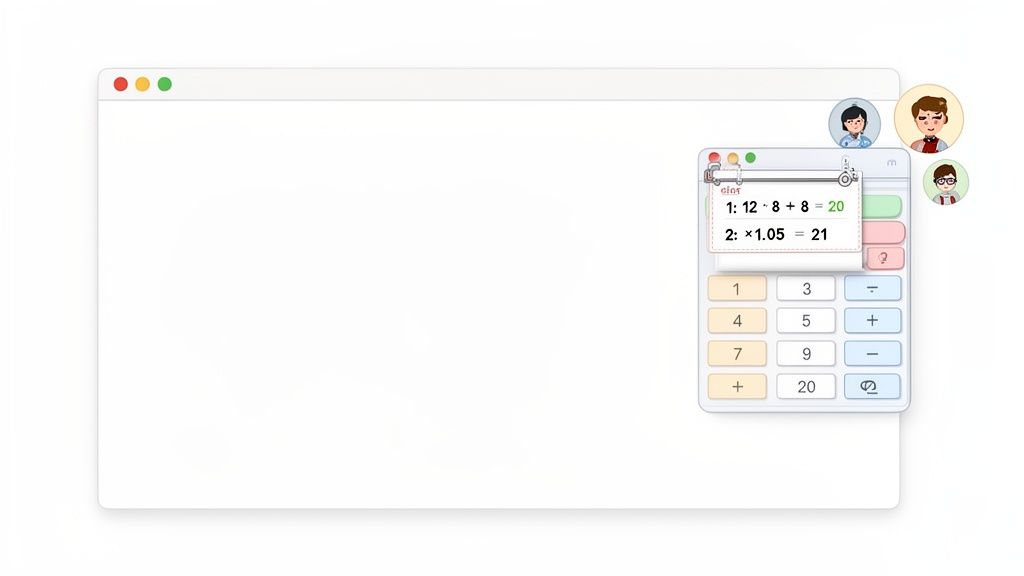
Mít jasný, přístupný záznam znamená, že můžete okamžitě přezkoumat a znovu použít minulé výsledky, což je obrovský přínos pro rychlost i přesnost.
Rostoucí niche v digitálních nástrojích
Popis poptávky po chytřejších nástrojích, jako je tento, není jen pocit; je to skutečný trend. Očekává se, že globální trh s kalkulačkami vzroste na 635,935 milionů dolarů do roku 2033, a online verze s historií si vyřezávají důležitý kus tohoto koláče.
Ve skutečnosti studie ukazují, že 65 % uživatelů ve vzdělávání a inženýrství konkrétně preferuje tyto nástroje pro jejich schopnost synchronizovat se napříč zařízeními a přezkoumávat minulou práci. Tato funkčnost byla prokázána, že zvyšuje dobu uživatelských relací až o 40 %. Můžete najít více informací o trendech na trhu s kalkulačkami online.
Je jasné, že lidé už nechtějí jen odpovědi—chtějí záznam o tom, jak se k nim dostali.
Skutečné výhody záznamu historie výpočtů
Pojďme se posunout za teorii a mluvit o tom, jak jednoduchý záznam historie v kalkulačce může udělat skutečný rozdíl ve vašich každodenních úkolech. Mít běžný záznam vašich výpočtů není jen drobný benefit; zásadně mění, jak pracujete s čísly, funguje jako bezpečnostní síť a vážný impuls produktivity.
Přemýšlejte o posledním čase, kdy jste museli sečíst dlouhý sloupec výdajů. Na standardní kalkulačce, jeden klopýtnutí prstu a musíte začít znovu. Je to šílené. Kalkulačka s historií vám však umožňuje jen se podívat zpět na vaše záznamy, odhalit překlep a opravit ho, aniž byste narušili celý proces. Ten jednoduchý kousek ověření přetváří frustrující nástroj na spolehlivý.
Turbocharge váš pracovní postup
Jedna z prvních věcí, které si všimnete, je, jak rychleji můžete pracovat. Místo ručního znovu zadávání výsledku z předchozího kroku můžete jednoduše kliknout na něj v historii a zkopírovat číslo nebo dokonce celou rovnici. To je absolutní změna hry pro jakýkoli typ vícestupňového výpočtu.
Projektový manažer, který počítá náklady, může například vypočítat mezisoučet a poté okamžitě vzít toto číslo zpět, aby vypočítal daň z prodeje nebo ziskové marže. Už žádné škrábání čísel na poznámkovém bloku nebo riskování překlepu, když je znovu zadáváte. Celý proces je bezproblémový, udržuje vás v zóně a posouvá vás vpřed. Pro více informací se podívejte na naši praktickou příručku o jak vypočítat procento.
Udělejte ověření a audit bez námahy
Pro každého, kdo pracuje v oblastech jako finance, inženýrství nebo věda, není možnost ukázat svou práci volitelná. Online kalkulačka s historií vám poskytuje transparentní, krok za krokem záznam o tom, jak jste se dostali k vašemu konečnému číslu. To je nesmírně cenné pro dvojí kontrolu vlastní práce, přípravu zpráv nebo vysvětlování vaší metodologie kolegovi nebo klientovi.
Možnost udržovat běžný záznam výpočtů přetváří jednoduchý nástroj na dynamický finanční sledovač. Buduje důvěru ve vaše výsledky, podobně jako osobní kalkulačka čistého jmění, která okamžitě sleduje aktiva a závazky poskytuje jasný finanční obraz v průběhu času.
Tato sledovatelná historie znamená, že vaše práce není jen správná—je obhajitelná. Můžete snadno provést někoho vaší logikou, ukazující každý výpočet, aniž byste se museli spoléhat na paměť.
Silný způsob učení
Záznam historie je také překvapivě efektivní učební nástroj. Když se student potýká s komplexním matematickým nebo fyzikálním problémem, vidět úplný záznam jejich práce usnadňuje vidět, kde se věci pokazily. Místo toho, aby jen věděli, že konečný výsledek je špatný, mohou zpětně sledovat své kroky a přesně určit chybný výpočet.
To přetváří chybu z bodu frustrace na okamžik skutečného poznání. Pomáhá studentům pochopit proces řešení problému, nejen výsledek, což buduje mnohem silnější základ pro to, co přijde dál. Je to jako mít mapu vlastního myšlení.
Co dělá skvělou online kalkulačku?
Buďme upřímní, ne všechny digitální kalkulačky jsou postaveny stejně. Zatímco prakticky jakákoli z nich zvládne 2+2, skutečně skvělá online kalkulačka s historií se cítí méně jako jednoduchý nástroj a více jako důvěryhodný asistent pro vaši práci. Skutečný rozdíl spočívá v několika klíčových funkcích, které ji posouvají z "funkční" na skutečně nepostradatelnou.
Vědět, na co se zaměřit, vám pomůže vybrat nástroj, který skutečně šetří váš čas a snižuje frustrující chyby. Základní kalkulačka vám dává odpověď; nadřazená vám poskytuje kompletní, ověřitelný pracovní postup. Pokud vás zajímá, co všechno se podílí na vytváření těchto nástrojů, pochopení toho, jak funguje tvůrce webových kalkulaček, může být velmi odhalující ohledně designových voleb, které oddělují dobré od skvělého.
Tyto výhody se skutečně zúží na tři věci: učinit vaši práci přesnější, efektivnější a snadněji ověřitelnou.
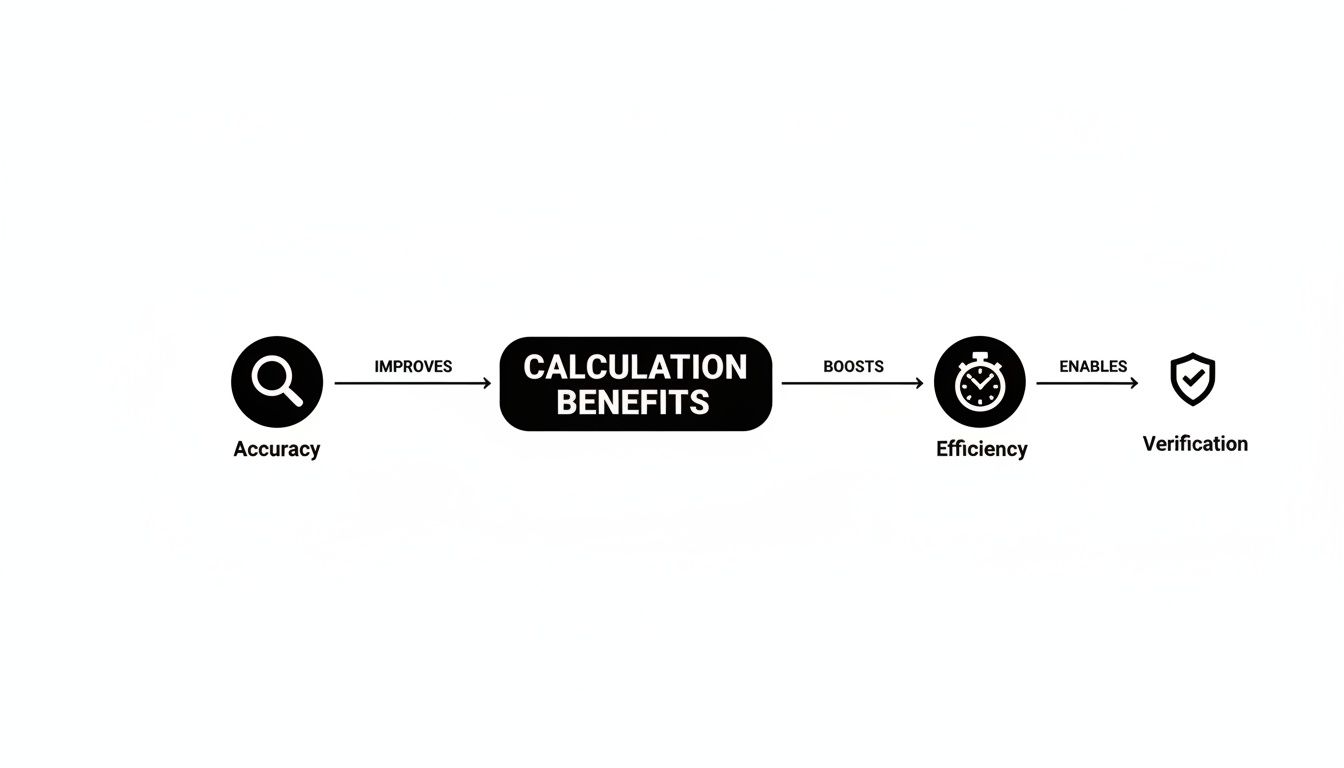
Jak vidíte, tyto pilíře se navzájem podporují, aby vytvořily nástroj, na který se můžete skutečně spolehnout den co den.
Skok od kapesní kalkulačky k modernímu online nástroji s historií je významný. Tabulka níže skutečně ukazuje funkční rozdíl v perspektivě.
Moderní vs. tradiční funkce kalkulačky
| Funkce | Moderní online kalkulačka s historií | Tradiční/základní kalkulačka |
|---|---|---|
| Historie | Trvalá, vyhledávatelná a vždy dostupná | Poslední výsledek pouze, nebo zmizí po vypnutí |
| Export dat | Jednoduché kopírování a export do formátů jako CSV | Vyžaduje se ruční přepis (pero a papír) |
| Ochrana dat | Místní zpracování v prohlížeči; data zůstávají na vašem zařízení | Není relevantní (žádný přenos dat) |
| Přístupnost | Dostupné na jakémkoli zařízení s webovým prohlížečem | Omezeno na fyzické zařízení |
| Pracovní postup | Snadné přezkoumání, opětovné použití a ověření minulých výpočtů | Každý výpočet je samostatná, izolovaná událost |
Tato srovnání zdůrazňují, proč mít prostě digitální kalkulačku už nestačí. Skutečná hodnota pochází z funkcí, které se integrují do toho, jak skutečně pracujeme.
Trvalá a vyhledávatelná historie
Historie je hvězdou show, ale kvalitní verze dělá víc než jen uvádí, co jste udělali. Musí být trvalá, což znamená, že vaše výpočty jsou uloženy, i když omylem zavřete kartu prohlížeče nebo musíte restartovat počítač. Tato jednoduchá funkce přetváří kalkulačku na spolehlivý, dlouhodobý záznamník.
Ještě lépe, skvělý záznam historie je vyhledávatelný. Představte si, že se snažíte najít konkrétní číslo, které jste vypočítali minulý týden pro projektovou zprávu. Místo procházení nekonečného seznamu můžete jednoduše napsat číslo nebo část rovnice a okamžitě ji najít. Vaše historie se přetváří z jednoduchého záznamu na dynamickou databázi, kterou můžete skutečně použít.
Možnosti kopírování a exportu jedním kliknutím
Skutečná produktivita spočívá v odstraňování tření. Dobře navržená kalkulačka ví, že čísla, která zpracováváte, jsou zřídka konečnou zastávkou. Musíte je dostat do svých tabulek, zpráv pro klienty nebo možná dokonce do řádku kódu.
Měli byste hledat nástroje, které nabízejí:
- Kopírování jedním kliknutím: Možnost uchopit jakýkoli předchozí výsledek nebo celou rovnici a vložit ji do schránky jedním kliknutím. Už žádné zvýrazňování a potýkání se s klávesovými zkratkami.
- Jednoduchý export: Možnosti stáhnout celou vaši historii jako prostý text nebo CSV soubor. To je ideální pro uchovávání záznamů nebo přenášení dat do jiného programu pro analýzu. Naše vlastní příručka o používání konvertoru CSV do Excelu ukazuje, jak kritický je tento typ hladkého přenosu dat.
Úkolem kalkulačky není jen počítat; je to integrovat se bezproblémově do vašeho pracovního postupu. Čím méně kroků je potřeba k tomu, aby se číslo dostalo z kalkulačky tam, kde má být, tím cennější se nástroj stává.
Ochrana soukromí jako priorita
Pro každého, kdo pracuje s citlivými čísly, je to naprosto nevyjednatelné. Mnoho online nástrojů skutečně posílá vaše výpočty na vzdálený server k zpracování, což otevírá potenciální riziko soukromí, o kterém možná ani nevíte.
Špičkový nástroj, jako je kalkulačka v ShiftShift, provádí každý jednotlivý výpočet lokálně ve vašem prohlížeči. To znamená, že vaše finanční data, proprietární obchodní vzorce nebo osobní rozpočtové výpočty nikdy neopustí vaše zařízení. To je velký problém.
Tato poptávka po bezpečnosti je hlavním trendem. Trh s online grafickými kalkulačkami, například, se očekává, že dosáhne 3 miliard dolarů do roku 2030. S 52 % uživatelů uvádějících ochranu dat jako hlavní obavu, místní zpracování není jen příjemná funkce—je to kritický znak důvěryhodného nástroje.
Jak profesionálové používají historii výpočtů každý den
Je jedna věc mluvit o funkcích v abstraktním smyslu, ale skutečná hodnota online kalkulačky s historií ožívá, když vidíte, jak ji lidé skutečně používají. Pro profesionály, kteří žijí a dýchají čísla, není záznam historie jen příjemnou funkcí; je to páteř rychlejšího, přesnějšího pracovního postupu.
Těchto příběhů z praxe ukazuje, jak tato jednoduchá funkce šetří čas, předchází nákladným chybám a usnadňuje sledování a ospravedlnění kritické práce.
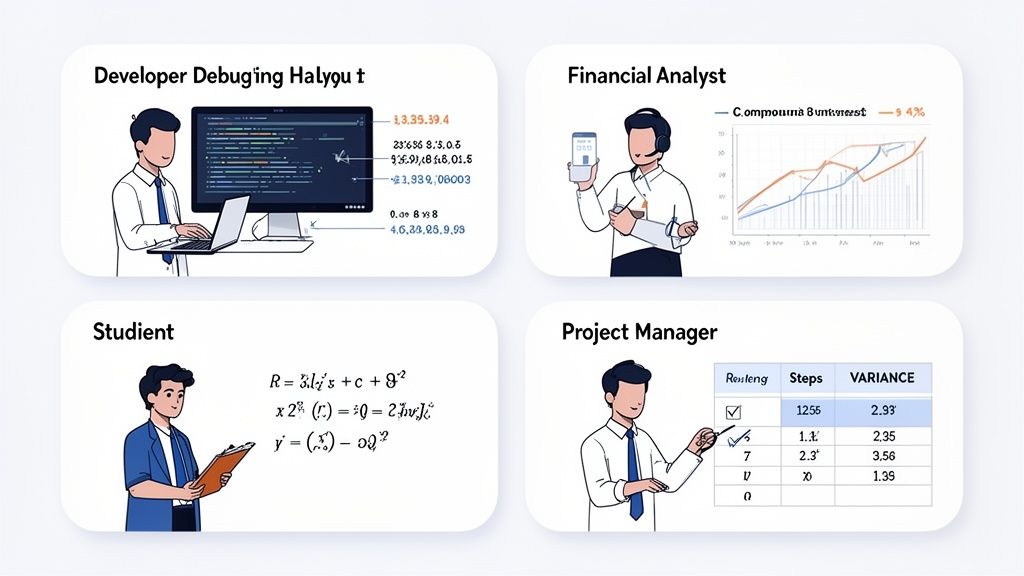
Vývojář ladící rozložení
Představte si front-end vývojáře, Alexe, hluboko v kódu pro responzivní web. Neustále převádí mezi pixely, procenty a rem jednotkami, aby dosáhl správného rozložení na každém zařízení. Použití kalkulačky pro rychlý přístup znamená, že může tyto součty provádět na místě, aniž by přerušil svou pozornost na kód.
Náhle je kontejnerový prvek mimo místo. Bez historie by musel Alex začít své výpočty znovu. Místo toho se jen podívá na svůj záznam historie. Aha, tam to je—nesprávný převod z px na % udělaný před pěti kroky. Vezme správnou hodnotu z předchozího záznamu, znovu provede výpočet a bum. Chyba je vyřešena během několika sekund.
Finanční analytik modelující scénáře
Teď si představte Marii, finanční analytičku, která vytváří investiční scénáře pro klienta. Počítá čísla pro různé úrokové sazby, plány příspěvků a časové osy. Každý scénář je řetězec výpočtů pro složené úročení a projekce růstu.
S trvalou historií může Marie provést čísla pro "Scénář A" a celý sled je pečlivě zaznamenán. Aby modelovala "Scénář B", stačí, když upraví úrokovou sazbu a znovu to spustí.
Umístěním dvou záznamů výpočtů vedle sebe může Marie okamžitě porovnat konečné výsledky a snadno vysvětlit matematickou cestu za každou projekcí svému klientovi. Záznam historie se stává transparentní auditní stopou.
Její jednoduchá kalkulačka se právě stala mocným, interaktivním modelovacím nástrojem.
Student řešící fyzikální úkoly
Všichni jsme to zažili. Ben, student střední školy, se potýká s vícestupňovým fyzikálním problémem. Nejprve musí vypočítat rychlost, poté použít tento výsledek k nalezení hybnosti a nakonec použít hybnost k určení síly. Každý krok závisí na tom předchozím.
Když je konečný výsledek špatný, je snadné se frustrovat. Ale s historií výpočtů může Ben klidně sledovat své vlastní kroky. Může zkontrolovat svůj výpočet rychlosti, zjistit, zda ho správně zkopíroval do vzorce pro hybnost, a poté zkontrolovat poslední krok. To přetváří jednoduchou chybu na skutečný učební moment, učí ho nejen vzorec, ale také jak ladit svou vlastní práci.
Projektový manažer sledující rozpočty
Na závěr je tu Sarah, projektová manažerka, která pečlivě sleduje rozpočet velké iniciativy. Její den je naplněn sčítáním faktur, výpočtem nákladových odchylek a prognózováním výdajů.
Když se zúčastněná strana ptá, proč je určitá kategorie náhle 15 % nad rozpočtem, nemusí se prohrabávat tabulkami. Může jednoduše vytáhnout svou historii kalkulačky, která ukazuje přesný sled sčítání a konečný výpočet procenta. Může zkopírovat celý tento sled a vložit ho do e-mailu, čímž poskytne jasnou, daty podloženou odpověď okamžitě.
Včlenění kalkulačky do vašeho pracovního postupu v prohlížeči
Vědět, co dělá skvělou online kalkulačku s historií, je jedna věc, ale skutečná magie nastává, když najdete takovou, která se skutečně hodí do vaší každodenní rutiny. Nejlepší kalkulačka není nějaká samostatná aplikace, kterou musíte hledat; je přímo tam, uvnitř vašeho prohlížeče, připravena okamžitě, když ji potřebujete, a zmizí, když ji nepotřebujete.
To je přesně to, kde přichází produktivní sada nástrojů jako ShiftShift Extensions. Nedává vám jen kalkulačku. Nabízí celou sadu nástrojů, které spolupracují z jednoho místa.
Výhoda ShiftShift
Kalkulačka zabudovaná do ShiftShift Extensions není jen trik—je to příklad nástroje, který je udělán správně. Splňuje všechny základní požadavky, o kterých jsme mluvili: okamžitý přístup, čistá a trvalá historie, kopírování jedním kliknutím a bezpečný, offline-první design, který respektuje vaše soukromí.
Můžete ji otevřít odkudkoli ve svém prohlížeči pomocí rychlé klávesové zkratky. Stačí dvakrát stisknout Shift, napsat calc a začít počítat. Nikdy nemusíte přepínat karty nebo otevírat jiný program, takže zůstáváte zcela soustředěni. Pokud hledáte další způsoby, jak zůstat efektivní, podívejte se na některé z dalších nejlepších produktivních rozšíření pro Chrome, která sdílejí tuto filozofii.
Screenshot níže ukazuje příkazovou paletu ShiftShift. Můžete vidět, jak je kalkulačka a další nástroje vždy jen pár stisknutí kláves vzdálené.
Mít toto jediné, sjednocené rozhraní znamená, že vaše kalkulačka není nikdy dál než sekundu, bez ohledu na to, co jiného děláte online.
Více než jen kalkulačka
Ale skutečná síla spočívá v tom, jak všechny nástroje spolupracují. Představte si, že jste vývojář, který určuje hodnotu pro objekt JSON. S ShiftShift můžete provést výpočet, poté okamžitě přejít na JSON Formatter, abyste zkontrolovali svůj kód—vše z té samé příkazové palety. To přetváří jednoduchou kalkulačku na jednu část mnohem většího, mocnějšího nástroje.
Tento integrovaný přístup se stává stále populárnějším všude. Například trh pro vědecké a grafické online kalkulačky s historií roste, což odráží širší trh s vědeckými kalkulačkami, který se očekává, že dosáhne 1,456.31 milionu dolarů do roku 2035. ShiftShift se na to zaměřuje tím, že spojuje svou kalkulačku bohatou na historii s dalšími užitečnými finančními a technickými nástroji. A s odhadovanými 60 % uživatelů, kteří se cítí nervózní ohledně cloudových nástrojů po únikách dat, je jeho model zaměřený na ochranu soukromí důležitější než kdy jindy. Můžete si přečíst více o rostoucím trhu s kalkulačkami a jeho trendech.
Včleněním mocné online kalkulačky s historií přímo do prohlížeče odstraníte poslední překážku mezi výpočtem a aplikací. Stává se to méně nástrojem, který používáte, a více rozšířením vašeho vlastního myšlenkového procesu.
Nakonec ShiftShift nabízí nejchytřejší způsob, jak přivést kalkulačku s historií do vašeho prohlížeče. Přetváří jednoduchý úkol na hladkou, bezpečnou a neuvěřitelně efektivní součást vašeho každodenního pracovního postupu.
Máte otázky? Pojďme si to vyjasnit
I po zhlédnutí všech výhod můžete mít stále několik přetrvávajících otázek o tom, jak tyto kalkulačky fungují denně. To je naprosto normální. Tato sekce se zabývá nejběžnějšími otázkami, které lidé kladou, a poskytuje vám přímé odpovědi, abyste si mohli vybrat správný nástroj pro vaše potřeby. Pokryjeme vše od ochrany soukromí po výkon.
Považujte to za poslední kontrolu před rozhodnutím. Každá odpověď je krátká a k věci, což vám pomůže cítit se sebevědomě při přivádění chytřejší kalkulačky do vašeho pracovního postupu.
Je moje historie výpočtů uchovávána v soukromí?
To je velká otázka a odpověď zní: zcela záleží na nástroji, který si vyberete. Mnoho jednoduchých webových kalkulaček zpracovává vaše výpočty na svých serverech. To znamená, že vaše data—vaše čísla—jsou posílána přes internet, což vytváří potenciální riziko soukromí. Pravděpodobně nechcete, aby vaše obchodní finance nebo osobní rozpočtová čísla byla uložena na serveru nějaké náhodné společnosti.
Nástroje zaměřené na ochranu soukromí, jako je kalkulačka v ShiftShift Extensions, jsou postaveny jinak od základů. Všechny zpracování provádějí a uchovávají vše lokálně, přímo ve vašem prohlížeči. Tento design znamená, že vaše citlivé finanční nebo osobní výpočty nikdy neopustí váš počítač.
Dobré pravidlo: před použitím jakéhokoli online nástroje pro citlivou práci se podívejte na jeho zásady ochrany soukromí. Hledejte fráze jako "místní zpracování" nebo "offline funkčnost." To je vaše zelená světla, že vaše data zůstávají s vámi.
Mohu používat online kalkulačku s historií offline?
Ano, ale pouze pokud používáte správný typ nástroje. Většina kalkulačkových webových stránek je k ničemu bez internetového připojení. Jakmile vaše Wi-Fi vypadne, přestanou fungovat, což je obrovská bolest, pokud potřebujete něco udělat.
To je místo, kde se dobře navržené rozšíření prohlížeče skutečně vyznačuje. Nástroje jako ShiftShift Extensions jsou navrženy tak, aby byly offline-první. Jakmile je rozšíření nainstalováno, kalkulačka a její celá historie jsou k dispozici kdykoli, kdekoli, ať už je internet nebo ne. To z něj činí super spolehlivého partnera pro cestování, práci v zabezpečených prostředích nebo jen pro zvládání slabého připojení.
Jak je to lepší než vestavěná kalkulačka mého počítače?
Všechno to spočívá v rychlosti a pracovním postupu. Jistě, kalkulačka, která přišla s vaším Macem nebo PC, funguje, ale dostat se k ní je neohrabaný proces. Musíte přestat to, co děláte, najít aplikaci, otevřít ji a pak se vrátit zpět. To malé přerušení, to přepínání kontextu, je skutečný zabiják soustředění.
Kalkulačka v prohlížeči, jako ta v ShiftShift, je jen klávesová zkratka daleko, bez ohledu na to, na jaké webové stránce jste. Můžete ji otevřít, provést rychlý výpočet, vzít výsledek z vaší historie a vložit ho přímo do Google tabulky, formuláře nebo e-mailu, aniž byste opustili stránku. Udržuje celý váš proces—výzkum, výpočet a vstup—všechno na jednom místě.
Zpomalí dlouhá historie výpočtů můj prohlížeč?
Ne, pokud je správně postavena. Dobře navržený nástroj nebude mít žádný znatelný dopad na rychlost vašeho prohlížeče. Tyto záznamy historie jsou jen jednoduché textové soubory, které zabírají malou, téměř nezměřitelnou část vašich počítačových zdrojů.
Kalkulačka v ShiftShift Extensions, například, je součástí lehkého balíčku a je silně optimalizována pro výkon. Záznam historie je spravován tak efektivně, že i když máte uloženo tisíce minulých výpočtů, nezpomalí váš prohlížeč ani o kousek. To zajišťuje, že nástroj je vždy rychlý a reagující v okamžiku, kdy ho potřebujete.
Připraveni přestat balancovat aplikace a přivést mocnou, soukromou kalkulačku do vašeho pracovního postupu? ShiftShift Extensions umisťuje funkčně bohatou kalkulačku s historií přímo do vašeho prohlížeče, spolu s desítkami dalších produktivních nástrojů. Nainstalujte ShiftShift Extensions zdarma a uvidíte rozdíl ještě dnes!