The 12 Best Productivity Chrome Extensions and Resources for 2026
Unlock peak efficiency in 2026 with our ultimate guide to the best productivity chrome extensions. Discover tools for focus, automation, and more.
Recommended Extensions

In 2026, your browser is more than just a window to the web; it's your primary workspace. Yet, this powerful environment often becomes a productivity bottleneck, bogged down by endless tab switching, fragmented workflows, and repetitive manual tasks. The solution isn't to work harder, but to transform Chrome into a highly efficient, personalized command center using the right set of tools. This guide is designed to help you do exactly that by cutting through the noise of the vast Chrome Web Store.
This isn't another generic list. We provide an in-depth, categorized roundup of the absolute best productivity Chrome extensions and the top resources for discovering them. For each entry, you'll find a concise description, key features, practical setup tips, and an honest look at potential limitations. We focus on real-world use cases, from task and tab management to specialized developer utilities and keyboard-driven tools that minimize mouse dependency. This curated collection is built to serve a diverse audience, including developers, designers, content creators, and everyday users seeking to streamline their digital lives.
Our goal is to help you build an integrated and powerful browser-based workflow. You will learn how to combine specific extensions for maximum impact, complete with screenshots and direct links for easy installation. To truly leverage your browser as the ultimate productivity hub, consult a comprehensive guide on the best Chrome extensions for productivity. Let’s dive into the tools that will redefine how you work.
1. ShiftShift Extensions
ShiftShift Extensions stands out as a uniquely comprehensive and privacy-focused ecosystem, consolidating dozens of high-utility tools into a single, unified interface. Unlike single-purpose extensions, it acts as a central hub, accessible instantly with a keyboard-first Command Palette (double-press Shift or Cmd/Ctrl+Shift+P). This design philosophy is its greatest strength, eliminating the need to install, manage, and learn multiple separate extensions, thereby reducing browser clutter and cognitive load. It solidifies its position as one of the best productivity Chrome extensions for users who value efficiency and consolidated functionality.
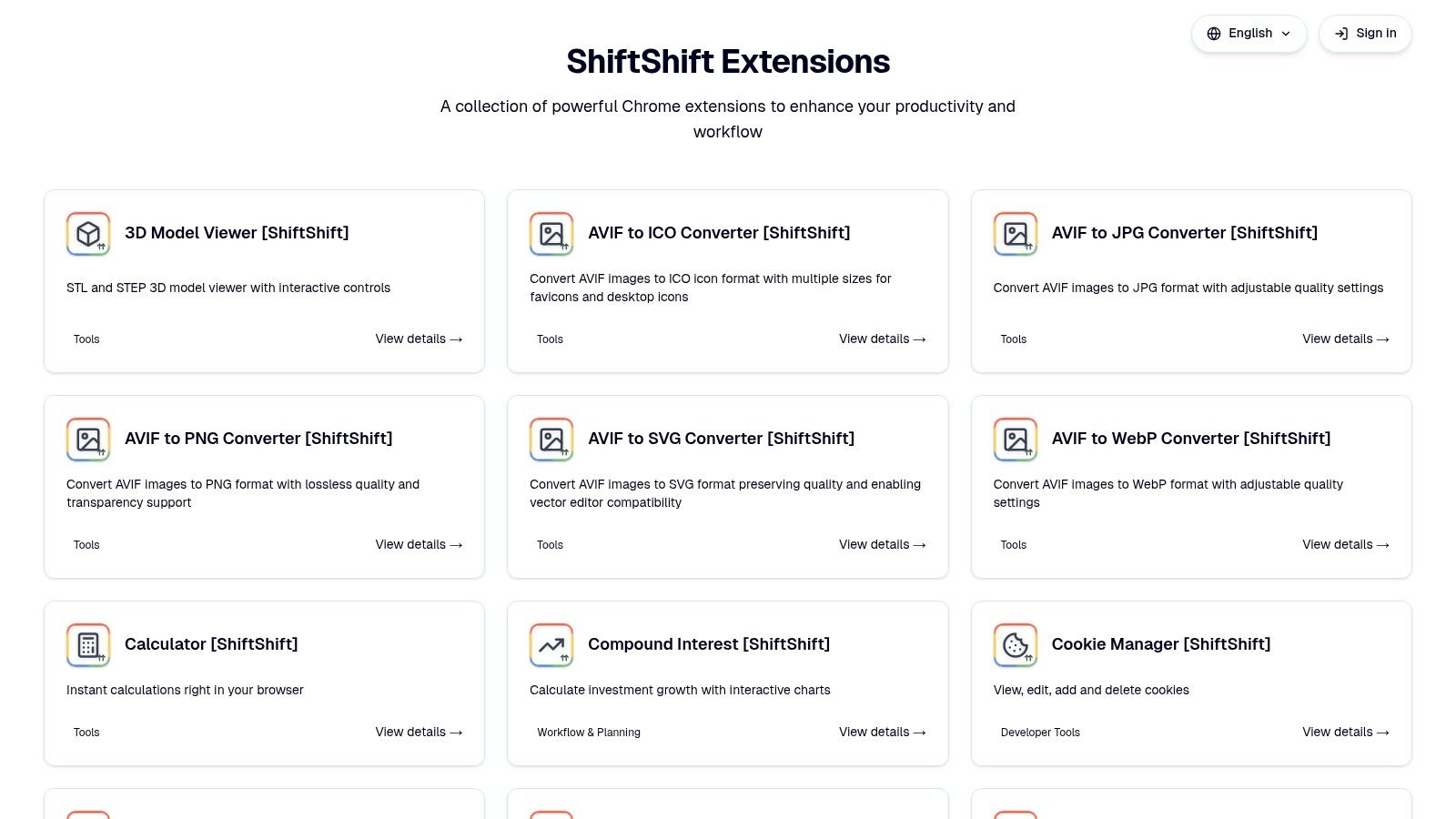
The platform's most compelling feature is its unwavering commitment to privacy. All processing, from file conversions to data formatting, happens locally in your browser. No data is ever uploaded to a cloud server, making it a secure choice for handling sensitive information like source code, contracts, or personal data. This local-first approach also means all tools are available offline once the extension is installed, a significant advantage for users with intermittent internet connectivity.
Standout Features and Use Cases
ShiftShift's utility spans multiple professional and personal domains. For developers and QA engineers, its toolkit is particularly robust. The JSON and SQL formatters (supporting 7 SQL dialects) are indispensable for daily coding tasks, and the side-by-side diff tool simplifies code comparison. These features can significantly accelerate development workflows. For a deeper dive into this, explore the insights on how to improve developer productivity on the ShiftShift blog.
Designers and content creators benefit from the powerful batch image converter, which handles JPG, PNG, WebP, AVIF, SVG, and ICO formats without leaving the browser. The full-page screenshot tool is also a practical addition for web design reviews. For everyday power users, the ecosystem offers a suite of conveniences like QR code generation, a compound interest visualizer, and live crypto rates powered by the Bybit API. It even includes specialized health integrations, such as a Nightscout monitor for real-time glucose tracking.
Implementation and Considerations
Getting started is simple, as it functions like any other Chrome extension. The primary learning curve involves remembering the keyboard shortcut to launch the Command Palette, which quickly becomes second nature.
Key Strengths:
- Unified Command Palette: A single, fast interface for a vast collection of tools with smart "frecency" sorting that learns your habits.
- Privacy-First Architecture: All operations are processed locally, ensuring data never leaves your machine. This makes it offline-friendly by default.
- Extensive Toolset: A broad and expanding library covers developer utilities, file conversion, productivity gadgets, and even niche health monitoring.
- Global Accessibility: Supports 52 interface languages and integrates multiple web search engines like Google and DuckDuckGo.
Limitations:
- Browser-Specific: It is designed exclusively for Chrome and Chromium-based browsers, so users on other platforms like Safari or Firefox cannot use it.
- Commercial Details: The product website lacks clear pricing tiers or public customer testimonials; users must check the Chrome Web Store for this information.
Website: https://shiftshift.app
2. Chrome Web Store
The Chrome Web Store is the official, secure marketplace for all Chrome extensions. While it’s the distribution channel rather than an extension itself, it's the foundational starting point for discovering, installing, and managing every tool on this list. It serves as a centralized hub where you can safely find the best productivity Chrome extensions, verified by Google, complete with user reviews and transparent permission requests.
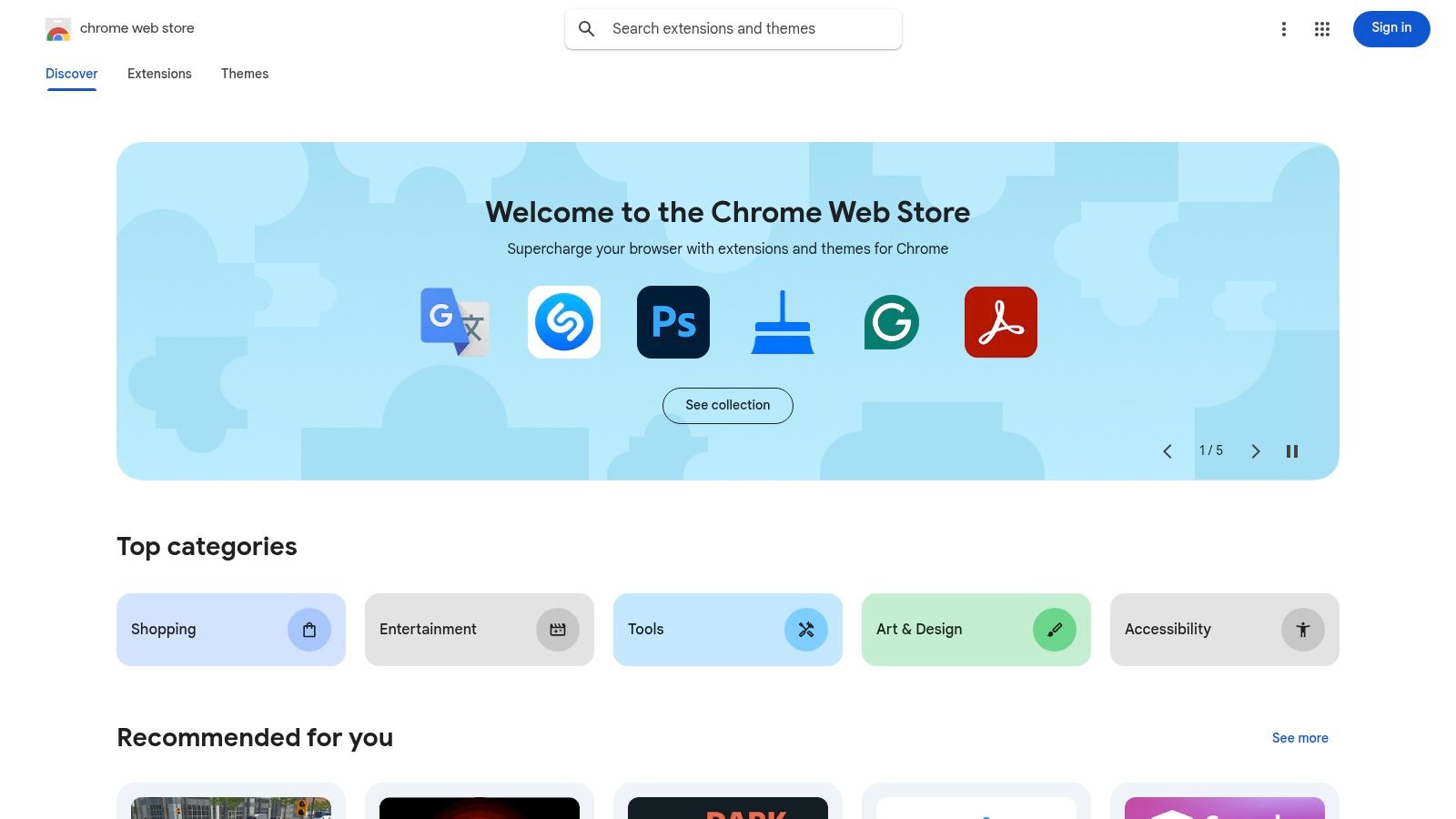
Its primary advantage is security and integration. Installing directly from the store ensures you get the latest, malware-scanned version and that updates are managed automatically. The interface provides robust categories, filters, and curated collections like "Editor's Picks" and annual "Favorites" lists, which help surface high-quality, vetted tools that might otherwise get lost in the noise.
Key Features and User Experience
The platform’s strength lies in its ecosystem-wide integration. It's free to use, and extensions are linked to your Google account, syncing across devices seamlessly. However, the sheer volume of extensions means discovery can feel overwhelming, and quality varies significantly between publishers. It's crucial to check recent reviews and the number of active users before installing. The transition to Manifest V3 also means some older, beloved extensions may have reduced functionality, a key consideration for developers and power users. For those focused on a specific niche, you can explore developer-centric tools on the Chrome Web Store to find specialized add-ons.
- Access: Free
- Best For: Securely discovering, installing, and managing all Chrome extensions.
- Pro Tip: Use Google's official curated collections (e.g., "Productivity Toolkit") as a starting point to find reliable and well-maintained extensions.
- Website: https://chromewebstore.google.com
3. Product Hunt – Chrome Extensions topic
Product Hunt is a community-driven discovery platform where makers launch new products, and the dedicated Chrome Extensions topic is a goldmine for finding innovative tools. Unlike the official store, it surfaces what's currently exciting the community, providing a real-time pulse on the latest and best productivity Chrome extensions, often from indie developers, before they gain mainstream traction. It’s the place to find a tool you didn't even know you needed.
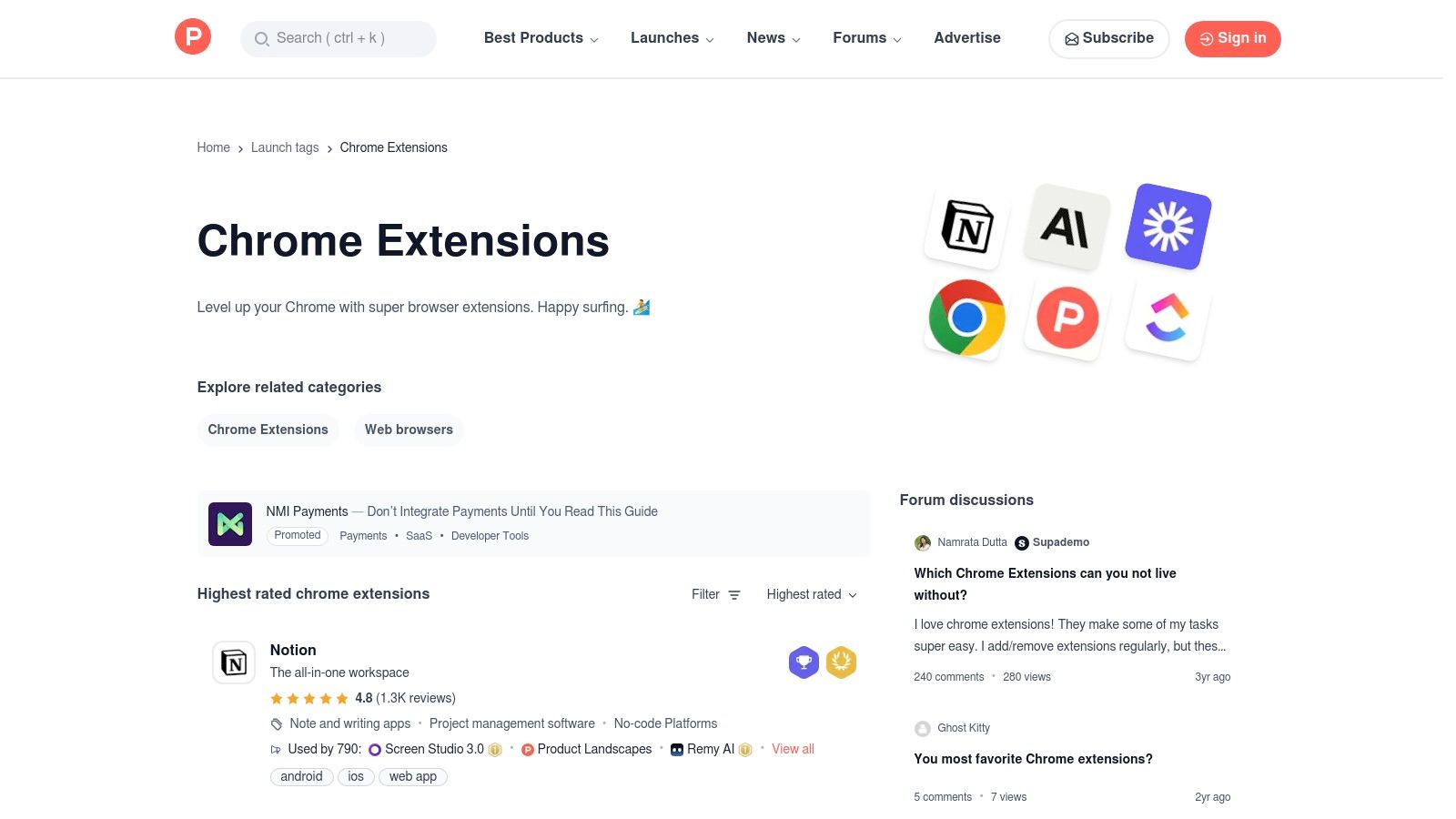
Its primary advantage is the community signal. The upvote system and active discussion threads offer social proof and real-world feedback that goes beyond simple star ratings. You can directly engage with creators, ask questions, and see how other users are integrating the tools into their workflows. This makes it an invaluable resource for discovering brand-new extensions that solve modern productivity challenges in unique ways.
Key Features and User Experience
The platform’s strength is its curated, community-led discovery process. It's free to browse, but the quality can vary, and visibility is sometimes driven by launch-day hype rather than long-term utility. Since it’s a discovery hub, you are redirected to the Chrome Web Store for the actual installation, which adds an extra step. However, for those looking to stay on the cutting edge and find tools with active, passionate communities, the insights gained from the comment threads are unparalleled.
- Access: Free
- Best For: Discovering new, innovative, and indie Chrome extensions through community feedback.
- Pro Tip: Filter the topic by "Highest rated" of all time to find proven community favorites that have stood the test of time, not just the latest launch.
- Website: https://www.producthunt.com/topics/chrome-extensions
4. Zapier blog – “The 17 best productivity extensions for Chrome in 2025”
Zapier's annually updated blog post is a highly respected editorial roundup that frames the best productivity Chrome extensions within practical, real-world workflows. Instead of just listing tools, Zapier focuses on matching extensions to specific needs like tab management, focused writing, or email optimization, making it an excellent resource for users trying to solve a particular problem rather than just browsing for tools.
Its primary advantage is its workflow-oriented perspective and clear organization. The listicle clearly states what each tool is "best for" and provides pricing snapshots, which helps readers quickly evaluate if an extension fits their operational needs and budget. This approach saves time by pre-qualifying tools based on their intended use case, from classic utilities to powerful automation add-ons that connect with other services.
Key Features and User Experience
The platform’s strength lies in its curation and practical context. The recommendations are free to access, but many of the featured extensions operate on a freemium or subscription model, requiring separate accounts. Because the list is editorial, the selection is limited and may not include every top-tier tool for a specific niche. For another valuable perspective on the top tools for the year, check out these 12 Best Chrome Extensions for Productivity in 2025 to compare recommendations. Ultimately, Zapier's guide is a fantastic starting point for building an efficient and integrated productivity stack.
- Access: Free
- Best For: Discovering extensions tailored to specific workflows like automation, writing, and focus.
- Pro Tip: Use Zapier's "best for" categories to quickly identify a shortlist of tools that solve your most pressing productivity bottleneck before diving into individual reviews.
- Website: https://zapier.com/blog/productivity-extensions-for-chrome/
5. TechRadar – Google’s “Best Chrome extensions of 2025” coverage
TechRadar's annual coverage of Google's official "Best of" list serves as a valuable, high-level summary of emerging trends in the extension ecosystem. Instead of a comprehensive directory, it provides a curated snapshot of what Google is spotlighting, making it an excellent resource for discovering officially recognized and often innovative tools. It’s a quick way to gauge which best productivity Chrome extensions are gaining mainstream traction, particularly those leveraging new technologies like AI.
The primary advantage of this resource is its focus on current trends and expert analysis. The article doesn't just list the winners; it contextualizes why they were chosen, highlighting themes like AI-powered meeting assistants, advanced writing aids, and streamlined research tools. This makes it a great starting point for users who want to stay current without sifting through thousands of options on the Chrome Web Store.
Key Features and User Experience
TechRadar’s analysis is a free-to-read news article, offering a quick pulse on the market. Its strength lies in its conciseness and trend-spotting, allowing you to quickly identify top-tier extensions that have been vetted by Google. However, the coverage is a summary rather than an in-depth review, so you won't find deep dives into each tool’s full feature set or limitations. It’s best used as a discovery tool to identify promising extensions, which you can then research further. For developers interested in more specialized tools, you can discover more about Chrome extensions tailored for web development to find niche solutions.
- Access: Free
- Best For: Quickly discovering Google's officially recommended extensions and spotting productivity trends.
- Pro Tip: Use this list as a starting point, then vet the recommended extensions by checking their latest reviews and privacy policies on the Chrome Web Store.
- Website: https://www.techradar.com/computing/chrome/these-are-the-10-best-chrome-extensions-of-2025-according-to-google-and-theres-one-i-definitely-recommend
6. Android Authority – Google’s top picks for Chrome extensions in 2025
For those looking to cross-reference recommendations and get a second opinion on what's trending, tech news outlets like Android Authority provide valuable annual roundups. Their coverage of Google's official "Favorites" list offers context and concise guidance on why specific tools were chosen, helping you quickly understand the use case for extensions like Fireflies.ai or QuillBot. It’s an excellent resource for building a shortlist of the best productivity Chrome extensions without sifting through the entire Web Store.
The primary advantage of using such a list is the editorial framing. Instead of just a directory, you get a curated perspective that confirms and expands on other summaries, validating which tools have gained mainstream recognition. This makes it an efficient way to discover new, vetted extensions that have already been highlighted for their quality and utility by both Google and trusted tech journalists.
Key Features and User Experience
This resource is less of a platform and more of a high-quality, curated guide. Its strength lies in its conciseness and clear summaries, making it ideal for quick decision-making. However, it's not a comprehensive directory and lacks deep comparative analysis, focusing only on Google's top picks. This means you won’t find niche or up-and-coming tools here, but you will get a reliable overview of the year's most celebrated extensions.
- Access: Free
- Best For: Quickly building a shortlist of Google-vetted extensions with helpful context.
- Pro Tip: Use this article as a starting point, then search for reviews of the highlighted extensions to see if they fit your specific workflow before installing.
- Website: https://www.androidauthority.com/google-chrome-top-extensions-2025-3621666/
7. G2 – “30 Best Chrome Extensions to Supercharge Your Google Experience”
G2 offers a buyer-oriented perspective on Chrome extensions, framing its recommendations within a business context. This listicle is particularly useful for professionals needing to justify tool adoption to stakeholders, as it links directly to product pages filled with user reviews and ratings. It serves as a great discovery platform for finding some of the best productivity Chrome extensions that are already vetted and recognized in the business software world.
The primary advantage of G2's list is its plain-English summaries and business-friendly framing. It avoids overly technical jargon, making the benefits of each extension clear to a non-technical audience, which is invaluable for getting team-wide or management buy-in. The platform’s reputation as a trusted source for software reviews adds a layer of credibility to its recommendations.
Key Features and User Experience
G2’s strength lies in its integration of peer reviews directly into the discovery process. The resource is free to access, though the main listicle is not exclusively focused on productivity, requiring some filtering to find tools specifically for work. The depth of information can also vary, with some listings being more detailed than others. However, the presence of recognizable, enterprise-ready brands makes it a reliable starting point for corporate environments where security and reputation are key factors in software selection.
- Access: Free
- Best For: Business professionals seeking vetted extensions with strong user reviews to support internal adoption.
- Pro Tip: Click through to the individual G2 product pages for each extension to access in-depth user reviews, ratings, and potential alternatives before making a decision.
- Website: https://www.g2.com/articles/best-chrome-extensions
8. AlternativeTo
AlternativeTo is a community-driven discovery platform that helps you find better alternatives to the software you already use, including Chrome extensions. Instead of just being a download hub, its primary purpose is comparative discovery. If an extension you love becomes outdated, too expensive, or changes its features, AlternativeTo is the best place to find a high-quality replacement tailored to your specific needs.
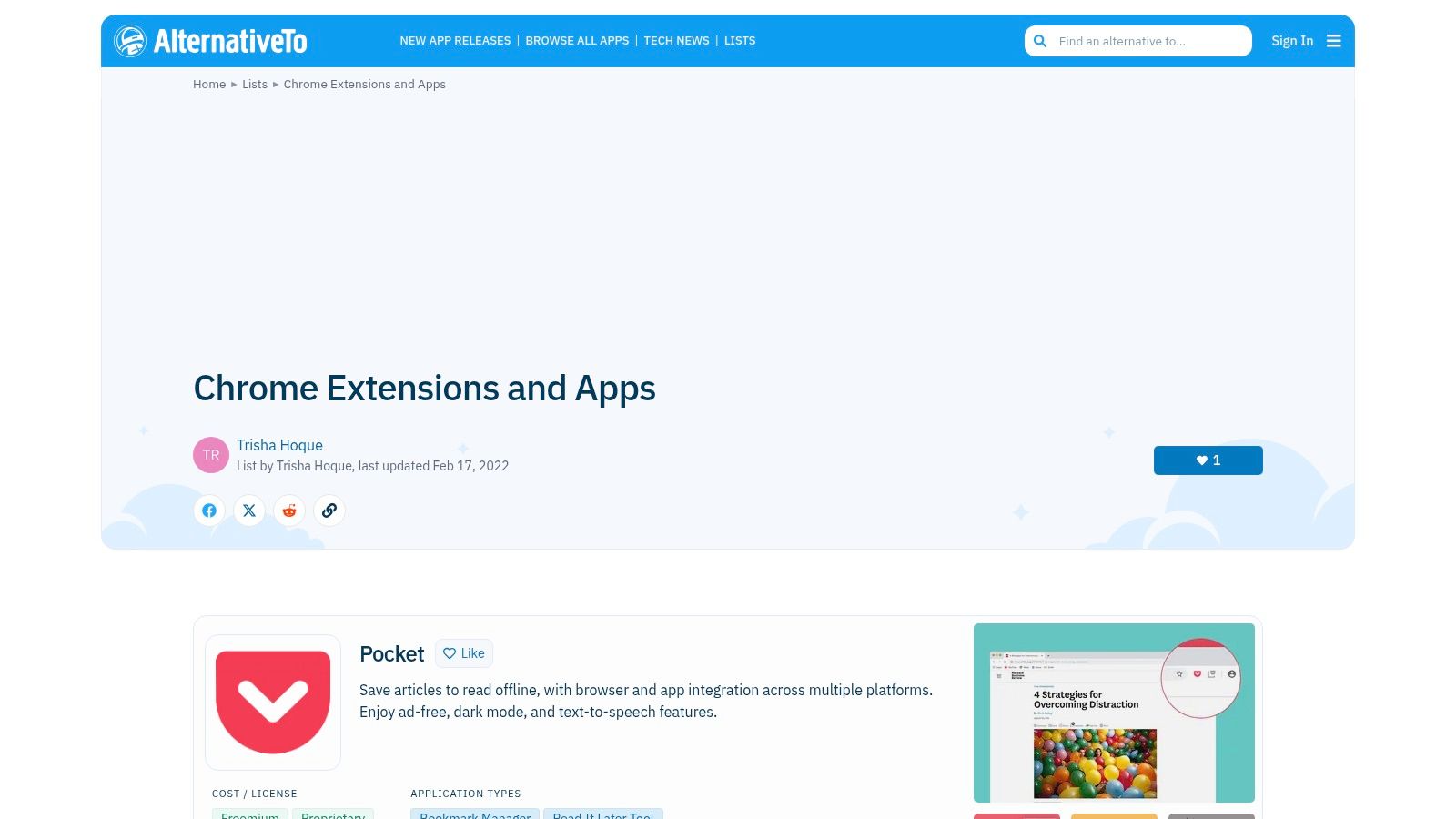
Its core advantage is the crowd-sourced data and powerful filtering. Users can suggest and vote on alternatives, creating a dynamic, real-world ranking system. You can filter results by license (e.g., open source, freemium), platform (Chrome, Firefox, etc.), and tags, making it an invaluable resource for finding best productivity Chrome extensions that align with personal preferences or strict company policies.
Key Features and User Experience
The platform excels at providing context that official app stores often lack. The "Alternatives" graph visually maps out similar tools, while user-curated lists offer recommendations for specific workflows. However, since the content is community-driven, some lists or entries can become dated, so it's always wise to check the last update and verify details on the official extension page. Its strength lies in helping you make an informed decision before you install, saving you from trial-and-error cycles.
- Access: Free
- Best For: Finding replacements for existing extensions and discovering new tools based on functionality.
- Pro Tip: Use the license filter to quickly find open-source alternatives, which often prioritize user privacy and transparency over commercial options.
- Website: https://alternativeto.net/platform/chrome-extension/
9. AppSumo
AppSumo is a digital marketplace known for offering lifetime deals and steep discounts on software, including occasional promotions on productivity Chrome extensions. While not a direct extension provider, it serves as a valuable resource for discovering and acquiring premium tools at a fraction of their typical cost. It’s a strategic place to monitor for best productivity chrome extensions from emerging developers who use the platform for initial user acquisition.
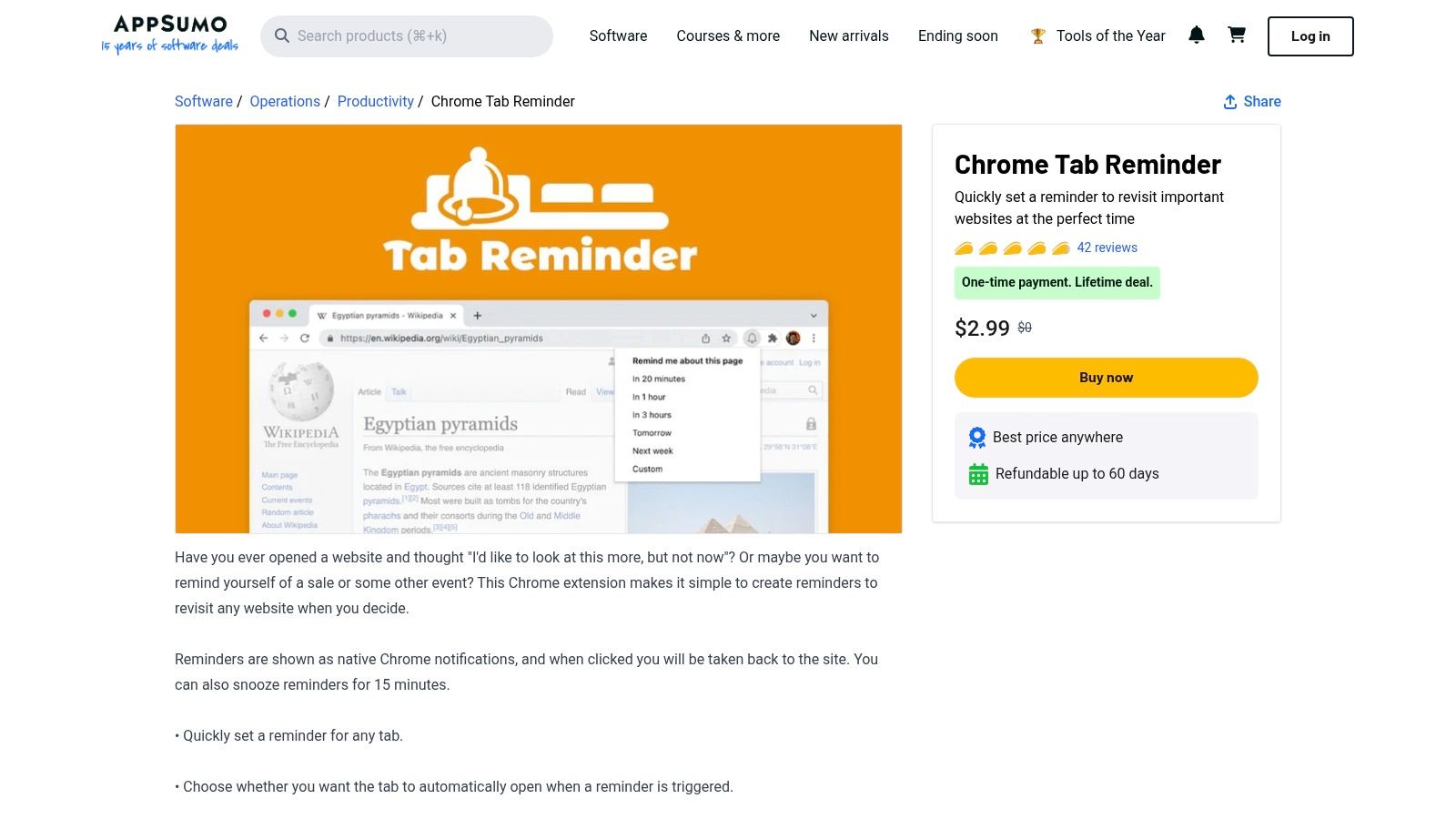
Its primary advantage is financial. Securing a lifetime deal on a productivity tool can eliminate recurring subscription fees, providing significant long-term savings. The community-driven Q&A and review sections on each product page offer candid insights into an extension's stability, feature roadmap, and developer responsiveness, which is crucial for vetting newer or less-established tools.
Key Features and User Experience
The platform’s strength lies in its time-limited deal model. Deals often last for a week or two, creating a sense of urgency but also an opportunity for huge savings. However, the catalog is not stable; a tool available today might be gone tomorrow. This makes it less reliable for immediate needs but excellent for opportunistic acquisitions. Users should carefully vet the vendor’s history and support policies, as long-term viability can vary. Most deals come with a 60-day money-back guarantee, allowing you to test a tool thoroughly before committing.
- Access: Free to browse; deals are paid one-time purchases.
- Best For: Acquiring premium productivity extensions on a lifetime license, avoiding subscription costs.
- Pro Tip: Read the user questions and reviews sections carefully on any deal page to gauge the developer's commitment and the tool's long-term potential before purchasing.
- Website: https://appsumo.com/products/chrome-tab-reminder/
10. StackSocial
StackSocial is a popular deals marketplace where you can often find significant discounts on productivity software, including lifetime subscriptions for certain Chrome extensions. While not a direct provider of extensions, it serves as a valuable resource for acquiring powerful tools at a fraction of their standard cost. This platform is particularly useful for finding deals on lesser-known but effective best productivity chrome extensions or securing multi-seat licenses for team-wide deployment without recurring fees.
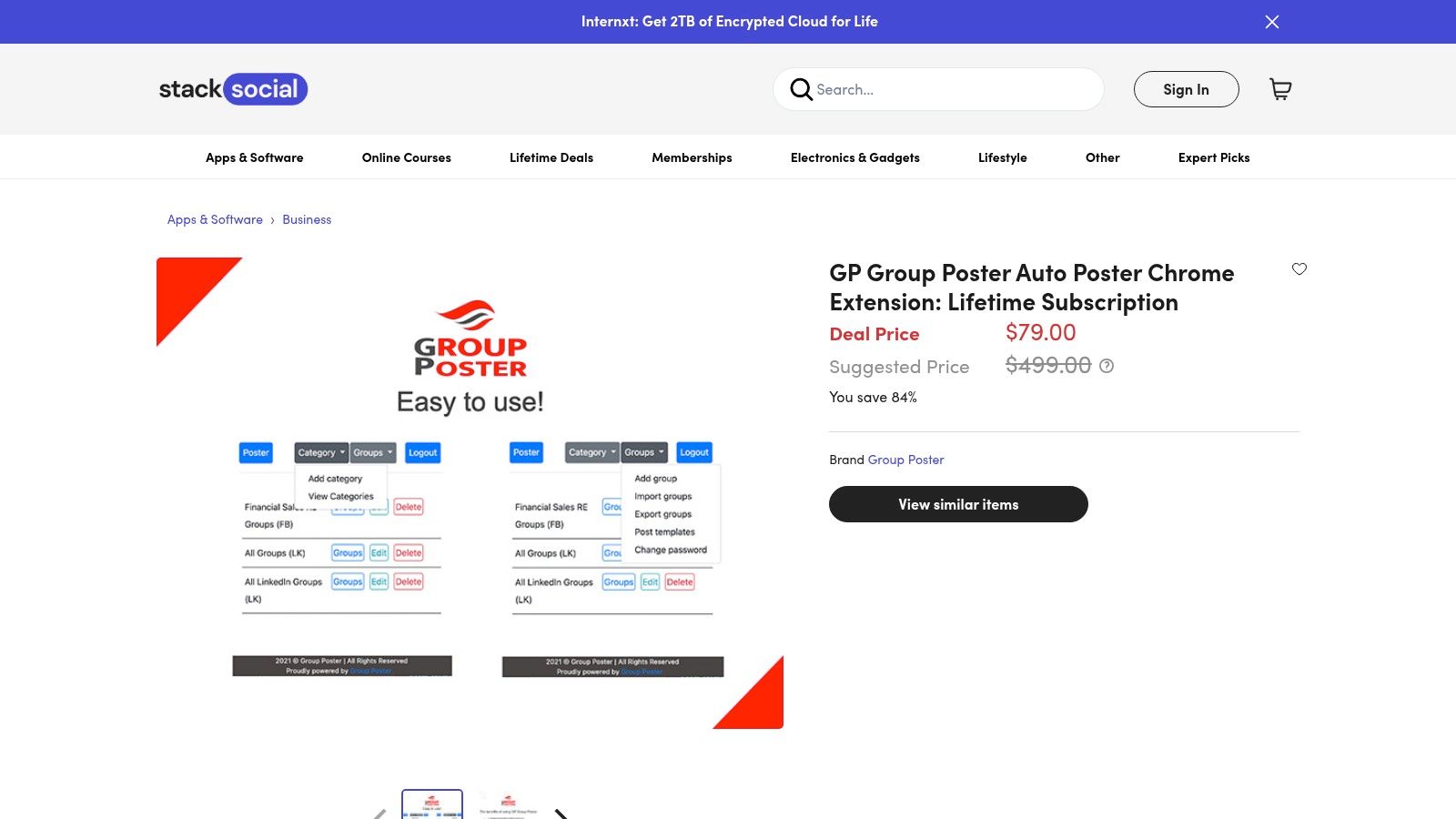
Its primary advantage is cost savings. By purchasing a lifetime deal, you can bypass monthly or annual subscription models that are common for premium browser add-ons. The platform clearly outlines the terms of each deal, what’s included, and redemption instructions, making it transparent for buyers. For those willing to keep an eye out for promotions, it’s a strategic way to build a robust toolkit without a hefty budget.
Key Features and User Experience
StackSocial’s strength lies in its rotating inventory of exclusive deals, which can include everything from VPNs and cloud storage to specialized browser utilities. The user experience is straightforward, though inventory changes frequently, so what's available one week might be gone the next. Some users report occasional quirks with checkout or license availability, so it’s wise to act quickly on a deal you’re interested in. Despite this, its potential for long-term savings makes it a worthwhile destination for bargain-hunting productivity enthusiasts looking for a smart investment.
- Access: Prices vary per deal (often discounted)
- Best For: Securing lifetime or multi-seat licenses for productivity tools and extensions at a reduced one-time cost.
- Pro Tip: Sign up for their email alerts and filter by the "Apps + Software" category to be notified when new productivity extension deals go live.
- Website: https://www.stacksocial.com
11. Reddit – r/ChromeExtensions
While not an extension itself, the r/ChromeExtensions subreddit is an indispensable community hub for discovering, vetting, and troubleshooting browser tools. It offers real-time insights from developers and users that you won’t find on the official store, making it a crucial resource for identifying genuinely useful and safe best productivity Chrome extensions. Users share new discoveries, developers announce launches, and the community provides honest, unfiltered feedback.
Its primary advantage is the early warning system it provides. Community members are quick to post crowd alerts about extensions that have been sold, started injecting ads, or turned malicious. This provides a layer of security and awareness that official channels often lack. It's an excellent place to find niche, indie extensions that haven't yet gained mainstream visibility but solve very specific productivity problems.
Key Features and User Experience
The platform’s strength is its crowd-sourced intelligence. It's free to access and allows you to get direct feedback from both developers and long-time users. However, the signal-to-noise ratio can vary, and the quality of discussions depends entirely on community activity. It’s essential to cross-reference any claims or recommendations with reviews on the Chrome Web Store and official developer sources. Despite this, it remains a powerful tool for due diligence before installing a new extension.
- Access: Free
- Best For: Discovering indie extensions and getting real-world feedback or alerts about problematic tools.
- Pro Tip: Sort posts by "Top" for the past month or year to quickly find the most impactful extension discussions and discoveries.
- Website: https://www.reddit.com/r/ChromeExtensions
12. ChromeStats
ChromeStats is an analytics platform that tracks Chrome Web Store rankings, install estimates, and official curated collections. Instead of relying solely on user reviews, it provides a data-driven approach to discovering the best productivity Chrome extensions by revealing their popularity, growth trends, and momentum over time. It’s an invaluable research tool for validating an extension’s credibility before you install it.
By monitoring leaderboards and historical data, you can see which tools are gaining traction and which are fading. This is particularly useful for identifying up-and-coming extensions or verifying that a well-established tool is still actively maintained and growing its user base. It helps you look beyond marketing copy and make informed decisions based on real-world adoption metrics.
Key Features and User Experience
The platform is designed for research and analysis, offering clear charts and collection-level leaderboards that mirror official lists like Google’s annual "Favorites." Its primary strength is providing objective, quantifiable data to support your choices. While it offers deep insights, it's important to remember that it is not an installer; you still need to visit the official Chrome Web Store to add any extension.
The install figures are estimates, so they should be used as a directional guide rather than an exact measure. However, the change history and trend charts offer a unique perspective that is unavailable on the store itself. This makes it an essential stop for anyone serious about building a reliable and effective productivity toolkit.
- Access: Free
- Best For: Validating an extension’s popularity and growth trends with objective data.
- Pro Tip: Use the "Collections" feature to see Google’s officially curated lists (e.g., "Favorites of 2025") and analyze the growth of editor-picked extensions.
- Website: https://chrome-stats.com/chrome/col/2025_favorites
12-Source Comparison: Best Productivity Chrome Extensions
| Product | Core features | Quality & trust (★) | Price / Value (💰) | Target audience (👥) | Unique selling point (✨) |
|---|---|---|---|---|---|
| 🏆 ShiftShift Extensions | Unified Command Palette, local/offline processing, dev tools, converters | ★★★★★ — Privacy-first, actively updated | 💰 Freemium/undisclosed — high utility per install | 👥 Developers, power users, designers, patients | ✨ All-in-browser tools + frecency search, 52 languages |
| Chrome Web Store | Official installer, permissions & updates, curated collections | ★★★★☆ — Google‑integrated, secure source | 💰 Free to browse; extensions may be free/paid | 👥 All Chrome users, IT admins | ✨ Official marketplace & enterprise controls |
| Product Hunt – Chrome Extensions topic | Launches, upvotes, comment threads | ★★★☆☆ — strong community signal | 💰 Free discovery | 👥 Early adopters, indie‑tool fans | ✨ Community feedback & new launches |
| Zapier blog – roundup | Editorial “best for” recommendations, pricing snapshots | ★★★★☆ — practical, workflow‑focused | 💰 Free guidance; pricing included for picks | 👥 Workflow managers, productivity seekers | ✨ Workflow‑oriented matchups & pricing context |
| TechRadar – Google picks coverage | News summary of Google’s favorites, trends | ★★★★☆ — reliable trend snapshot | 💰 Free | 👥 General users, trend watchers | ✨ Quick pulse on Google‑spotlighted tools |
| Android Authority – top picks | Concise context & when‑to‑use guidance | ★★★☆☆ — concise editorial | 💰 Free | 👥 Mobile/tech readers, shortlist builders | ✨ Short, actionable recommendations |
| G2 – buyer overview | Category breakdowns, user reviews & ratings | ★★★★☆ — user reviews help buying decisions | 💰 Free to browse; useful for stakeholders | 👥 Business buyers, teams, decision‑makers | ✨ Reviews + business‑friendly framing |
| AlternativeTo | Alternatives graph, platform/license filters | ★★★☆☆ — community‑driven matches | 💰 Free | 👥 Users needing substitutes or OSS options | ✨ Easy discovery of comparable tools & licenses |
| AppSumo | Time‑limited deals, lifetime offers, refunds | ★★★☆☆ — deal‑driven value | 💰 Deals / lifetime bargains | 👥 Bargain hunters, indie dev adopters | ✨ Occasional steep discounts & refund windows |
| StackSocial | Discounted apps & bundles, clear deal terms | ★★★☆☆ — rotating offers | 💰 Deals / occasional lifetime | 👥 Teams and price‑sensitive buyers | ✨ Multi‑seat/lifetime deal opportunities |
| Reddit – r/ChromeExtensions | Launch posts, troubleshooting, crowd alerts | ★★★☆☆ — variable signal, fast alerts | 💰 Free community resource | 👥 Community‑savvy users, troubleshooters | ✨ Real‑time warnings and practical usage tips |
| ChromeStats | Ranking trends, install estimates, leaderboards | ★★★☆☆ — data‑driven popularity checks | 💰 Free analytics overview | 👥 Analysts, marketers, competitive researchers | ✨ Trend/leaderboard view to validate momentum |
From Browser User to Browser Power User
Transforming your Chrome browser from a simple gateway to the internet into a powerful, personalized productivity hub is a journey of strategic selection, not accumulation. Throughout this guide, we've explored not just individual tools but entire ecosystems and discovery platforms-from the unified command center of ShiftShift Extensions to the community-driven insights on Product Hunt and Reddit. The overarching theme is clear: the path to peak efficiency lies in a deliberate, well-curated toolkit that complements your unique workflow, rather than cluttering it.
The key takeaway is to move beyond passive browsing and adopt an active, intentional approach to your digital environment. A truly optimized setup minimizes friction, automates repetitive tasks, and keeps you focused on high-value work. This is the essence of becoming a browser power user.
Your Action Plan for Browser Optimization
Ready to implement these strategies? The sheer number of options can feel overwhelming, but a structured approach simplifies the process. Here’s a clear roadmap to get started:
Conduct a Workflow Audit: Before installing anything new, take 15 minutes to identify your biggest time sinks. Are you constantly juggling tabs? Do you spend too much time converting files or formatting code? Pinpointing your specific pain points is the most critical first step.
Start Small, Solve Big: Choose just one or two extensions from this list that directly address your primary bottleneck. For developers, a powerful cookie editor or JSON formatter might be the best starting point. For content creators, an advanced screenshot tool or an image converter could provide the most immediate impact.
Embrace a Keyboard-First Mentality: The single biggest leap in browser productivity comes from reducing reliance on your mouse. Prioritize extensions that offer robust keyboard shortcuts or, even better, a unified command palette. This is where tools designed with a keyboard-driven philosophy truly shine, turning multi-click actions into simple commands.
Evaluate for Simplicity and Privacy: As you integrate new tools, continuously ask yourself: Does this simplify my workflow? Does it respect my privacy? An extension that requires a complex setup or has a vague privacy policy might create more problems than it solves. Always favor tools that offer local processing and transparent data handling.
Building Your Personalized Productivity Stack
The true power of this guide isn't in any single recommendation but in the concept of creating a cohesive system. Your goal is to build a personalized stack where each tool serves a distinct purpose, and they work together harmoniously. Perhaps you combine a tab manager for organization with a keyboard-driven utility like ShiftShift Extensions for rapid execution. Or maybe you pair a developer-focused tool with a simple note-taker for seamless context switching.
This process is iterative. The digital landscape, and the world of the best productivity chrome extensions, is constantly evolving. Use the discovery resources we've covered, like the Chrome Web Store's curated lists and forums like r/ChromeExtensions, to stay informed. Revisit your setup every few months to prune unused extensions and explore new solutions that align with your changing needs.
Ultimately, a well-optimized browser frees up your most valuable resource: your cognitive energy. By automating the mundane and streamlining your actions, you can dedicate more focus to creative problem-solving, deep work, and the tasks that truly matter. The question is no longer just what you can do with your browser, but what will you build with your newfound efficiency?
Ready to consolidate your toolkit and embrace a faster, keyboard-driven workflow? ShiftShift Extensions unifies over 35 essential utilities-from file converters and formatters to a calculator and screenshot tool-into a single, blazing-fast command palette. Stop juggling dozens of single-purpose extensions and discover the power of a unified, privacy-first productivity suite by downloading it from the Chrome Web Store.