እንዴት የአንደኛ ደረጃ አንደኛ የማስተካከል ዕድል ይወዳድሩ: የፈጣን ኮድ ለመጻፍ የተግባር አማራጮች
እንዴት የአንድ ዲቨሎፕር ምርትነት ማሻሻል፣ የስራ ውሂብ ማስተካከል፣ ተግባራዊ ሥራዎችን ማደርግ፣ እና ኮድ በፍጥነት ማስተናገድ ላይ የሚያስተዋወቁ አስተያየቶች።

የተመነጨ ማስተካከያዎች

እርስዎ እንደ ወደኝ ተጨማሪ የበለጠ ተሠራቸው ለማድረግ ቢፈልጉ፣ የመጀመሪያው ደረጃ ያለው ቀን በቀን ሥራ ውስጥ ምርምር ሁሉ በማግኘት እና በማስወገድ ነው። የታላላቅ ዕድገቶች ረጅም ሰዓት በመሠራት አይመጣም። ይሄንንም በመቀነስ ነው፣ የ አቀባበል መቀየር፣ የንብረት ሥራዎችን በአውቶማቲክ ማድረግ፣ እና ሶፋውን የምትጋብሩት ሆኖ ያደረጋቸው በቀላሉ ነው። ከቀላል "ምቹ" የሆነ ለመሆን ወደ በእውነቱ ውጤታማ መሆን ለመቀየር ያለው እውነተኛ ምስጢር ይህ ነው።
1. የእርስዎን የግል ውጤታማነት መገደቦች ያግኙና ያስተካክሉ
በእውነቱ ት出产 ለመጨመር ከመቻልዎት በፊት፣ መጀመሪያ ምን እንደሚያስተሳስርዎ ማወቅ አለብዎት። እውነተኛው ውጤታማነት ቀን በቀን ፍላጎትዎንና ግፊትዎን የሚያቁትን አነስተኛ ነገሮች በሰልጥና መንገድ ማስወገድ ላይ ይሄናል። ፈጣን የግል ግምገማ ብቻ ሊያሳይ የሚችለው በቀላሉ የሚታዩትን ትልቅ የጊዜ ሰwers ማግኘት ነው።
ይህ አይደለም ብዙ የሚሰማን ታሪክ፤ ሁልጊዜ ምቹ የሆኑ ቢያይንም፣ ጠንካራ ነገሮች ላይ በእውነቱ ፍሬም ለማድረግ ቢያቋምጥን። በዚህ ውስጥ ያለው ጠላት ምርምር ያሉ ብዙ የቃላት መቅሰፍቶች መሰብሰብ ነው። ይህን ለምትስ骫ው – በሳምንት ውስጥ ትንሽ ያለመደቡትን የ API መልስ ቢሱ ወይም በቃጭ በማጣት ምክንያት ሲያናወጥ ስንት ጊዜ ያናወጥ ይሆናል? እያንዳንዱ እነዚህ ጊዜያት ፍላጎትዎን ይቀ/umd ይሆናል፣ እና ወደ ትክክለኛው መንገድ ለመመለስ የሚፈልግ የአእምሮ ኃይል ትልቅ ነው።
ይህ ስለ እነዚህ የተለመዱ ጥፋቶች ለትዕዛዝዎ መቃረን እንዴት በተከታታይ ለሚያደርጉ መርሆ በግልጽ ምስል ተያይዞ የሚያሳይ ትልቅ ማሳያ ነው።
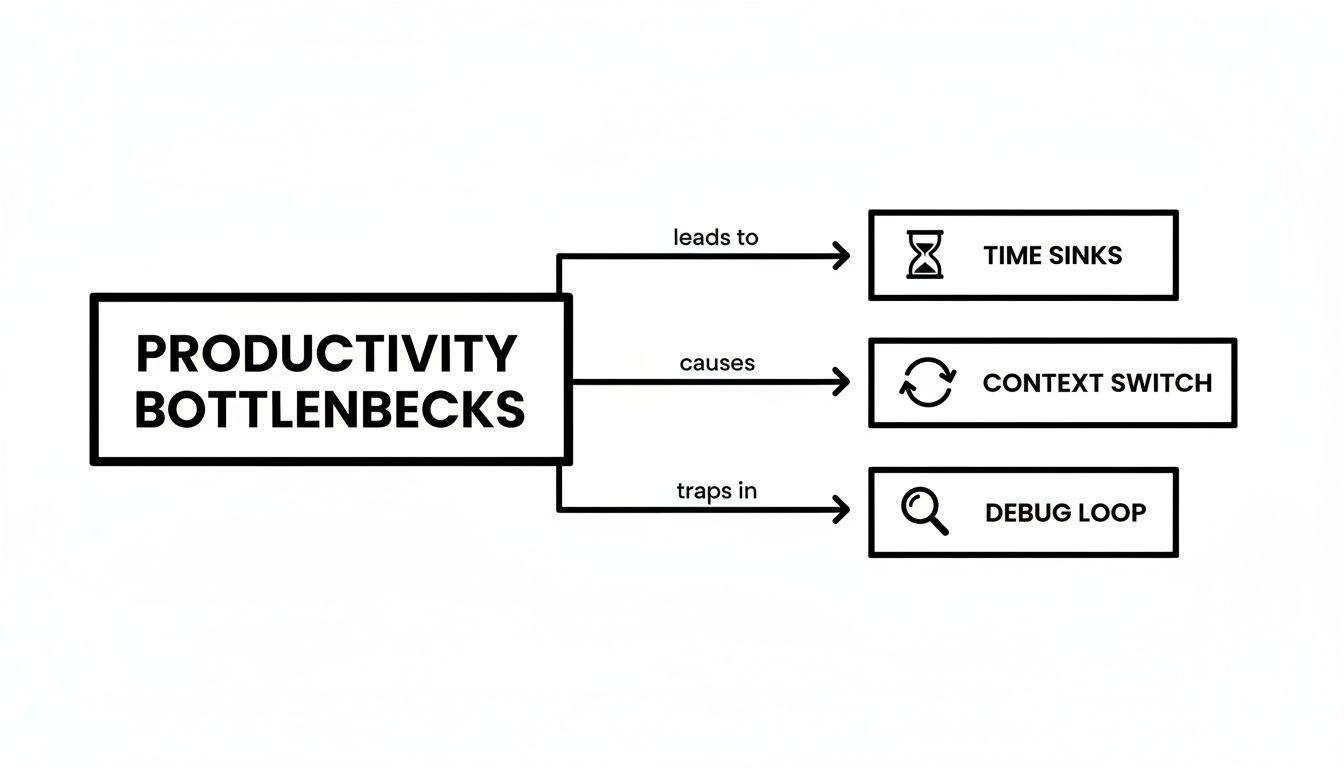
ከንድይም እንደሚያሳይ፣ እነዚህ የጊዜ ማብложений፣ የ学习贯彻 መቀይሷች፣ እና የማርም ዕብራዊያን የተለያዩ ክፍሎች አይደሉም። አንዱን ለተመለሰ እርስ በርስ ሲያማክሩ፣ ከውድድር ውጭ በመሆን በቀላሉ ሊቀር የማይችል የውጤታማነት መጥፋት ይፈጥራሉ።
የእርስዎን ልዩ የትዕግስት ነጥቦች ያግኙ
የማንኛውም ዘማች ስራ ሥርዓት ትንሽ የተለየ ነው፣ ማለትም የእርስዎ የትዕግስት ነጥቦች ለእርስዎ ልዩ ናቸው። ከኮድ ማስተካከያ ወደ ተለይተው የመስመር ላይ መሳሪያ ለሁለት JSON እቃዎችን ለማየት በደማቃ እየተመለሳችሁ ይገኛሉ? ወይስ ለድረ ገጽ ለማስረካ ድንቅ SQL ጥያቄዎችን ለማብራት ከ宝贵的 ደቂቃዎች ታባክናቸዋለህ? እነዚህ እርስዎን የሚያቃጥሉ የግድ የሆኑ ቦታዎች ናቸው።
ቁልፍ ሐሳብ የነው እነዚህን የቀላል አመልካችዎች ብሎ ማምኘትን ማቆም። ወደ ጥልቅ ስራ መግባትን እና ጥራት ያለው ኮድ በብቃት ለማስረከብ የሚከልከል የተከታተለ ነውር ስርጭት (;" paper cuts ") ናቸው።
ለአንድ ቀን ብቻ ቀላል መዝገብ ለማ始终保持 ይሞክሩ። ዋና ሥራዎን በመተው ል.tell የሚያስፈልግ እያንዳንዱ ጊዜ ይመዝግቡ። ውጤቶቹ ሊያስገርምዎ ይችላሉ። ለምሳሌ፣ ከሁለት የተለያዩ ሎግ ፋይሎች text online free ለማነጻጸር የሚያስፈልግ በሆነ ጊዜ ከአይዲ ኤች ወደ ብራውዘር ታብ ያገባዎን ሊያይዝ ይችላል፣ ማሰታወቂያዎን ሙሉ በሙሉ ይከፍታል።
መጀመሪያ ለማድረግ የሚያግզዎ ከተለያዩ ሀብት ውድቀት እና እንዴት ስንት ላይ መፍትሄ ማድረግ እንደሚችሉ በአጠቃላይ የመነጠር ነውር ላይ በዚህ እንመለከታለን።
የተለመዱ የተሟላ ሰዓት ውድቀቶች እና የስትራቴጂ መፍትሄዎች
| ተለመዱ መከልከያ መስኮቶች | በስራ ቆরታ ላይ ተጽዕኖ | የስትራቴጂ መፍትሄ |
|---|---|---|
| ባለመረጫ ዳታ ማቅረቢያ | በመደበኛነት JSON፣ SQL ወይም XMLን ለማመቻቸት ቆርጦ ይሰማር። ይህ ድuplicative፣ ዝቅተኛ እሴት ያለው የሥራ ተግባር ነው የโคድን ምንጭ ይቋረጣል:: | በብራውዘር ውስጥ ያለውን ፋርማተር ወይም IDE ተከታይ በመጠቀም አሁን ያለዎትን እስከሚሆን ቦታ ሳይለይ መረጃን ወዲያውኑ ያጽዱ:: |
| ለመሣሪያዎች ስልታዊ ለውጥ | የጽሁፍን ልዩነት ለማየት፣ ኩኪዎችን ለማስተዳደር ወይም የመረጃ ቅርጾችን ለመቀየር (ለምሳሌ epoch ከቀን ጋር) አዲስ ታቦችን ወይም መተግበሪያዎችን መከፈት:: | እነዚህን መጠቀሚያዎች በቁልፍ-ሰህነት መሳሪያ ወይም በብራውዘር ተከታይ ወዲያውኑ ወደ የሥራዎ ሂደት ያካትቱ:: |
| አልፎ የሆነ ማስተካከያ | ትክክለኛውን መሣሪያ ሳይጠቀሙ የ>NNWት ጥያቄዎችን፣ የAPI ምላሾችን ወይም የአካባቢ ማከማቻን ለማረጋገጥ በመታገል:: | ለኮኪዎች፣ ለቀበቶች እና ለምላሽ አካሎች ግልጽ፣ ሊፈጽሙ የሚችሉ ግንኙነቶችን የሚሰጡ የDevelopers መሣሪያዎችን ይጠቀሙ:: |
| ድuplicative ጠቅታዎች እና የአይን እንቅስቃሴ | በቀላሉ በคላዊ ቁልፍ ሊሰራ የሚችለውን ሥራ በአይን የመንገድ ማስተካከያ ለማድረግ UI ማሰሮ. | ከየቃኝ ምክር ቤት አቀራረብ ጋር ተጨባጭ ይሁኑ። የእርስዎ IDE ማስ.internet ቁልፎችን ይማሩ እና ለቀጥታ ዕቅድ ለሌሎች ነገሮች የት령 አዝወቻ ይጠቀሙ። |
ይህን መረጃ ከተሟላ በኋላ፣ ከእነዚህ ተፈጥሮ ችግሮች ጋር በተወሰኑ መፍትሄዎች መድረስ ይጀምራሉ። ዓላማው ቀላል ነው: መሳሪያዎችዎን ወደ የስራ ሥርዓትዎ ያምጡ፣ ከሌላኛው በተቃራኒ። መሳሪያዎችን በቀጥታ የሚሠሩበት ቦታ—በንብረት ብራውዘር ወይም በኤዲተር—ጥብቁ ያካትቱ፣ ከመቀጠል የሚነሳ መዛወር ይቋርጣሉ። እርስዎን በሚያድር የማዘጋጀት ሂደት መሠረታዊ ነገድ ይህ ነው።
በፍensa ልብ ፍጥነት ለማሳየት ከየቃኝ ምክር ቤት አቀራረብ ጀምር
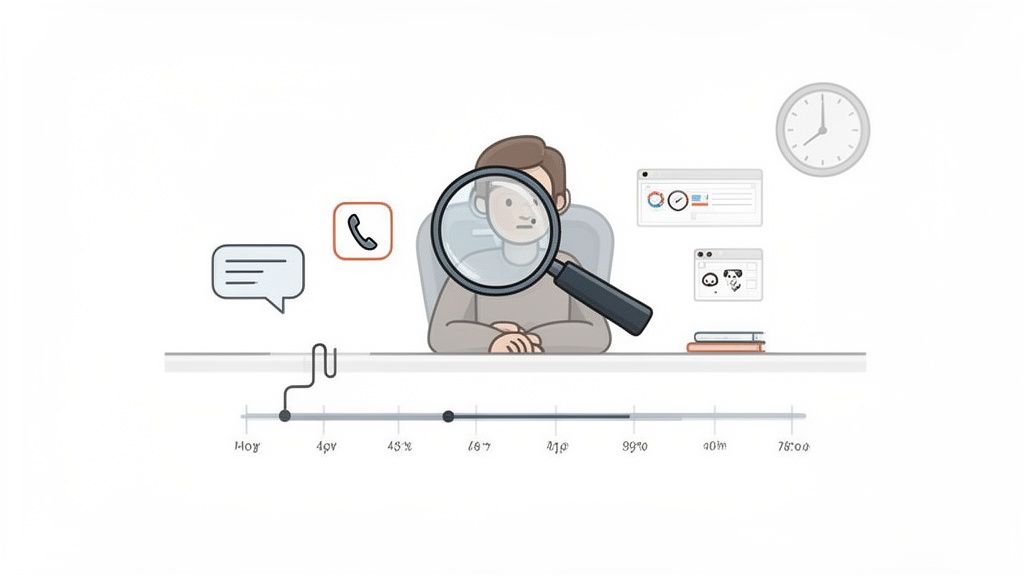
በየቀኑ በሚቸገሩት በጣም ትልቅ የራስ ውጤታማነት ቀደዳ የሚያሳድግ ነገር ስለሚሆን ዓላማ ያስቡ። በአይን የሚታይ ድርጅት ሊሆን ይችላል። ማውስ ከመclado ላይ በሚተል እንደሆነ እያንዳንዱ ጊዜ፣ ለወደቀ ሜניו ለመቅበር ወይም ቁልፍ ለመጫን ለመሄድ ያደርጋል፣ ትንሽ የ ተፅዕኖ መቀየር ያሳልፋል። እያንዳንዱ ጊዜ አደንቃቂ ቢሰማ እንኳን፣ ይቀላቃሉ፣ ሁልጊዜ ያ利用您的 ትኩረት ይቆራኛል እና ከፍተኛ ውጤታማነት ያለውን ሁኔታ ይቀይኛል.
የመነሻ ቦታ ከመclado በቀደም ላይ የሚሆን ሃሳብን መቀበል ልዩነትን ብቻ አይደለም፤ ሥራ ሂደትዎን ቀላል እንዲሰማ መስጠት ላይ ያተናብራል። እጅዎ በቁምፊዎች ላይ በሚቆይ ጊዜ፣ ማውስ ለመድረስ ያለውን የማህበራዊ እና የфизикаዊ ጭንቀት ያስወግዳሉ፣ ማሰስ ማሰራት እንዲችሉ እና እንደ ማሰብ ፈጣን እንዲሆን ያደርጋል። ሙስኩል ማህስም ይሠራሉ የበለጠ ተፈጥሮ እና ምርጡ የሆነ ይሆናል.
ሁሉንም ነገር በአንድ command palette ያከልጡ
መጀመሪያ መንገድ ማንኛውንም ድርጊቶችዎን በአንድ ተጽዕኖ ያለው ትዕዛዝ ምንጭ ማሰራት ነው። የተለያዩ አቋም ማህበራዊ ማሰስ ከመቻል ወይም የተደበቁ ሜኑዎችን ከመቃኘት በተቀረ፣ ሁሉንም ነገር አንድ ተመክሮ የሚሆን መግቢያ ማግኘት ይችላሉ። እንደ እርስዎ እንደሚሆን ነገር ለማድረግ የሚፈለግ የፍንጭ ኃብት በከፍተኛ ሁኔታ ይቀንሳል፣ ይህም የሚያስፈልግዎት በፍጥነት ትኩረት መጠበቅ ነው.
ይህን ለመግለጽ ጥሩ ምሳሌ ነው ShiftShift መ.Extensions. የ Shift ቁልፍ ብቻ ሁለት ጊዜ ይጫኑ፣ ኃይለኛ የትዕዛዝ ፓሌት ይዘርግታል፣ በአስቸኳይ መልኩ በውስጥ ባለው መሳሪያዎች ሙሉ ስብስብ ለማግኘት ይስጥልሃል።
የትዕዛዝ ፓሌት የትዕዛዞች ማከማቻ ማለት ነው። ከፍተኛ የሆነ ስልክ መዝጊያ ቢፈልጉም፣ ከURL QR ኮድ ቢፈልጉም፣ ወይም የሁለት የጽሁፍ ክፍሎችን ቢ.djangments ቢፈልጉም፣ አንድ የቁልፍ መዝጊያ ሁሉንም ተግባራት መጀመር ይችላል።
ይህ ስክሪንሾት የShiftShift ትዕዛዝ ፓሌት በተግባር ሲሆን ያለው ነው። ለብዙ የተለመዱ የተሟላተኞች ተግባራት አንድ ቀላል፣ በፍጹም መፈለግ የሚችል ገጽታ ነው።
እንግዲህ ዋና አስደናቂነቱ የነጠቅ ድምጽ አለው። የ JSON ማቀናበር ወይም ጽሑፍ መለያየት ያሉ ዕድዮች — ማንኛውም ጊዜ አዲስ ታብ መክፈት፣ ይዘት መለጠፍ እና መመለስን ማመስከር ያስፈልጋቸው — እየተሠራቸው ያሉበትን ገጹን በመልቀቅ ሳይሆን በጥቂት የፊደል ቁልፍ ምርጥ ይሆናሉ::
የፊደል ቁልፍ ስሜታዊ ማስታወሻን እንዴት ማ_BUILD እንደሚችሉ
መቀየር ለመጀመር በመጀመሪያ በጣም ብዙ የምታደርጉትን ነገሮች በ_IDEዎ፣ በትርሚናል እና በብራውዘርዎ ውስጥ ለመፈታት በፊደል ቁልፍ የሚሠሩ መንገዶችን ለመፈለግ ግዴታ ይኖራቸዋል፣ ግን የረጅም ጊዜ ተመን ተመጣጣኛ ነው። ምርጥ ቀን አይደለም::
መጀመር ለሚፈልጉ ጥቂት መንገዶች እነሆ::
- _IDEዎን ዋና ስርዓተ-ተግባሮችን ያስተዋዙ:: ሁሉንም በአንድ ጊዜ መማር አይሞክሩም። ለመታየት ከምታደርጉት ውስጥ ሰለዚህ የምታደርጉት ውስጥ 10-15 የሚለውን ይጠናቅቁ ማለት የፋይል መቃኛ፣ ፈለጭ እና የምርምር ልዩነት::
- ማውስ እንደማይጠቅም ለመቀየር እርስዎን ያስፈትሩ:: በቀን አንድ ሰዓት ከማውስዎ እንዳትነካ ራስዎን ያስፈትሩ ድርጅት ሁሉንም ያድርጉ። ከመጀመሪያ ያልተደነጉ የፊደል ቁልፍ አማራጮችን ለማወቅ ከፍተኛ መንገድ ነው::
- ራስዎን ስርዓተ-ተግባሮች ይፃፉ:: በመሰረታዊ ስርዓተ-ተግባር ያልተሰጡ የሚደግፉ ተግባሮችን ያምኑ እና ከራስዎ ይፍጠሩ። ይህ እርስዎ የምትሠሩበትን መንገድ በሚመቻቸው ሁኔታ ማስተካከል ያስችላል እና በጣም ፈጣን ያደርገዋል::
በመclado ከፍድር ሳይቀር በመምረጥ ብቻ ሳይሆን ከጥቂት ሰከንዶች በላይ ነጻ ትሆናላችሁ። ከመሳሪያዎችዎ ጋር ያለዎትን ግንኙነት አ根本적으로 ለማሻሻል ነው፣ ያለ መቋረጥ የሆነ ተፅእኖ ያለው የስራ ሂደት በማቋቋም ፍንዳታዎን በቀጥታ ያሳዳጋችሁ::
ከሳይንት ውስጥ በዕለት ተዕለት የሚከተሉ የድveloper ሥራዎችን ያቀላቅሉ::
እና እንግዶች ተናግረን ፣ ማንኛውም የ开发者 ቀን ትልቁ ክፍል በሳይንት ውስጥ መኖር ነው። እኛ ብቻ ድокументы በዴዘርትነት አይነባብርም፤ በቀጥታ APIዎችን እየተቃወምን፣ ፍራንት-ፍሬንድ ድንግስ ነገሮችን እየቀላልቅን እና ውስብስብ የመተግበሪያ ሁኔታዎችን እየተቆጣጠርን ነው። ከመሠረተ-ማስረከቢያ እና በሳይንት ላይ የተመሰረቱ ሥራዎች መካከል ያለው እዚህ መደንደን ለነገር መቀየር ዋና መድረክ ነው፣ ዋና ዋና የፍንዳታ ገዳይ::
መልሱ ሳይንት ማንቋቋም አይደለም፣ ነገር ግን እርስዎ በእርግጥ የሚፈልጓቸውን መሳሪያዎች ማሰማት ነው። ስርዓቱን የምትሠራበት ቦታ ውስጥ ዋና መሳሪያዎችዎን በቀጥታ ሲያስገቡ ፣ ከተለያዩ መተግበሪያዎች መካከል ያለው ሁልጊዜ እንቅስቃሴ ይቆማል። ይህ የአእምሮ ኃይልዎን ይጠብቃል እና ከፍተኛ አስፈላጊነት ባለው ሁኔታ የሰquence ሁኔታዎን ይጠብቃል::

በዚህ ዘዴ የእርስዎ ባህሪ ብራውዘር ሊጋ试驗 ground ብቻ ሳይሆን የሚሆነውን በለውን ጥቅም ላይ ያላችሁ የመሬት ማሳያ ማድረግ ነው። በተጨማሪም፣ ጥቅሞችን በግዴታ ማስቀመጥ የሚያስችለው ዘዴ በተቀላጠፈ ሁኔታ ሊሠራ ይችላል፣ ከዚህ በፊት በርካታ ደረጃዎች የሚያስፈልጉትን ሥራ በአንድ ጉንጠኝ ተግባር ለመቀየር ይረዳል።
ከመርመራት ወደ ወዲያውኑ ተግባር
ቅንን የሚያስከትል በታማኝ ሰው የኋላ የኋላ ነገር ያስቡ፡ የፅሁፍ ቦታ ድርጅት በመቅረጥ እና ድርቅ በማድረግ የተሰራ የልዩነት ግምገማ ወደ በርካታ አቅራቢያ ማድረግ ችላሉ። ከፊት ዘመን የነበረውን ዘዴ ተጠቀሙ፣ የሚያስፈልግዎን ጥቅም እና ስራ አድርጎ ማድረግ ትችላላችሁ።
አሁን ይህንን ይሆናል ያስቡ፡ ShiftShift Extensions የትእዛዝ ፓሌት እንደ መጠቀም ይችላሉ፣ JSON ን ወዲያውኑ በተገኘበት ቦታ ለማቀናበርና ለማረጋገጥ። ያም ሥራ ከ30 ሰከንድ በወቅቱ የሚዘልቅ በብዙ ትር ሊከፍተን የሚገባን ጉድጓድ ወደ ሁለት ሰከንድ በቦታው የሚፈጠር መልስ ተቀምጧል።
ይህ መርህ በቀን ለምን እንደ እንደ ትንሹ ነገሮች ብዙ ነገሮች ላይ ይተግባራል፡
- የአገልግሎት ምላሾችን ማነጻጸሪያ፡ ሁለት API ምላሾችን በእጅ ለመነጻጸር ሙከራ ይወገዱ። በብራውዘር ውስጥ የሚገኝ የጽሑፍ ማነጻጸሪያ መሳሪያ ለውጦችን፣ መልቀቆችንና ማጥፋቶችን ብቻ አያውቅም፣ ለቀጥታ በገጹ ላይ እያመለከታችሁ እያንዳንዱን ለውጥ ይለያል።
- የተጠቃሚ ሁኔታዎችን ማምከን፡ አንድ የQA ባለሙያ መተግበሪያው ለተለያዩ የተጠቃሚ ሚናዎች እንዴት እንደሚሄድ ማረጋገጥ አለበት። በተደጋጋሚ ለመግባትና ለመውጣት በመሆን አይሆንም፣ አንድ ኩኪ አስተዳዳሪ ዩዘሮችን በፈጣን ማየት፣ ማስተካከልና ማስመጣት ይችላል፣ ይህም የተለያዩ ሁኔታዎችን በሰከንዶች ውስጥ ያንፀባርቃል።
- የSQL ጥያቄዎችን ማረጋገጫ፡ የቀጥታ ዳታቤዝ ላይ ጥያቄ ከመፈጸምዎ በፊት ለአንባቢያ በሰባት የተለያዩ SQL ቋንቋዎች በፍጥነት ማቀናበር ይችላሉ፣ ትክክለኛ ችግር ከመሆን በፊት የሚያዝኑ ችግሮችን እንዲያውቁ ያደርጋል።
ይህን መሳሪያዎች በቀጥታ በብራውዘር ውስጥ በማስቀመጥ ጥቂት ጠቃሚዎችን ብቻ አይቀምጡም። ዋጋ ያለውን ሀብት የሚያስረክብ ችግር ለማስወገድ የስራ ፈጠራዎን ከመሠረቱ እንደ እንደ ይመልከቱ ይሠራሉ።
በመሣሪያዎች ብልጽግና የምርምር ተሞክሮ
የስራ ስርዓት ለመቀየር ይህ መቀየር የAI እና የአውቶሜሽን መገንባት ከሆነ በጣም ጠንካራ ይሆናል። ዘመናዊ ምርምሮች ያሳያሉ የ 85-90% የAI መሣሪያዎችን የሚጠቀሙ ገንቢዎች ቢያንስ በሳምንት አንድ ሰዓት ይቆጥባሉ፣ ከአምስት አንድ በጣም ያለው ገንቢ ግን ሙሉ የስራ ቀን ያወጣል። ገንቢዎች ከጥንድ መለኪያዎች በላይ ትክክለኛ ተጽዕኖን ይValueCollection ይሄ የባህርይ ሁኔታውን ይከተላል—ይህ ስሜት በ 66% ገንቢዎች የባህርይ መለኪያዎች የተ-contributions ሙሉ አቅም እንደማያሳዩ ያምናሉ።
ዕቅድ የተቀናበረ የአሳሽ መሣሪያዎች እንደ ShiftShift's SQL እና JSON formatters በመሆን በፍጹም ከዚህ አዲስ እውነት ጋር ይስማማሉ። ይህ ለመርድ የሚቻል እንደደረጃ መቀየርን እና ማረጋገጫን አውቶሜት ያደርጋቸዋል፣ ከፍተኛ ደረጃ ችግሮችን ለመፍታት ላይ ትኩረት ይስጠህ ያደርጋል። ብልጽግና መሣሪያዎችን ለማዋቀር ተጨማሪ መንገዶችን ለመርመራ የ ዛሬ ገበያ ላይ ያሉ ቆንጆ 开发者生产力工具 ላይ መመሪያችን ተመልከት። የ开发者生态系统 ምርምር ሙሉ በሙሉ ለማንበብ እና የAI መሣሪያ መተግበሪያ ላይ ይህንን jetbrains.com ላይ ስለ ዚህ ምርምር ተጨማሪ ግንዛቤዎችን ያግኙ .
4. የስራ ግዴታን አውቶሜት አድርግ ትኩረትህን ለመጠበቅ
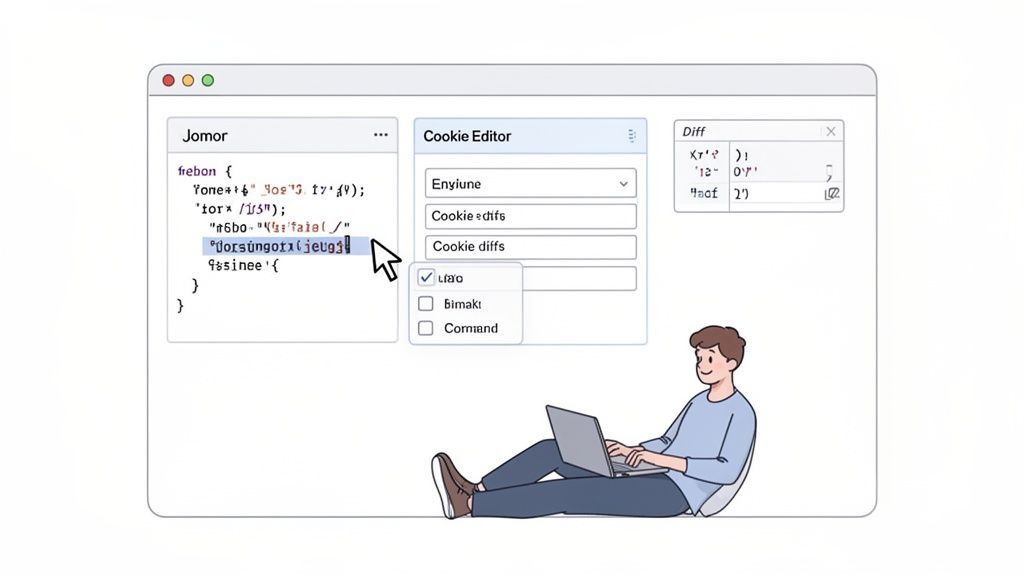
ትክክለኛው ስኬት በፍጥነት ኮድ በመተየት ላይ አይደለም፤ ቀን ሁሉ ንጥረ ነገሮችን ሳይሆን አናጭ ጥያቄዎችን በብዛት በሚያሰሯቸው ስራዎች ላይ በትኩረት መሆን ነው። አውቶሜሽን ለትልልቅ CI/CD ፓይፕላይንሶች ብቻ አይደለም፤ ትልልቅ አሸናፊነቶች ብዙ ጊዜ ከትልልቅ ስራዎች አይደለም፣ ከመደበኛ ስክሪፕቶች እና መሣሪያዎች የሚመጡ ናቸው።
JSON ፓይሎችን በእጅ መቀኘት፣ CSV ፋይልን መቀየር ወይም ያልተቀኘ ጥያቄ SQL እንዲታይ ማድረግ እንደዚህ ዓይነት ስራዎች ለመስራት ያለንን ሳይሆን ማንቂያን ብቻ ይጨርቃሉ። እነዚህ ትንሽ ስራዎች ቀን ሁሉ በዝግጅታችን ያለንን ማስታወሻ ተነሳሽነት ይነካሉ።
ይህ በትክክል ድንቅ እና ተቀላቅሎ የተሰሩ መሣሪያዎች የሚገኙበት ቦታ ነው። ወደ ሌላ የመስመር ላይ መሣሪያ መቀየር እና በኋላ መመለስ በ מקצוע መሆን በማይችል ስለሆነ፣ እነዚህን ሂደቶች በተቋም ላይ ያሉ ስክሪፕቶች በቀላሉ መቀየር ይችላሉ።
የሰው ሊንተር መሆን ይቅሩ
የእርስዎ ዓላማ ማንኛውንም አ碌碌 ነገር፣ ትክክለኛ የሆነ ሥራ ለመሳሪያዎችዎ ማስተላለፍ ሊሆን አለበት። ይህ ከእናንተ የሚደረግ ችግሮችን ለመፍታት የሚያስፈልግ የፅንሰት ዜና ሥራ ለማድረግ እና ፕሮጀክትን ወደ ፊት ለማንሳት በእርግጥ የሚያሳይ ሥራ ይሰጥዎታል። በቀን ለሚሰጥዎ ውጤት ላይ በጣም ትልቅ የሆነ የዕብት ተፅዕኖ አለው።
ቀላል አውቶሜሽን የበለጠ ጥቅም የሚያሳይ የተለመዱ ሁኔታዎች እነሆ፦
- ዳታ ማስተካከያ፦ የተቀነበበ የAPI መልስ ለመመልከት በሚቃወሙ ቁርአት የሚያዩበት በ במקום፣ በአንድ ጠቅላላ ማስተካከያ ወዲያውኑ የተረጋገጠ እና ተነሳሽ ሊሆን ይችላል።
- ፋይሎችን መቀየር: ረጅም ዕቅድ ተንተናፊ አንድ CSV በልካል ልከውልሃል። ስፕሬድሾት ፕሮግራም ከመክፈት ይልቅ፣ በብራውዘር የሚሰራ ተቀያያሪ ጥቂት ሰከንዶች ውስጥ በ XLSX ፋይል ይቀይራል።
- ጥያቄዎችን ማዘጋጀት: ለኮድ ማጣቀሻ አንድ SQL ጥያቄ ማ sẻ ክፈልጋለሁ? አብነት ያለው ፎርማተር በእርግጥ በመሠረተ ልማት ሲሆን፣ ለሁሉም ሰው የማጣቀሻ ሂደትን ፈጣን ያደርገዋል። ነጻ ችሎታ ያለው በመስኮት የሚሰራ በመስኮት ውስጥ የሚገኝ SQL ፎርማተርን እንዴት መጠቀም እንደሚችል የሚያሳይ መመሪያችን ያስቡት እንዴት በጣም ጊዜ እንደሚያመጣ ያሳያል።
በመሰረተ መሣሪያዎችን እንደ ShiftShift Extensions በመጠቀም እነዚህን ተግባራት በማስቀመጥ ያስፈለግዎትን ውድ ማተኮር ጊዜ ታገኛላችሁ። የትዕዛዝ ፓሌት #JSON Formatter, SQL Formatter, እና CSV to XLSX Converter እነዚህን አይነት የባዶ ሥራዎች ለማስቀረት በተለይ ተፈጥረዋል።
ከሁሉም በጣም እርስዎ የሚተረጉ ሀብት የእርስዎ ትኩረት ነው። ያስከብሩት። ማንነትዎን የሚያፈርስ እያንዳንዱን የሚያ повтор ተግባር አቻተው ያውርዱ። ይህ የቀዝቃዛ ሥራ ሁኔታ ረጅም ጊዜ እንድትቆይ ይረዳል፣ እርስዎም ውጤታማ የሆነ አስደናቂነት ይህ ይሠራል።
ዘመናዊ ማስተካከያ አዲስ መደበኛነት ነው
ይህ የማስተካከያ ጫፍ በገበኛው መሣሪያ ውስጥ የAI መተነፍስ ተጨምሯል። ትምህርት ለተሰጡ ተጻፀሪዎች AI የኮድ ረዳቶችን በሚጠቀሙበት ጊዜ እስከ 55% ፈጥነው መፃፍ ይችላሉ። ይህ በፍጥነት ብቻ ሳይሆን ነው፤ የPR ፍጥነት 26% መጠን ሊያስድ ይችላል፣ በመቀላቀያ መጠን ደግሞ 15%.
AI በመነሻ ዘዴዎችን ማቀናበር፣ ማሻሻያዎችን ማቅረብ እና ስንት አይነት ስህተቶች ከመเกငግታቸው በፊት ማወቃት ግልጽ ችሎታ አለው። ይህም ለማይክሮ-ኦቶሜሽን ያሉትን ጥቅሞች በፍጹም ያንጸባርቃል። እንደ ShiftShift's JSON እና SQL መቀሪያዎች ያሉ በبراው🇿ርዝር የተመሰረቱ መሳሪያዎች ተመሳሳይ የአቅም ደረጃን በቀጥታ ወደ ብራውзерዎ ይዘው አቅርበዋል፣ ንዑስ ክፍሎችን ወዲያውኑ ያረጋግጣሉ እንዲሁም MySQL እና PostgreSQL እንደሚመስሉ የተለያዩ ዲያሌክቶችን ይደግፋሉ። ስለ AI's ስለ ወደvelopers ስርዓት ተጽዕኖ .
ይህ መንገድ ሌላ ወሳኝ አዝናኝንም ያገናኛል: ሁሉንም ሂደት በአካባቢ የሚሠራ ግላዊነት መጀመሪያ መሳሪያዎችን መጠቀም። ሙሉ በሙሉ በብራውзерዎ ውስጥ የሚሠሩ ቅርጽ በማህደሮችን በመምረጥ፣ ለሦስተኛ ወገን አገልግሎት ሰርቨር ግላዊ ኮድ ወይም የኩምፓኒ መረጃ በልክ አልሄድም ማለት ነው። ይህ ሁለት ዓለም ተሻሻሏል ፡ ፍጥነት እና ደህንነት.
እርስዎ የሚችሉትን ይ measure ያድርጉ—ወይም የኮድ መስመሮችን ብቻ
የአገንቢ ስኬትን በወርቅ ቁጥር መተንፈስ ይሞክር፣ ማለትም ማብሰያ ችሎታውን በተጠቀሙት ከፍተኛ ቁጥር በመነጋገር ይለኛል። ይህ ሙሉ በሙሉ ጊዜ ያለፈ መለያ ነው፣ ዋናውን ነጥብ ያጣል። እውነተኛ ስኬት በቃ የኮድ መፍጠር ሳይሆን፣ በችላ የሚሆን፣ የሚታመን ሶፍትዌር መሸጥ ማለት ነው።
በጣም ጥሩ መንገድ ሙሉውን የስርዓት ዕድሜ ዕርምታ መመልከት ነው። DORA (DevOps Research and Assessment) እና SPACE ያሉ መሠረተ ልማቶች ትኩረቱን በእርግጥ አስፈላጊ የሆኑት፣ እንደ ለለውግነት የመቀየር ጊዜ - አዲስ ቅርጽ በኩራፍ ሲሄድ ወደ ማምሪያ የሚሄድ ትክክለኛው ጊዜ - ላይ ያሟልቃሉ። የአገንቢ ታማኝነት ሌላ ትልቅ ክፍል ነው፣ ምክንያቱም ደስተኛ፣ ተሳትፎ ያላቸው አገንቢዎች ምርጥ ሶፍትዌር ይሠራሉ።
በመጨረሻም፣ ቀድሞ ብቻ ማለት ስኬት ያለው ስለሆነም፣ እርስዎ የሚሻሉትን ነገሮች በእውነት ማሻሻል ይጀምሩ: የኮድ ደረጃ ፍጥነት እና የስርዓት ረኽስ ጽናት።
ማнструቻችን ከእውነተኛ መጠኖች ጋር ማገናኘት
በየቀኑ ላይ የምትጠቀምበት ማнструች እነዚህ ዘመናዊ መጠኖች ላይ በቀጥታ፣ በሚ측ነው መልኩ ጉዳት አለው። አንድን የ ሥራ ሁኔታ መቀየር (context switch) የሚያስቀጥር ማнструች ለጥቂት ሰከንዶች ብቻ ሳይሆን ምንም ያለውን ይከላከላል። የፍለጋ ሁኔታዎን (flow state) ይጠብቃል፣ ይህም በSPACE framework ውስጥ ያለው "Satisfaction" ገጽታ አስፈላጊ ክፍል ነው። በ zone ውስጥ መሆን የፍራፍሬ ደረጃ ያለውን ሥራ እና በጣም መሸን የሚያከምን ይሠራል.
በዚህ መንገድ ዞር በዚህ ስለ: የምን ያስቻል ማнструች ለፍትሐት ምርመራ በፍጥነት የሚያገለግል በቀጥታ የምትቀንስ ነው ለ ለውጦች ማብረቅ ጊዜ.
- በፍጥነት የሚደረግ ምርመራ: በ ብራውዝር ላይ የሚሠራው የ ቂርቢ ማስተዳደሪያ በ ቀለል የセሽን መረጃን የሚቀይን ከ እያንዳንዱ የ ምርመራ ዑደት ሰዓታትን ይቀንሳል.
- ያነሰ እንደገና ማድረግ: በ ብራውዝር ውስጥ የሚሠራው የ ጽሑፍ ማነጻጸሪያ ማнструች ሁለት የ API ምላሾችን ለ ቀditor ቅድመ ጊዜ በ ማንበብ ማሳየት ችላል ስህተት ያለውን ኮድ ከ መፈጠር ይከላከላል.
- ተሻለ የ ፍለጋ ሁኔታ: የ ተወሰነ የ ት명 ማብረኪያ በ ሥራ ላይ ያለ ትኩረት ያስፈልግ ይሆናል፣ በ ብዙ መተግበሪያዎች እና መስኮቶችን ለማቀላቀል ያለውን የ አእምሮ ጉልበት ይቀንሳል.
እነዚህ አነስተኛ ዓ腊ስ በ እርግጥ ተጨምረዋል፣ ፈጣን፣ በጣም ታማኝ የ ማድረቅ ቴክኒክ ይፈጥራሉ.
" Feeling " የምታይ ስሜት ማጭበርበር
አዳዲስ መሣሪያዎች እጅግ በጣም ምቹ ሊሆኑ ይችላሉ፣ ግን ውጤታቸውን በእውነቱ ለመ đo�lements አስፈላጊ ነው፣ ምን አይነት ስሜት ያቀርቡልህ ብቻ ሳይሆን። ድንቅ እውነት ነው፣ ግን የቅርብ ጊዜ ምርምር እንደvelopers ሚሰማቸው እና ውሮ የሚያሳይው መካከል ትልቅ ልዩነት እንዳለ ማሳያ ነው፣ በተለይ አንዳንድ AI መሣሪያዎች ጋር።
የ2025 ሰንጠረዥ ያልተቆጣጠረ ሙከራ አብረው የሠሩ ተሞክሮ ያላቸው የ睁开 source መ开发ers 19% ቆይተው በ2025 በመጀመሪያ ወራት የነበሩ አንዳንድ AI መሣሪያዎችን በመጠቀም ተግባራቸውን ለማጠናቅቅ ወስደዋል። በቀስታ ቢሆኑም፣ ተመሳሳይ developers ይህን ተማርቀው 20% ፍጥነት ጭፍን እንደተቀበሉ
አምነዋል።
ምን ነበር? AI ብዙ ጊዜ ትክክለኛ የሚያስመስል ግን ችግር ያለው ኮድ ይሠራ ዘንድ ችግር ያለው "ከፍተኛ ስራ ኮስት" ያመጣ ነበር። ይህ ጥናት በግልጽ እንደሚያሳይ 66% የdevelopers የአሁን ምር保護政策 መጠን እውነታዊ አስተዋይነታቸውን ሙሉ በሙሉ ያጣፉ ስለሆነ አይሰማቸውም ብሎ ማቅረብ ይችላል። ከዝርዝሩ ጋር ከተገረምክ፣ ስለ developer ምር保護政策 ሙሉ የMETR ጥናትን ያንብቡ .
በቃ እነዚህ የተከተሉት ቀላል፣ ታማኝ መሳሪያዎች እንደ ShiftShift's Cookie Manager ወይም MD5 Generator ያህሉ ሥራውን ያሳዩዋቸዋል። ራስን የሚፈርሱ ችግርን ወዲያውኑ ይፈτርናል፣ በሌላ የሥራ መስኮት ላለ ሽፋን እንዲሆን አይደርግም። የመልስ የማይሰጥ ኮድ እንዲሰራ አይከለም። ይህ ለጤንነት ያለው፣ ለብቃት ያለው እና በእውነት ሊሰፈን የሚችል የሥራ ፍሰት በቀጥታ አስተዋይነት ነው።
ተደጋጋሚ ጥያቄዎች
ሥራ ፍሰታችንን ለማጠን ለሚፈልጉ ሐበረተ ሰባት ከእኔ ሲጠይቁኝ ብዙ የሚሰሙኝ ጥያቄዎች አንዳንዶች ላይ እንትስተር እንመልከት።
ለእንግዳ ምርታማነቴ አንድ ብቻ ታላቅ ነገር ምንድን ነው?
አንድ ብቻ ነገር መምረጥ ብቻ ከተቻለ፣ የሥራ መስኮት ሽፋንን ለፉ አድርጎ መቀነስ ነው። እርስዋ በእውነት የምርታማነት ጋለመ አቋም ናት።
ከኮድ ወደ ሌላ መተግበሪያ—ለምሳሌ የREST ተጫዋች፣ የ онлይን መተካኪያ ወይም ሌላ የብራውዘር ታብ ቢሆንም—መለያየት ሲኖርህ ትኩረትህን ትቆራርጣለህ። አንዳንድ አይተህ ይቆይልህ ይሄኛል ግን ይከማቻል። በትክክል ለዚህ ነው በኮድ ቴክስቱ ወይም እንደ ShiftShift ያሉ ብራውዘር ስዊቶች የሚሆኑት የተቀናቃኑ መሳሪያዎች የዚህ ዓይነት ኃይለኛ የሚሆኑት። መሳሪያዎችን በትክክል በምትሠራበት ቦታ ማስቀመጥ እነዚህን ትንንሽ መቀረጫዎች ፍሰትህን እንዲያቅፉ ይከላከላል።
በአዲስ መሣሪያዎችን ለቡድን በምን ማስተካከል ይቻላል፣ እርስዎ እንደ እነርሱ ሰው ባይሆንም?
ምንም ሰው ከላይ በመጠቀም ማድረግን አይወድም። በተሻለ መንገድ የምትሠራው ተሞክሮ በመቀደም እና ሁሉም ሰው የሚያይ ችግር በመፍታት ነው።
አዲስ መሣሪያ ለማሳወቅ ስብሰባ የምትጠራ በመሆን በፍፁም አትሆንም። በኮድ አጋራ ወቅት በሳይት የሚሰራ የተለየነት መሳሪያ በፍጥነት ያሳዩትን ማነጻጸር ይሯቸዋል። በስላክ ግንኙነት ውስጥ የAPI መልስ ግብጽ የሚመስል ሲሆን፣ በሳይት የሚሰራ JSON ማስተካከያ በቃ ለሁሉም ሰው ማጽደቅ ይችላሉ። ቡድን አባላት በነፃ ቁርጣ ሳይቆጥሩ የሚያስተጋግዱትን ችግር በምትፈቱ ሲያዩ፣ እንዴት እንደሠራው ማወቅ ይፈልጋሉ።
በቀላል መንገድ የምትሠራውን ማሳየት ማስተካከያ በጣም ቀላል ነው። ወዲያውኑ የሚያስፈልግና በጋራ የሚፈצር ችግር የሚፈታ በትምህርት ቀላል መሣሪያ ይፈልጉ። ድርጅታዊ ለውጥ ከግድ በሚታደርገው ለውጥ ሁልጊዜ ያሸንፋል።
በእውነተኛ የפיתוח ሥራ ላይ በሳይት የሚሰሩ ቅጥያዎች በ┱ህክም ላይ ደህንነታቸው የተጠበቀ ናቸውን?
ይህ በጣም ጥሩ ጥያቄ ነው፣ እና በጠንቀခት መሆንዎ ትክክለኛ ነው። መልሱ አንድ ወሳኝ ዝርዝር ላይ የሚመጣ ነው: ሂደቱ የት እንደሚሆን። ብዙ ቅጥያዎች ውሂብዎን ወደ ሩቅ ሰርቨር ያስተላልፋሉ፣ ለ_sensitive ወይም proprietary ኮድ ይህ አይደለም።
ምስኩ የሚሆነው ሁሉንም ነገር በቃኘው ቦታ በመስራት 能做到
ቅርጾችን መሰረዝ፣ መቀየር እና ማነጻጸር ሁሉ በሳይትን ውስጥ ይሠራል። ዳታህ ከኮምፒዩተርህ አይወጣም፣ ስለዚህ ሁሉንም ምቾት ያለ የ الأمنስብስብ ያስፈልጋል። ለማንኛውም የሙያ ሥራ ወግ
ልዩ ለመቀየር እና ትኩረትህን እንደገና ለማግኘት ዝግጁ ነህ? ShiftShift Extensions ሙሉ የማ发育开发者 መሳሪያዎችን በሳይትን ውስጥ ያስቀምጣል፣ ሁሉም በአንድ ትዕዛዝ ፓሌት የሚተዳደር ነው። ለመፈተшение ዛሬውኑ ሞክር .