Top 10 Best Practices for Password Security in 2026
Discover the 10 best practices for password security in 2026. Learn how to create strong passwords, use MFA, and protect your accounts from modern threats.
Recommended Extensions

Password Generator
Generate strong random passwords locally in Chrome with custom length, symbols, numbers, copy, and instant strength feedback.
Privacy & SecurityMD5 Hash Generator
Convert text to an MD5 hash instantly, switch uppercase or lowercase output, and copy the result in one click.
Privacy & SecurityIn an era where our digital footprint encompasses everything from financial data to personal communications, the password remains the first line of defense. Yet, common habits like reusing credentials across multiple sites and relying on easily guessable phrases create significant vulnerabilities. Standard advice often feels outdated and fails to address the sophisticated, automated threats that define modern cybersecurity. This guide is designed to move beyond generic tips, offering a comprehensive roundup of actionable best practices for password security that are relevant today.
We will delve into the critical strategies for locking down your digital life. This includes not only the mechanics of creating truly strong, unique passwords but also the essential practices of managing them effectively. You will learn how to properly implement Multi-Factor Authentication (MFA), leverage the power of password managers, and recognize and evade prevalent threats like phishing and credential stuffing. Furthermore, we'll explore how to proactively monitor your accounts for signs of compromise and establish secure recovery methods.
Throughout this listicle, we will provide practical examples and specific implementation details. We'll also highlight how innovative browser tools, such as the suite of ShiftShift Extensions, can simplify and automate these security measures. By integrating tools like a secure Password Generator and local-only processing, you can transform robust security from a complex chore into a seamless and intuitive part of your daily digital routine. This guide equips you with the knowledge and workflows needed to build a resilient security posture, protecting your sensitive information from unauthorized access.
1. Use Strong, Unique Passwords for Each Account
Creating a distinct, complex password for every online account is the most foundational of all best practices for password security. A strong password acts as the first line of defense, combining uppercase letters, lowercase letters, numbers, and special characters into a random sequence. This complexity makes it exponentially more difficult for attackers to guess or crack using automated methods like brute-force and dictionary attacks.
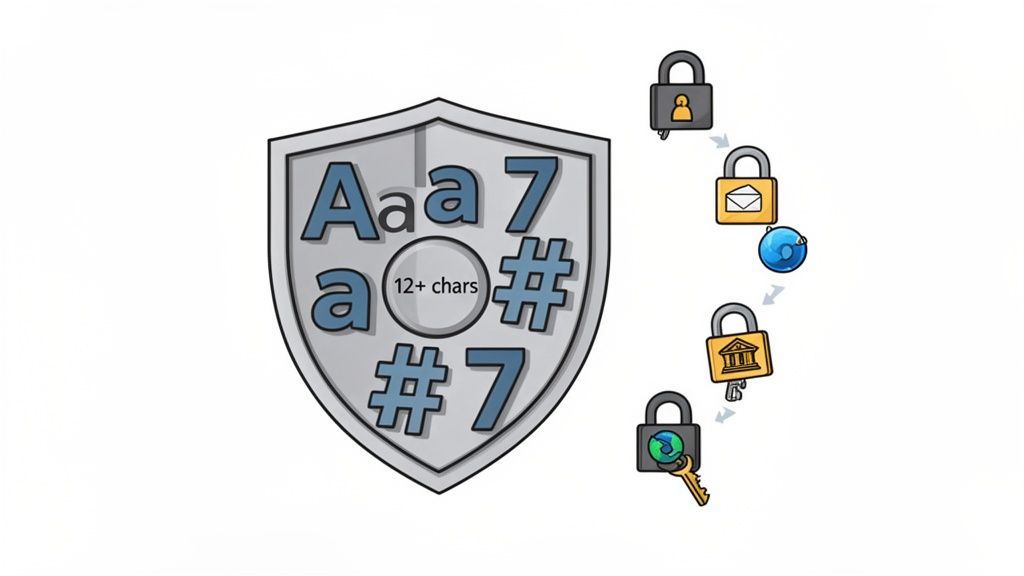
The "unique" aspect is just as crucial. Using the same password across multiple services creates a massive vulnerability. If one service is breached, attackers can use the leaked credentials to access all your other accounts in what's known as a credential stuffing attack. Microsoft's research underscores this risk, reporting that 99.9% of compromised accounts they track stem from weak or reused passwords.
How to Implement This Practice
The goal is to create passwords that are both hard for machines to guess and, ideally, manageable for you (though a password manager is recommended).
- Increase Length Over Complexity: While complexity matters, length is a more significant factor in password strength. A longer password, even a simple one, takes much longer to crack than a short, complex one. Aim for a minimum of 12-16 characters for important accounts.
- Use Passphrases: Instead of random characters, create a memorable phrase and modify it. For example, "Coffee makes my morning great!" can become
C0ffeeM@kesMyM0rn1ngGr8!. This is easier to remember but still highly secure. - Leverage a Password Generator: The most secure method is to use a tool that creates cryptographically secure random passwords. This removes human bias and ensures maximum entropy. For a reliable and convenient option, you can learn more about generating strong, random passwords with ShiftShift's tool.
For users of ShiftShift Extensions, which can access sensitive browser data, adhering to this principle is non-negotiable. It protects not just your individual accounts but the central hub of your digital activity from unauthorized access.
2. Implement Multi-Factor Authentication (MFA)
Beyond just strong passwords, implementing Multi-Factor Authentication (MFA) adds a critical second layer of defense. MFA requires you to provide two or more verification factors to gain access to a resource, such as something you know (your password), something you have (your phone or a security key), and something you are (a fingerprint). This layered approach means that even if an attacker steals your password, they still cannot access your account without the additional factor.
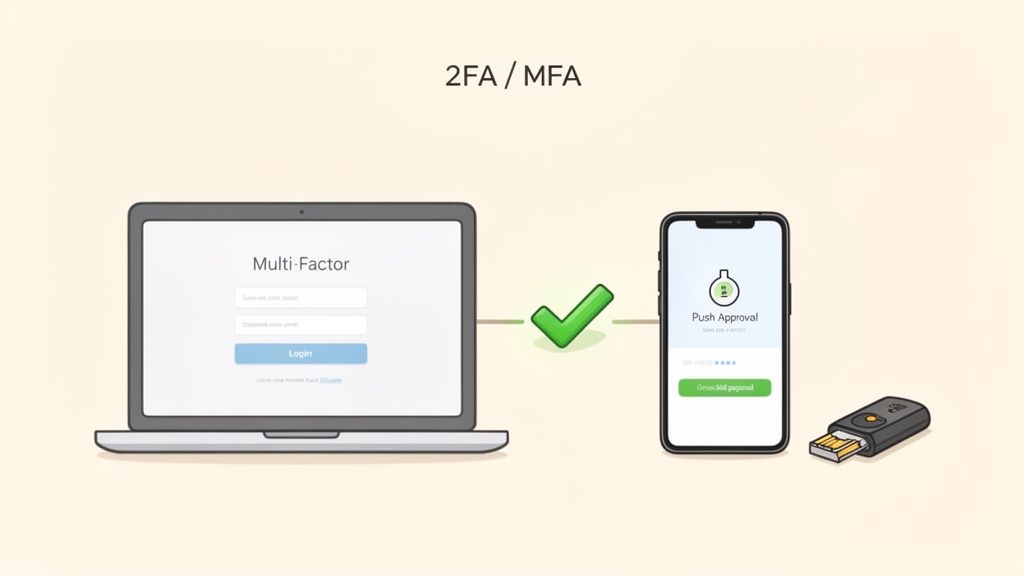
The effectiveness of MFA is well-documented. Microsoft's data shows that it blocks over 99.9% of account compromise attacks, and Google reported zero successful account takeovers from phishing against users with security keys. This security practice is no longer optional; it's the industry standard for protecting any sensitive account, from banking and email to cloud services and developer platforms like GitHub.
How to Implement This Practice
Proper implementation maximizes the security benefits of MFA while minimizing friction. The key is choosing the right methods and managing them securely.
- Prioritize Stronger Factors: While any MFA is better than none, not all methods are equal. Hardware security keys (e.g., YubiKey, Titan) offer the highest level of protection against phishing. Authenticator apps like Authy or Google Authenticator are a significant step up from SMS, which is vulnerable to SIM-swapping attacks.
- Enable on Email First: Your primary email account is often the key to resetting passwords for all your other services. Securing it first is a crucial step. For a deeper dive into this, consider consulting a guide to Multi-Factor Authentication for email security.
- Securely Store Backup Codes: When you set up MFA, you will receive backup codes to use if you lose your primary device. Store these codes in a secure, encrypted location like a password manager, but separate from the account password itself.
For ShiftShift Extensions users, enabling MFA on your core accounts (like your Google or Microsoft account tied to the browser) is essential. It provides a robust safeguard, ensuring that the central hub controlling your browser extensions and their data remains exclusively yours.
3. Use a Reputable Password Manager
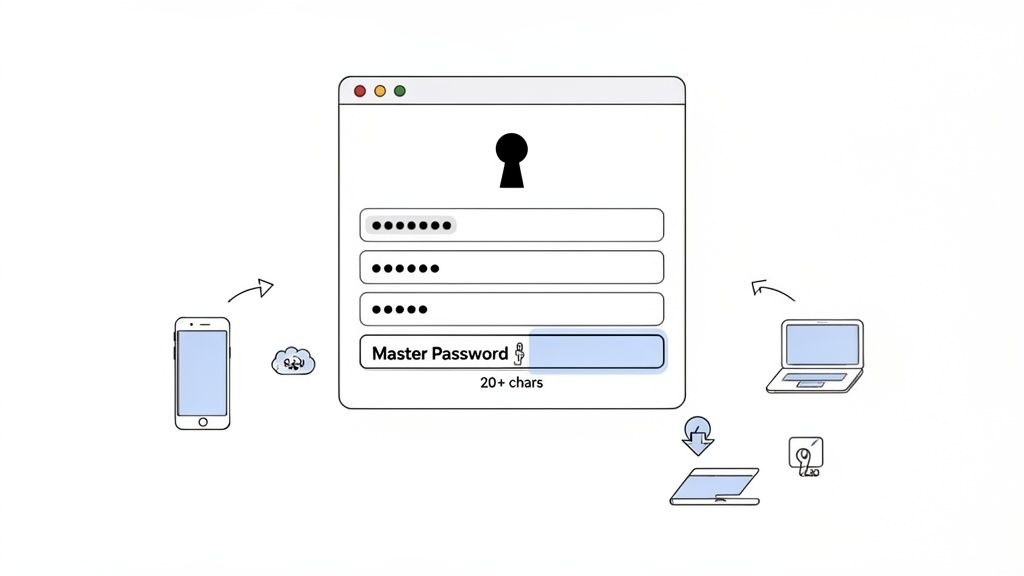
Using strong, unique passwords for every account is a core tenet of password security, but human memory can't keep up. A password manager solves this problem by securely generating, storing, and autofilling credentials. These tools act as an encrypted digital vault, requiring you to remember only one strong master password to access all your others, effectively resolving the conflict between security and convenience.
This approach is essential infrastructure for modern digital life, especially for developers and tech professionals who manage dozens or even hundreds of accounts across different services and environments. Instead of relying on insecure methods like spreadsheets or browser-based storage, a dedicated password manager uses robust, zero-knowledge encryption to protect your data. This means even the provider cannot access your stored credentials.
How to Implement This Practice
Choosing and correctly configuring a password manager is critical for establishing a secure digital foundation.
- Select a Trusted Provider: Look for managers with a strong reputation and transparent security practices. Options range from open-source choices like Bitwarden, enterprise-grade solutions like 1Password, to local, offline alternatives like KeePass.
- Create an Unbreakable Master Password: This is the single most important password you have. Make it a long passphrase of 20+ characters that is unique and has never been used anywhere else.
- Enable Multi-Factor Authentication (MFA): Secure your vault by requiring a second verification step, such as an authenticator app or a physical security key, before granting access. This adds a critical layer of protection.
- Use the Built-in Generator: Let the password manager create cryptographically random passwords for all new accounts. This removes human bias and ensures maximum strength, a feature built directly into tools like ShiftShift's Password Generator.
Once you've chosen a password manager, familiarize yourself with essential password manager best practices to maximize its security benefits. Regularly audit your vault for weak, reused, or old passwords and update them promptly.
4. Enable Two-Step Verification on Email Accounts
Your email account is the master key to your digital life. It's the central hub for password reset links, security notifications, and sensitive communications. Securing it with more than just a password is one of the highest-impact best practices for password security you can adopt. Enabling two-step verification (2SV), also known as two-factor authentication (2FA), adds a crucial second layer of defense, ensuring that even if your password is stolen, your account remains inaccessible.
This method requires a second piece of information besides your password to grant access. This could be a code from an authenticator app, a physical security key, or a prompt sent to your trusted device. For high-value targets like your primary Gmail or Microsoft account, which can be used to reset passwords for nearly all your other services, implementing 2SV effectively neutralizes the threat of a simple password leak.
How to Implement This Practice
Setting up 2SV is a straightforward process that dramatically enhances security. The goal is to make it impossible for an attacker to log in without physical access to one of your devices.
- Prioritize Authenticator Apps Over SMS: While SMS-based 2SV is better than nothing, it's vulnerable to SIM-swapping attacks. Use a time-based one-time password (TOTP) app like Google Authenticator or Authy for a more secure verification method. Major providers like Google and Microsoft strongly support this.
- Register Backup Methods: Always set up more than one verification method. Register a backup phone number and generate a set of one-time recovery codes. Store these codes in a secure, encrypted location separate from your password manager, such as an encrypted file or a physical safe.
- Test Your Recovery Process: Before you desperately need it, test your 2SV and recovery methods. Ensure your backup phone number works and you know where your recovery codes are. Update this information annually or whenever you change devices to prevent being locked out of your own account.
5. Regularly Update and Patch Software
Effective password security extends beyond the password itself; it relies on the integrity of the software that handles your credentials. Regularly updating and patching your software is a critical, yet often overlooked, best practice for password security. Vulnerabilities in operating systems, browsers, and applications can be exploited by attackers to steal stored credentials, log keystrokes, or bypass authentication measures entirely.
Software updates frequently contain crucial security patches that close these known loopholes before they can be widely exploited. The infamous Log4Shell vulnerability in 2021, for example, affected millions of applications and allowed attackers to execute code remotely, highlighting how a single unpatched flaw can have catastrophic consequences. Keeping your software current ensures you are protected against the latest discovered threats.
How to Implement This Practice
Integrating software updates into your routine is a simple yet powerful security habit. The goal is to minimize the window of opportunity for attackers to exploit known vulnerabilities.
- Enable Automatic Updates: This is the most effective way to stay protected. Configure your operating systems (like Windows and macOS) and primary applications to install updates automatically. Modern browsers like Chrome and Firefox are designed to update silently in the background, a key feature for maintaining security.
- Regularly Check Browser Extensions: Extensions operate within your browser's security context and can have significant privileges. Manually check for updates to your extensions weekly by visiting your browser's extensions management page (e.g.,
chrome://extensions). This ensures that any discovered vulnerabilities are patched promptly. - Prioritize Operating System Patches: Your OS is the foundation of your device's security. Pay immediate attention to security patch notifications from your OS provider and install them as soon as possible. These updates often address system-level threats that could compromise all applications on your device.
For users of ShiftShift Extensions, maintaining an updated browser is paramount. Since the extension functions within Chrome's environment, its security is directly tied to the browser's integrity. A patched browser ensures the secure sandbox in which ShiftShift operates remains uncompromised, protecting your in-browser activities and data.
6. Avoid Phishing and Social Engineering Attacks
Phishing attacks and social engineering are insidious threats that bypass technical defenses by targeting the human element. Instead of trying to crack a strong password, attackers manipulate you into giving it to them willingly. These schemes often use urgent or enticing language to create a sense of panic or opportunity, tricking you into clicking malicious links or divulging sensitive credentials. Even the most robust password and multi-factor authentication can be rendered useless by a convincing phishing scam.
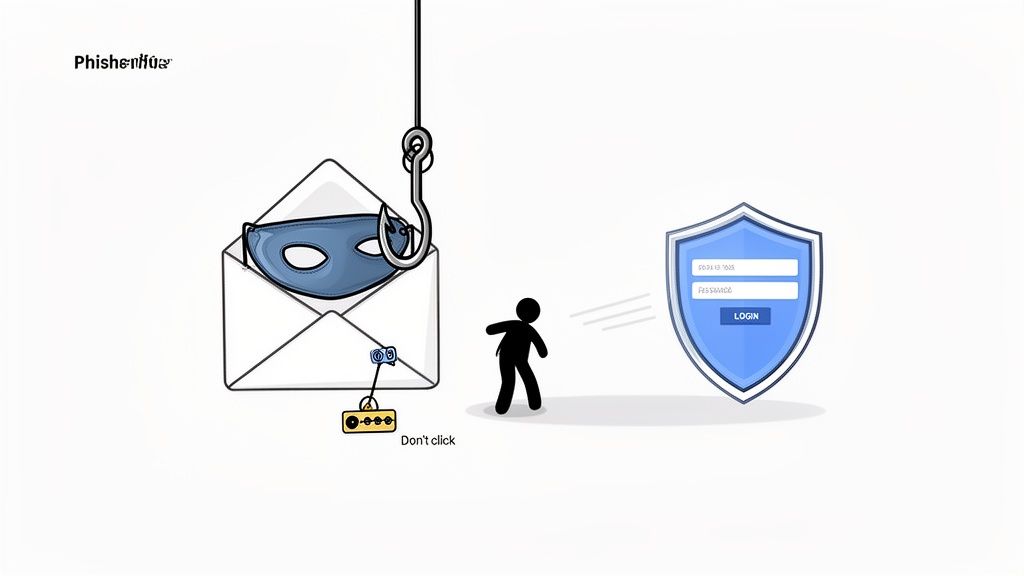
The prevalence of this tactic is staggering. Research from IBM reveals that human error is a factor in the vast majority of data breaches, highlighting how effective these psychological manipulations are. Successful spear-phishing campaigns against major tech companies and "CEO fraud" scams costing billions annually prove that no one is immune. Therefore, cultivating a healthy skepticism is one of the most critical best practices for password security.
How to Implement This Practice
The key to defending against these attacks is awareness and a consistent, cautious approach to unsolicited communication. Building a habit of verification can neutralize the threat before it escalates.
- Scrutinize Senders and Links: Always verify the sender's full email address, not just the display name. Before clicking any link, hover your mouse over it to preview the actual destination URL to ensure it matches the legitimate domain.
- Navigate Directly to Websites: Instead of clicking a link in an email that asks you to log in, open your browser and type the website's address manually. This completely avoids the risk of being sent to a spoofed login page.
- Be Wary of Urgency: Attackers create a sense of urgency to make you act without thinking. Be immediately suspicious of any message demanding immediate action, threatening account closure, or offering a too-good-to-be-true reward.
- Verify Through a Separate Channel: If you receive a suspicious request from a colleague or service, contact them through a known, separate communication method (like a phone call or a new message) to confirm its legitimacy.
- Use Browser Security Features: Modern browsers provide clear security indicators, such as the padlock icon for HTTPS. You can also enhance your security by using encrypted DNS, and you can learn more about how DNS over HTTPS strengthens your privacy and protects against certain attacks.
7. Monitor Accounts for Breach Notification and Suspicious Activity
Even the strongest password can be compromised if the service holding it suffers a data breach. Proactive monitoring is a critical layer of defense, allowing you to react quickly when your credentials are exposed. This practice involves regularly checking for your accounts in known breaches and keeping an eye on your account activity for any signs of unauthorized access.
This vigilance transforms your security posture from passive to active. Instead of waiting for a notification that your account has been misused, you can identify the initial exposure and take immediate action, such as changing your password, before any significant damage occurs. It's a key component of a comprehensive strategy for password security.
How to Implement This Practice
Effective monitoring combines automated tools with manual checks on your most critical accounts. The goal is to create a system that alerts you to potential threats as soon as they are discovered.
- Use Breach Notification Services: Regularly check your email addresses against databases of known breaches. Services like Troy Hunt's "Have I Been Pwned" are invaluable for this. Many modern password managers also integrate this functionality, automatically alerting you if a password you've stored has appeared in a data leak.
- Enable Login and Security Alerts: Configure your important accounts (like email, banking, and social media) to send you an alert via email or text message for new logins or suspicious activities. This provides real-time notification of potential unauthorized access.
- Review Account Activity Logs: Periodically check the login history and recent activity logs for your primary email and financial accounts. Look for unrecognized devices, locations, or access times. If you find anything suspicious, immediately revoke access for that device and change your password.
- Trust Your Tools: When using browser extensions like ShiftShift that handle various tasks locally, your data's security is paramount. Since these tools operate within your browser, ensuring no unauthorized activity is taking place is essential. You can learn more about how ShiftShift prioritizes user data by reviewing its comprehensive privacy policy.
8. Secure Password Recovery Methods and Backup Codes
Even the strongest password is of no use if you're locked out of your own account. Password recovery mechanisms, such as backup emails, phone numbers, and multi-factor authentication (MFA) backup codes, are your lifeline when primary authentication fails. However, these fallbacks are often the weakest link in your security chain, providing a backdoor for attackers to reset your password and seize control of your account.
Securing these recovery methods is a critical component of a comprehensive password security strategy. If an attacker compromises your recovery email, they can initiate a password reset for any account linked to it, bypassing your complex password and MFA. Similarly, stolen backup codes for services like Google or GitHub grant immediate access, rendering your primary two-factor device useless.
How to Implement This Practice
The goal is to treat your recovery methods with the same level of security as your primary credentials, ensuring they cannot be easily compromised or socially engineered.
- Secure and Isolate Recovery Channels: Use a dedicated email address for account recovery that is not publicly known or used for general correspondence. When setting security questions, provide false but memorable answers. For example, your "first pet's name" could be a random, unrelated word that only you know.
- Store Backup Codes Securely: When a service like Google provides you with backup codes for 2-Step Verification, do not store them in the same password manager as your primary password. Print them and keep them in a physically secure location, like a safe, or store them in an encrypted digital file separate from your main vault.
- Regularly Review and Test: At least once a year, review the recovery phone numbers and email addresses associated with your critical accounts. Ensure they are up-to-date and still under your control. It's also wise to periodically test the recovery process so you are familiar with it before an emergency occurs.
By fortifying your account recovery options, you close a common and often-exploited attack vector. This ensures that the only person who can regain access to your locked accounts is you, reinforcing the overall integrity of your digital identity.
9. Practice Secure Password Hygiene: Never Share or Reuse Passwords
Proper password hygiene involves the day-to-day habits of how you handle your credentials. It’s a core component of password security, focusing on preventing the behaviors that undermine even the strongest passwords. The two most critical rules of password hygiene are to never share your password with anyone and to never reuse it across different services. Sharing a password, even with a trusted colleague, creates an immediate security gap, as you lose control over who knows it and how it's stored.
Reusing passwords is a similarly dangerous practice. It creates a domino effect where a single data breach at one service can compromise all your other accounts. Attackers specifically use leaked credentials from one breach to launch credential stuffing attacks against other popular platforms, betting that users have recycled their passwords. Adhering to these hygiene principles is fundamental to maintaining a resilient security posture.
How to Implement This Practice
Good password hygiene is about building secure habits and leveraging the right tools to make those habits easy to maintain. The goal is to treat each password as a unique, confidential key.
- Use a Password Manager's Sharing Feature: If you need to grant someone access to an account, never send the password directly via email or messenger. Instead, use the built-in, secure sharing functionality of a reputable password manager, which allows for controlled, revocable access without exposing the raw credential.
- Implement Single Sign-On (SSO): For team environments, SSO is the gold standard. It allows users to access multiple applications with a single set of credentials, managed by a central identity provider. This eliminates the need for shared passwords entirely, as seen in AWS IAM best practices, which mandate individual user accounts over shared root credentials.
- Never Write Passwords Down Physically: Avoid storing passwords on sticky notes, in notebooks, or on whiteboards. These are easily lost, stolen, or photographed, completely bypassing digital security measures.
- Avoid Storing Passwords in Insecure Digital Locations: Do not save passwords in unencrypted text files, spreadsheets, or browser autocomplete on shared or public computers. These methods offer little to no protection against malware or unauthorized physical access.
For teams and individuals, especially those handling sensitive data like developers and QA engineers using ShiftShift Extensions, practicing strict password hygiene is not just a recommendation; it's a necessity. It ensures that your carefully crafted strong passwords remain a robust defense rather than a single point of failure.
10. Educate Users and Establish Password Security Policies
Individual password security efforts are magnified when supported by a strong organizational culture and clear guidelines. Establishing formal password policies and educating users on current threats transforms security from a personal chore into a shared, collective responsibility. This practice is crucial because a single compromised account can create a security breach that affects an entire organization.
Strong policies, combined with continuous training, create a resilient security posture. When users understand the "why" behind the rules, such as the risk of phishing or credential stuffing, they are far more likely to comply and become proactive defenders of company data. This approach is mandated by compliance standards like SOC 2 and PCI-DSS, which recognize that technology alone is insufficient without educated users.
How to Implement This Practice
The goal is to create policies that are both effective and user-friendly, encouraging adoption rather than workarounds. This involves a balanced approach of setting clear rules, providing education, and supplying the right tools.
- Establish a Clear, Modern Policy: Create a simple-to-understand password policy. Modern guidance, like that from NIST, favors length over forced complexity. A good starting point is requiring a minimum of 12 characters, mandating the use of multi-factor authentication, and prohibiting password reuse.
- Conduct Regular Security Training: Implement quarterly or semi-annual security awareness training. Cover common threats like phishing, social engineering, and the dangers of using weak passwords. Use real-world, anonymized examples of security incidents to illustrate the impact.
- Provide supportive Tools, Not Just Rules: The most effective policies are enabling, not just restrictive. Instead of only dictating rules, empower users by providing them with approved tools like enterprise password managers and password generators. This makes it easy for them to follow the best practices for password security without friction.
- Foster a Positive Security Culture: Encourage a culture where reporting potential security issues is simple and rewarded. Celebrate employees who demonstrate security-conscious behavior. When security is seen as a collective goal rather than a punitive measure, the entire organization becomes safer.
Top 10 Password Security Practices Comparison
| Practice | 🔄 Implementation Complexity | ⚡ Resource Requirements | ⭐ Expected Effectiveness | 📊 Typical Outcomes / Impact | 💡 Ideal Use Cases / Tips |
|---|---|---|---|---|---|
| Use Strong, Unique Passwords for Each Account | Medium — requires discipline to create unique entries | Low — password generator recommended | ⭐⭐⭐ — greatly reduces reuse risk | Limits breach blast radius; prevents credential stuffing | Use for all accounts; prefer 12–16+ chars; use generator |
| Implement Multi-Factor Authentication (MFA) | Medium — per-account setup and backup planning | Moderate — authenticator apps, hardware keys, devices | ⭐⭐⭐⭐ — blocks most account takeovers | Significantly lowers unauthorized access; aids compliance | Critical for admin/email/cloud; prefer hardware keys for high-value |
| Use a Reputable Password Manager | Low–Medium — initial setup and master password management | Moderate — manager app, possible subscription, sync devices | ⭐⭐⭐ — enables unique strong passwords at scale | Reduces reuse, offers breach alerts and secure sharing | Ideal for individuals and teams; enable MFA on manager |
| Enable Two-Step Verification on Email Accounts | Low — follow provider instructions | Low — authenticator app or backup phone | ⭐⭐⭐⭐ — secures primary recovery channel | Protects account recovery; prevents mass account takeover | Enable on all primary emails; use app/hardware over SMS |
| Regularly Update and Patch Software | Low — enable automatic updates and routine checks | Low — stable network, admin oversight | ⭐⭐⭐ — prevents exploitation of known flaws | Reduces malware/keylogger risk; maintains browser/extension security | Enable auto-updates; check extensions and OS regularly |
| Avoid Phishing and Social Engineering Attacks | Medium — ongoing training and user vigilance | Low — training materials, simulated tests | ⭐⭐⭐ — essential against human-targeted attacks | Fewer successful phishing incidents; stronger security culture | Train users, hover links, verify senders, run simulations |
| Monitor Accounts for Breach Notification and Suspicious Activity | Low–Medium — subscribe and review alerts regularly | Low — breach services, password manager alerts | ⭐⭐⭐ — enables rapid detection and response | Early containment; proactive credential changes after breaches | Check HIBP monthly, enable manager alerts, review login activity |
| Secure Password Recovery Methods and Backup Codes | Medium — configure multiple recoveries and secure storage | Low–Moderate — encrypted storage or physical safe | ⭐⭐⭐ — prevents unauthorized recovery and lockouts | Reliable recovery processes; fewer support escalations | Store backup codes offline/encrypted; register multiple contacts |
| Practice Secure Password Hygiene: Never Share or Reuse Passwords | Medium — policy adherence and cultural change | Low — policies + password manager / SSO tooling | ⭐⭐⭐ — limits insider risk and blast radius | Improved accountability; reduced shared-credential incidents | Use password manager sharing or SSO; prohibit plaintext sharing |
| Educate Users and Establish Password Security Policies | High — policy design, training, enforcement | Moderate–High — training programs, monitoring tools | ⭐⭐⭐ — sustains organization-wide best practices | Consistent behavior, compliance, faster breach response | Provide tools (managers/generators), regular training, clear policies |
From Practice to Habit: Integrating Security into Your Daily Routine
Navigating the digital world requires more than just knowing what to do; it demands consistent, conscious action. We have explored the ten pillars of robust password security, from the foundational principle of creating strong, unique credentials for every account to the strategic implementation of Multi-Factor Authentication (MFA) and the adoption of secure password managers. We've delved into the human element, recognizing the dangers of phishing and social engineering, and the organizational necessity of clear security policies. The journey through these best practices for password security reveals a clear truth: your digital safety is not a product you buy, but a process you cultivate.
The core challenge is transforming this knowledge from a checklist of practices into a set of ingrained, second-nature habits. The sheer volume of advice can feel overwhelming, but progress is made through incremental, high-impact changes. The goal is not to achieve perfection overnight, but to build a progressively stronger defensive posture.
Your Immediate Action Plan: Three Steps to a More Secure You
To make this transition from theory to reality, focus on the actions that provide the most significant security uplift for the least amount of initial effort. Consider this your "get started now" plan:
- Secure Your Digital Hub: Your primary email account is the key to your digital kingdom. If you do nothing else today, enable MFA or Two-Step Verification on this account. This single action creates a formidable barrier against unauthorized access, protecting the reset links and notifications for countless other services.
- Adopt a Centralized Vault: Choose and install a reputable password manager. Don't worry about migrating every single account at once. Start by adding new accounts as you create them and gradually move over your most critical logins, such as banking, social media, and primary work tools. This is the first step toward eliminating password reuse forever.
- Generate, Don't Create: Stop trying to invent complex passwords yourself. Humans are notoriously bad at creating true randomness. Instead, begin using a password generator for all new accounts and for any existing passwords you update. This ensures your credentials meet the highest standards of complexity and entropy without any mental effort.
Key Insight: The path to strong security isn't about a single, massive overhaul. It's about a series of small, consistent, and intelligent choices that compound over time, building a resilient and adaptive defense against evolving threats.
Beyond the Basics: Cultivating a Security Mindset
Once these foundational habits are in place, the broader principles we've discussed will become easier to integrate. You'll naturally become more skeptical of unsolicited emails, recognizing the hallmarks of phishing attempts. Regularly updating your software will become a routine task, not an annoying interruption. You'll think critically about the recovery methods you set for your accounts, opting for secure, pre-generated backup codes over easily guessed security questions.
Mastering these best practices for password security is more than just protecting data; it's about reclaiming control and peace of mind. It's about ensuring your personal information, financial assets, and digital identity remain yours and yours alone. By transforming these practices into daily habits, you are not just reacting to threats; you are proactively building a digital life that is resilient by design. The effort you invest today is a direct investment in your future security and digital well-being.
Ready to turn best practices into effortless habits? ShiftShift Extensions provides the essential in-browser tools you need, including a powerful Password Generator for creating uncrackable credentials on the fly. Streamline your security workflow and enhance your productivity by downloading the all-in-one toolkit from ShiftShift Extensions today.
Recommended Extensions
Password Generator
Generate strong random passwords locally in Chrome with custom length, symbols, numbers, copy, and instant strength feedback.
Privacy & SecurityMD5 Hash Generator
Convert text to an MD5 hash instantly, switch uppercase or lowercase output, and copy the result in one click.
Privacy & Security