How to Check Domain Availability Beyond the Basics
Learn how to check domain availability with instant, private, and powerful methods. Our guide covers everything from quick lookups to advanced pro techniques.
Recommended Extensions

So, you need to check if a domain name is available. The quickest way is usually to punch it into a registrar's search bar, but if you're like me and value speed, an in-browser tool like the ShiftShift Extensions' Domain Checker gives you instant results without the extra clicks. This guide will walk you through that method and several others, from simple lookups to more advanced tactics for nabbing the perfect domain.
Why Finding the Right Domain Is More Than Just a Name
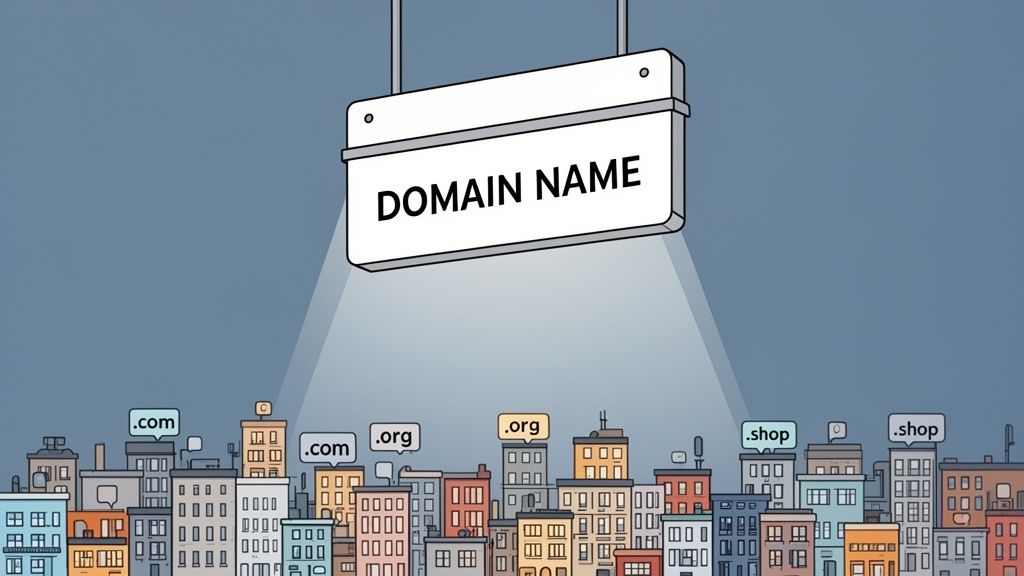
In a sea of websites, your domain name is your digital handshake. It’s the very foundation of your brand online—your unique piece of internet real estate. But finding and securing that perfect name is getting harder by the day, which makes knowing how to check domain availability efficiently a crucial skill for anyone building something online.
This guide goes beyond the basic search. We'll cover everything from instant, in-browser tools to savvy strategies for when your first choice is already taken. The goal is to give you the know-how to act fast and make smart decisions.
The Growing Scarcity of Domains
The race for good, memorable domain names is fierce. Global domain registrations have ballooned to 368.4 million as of early 2025, which is a jump of 2.2 million in just one quarter. To put that in perspective, that's roughly one domain for every 22 people on the planet.
Unsurprisingly, the classic .com is still king, accounting for a massive 157.2 million of those registrations. You can dig into more numbers in this domain name statistics report, but the takeaway is clear: the good names are going fast.
Your domain is so much more than an address; it's a core branding asset. A great name builds credibility, is easy for customers to remember, and can even give you a leg up in search rankings. It’s the first thing people see and hear about your business online.
Modern Tools for Modern Needs
We're going to lean on privacy-first, efficient solutions like the ShiftShift Extensions' Domain Checker. Why? Because it cuts out the noise. Instead of navigating to a clunky registrar site every time you have an idea, you can check availability right from your browser. This is a game-changer for anyone who needs quick, reliable answers without breaking their workflow.
This approach is all about saving time and removing friction. It’s similar to other handy in-browser tools, like the one we covered in our guide on how to generate a QR code, that just make life easier. Ultimately, it lets you stay focused on the important part: finding and registering the domain that will define your brand online.
The Fastest Way to Check a Domain Without Leaving Your Browser
Let's be honest—jumping over to a registrar's website every time you have a domain idea is a real workflow killer. You get bogged down in new tabs, upsell pop-ups, and clunky interfaces. What if you could check a name's availability instantly, without ever breaking your focus?
This is where an integrated tool like the ShiftShift Extensions' Domain Checker changes the game. It brings the entire process right into your browser, saving a surprising amount of time and mental energy, especially when you're brainstorming a long list of ideas and need immediate feedback.
How to Check a Domain in Seconds
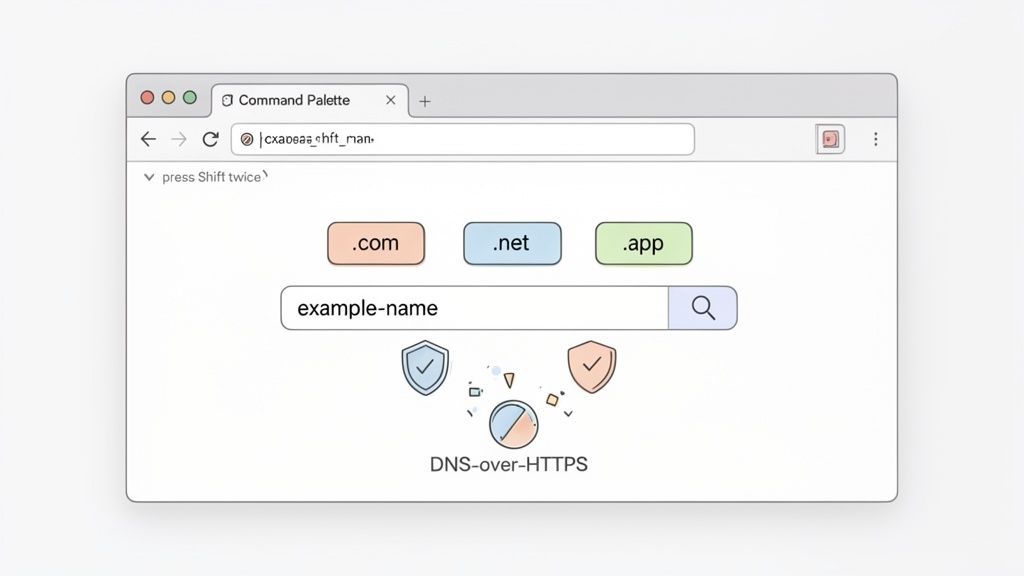
The whole system is built around a central hub called the Command Palette. Getting to it is designed to be second nature.
You have a few ways to pull it up:
- Double-tap the Shift key. This is my personal favorite—it's fast and intuitive.
- Use a keyboard shortcut.
Ctrl+Shift+Pfor Windows/Linux folks, orCmd+Shift+Pon a Mac. - Click the toolbar icon. The ShiftShift Extensions icon in your browser's toolbar works too.
Once the palette is open, just start typing "domain," and the checker will pop right up. This keyboard-first approach means you can check a name in less time than it takes for a typical registrar's homepage to even load.
The interface is clean and straight to the point, giving you an instant verdict.
As you can see, the results are immediate. You know right away which TLDs are available and which are already taken for your search term.
Why an In-Browser Check Is Better
The real power here goes beyond just speed; it's about staying in the zone.
Your search history stays private because the tool uses DNS-over-HTTPS (DoH) for all its queries. This helps prevent your search data from being logged by third parties—a common issue with many public lookup sites that might "front-run" your ideas.
By keeping the entire process inside a single browser extension, you avoid the friction of context switching. Your creative flow isn't interrupted by navigating to another website, dodging ads, or sifting through irrelevant offers.
The tool instantly checks your idea against more than 100 Top-Level Domains (TLDs), giving you a complete picture in a single glance. This is perfect for finding great alternatives when your first choice for .com is inevitably gone. For developers, marketers, and founders, this instant feedback is gold.
If you're interested in how tools like this can improve your daily grind, check out our other posts on browser extension productivity.
The Old-School Ways of Checking a Domain
Before you could check a domain name right from your browser, the process was a bit of a slog. These traditional methods are still around, of course, and understanding them helps show why faster, more direct tools were so necessary. It's a classic story of speed, privacy, and convenience.
Most people’s first stop has always been the big, bold search bar on a registrar’s website—think GoDaddy or Namecheap. You get an idea, you type it in, and you cross your fingers.
It’s simple enough, but it comes with strings attached. Registrars are in the business of selling, and they want to sell you more than just a domain. The second you hit "search," you're usually bombarded with upsells for web hosting, email plans, privacy add-ons, and a dozen other top-level domains (.net, .org, .co) you never asked for. This works for their bottom line, but it’s a lot of noise when you just need a quick yes or no.
Digging into the Details with a WHOIS Lookup
When a registrar’s site just tells you a domain is "taken," the next step for decades has been a WHOIS lookup. The WHOIS system is basically a public phonebook for the internet, holding all the registration data for domain names. A quick search on a WHOIS site tells you much more than just whether a domain is available.
You can uncover some really useful tidbits, like:
- Registration Date: When the domain was first snagged.
- Expiration Date: The exact date the current registration ends.
- Registrant Information: Contact details for the owner, though this is often hidden behind a privacy shield.
This info can be gold. If you see an expiration date is just a few weeks away, you might have a shot at backordering it in case the owner forgets to renew. But let’s be honest, running a WHOIS lookup for every single domain idea is a tedious, manual process. It's more of a detective tool than a creative one.
The real problem with these old-school methods is the friction. Every idea means jumping to another website, swatting away pop-ups, and trying to stitch together information from different places. It's a surefire way to kill your creative momentum.
The Problem with the Old Ways
When you put these classic approaches side-by-side with modern tools, the difference is night and day. Registrars and WHOIS lookups are the bedrock of the domain world, but they weren't built for the rapid-fire brainstorming that happens today. There's also the privacy question—many people have long suspected that searching for a great domain on certain sites could tip off others to register it before you can.
That’s why something like the ShiftShift Extensions' Domain Checker feels so different. It pulls the entire lookup process into one quick action, right where you are. No upsells, no manual digging. You get the clean, instant answer you need to keep the ideas coming without breaking your stride. Moving from a multi-tab, multi-site chore to a single click is a huge step up for anyone’s workflow.
Advanced Strategies for Securing Your Perfect Domain
So, you've run a search for your dream domain, and it came back "taken." Don't give up just yet. A simple "available" or "taken" result is often just the beginning of the story, not the end. When your first choice is gone or you're juggling a complex branding project, it’s time to think less like a simple buyer and more like a strategist.
Before you go any further, though, there's a crucial piece of homework: checking for trademarks. It's a step people often skip in their excitement, but it's non-negotiable. Falling in love with a name, only to get a cease-and-desist letter down the road, is a nightmare you want to avoid. A quick search on the U.S. Patent and Trademark Office (USPTO) database—or your country's equivalent—is essential due diligence.
Navigating the Aftermarket: What to Do When Your Domain is Taken
It’s incredibly common to find that your perfect .com is registered but doesn't point to an active website. This is your cue to investigate the domain aftermarket, where previously-owned domains are bought and sold.
- Marketplaces: Think of sites like Sedo or Afternic as the eBay for domain names. Owners list their domains for sale, often with a "buy now" price, but sometimes through an auction.
- Backorder Services: If a WHOIS search shows a domain you want is expiring soon, you can use a backorder service. Companies like SnapNames or DropCatch will try to snatch the domain for you the very second it drops back into the public pool.
This flowchart maps out the basic paths you can take right from the start.
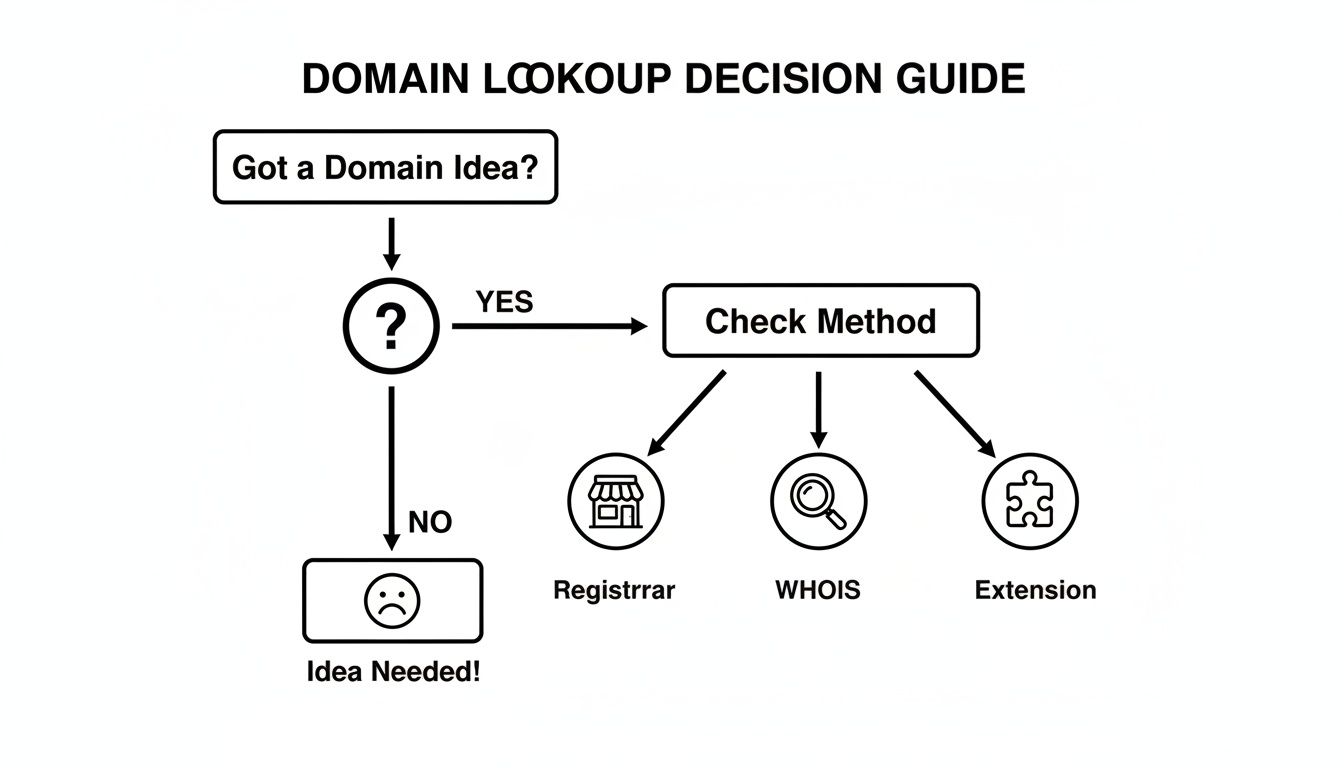
As you can see, once you have your name idea, you can go for a quick registrar search, a more detailed WHOIS lookup, or use a browser extension for an instant check.
A Quick Tip from Experience: Just because a domain has a high price tag on a marketplace doesn't mean it's set in stone. Many of these "premium" domain prices are negotiable, especially if you can see the domain has been sitting unsold for a while. It never hurts to make a reasonable offer.
Cast a Wider Net with Bulk Checking
When you're brainstorming a new brand, you don't just have one idea—you probably have a list of ten, twenty, maybe even a hundred possibilities. Checking them one by one is a surefire way to kill your creative momentum.
This is where bulk domain checkers are a lifesaver. Tools like the one built into ShiftShift Extensions let you paste your entire list of names at once. It will then check their availability across all the TLDs you care about, giving you a clear picture in a fraction of the time.
This whole process—from checking availability to acquiring domains—is happening in an increasingly crowded market. The numbers don't lie. Total domain registrations climbed to 371.7 million by the second quarter of 2025, marking a 2.6% annual rise. By the third quarter, that number had already hit 378.5 million.
What’s really telling is the explosive growth in newer gTLDs, which surged an incredible 21% year-over-year. You can dig into the full Verisign industry brief to see just how competitive the domain world has become.
By mastering these more advanced methods, you're building a complete toolkit. You can move beyond simply asking "Is it available?" and start strategically securing the perfect digital address for your vision, no matter what roadblocks you hit first.
How to Choose the Right TLD for Your Brand
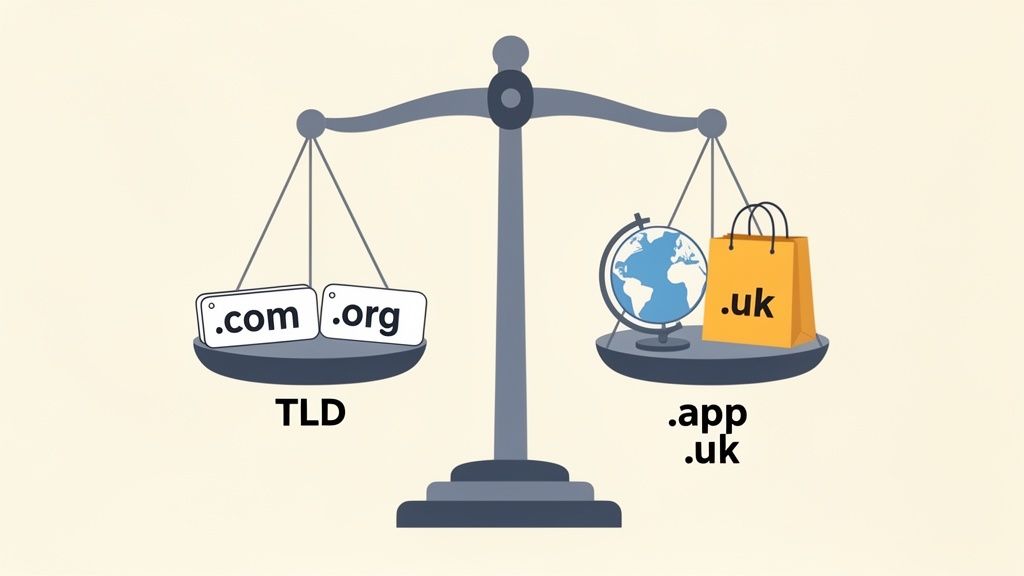
The bit that comes after the dot in a domain name—the Top-Level Domain (TLD)—is much more than a technical detail. It's a critical piece of your brand, sending a clear signal to visitors about who you are and what you do. Choosing the right one is especially important when you discover your perfect .com is already gone.
The world of domains is gigantic and still expanding. By mid-2025, there were a staggering 762.4 million domain registrations worldwide. And while .com is still the undisputed king with nearly 170 million of those, the newer generic TLDs (ngTLDs) are catching up fast, growing by 21% to over 42 million. This explosion gives you more than 1,250 different extensions to choose from. You can dive into more domain registration statistics to really see the scale of both the competition and the opportunity.
The Classic TLDs Still Command Trust
Let's be honest: for most businesses, .com is still the gold standard. It’s what people know, what they trust, and what they’ll often type into their browser out of habit. If you're building a brand with global aspirations or competing in a crowded market, grabbing the .com should be your number one goal. It just projects a level of authority that other extensions are still chasing.
Of course, other traditional TLDs have their own well-established roles:
- .org: Immediately brings to mind non-profits, charities, and community-focused groups. It signals a mission, not just a business.
- .net: Originally intended for network providers, it’s now a very common backup when the
.comis taken. It's a solid alternative, but it doesn't carry the same weight.
As a rule of thumb, when you check domain availability, always try for the
.comfirst. Locking it down prevents competitors from causing brand confusion and stops cybersquatters from siphoning off your potential traffic.
Niche and Country-Specific TLDs
Moving beyond the classics, you'll find two other categories of TLDs that can give you a strategic edge. Figuring out which one fits your project best comes down to understanding your audience and your goals.
Country Code TLDs (ccTLDs)
These are the extensions tied to a specific country, like .co.uk for the United Kingdom or .de for Germany. Using a ccTLD is a powerful way to tell both users and search engines that you’re focused on a local market. If you run a coffee shop in London, a .co.uk domain feels far more authentic and relevant to local customers than a generic .com. It builds instant regional trust.
New Generic TLDs (ngTLDs)
This is where you can get really creative with your branding. Extensions like .app, .shop, .io, and .design let you bake your business identity right into the domain itself. A tech startup might find that coolstartup.io has way more industry cred than the .com version. Similarly, an e-commerce brand can immediately signal its purpose with a .shop or .store extension. These ngTLDs are memorable, descriptive, and can help you stand out.
Answering Your Top Questions About Domain Availability
When you're searching for the perfect domain, a few common roadblocks and questions always seem to pop up. It can be frustrating when the name you want is taken or when a domain that looks available suddenly isn't. Let's walk through some of these real-world scenarios so you know exactly what to do.
What Do I Do if Every Domain I Want Is Taken?
It’s a feeling every entrepreneur knows well. You have the perfect name, but every version you check is already gone. Don't throw away your brand idea; just change your approach.
Your first move should be to explore different Top-Level Domains (TLDs). If yourbrand.com is off the table, what about yourbrand.co or yourbrand.app? A less common TLD can signal you're a modern, tech-savvy company right from the URL.
If you're still set on a .com, try adding a simple, logical word to your name. Think about what your business does. If "Starlight" is taken, you could pivot to:
GetStarlight.comStarlightHQ.comStarlightOnline.com
These small tweaks often open up a surprising number of available names without muddying your brand identity.
Why Does a Domain Show as Available When It's Not?
This is easily one of the most confusing parts of the process. You find a great name, the checker says it's free, but the registrar tells you it's already taken when you try to buy it. This "ghost" availability usually happens for two main reasons.
First, there's often a slight lag as registration data updates across the globe. Someone could have registered the domain seconds before your search, and the various databases just haven't caught up yet.
Second, the domain might be in what's called a "redemption period" or "pending delete" status. This is a grace period (typically 30-40 days) for the previous owner to renew their expired domain. While it’s not technically registered, it's also not available for public purchase—it's in limbo.
Don't give up on a name you love just because of this. If it's in a redemption period, set a calendar reminder to check on it in about a month. You might just be able to grab it the moment it drops back into the public pool.
Should I Register Common Misspellings of My Domain?
If your budget can stretch a bit, this is a very smart defensive play. Registering common misspellings of your primary domain is a practice called defensive registration, and its main job is to stop "typosquatters."
Typosquatters register domains that are just one or two letters off from yours to capture your traffic from user typos or to trick people into thinking they're on your official site. For instance, if you own AwesomeBrand.com, you'd be wise to also secure AwesomBrand.com. You can just redirect these variations to your main website, ensuring you don't lose visitors or damage your brand's reputation.
How Soon Can I Use My New Domain?
The moment you hit "purchase," the domain is yours. But there's a small catch: it takes time for the Domain Name System (DNS) to update worldwide. This process, called propagation, can take anywhere from a few minutes to 24-48 hours.
You can start setting up your hosting and email immediately, but don't be surprised if your website isn't accessible from your new domain for everyone around the globe right away. In practice, most people find their site goes live within a few hours.
Ready to check your next great idea without the hassle? The ShiftShift Extensions suite includes a powerful Domain Checker that gives you instant availability results across over 100 TLDs, all from a unified command palette in your browser. Try it now at https://shiftshift.app.