How to Improve Workflow Efficiency: A Guide (how to improve workflow efficiency)
Master how to improve workflow efficiency with practical, actionable strategies and browser-based tools that cut distractions and automate daily tasks.

Recommended Extensions

If you've ever felt like your workday is a constant battle against digital clutter, you're not alone. The real key to improving your workflow isn't about working longer or harder; it's about getting rid of the tiny, repetitive tasks that chip away at your focus and mental energy.
We're talking about consolidating your tools, cutting down on the endless tab-switching, and adopting a keyboard-first mindset to turn multi-step processes into single, instant commands. This guide is all about showing you how to stop drowning in digital friction and start working smarter.
Reclaim Your Focus from Digital Chaos
Let’s be real for a second. The modern digital workflow is designed to be distracting. We jump between dozens of tabs, hunt for that one specific online converter we used last week, and lose our train of thought with every click. These little interruptions feel harmless, but they add up, creating a constant drag on our productivity.
One powerful way to break free is by integrating tools that simplify complex tasks, like those that show how speech to text software can revolutionize your workflow, which lets you bypass the keyboard entirely.
This guide tackles that problem from a different angle. We'll explore how you can consolidate your essential utilities—think JSON formatters, image converters, or domain checkers—into one place, right inside your browser. No more leaving your current page to get something done.
This diagram pretty much sums up the daily struggle: too many tabs, too much time wasted, and a complete loss of focus.
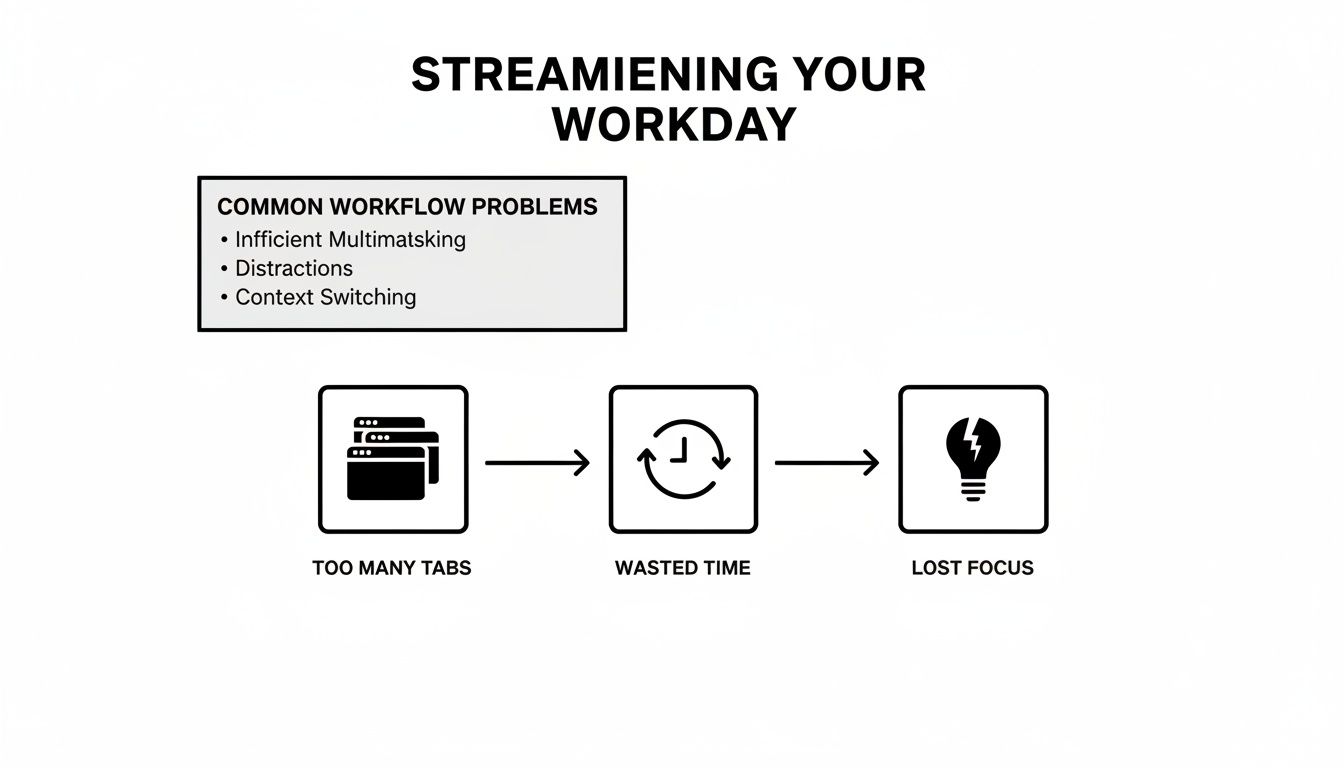
It's a vicious cycle. Each problem feeds the next, making it nearly impossible to get into that state of deep work where real thinking happens.
The True Cost of Inefficiency
The push for smarter ways to work isn't just a trend; it's a massive global movement. The productivity management software market hit an incredible $71.22 billion in 2024 and is on track to explode to $264.48 billion by 2034. Why? Because the cost of doing nothing is huge.
Research consistently shows that just switching between different apps and tools can eat up 40% of a person's productive time. That's a staggering loss. It’s no surprise that 78% of organizations have started using AI-driven tools to boost their output. Bringing your essential utilities directly into the browser is a direct response to this challenge. For more tool ideas, check out our guide to the best Chrome extensions for productivity.
To illustrate this, let's look at some common tasks and the friction they create. The table below compares the old, clunky way of doing things with a much more efficient, browser-based approach.
Common Workflow Inefficiencies and Their Solutions
| Common Task | Traditional Inefficient Method | Efficient Browser-Based Solution |
|---|---|---|
| Formatting JSON | Open a new tab, search for "JSON formatter," find a reliable site, paste your code, format, and copy it back. | Open a command palette (e.g., Cmd/Ctrl+K), type "format json," and it's done instantly. |
| Converting Image to WebP | Find your image file, open a new tab, search for a converter, upload the file, wait, then download. | Use a command like "convert image to webp" directly on any image on the page. |
| Checking WHOIS Data | Leave your current task, open a new tab, go to a WHOIS lookup site, and enter the domain you want to check. | Type "whois" and the domain name into a command palette without leaving your tab. |
As you can see, the difference isn't just a few saved clicks; it's about completely removing the mental overhead and disruption associated with these routine actions.
The goal isn't just about saving a few seconds on a single task. It's about preserving your mental state of flow, which is where your best, most creative work happens.
By getting rid of these digital speed bumps with a tool like the ShiftShift Extensions Command Palette, you stay in the zone and take back valuable time. It’s all about building momentum and keeping it going all day long.
Embracing a Keyboard-First Mindset for Ultimate Productivity
Let's be honest: your keyboard is the most direct path to getting things done, but most of us are stuck in the slow lane, relying on the mouse. Making the switch to a keyboard-first mindset is about retraining your brain—and your fingers—to use keystrokes instead of clicks. This is where tools like a Command Palette, the engine behind ShiftShift Extensions, really change the game.
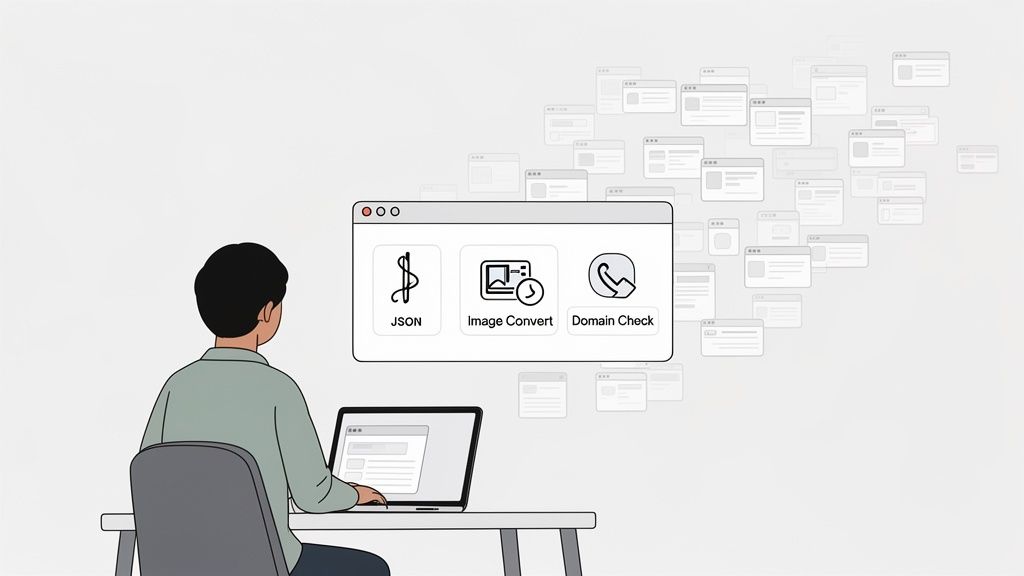
This simple shift turns your browser from a passive window into an active command center. Instead of hunting through menus or getting lost in a sea of tabs, you can call up any tool you need with a quick Double-Shift. A smart search then finds exactly what you need in an instant, cutting multi-step chores down to a single, fluid command.
The whole point is to build muscle memory. Eventually, your fingers will just know what to do, often before you even consciously think about the action.
How This Looks in the Real World
Okay, let's get practical. This isn't just about theory; it's about seeing how these tiny, consistent changes add up to massive time savings throughout your day.
Think about these everyday tasks:
- You're a Developer: Someone sends you a jumbled, unformatted mess of API code. Instead of breaking your concentration to find an online formatter, you just highlight the code, tap
Double-Shift, type "beautify json," and hit Enter. Done. The code is instantly readable right where it is. - You're a Marketer: You're in the zone, crafting a social media post, and realize you need a QR code for a new landing page. No problem. You summon the Command Palette, type "qr," paste your URL, and the image is ready to download. The entire detour takes maybe five seconds, and your creative flow is completely uninterrupted.
- You're a Writer: Deep into a focused writing session, you have to create a new account and need a strong password. You just type "password generator" into the palette, create a secure one, and copy it to your clipboard. You never even had to leave your document.
These aren't just small quality-of-life improvements. They represent a fundamental change in how you engage with your work, wiping out the constant context-switching that kills your mental energy.
The real magic of a keyboard-first approach is its ability to keep you in a state of flow. When you remove the need to stop, search, and click, you protect your focus and maintain your momentum.
This need for seamless, integrated work is a huge driver in the industry. The global productivity software market hit $51.1 billion in 2023 and is on track to nearly double to $100.2 billion by 2032. This explosive growth is fueled by evidence showing that browser-based tools can slash task times by up to 30% simply by cutting out tab-switching. It also serves a market where 71% of businesses want cloud-style flexibility but demand on-device privacy—a balance that local-first tools strike perfectly. You can find more details on the productivity software market growth on dataintelo.com.
At the end of the day, every single click you trade for a keystroke is a small win for your focus. Over weeks and months, those little wins stack up, giving you back hours of your time and making your workday feel a whole lot smoother.
Accelerating Technical Tasks for Developers and QA
If you’re a developer or a QA engineer, you know that efficiency isn't just a nice-to-have—it's everything. The mental cost of switching contexts is real. Every time you have to open a new tab to find an online JSON formatter or dig through browser DevTools to clear a cookie, you're pulled out of your flow. This is the kind of friction that kills deep work.
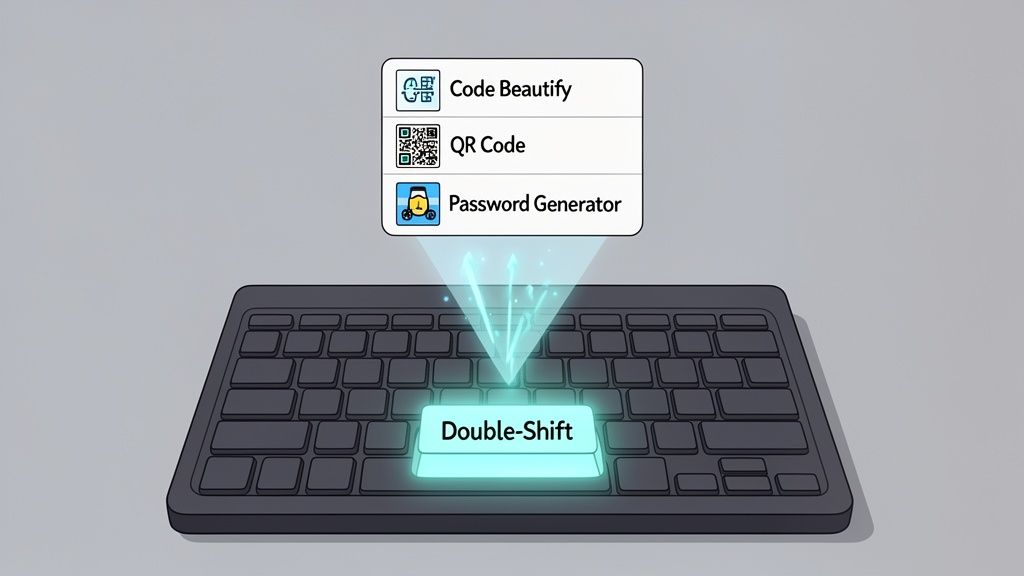
This is precisely where on-demand, role-specific tools make a huge difference. Imagine having a unified command palette, like the one built into ShiftShift Extensions, that brings your entire toolkit right to your fingertips. It changes how you interact with day-to-day technical tasks, keeping you locked in and productive.
Frontend and Backend Development Scenarios
Let's break down some common headaches that technical teams deal with daily. Each of these situations highlights a typical bottleneck that can be solved instantly with a single command.
Frontend Cookie Management: Picture this: you're testing user authentication on a staging environment. The old way involves opening DevTools, clicking through to the Application tab, and then hunting for the right cookie to delete or modify. The new way? Summon a command palette, type "cookie manager," and get an instant, searchable list of all cookies for that domain. You can view, edit, or delete them without ever leaving the page.
Backend SQL Formatting: A backend engineer gets a horribly formatted SQL query pasted into a Jira ticket. The usual process is to copy it, open a new tab, search for a SQL formatter, paste it in, format it, and then paste it back. Instead, you can just highlight the messy query, trigger a command like "format sql," and watch it become perfectly readable right where it is. Problem solved.
Streamlining QA and Testing Processes
QA workflows are packed with comparison and validation tasks that are practically begging for a better way. Even small improvements here can slash testing cycles.
For example, a QA tester needs to confirm that the JSON output from a new API endpoint matches the expected schema. Instead of pasting both blobs of code into separate files and firing up a desktop diff tool, they can just open a Text Comparison utility from the command palette. Paste in both JSON snippets, and you'll immediately see a color-coded diff that pinpoints every single discrepancy.
The real win here isn't just about speed—it's about keeping your data secure. When you use random online tools to format code or compare data, you're often sending potentially sensitive information to a third-party server you know nothing about.
This is a massive point to consider. While cloud-based productivity software held a 71.31% market share in 2025, that convenience often comes at the cost of privacy. For more on this, check out the business productivity software market report from Mordor Intelligence.
Here’s a quick look at how a command-driven approach completely changes the game for common dev and QA tasks.
ShiftShift Developer Utilities Workflow Transformation
This table illustrates the shift from clunky, time-consuming methods to a single-command action within the browser.
| Technical Task | Old Workflow (Time & Risk) | ShiftShift Workflow (Time & Benefit) |
|---|---|---|
| JSON/SQL Formatting | Copy code, open a new tab, find an online formatter, paste, format, copy back. (1-2 minutes). | Highlight text, run "Format SQL/JSON" command. Done. (5 seconds). Zero data leaves your browser. |
| Text/Code Comparison | Copy two text blocks, open a desktop diff tool, paste each into a separate pane. (2-3 minutes). | Open "Text Diff" utility, paste both snippets, see instant results. (15 seconds). Secure and immediate. |
| Managing Cookies | Open DevTools, navigate to Application > Cookies, find the domain, find the cookie. (30-60 seconds). | Open "Cookie Manager," instantly search, edit, or delete the cookie. (10 seconds). No more digging. |
The bottom line is that these utilities offer the same agility as cloud-based tools but without the security risk because all the processing happens locally in your browser.
This privacy-first design means proprietary code, API keys, and sensitive customer data never leave your machine. You can find more tools that put function and security first in our guide to the best Chrome extensions for developers. For technical roles, an efficient workflow is always built on a foundation of fast, accessible, and secure tooling.
Streamlining Workflows for Creatives and Marketers
If you're a creative or marketer, you know how critical momentum is. But that precious flow-state is so easily shattered by the small, mind-numbing tasks that pile up throughout the day. Things like converting files, grabbing screenshots, or translating a quick line of copy create just enough friction to pull you out of the zone and grind your entire process to a halt.Think about a designer who's deep in the final push for a website launch. They have a whole folder of PNGs that need to be converted to the much more efficient WebP format. The old way? Find a questionable online converter, upload each file one by one, wait, download, and just hope the site isn't doing something sketchy with their work.
A Secure and Instant Alternative
This is exactly where integrating tools directly into your browser completely changes the game. That same designer, instead of relying on risky third-party sites, can just run a quick in-browser command to convert all their images at once, right on their own machine.
It’s instantaneous and, more importantly, secure. There are no uploads, no waiting, and no security concerns. This simple shift keeps your intellectual property safely on your computer and turns what was a tedious ten-minute job into a ten-second one.
Here’s another all-too-common scenario: a content creator needs to capture a full-page screenshot of a new article for their portfolio. Instead of messing around with clunky built-in tools or painstakingly stitching multiple images together, they can use a single command to get a perfect, high-resolution capture of the entire page.
The core idea is simple: bring the tools to your work, not the other way around. By eliminating the need to leave your current context for routine tasks, you protect your focus and maintain creative momentum.
This principle holds true for just about any creative or marketing role. A social media manager, for instance, can draft post copy and then use an instant translation tool to get versions for three different languages—all without ever leaving their scheduling platform.
Common Creative Workflow Bottlenecks Solved
Most creatives and marketers run into the same time-wasting hurdles every single day. Here’s a look at how a unified toolset like ShiftShift Extensions tackles these common problems head-on:
- Batch Image Conversion: Convert dozens of JPEGs, PNGs, or SVGs to a modern format like WebP or AVIF right from your browser. This is a massive deal for web performance. If you want to dive deeper, you can learn about choosing the best image format for your website in our detailed guide.
- Full-Page Screen Capture: Instantly grab a high-res screenshot of an entire webpage. This is perfect for portfolio pieces, client reports, or sending design feedback.
- On-the-Fly Translations: Quickly translate headlines, ad copy, or social media posts into multiple languages to support international campaigns without breaking your stride.
- Quick Content Generation: For those in video, automating content creation can be a huge productivity boost. Tools like an AI Reel Generator can help turn long-form content into social-ready clips, all part of the same efficiency mindset.
These examples really highlight how a browser-based command palette can take clunky, multi-step processes and transform them into seamless, single-command actions. It’s not just about saving time; it's about creating a smoother, less frustrating work experience that lets you stay focused on what actually matters—doing your best creative work.
Boosting Everyday Productivity Outside of Work
Real efficiency isn't just a 9-to-5 thing. It’s about making every single digital interaction you have feel less like a chore. The same thinking that helps you crush it at work can bring that same sense of ease to your personal life—managing finances, diving into a hobby, or just solving those little everyday problems online.
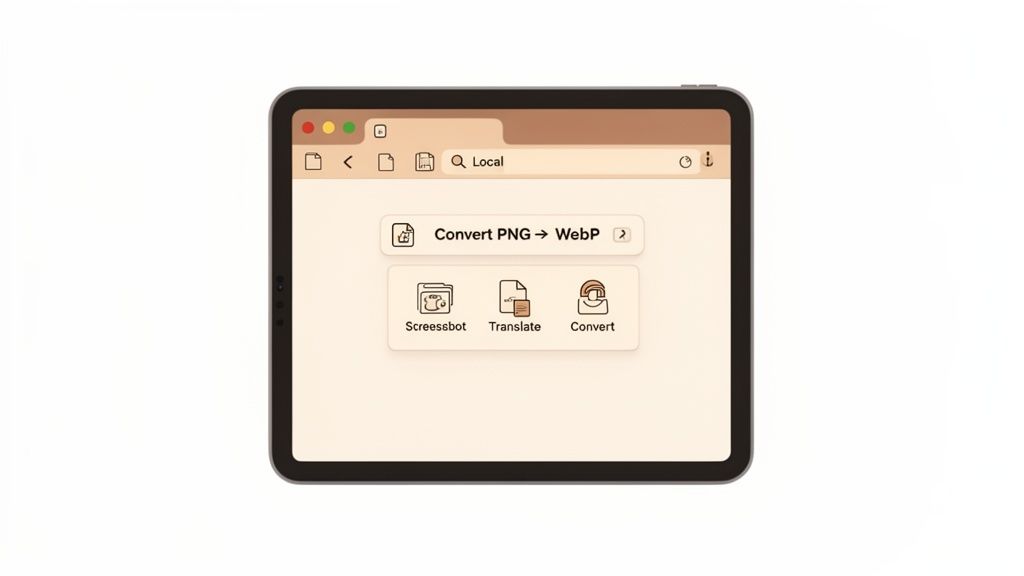
This is where a unified command palette really proves its worth. It’s not just a tool for coders or marketers; it's for anyone who lives part of their life in a browser.
Practical Scenarios for Personal Efficiency
Let's step away from the office for a minute. Think about an investor trying to figure out their retirement savings. Instead of googling for some clunky, ad-filled calculator, they can pop open a Compound Interest Calculator instantly. They get live currency data and can model different outcomes in seconds, all without ever leaving their online banking tab.
Or what about a student wrestling with a tough math assignment? A quick keyboard shortcut brings up a calculator that remembers their work. They can easily refer back to previous steps without losing their train of thought. It's a tiny tweak, but it makes a huge difference for focus and accuracy.
The real win here is cutting out all those little, distracting side-quests for information. When you bring the tools you need directly into your current context, you stay locked in on what you're doing—whether that’s learning, planning, or creating.
This idea of instant access works for just about anything. Got a brilliant idea for a side hustle? Pull up a Domain Checker right then and there to see if the name is free, instead of getting sidetracked on a registrar’s website. It turns a fleeting thought into an immediate, actionable step.
Solving Everyday Digital Annoyances
A good toolkit isn't just for big projects; it's also for smoothing over those tiny, irritating bumps in your digital day. We’ve all been there: the internet suddenly slows to a crawl. Rather than hunting down a reliable testing site, you can run an instant Speed Test right from your browser and know what's going on immediately.
Here are a few other ways an integrated set of tools can make life simpler:
- Sharing Wi-Fi Securely: When a friend asks for your Wi-Fi password, don't read out that long, complicated string of characters. Just generate a QR code for them to scan. It’s way faster and much more secure.
- Quick Calculations: From splitting the dinner bill to converting measurements for a recipe, having a calculator that’s just a keystroke away is a lifesaver.
- Checking Crypto Prices: If you're into digital assets, you can get live updates on Crypto Rates without having to open a separate exchange app and get pulled down a rabbit hole.
At the end of the day, learning how to improve workflow efficiency is about a mindset that you can apply to your entire digital life. When your tools are right there when you need them, you get back time and mental energy for the things that actually matter.
Got Questions? We’ve Got Answers.
Adopting a new way of working, even one that promises to make your life easier, always brings up a few questions. It’s natural to wonder how this approach stacks up against what you’re used to or what it means for your privacy. Let's dig into some of the most common things people ask.
So, How Is a Command Palette Really Better Than Just Using a Bunch of Extensions?
It's a fair question. We all have our favorite single-purpose extensions, but that often leads to a browser toolbar packed with icons and a mental juggling act of different keyboard shortcuts. A unified command palette, like the one built into ShiftShift Extensions, changes the game by bringing dozens of tools into one clean, searchable interface.
Instead of a mess of shortcuts, you learn just one. From there, you can find and run any action. This simple shift stops the constant context switching, cuts down on mental clutter, and helps you build powerful muscle memory. Before you know it, you're flying through tasks without your fingers ever leaving the keyboard. Your browser stops being just a window to the web and becomes your personal command center.
Is It Safe to Use These Kinds of Browser-Based Tools with My Data?
Absolutely—as long as you're using a tool built with a privacy-first mindset. The key is that all the processing happens locally, right inside your browser. No data should ever be sent to a server. Whether you're tidying up sensitive JSON, converting a confidential document, or clearing your cookies, your information stays on your machine.
This "local-first" design is non-negotiable. It offers the speed of a web app with the rock-solid security of an offline desktop program. Your data remains completely yours, with no tracking and no reliance on the cloud.
This is the standard you should expect. In a world where we all want to move fast without sacrificing privacy, it’s the only model that makes sense.
Are These Tools Just for Developers and Techies?
Not in the slightest. While the developer utilities are a massive plus for anyone who codes, a truly efficient workflow tool is built for everyone. The everyday tools are what make a huge difference for people in all sorts of roles.
- Students and Writers: Imagine having an instant Calculator with a running history or a multi-language Translator ready on demand for research papers.
- Marketers: The QR Code Generator, Image Converters, and Full Page Screenshot tools are perfect for whipping up campaign assets and creating content.
- Literally Anyone: Even something as simple as creating a strong, secure password becomes a one-second task instead of a chore.
The whole point is to make common digital tasks easier for everyone. It’s about working smarter, not harder, no matter your technical skill level.
Ready to stop switching tabs and start saving time? ShiftShift Extensions brings all the tools you need into a single, powerful command palette. Download it for free and transform your browser into a productivity powerhouse.