Your Guide to Using a Time Addition Calculator for Flawless Scheduling
Learn how a time addition calculator can streamline your work. Our guide covers manual methods, spreadsheets, and powerful tools for accurate time calculations.

Recommended Extensions

Getting time math wrong can throw a whole project off track, scramble payroll, or completely upend a detailed schedule. That’s where a good time addition calculator comes in. It’s the simplest, most reliable way to add hours and minutes without having to second-guess yourself, preventing the kind of manual mistakes that can get expensive.
Why Getting Time Addition Right Is So Critical
Let's be real—even a tiny mistake in a time calculation can create a massive headache. If you're managing a project, underestimating how long tasks will take can blow your deadline and your budget. For freelancers and agencies, it's even more direct: inaccurate time tracking means inaccurate billing, which can easily add up to thousands in lost income over a year.
But this need for precision isn't just for big-ticket projects. It matters in the everyday stuff, too. Think about putting together a travel itinerary, coordinating an event schedule, or just trying to manage your own time better. Nailing the timing is what makes things work.
This guide is your roadmap to mastering time addition, no matter the situation. We'll walk through everything you need to know:
- Using quick online tools for instant results.
- Handling the math yourself when you're offline.
- Setting up formulas in spreadsheets and code to do the work for you.
- Even pulling up a powerful calculator right inside your browser with the ShiftShift Extension.
Precision is the New Standard
The rise of remote and hybrid work has made flawless time tracking more important than ever. With teams spread out everywhere, digital timesheets are now the go-to for logging hours. It's no surprise that multiple studies since 2020 found that 20–30% of all workdays in major economies were happening remotely, which has only increased our reliance on web-based calculators for adding up hours and minutes. You can dig deeper into the growth of time tracking tools and see how they’re shaping modern business.
This decision path breaks down the thought process perfectly.
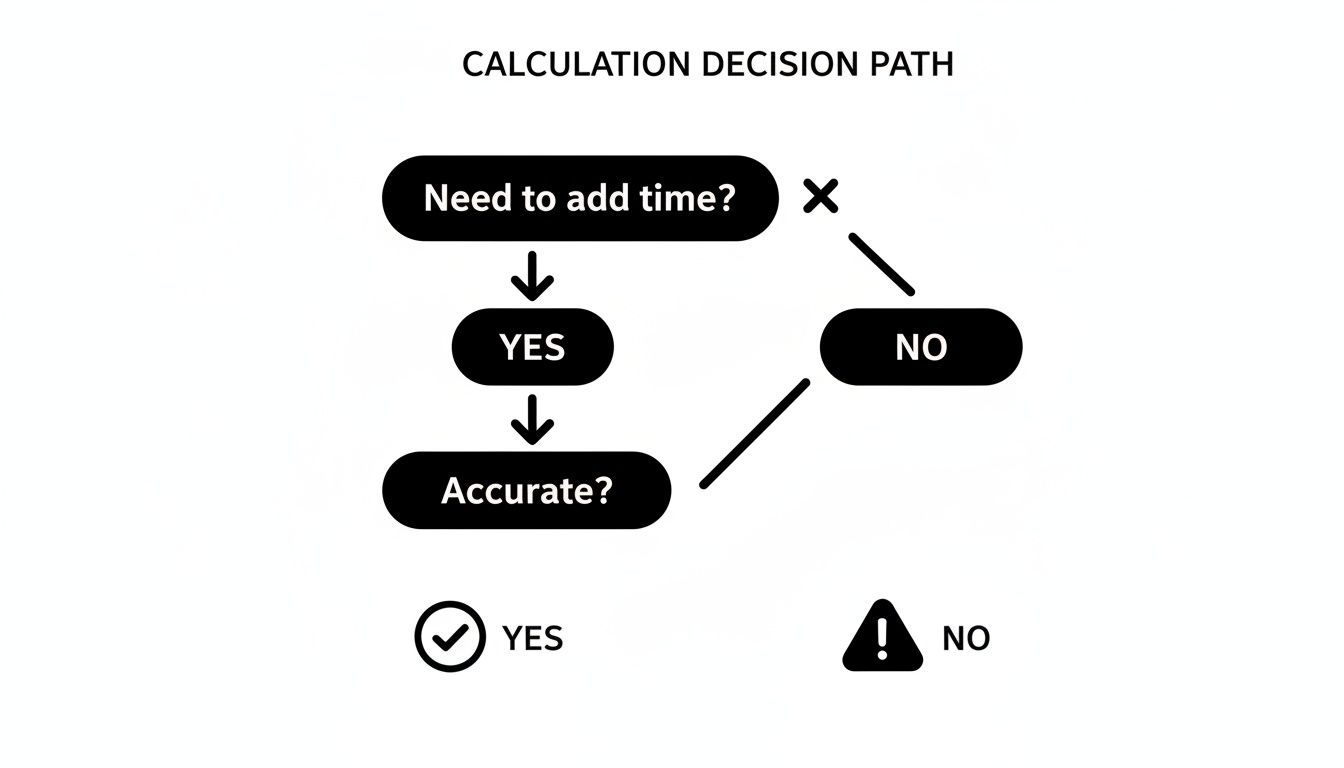
As the flowchart shows, if you're adding time, the next question is always about accuracy. In any professional setting, the answer is a hard "yes." It's time to move past the guesswork; your credibility and efficiency depend on it.
Getting Instant Answers with an Online Time Addition Calculator
When you just need a quick, reliable answer for a time calculation, a dedicated online tool is your best friend. Instead of wrestling with mental math and risking a simple mistake, a time addition calculator spits out the right answer in seconds. This completely removes the guesswork and saves you from those frustrating errors that can throw off schedules or mess up payroll.

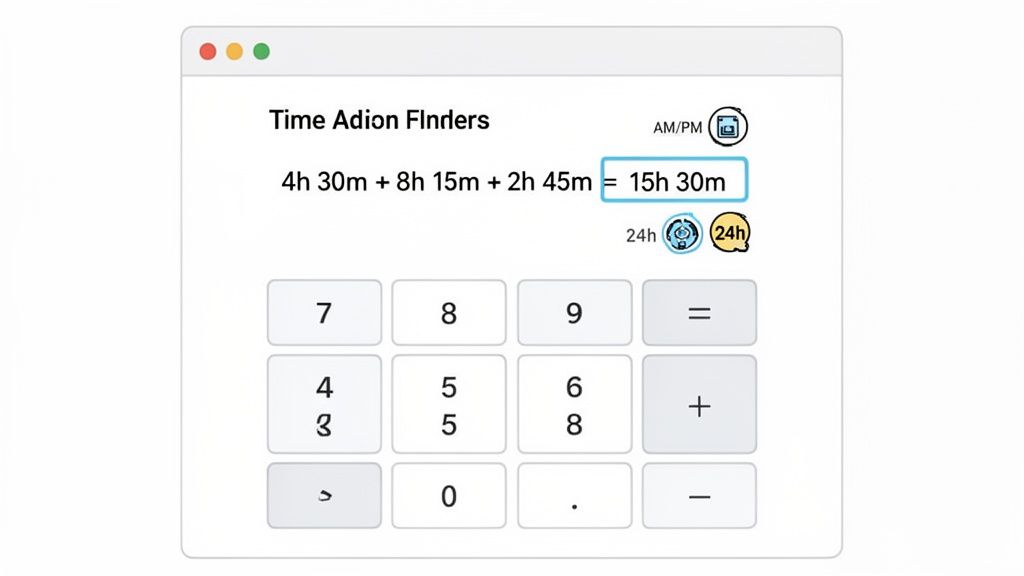
These tools are built for pure practicality. Let's say you're a project manager trying to figure out the total time spent on a task by your team. You can plug in 4h 30m + 8h 15m + 2h 45m and instantly see the total is 15 hours and 30 minutes. No need to carry over the 60-minute mark or convert anything yourself. It's this kind of straightforward help that makes them perfect for everyday work.
And if you live in your calendar all day, it’s worth knowing there are specialized tools out there. For heavy Google Calendar users, you can even find a Google Calendar calculator for easy sum of hours in minutes to streamline time tracking right where you do your planning.
Handling Different Time Formats and Scenarios
One of the most common head-scratchers is calculating an end time. For instance, an employee clocks in at 8:45 AM and works a 7-hour and 30-minute shift. What time do they clock out? A calculator instantly tells you it's 4:15 PM. This simple calculation can prevent payroll headaches and keep records accurate.
Any decent calculator will also let you work with different time formats, so you can easily switch between:
- AM/PM (12-hour clock): The one we all use in conversation.
- 24-hour clock (military time): Essential for official scheduling to avoid any mix-ups between morning and night.
This flexibility is a lifesaver, especially if you're coordinating with international teams or work in an industry like logistics or aviation where 24-hour time is standard practice.
Key Takeaway: A solid online calculator will nail calculations that cross midnight without even blinking. Adding 5 hours to 10:00 PM (22:00) should always give you 3:00 AM the next day—a detail that’s surprisingly easy to fumble when you're doing it in your head.
Calculating Durations That Span Multiple Days
But what about more complex situations? Think about a freelancer who needs to log every billable minute for a client. Many pros in legal and consulting fields bill in six-minute increments (tenths of an hour) to keep things precise and fair. A good time calculator can add up all those tiny chunks over weeks, ensuring no revenue is lost to forgotten minutes.
If you're looking for a powerful tool that’s always just a click away, you might want to check out the ShiftShift online calculator. It's built to handle quick, on-the-fly calculations right inside your browser, so you never have to break your focus.
Whether you're just adding a few minutes to a task or planning a multi-day event, using a dedicated calculator gives you the confidence that every second is accounted for correctly.
Adding Up Time Manually When You're Offline
While an online time addition calculator is incredibly fast and accurate, what happens when you're offline? Or when you just need a quick total scribbled on a notepad during a meeting? Knowing how to add hours and minutes by hand is a fundamental skill that comes in handy more often than you'd think. It ensures you're never stuck, whether you're mapping out a travel itinerary without Wi-Fi or sketching a project timeline on a whiteboard.
The trick is remembering that time doesn't work like the math we learned in grade school. Our regular number system is base-10, meaning we carry over to the next column when we hit 10, 100, and so on. But time is different—it's a base-60 system for minutes and seconds. This just means you carry over to the next unit (an hour) every time you reach 60. Once you get that, the rest is easy.
A Simple Two-Part Method for Manual Time Math
I’ve found the best way to do this without getting mixed up is to break it into two simple parts. First, you tackle the minutes, and only then do you move on to the hours. Separating them keeps the calculation clean and error-free.
Let's use a real-world example. Say you're logging your freelance work and need to combine two sessions: 2 hours and 50 minutes from the morning, plus another 1 hour and 25 minutes in the afternoon.
Here’s how I'd do it:
- Start with the minutes. Just add them up: 50 + 25 = 75 minutes. Right away, you can see that's more than an hour.
- Convert the minutes and carry over. To find out what you have, subtract 60 from the total. So, 75 - 60 leaves you with 15 minutes. That chunk of 60 you just took out becomes 1 hour that you need to carry over.
- Add up the hours. Now, add the original hours and don't forget the one you just carried over: 2 hours + 1 hour + 1 carried hour = 4 hours.
Put it all together, and your total work time is 4 hours and 15 minutes. This method works every time, no matter how many entries you're adding.
Pro Tip: The golden rule for manual time math is this: add the minutes first. For every group of 60 you find, convert it into one hour and carry it over to the hours column. This simple habit keeps your calculations from going sideways.
For anyone who bills clients for their time, getting comfortable with decimal conversions is also a huge help. It can make both manual math and spreadsheet entries much simpler.
Time Conversion Quick Reference
This table provides a handy reference for converting common minute increments into their decimal hour equivalents.
| Minutes | Decimal Hours (Fraction) | Decimal Hours (Value) |
|---|---|---|
| 6 | 1/10 | 0.10 |
| 12 | 1/5 | 0.20 |
| 15 | 1/4 | 0.25 |
| 30 | 1/2 | 0.50 |
| 45 | 3/4 | 0.75 |
| 60 | 1 | 1.00 |
Knowing these conversions by heart is especially useful for professionals who bill in specific increments. For instance, many lawyers bill in six-minute increments—or tenths of an hour—to keep precise records. Being able to quickly add these blocks of time manually ensures invoices are always accurate, which is crucial for maintaining client trust. By mastering this simple process, you’ll always have a reliable backup when a digital time addition calculator isn't an option.
Automating Time Calculations in Spreadsheets and Code
When you're managing projects, tracking billable hours, or just trying to figure out where your time goes, manual calculations are a real drag. Moving that grunt work into a spreadsheet or a bit of code isn't just about speed—it's about accuracy. One slip of the finger can throw off payroll or an entire project timeline.
Thankfully, tools like Google Sheets and Excel are built for this kind of work. With the right formulas and a little setup, you can create a system that adds up time for you, saving you from the headache of manual math.
Mastering Time Formulas in Excel and Google Sheets
Before you even think about formulas, the most important step is formatting your cells correctly. If you skip this, your calculations will go haywire. Select the cells where you'll be entering and summing up your time, then format them specifically for time.
In Google Sheets, you'll want to choose the Duration format. In Excel, a custom format like [h]:mm:ss is your best bet. That special [h] bracket is crucial—it tells Excel to show totals over 24 hours, like 35:15:00, instead of resetting the clock.
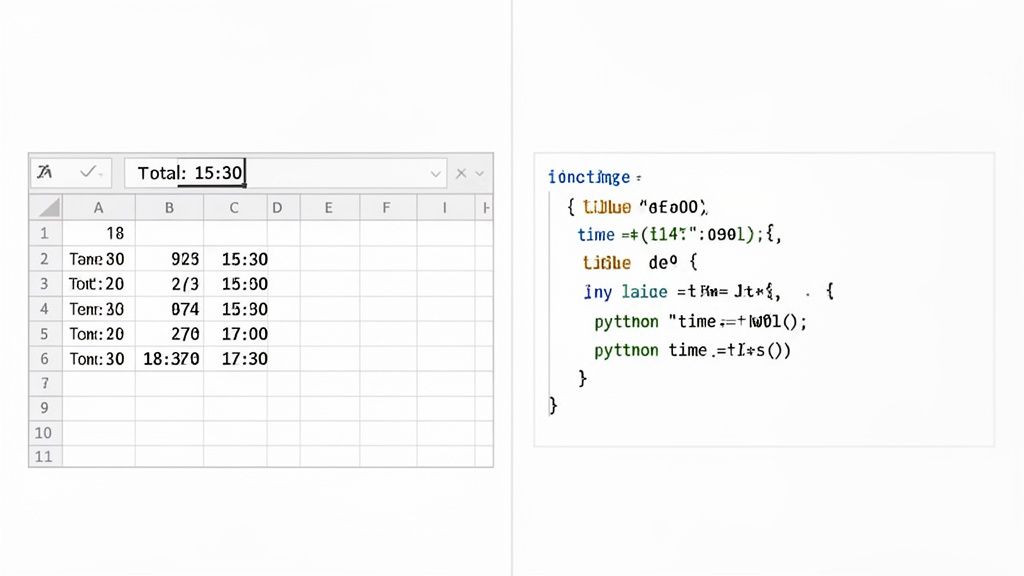
Once your cells are properly formatted, adding up a column of times is a piece of cake. Just use the standard SUM function. If your durations are in cells A2 through A10, this is all you need:
=SUM(A2:A10)
This simple formula adds everything up correctly, giving you a precise total. If you want to go deeper and really get the most out of your spreadsheets, you can find a ton of advanced functions in guides covering Excel's Date and Time formulas.
Here's a pro tip: Never mix time formats and decimal numbers in the same calculation unless you're explicitly converting them. To a spreadsheet, 8.5 is not the same as 8:30. Sticking to a consistent
HH:MM:SSformat across the board is the safest way to guarantee your numbers are right.
Bringing Time Calculations into Your Code
For developers, embedding time arithmetic directly into an application is often the best approach. Whether you're crunching server logs or calculating user session lengths, a few lines of code can handle all the heavy lifting. This makes your system more scalable and reliable, especially for data-heavy operations.
JavaScript Snippet for Session Durations
Let's say you need to calculate how long a user spent on your site across several visits. This quick JavaScript function can take an array of time strings and add them up. It's incredibly handy for front-end analytics. This kind of work often involves timestamps, so getting comfortable with a Unix timestamp converter can be a real time-saver.
function addDurations(durations) {
let totalSeconds = 0;
durations.forEach(d => {
const parts = d.split(':').map(Number);
totalSeconds += parts[0] * 3600 + parts[1] * 60 + (parts[2] || 0);
});
// Convert back to HH:MM:SS format
const hours = Math.floor(totalSeconds / 3600);
const minutes = Math.floor((totalSeconds % 3600) / 60);
return ${hours}:${String(minutes).padStart(2, '0')};
}
// Example: addDurations(['1:45:10', '0:30:05', '2:10:00']);
Python Script for Processing Log Files
On the backend, Python is a powerhouse for tasks like parsing log files. A script like this can quickly comb through timestamps to calculate total durations, which is perfect for analyzing system performance or tracking user engagement metrics.
It's clear that more and more professionals are moving these kinds of repetitive jobs—like summing up dozens of HH:MM intervals or splitting shifts across pay periods—into specialized utilities. With browser usage exceeding 80% of the workforce in many markets, there's a huge demand for quick, keyboard-driven tools that work right where people are already doing their jobs. This trend shows just how important it is to have time calculation tools integrated directly into our daily workflows, whether that's in a spreadsheet, a code editor, or the browser itself.
Integrating a Time Calculator Directly into Your Browser
How often do you find yourself jumping between tabs just to do a simple calculation? You're deep in a project plan in Asana, or maybe finalizing an invoice in QuickBooks, and you need to add up a few time entries. That quick tab switch seems harmless, but it’s a classic workflow killer—it breaks your focus and slowly chips away at your day.
What if you could do those calculations without ever leaving the page you're on?
That’s the whole idea behind a browser-integrated tool. By embedding a powerful time addition calculator right where you work, you eliminate that disruptive context switching. The ShiftShift Extension is a great example of this, bringing a suite of tools directly into your browser with a simple keyboard shortcut.
Instead of fumbling for a new tab, a quick press of Cmd+Shift+P (or Ctrl+Shift+P on Windows) pulls up the Command Palette. Right there, you have instant access to a calculator that understands natural language. No clicks, no new windows, just answers.
Performing Calculations on the Fly
The beauty of an in-browser tool like this is its intuitive syntax. You don't have to plug numbers into separate fields for hours and minutes. You just type what you're thinking, and it gives you the answer.
This is perfect for the kind of quick, real-world math that pops up all day long.
- Calculating an end time: Wondering when that long meeting will finally wrap up? Just type
9:15 AM + 2h 45mand see12:00 PMinstantly. - Summing work sessions: Tallying up your billable hours for a client? Entering
1h 50m + 45m + 3h 10mgets you the total without breaking your stride. - Planning backwards: Need to figure out when to start a task to hit a deadline? You can subtract time, too. Typing
5:00 PM - 6h 30mtells you to get started at10:30 AM.
This approach completely removes the friction of a traditional calculator. It’s built for speed and mirrors how we actually think about time, making it a much faster way to work. It’s especially helpful for professionals who bill in tiny increments—like in legal fields where every six-minute block matters.
By integrating a calculator into the browser, you’re not just saving a few clicks; you're preserving your mental momentum. This uninterrupted workflow is key to maintaining high productivity, especially when you're juggling multiple tasks and deadlines.
More Than Just Convenience
Bringing your tools into a single, unified workspace is about more than just saving a few seconds; it’s about reducing cognitive load. The mental energy it takes to switch between apps, remember where you were, and then refocus on the original task is a real drain on productivity.
A browser-based time calculator sidesteps that entire process. It lets you stay locked into your main job while still accessing the side tools you need to get it done. Whether you're a project manager tweaking a timeline, a freelancer tracking your hours, or a developer estimating how long a feature will take, this kind of streamlined workflow keeps your calculations fast, accurate, and totally frictionless.
Common Questions About Calculating Time
Even with the right tools, time math can throw you a curveball. It’s full of little quirks, whether you're trying to figure out billing increments or what to do with unused vacation days. Let's walk through some of the most common questions and get you some clear, practical answers.
What Is the Best Way to Calculate Billable Hours?
For anyone who bills for their time—think lawyers, consultants, or freelancers—getting the numbers right is everything. The key is to track time in small, consistent chunks. This keeps things fair for both you and your client.
The industry standard is to bill in tenths of an hour, which works out to six-minute blocks. This method avoids the over-billing that can happen with larger chunks (like rounding up to the nearest 15 or 30 minutes) but is far more practical than trying to track every single second.
So, if a task takes you 15 minutes, you’d bill it as 0.3 of an hour. A good time addition calculator that handles decimals will make totaling these up completely painless, leading to invoices that are both precise and easy for clients to understand.
How Should I Handle Time That Crosses Over Midnight?
Ah, the classic late-night shift calculation. This is where manual math often goes wrong. If a shift starts at 10:00 PM and ends at 6:00 AM the next day, it's easy to get tangled up trying to calculate the 8-hour duration.
The easiest way to think about it is by using a 24-hour clock (military time). That same shift becomes 22:00 to 06:00. While this helps clarify things, a reliable time calculator makes it a non-issue. You can simply enter 10:00 PM as the start time, add 8 hours, and it will correctly output 6:00 AM for the following day. No guesswork needed.
Key Takeaway: For any calculation that crosses from one day to the next—whether it's for shift work, travel planning, or project deadlines—let a dedicated tool do the heavy lifting. It's the surest way to sidestep simple yet potentially costly mistakes.
What Are PTO Accruals and How Are They Calculated?
Paid Time Off (PTO) accrual is simply the process of earning vacation or sick leave over time, based on hours worked. Instead of getting a big chunk of days on January 1st, employees accumulate their time off gradually.
There are a few ways companies typically handle this:
- Per Pay Period: This is very common. An employee might earn a fixed number of hours every two weeks. For someone who gets 80 hours of PTO a year over 26 biweekly pay periods, they'd rack up about 3.08 hours each payday.
- Per Hour Worked: Often used for part-time or hourly workers. An employee might earn, for example, one hour of PTO for every 30 hours they put on the clock.
- Tiered Systems: Many companies use this to reward longevity. An employee's accrual rate might jump up after they hit their three-year or five-year anniversary.
These calculations can get surprisingly tricky, especially when you start factoring in things like rollover rules or usage caps. For this, a powerful time addition calculator or dedicated HR software is pretty much essential to manage policies accurately and stay compliant.
Stop switching tabs and breaking your focus. With the ShiftShift Extensions ecosystem, a powerful time calculator is always just a keyboard shortcut away, right inside your browser.