অনলাইন 3D মডেল ভিউয়ার ব্যবহারের জন্য একটি ব্যবহারিক গাইড
অনলাইনে 3D মডেল ভিউয়ার কীভাবে আপনার কাজের প্রবাহকে রূপান্তরিত করে তা আবিষ্কার করুন। ডেভেলপার এবং ডিজাইনারদের জন্য মূল বৈশিষ্ট্য, ফাইল ফরম্যাট এবং সেরা অনুশীলন সম্পর্কে জানুন।
প্রস্তাবিত এক্সটেনশনগুলি

আপনি কি কখনো কোনো 3D ফাইল দেখার প্রয়োজন হয়েছে কিন্তু সঠিক সফটওয়্যার সংস্থাপিত ছিল না? এটিই হলো সেই সমস্যা যা একটি অনলাইন 3D মডেল ভিউয়ার সমাধান করে। এটি এমন একটি টুল যা আপনার ওয়েব ব্রাউজারেই 3D মডেলগুলো খুলে দেখায়—কোনো ডাউনলোড নেই, কোনো ইনস্টলেশন নেই, কিছুই নেই।
এটিকে একটি PDF রিডারের মতো মনে করুন, তবে 3D ডিজাইনের জন্য। এটি সব সাধারণ ঝামেলা ছাড়াই আপনাকে তাৎক্ষণিক অ্যাক্সেস দেয়।
একটি অনলাইন 3D মডেল ভিউয়ার আসলে কী করে
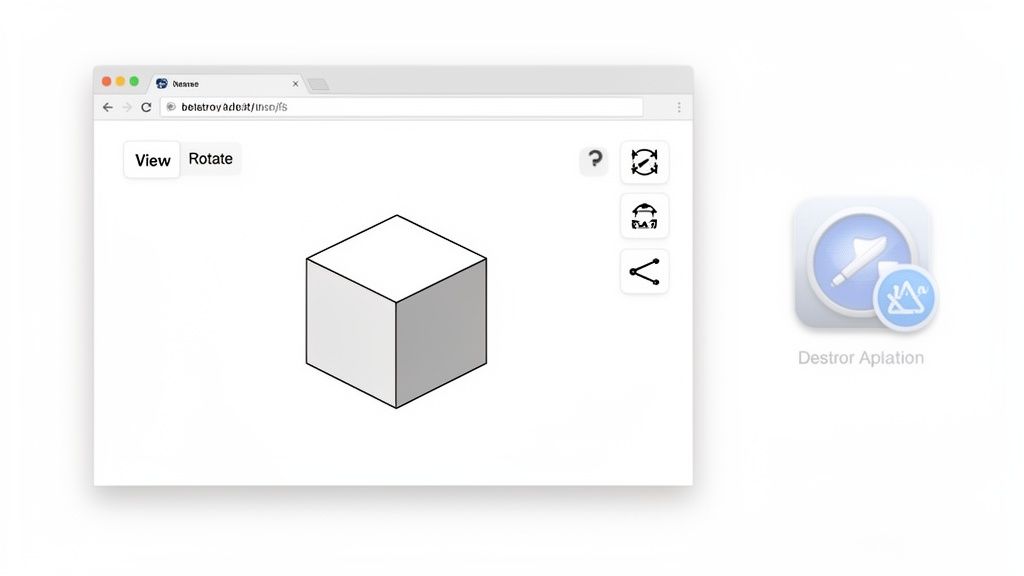
মূলত, একটি অনলাইন ৩ডি মডেল ভিউয়ার হলো বাধাহীনতা দূর করার বিষয়। অতীতে, একটি ৩ডি ফাইল দেখার অর্থ ছিল আপনাকে হয়তো ব্লেন্ডার বা অটোক্যাড এর মতো বড় এবং বিশেষায়িত সফটওয়্যার ডাউনলোড করতে হতো, সেটি ইনস্টল করতে হতো এবং তারপর শুধু তখনই আপনার মডেলটি খুলে দেখতে পারতেন। পুরো প্রক্রিয়াটি ছিল ধীর, সিস্টেম রিসোর্স খায় এবং প্রায়ই শুধু একটি ফাইল দেখার জন্যই আপনাকে একটি জটিল প্রোগ্রাম শিখতে হতো।
একটি অনলাইন ভিউয়ার সম্পূর্ণরূপে এই পরিস্থিতি উল্টে দেয়। আপনার ওয়েব ব্রাউজারের ক্ষমতাকে ব্যবহার করে, এটি প্রায় তাৎক্ষণিকভাবে ৩ডি অবজেক্ট রেন্ডার করে। সহযোগিতামূলক প্রকল্পে কাজ করা, দ্রুত প্রোটোটাইপিং করা বা শুধু কোনো ডিজাইন শেয়ার করার চেষ্টায় থাকা যেকোনো ব্যক্তির জন্য এই সহজ পরিবর্তনটি একটি বড় বিষয়। একটি বিশাল ফাইল ইমেইল করার এবং প্রাপকের কাছে সঠিক সফটওয়্যার আছে কিনা সে বিষয়ে আশা করার পরিবর্তে, আপনি শুধু একটি লিঙ্ক পাঠান।
তাৎক্ষণিক অ্যাক্সেসযোগ্যতার ক্ষমতা
ব্রাউজার-ভিত্তিক টুলসের দিকে এই এগিয়ে যাওয়া ৩ডি কনটেন্টকে সকলের জন্য সহজলভ্য করে তুলেছে। এখন আর ৩ডি মডেলগুলি শুধুমাত্র ইঞ্জিনিয়ার বা ডিজাইনারদের শক্তিশালী ওয়ার্কস্টেশনে আটকে থাকে না; এখন, যে কেউ একটি ওয়েব ব্রাউজার পেয়ে থাকলে সেগুলি দেখতে পারে। বিভিন্ন ক্ষেত্রে এর প্রভাব বেশ উল্লেখযোগ্য:
- ই-কমার্স: ক্রেতারা কেনার সিদ্ধান্ত নেওয়ার আগে পণ্যটিকে ঘুরিয়ে প্রতিটি কোণ থেকে পরীক্ষা করতে পারেন।
- ইঞ্জিনিয়ারিং: একজন প্রকল্প ব্যবস্থাপক তাদের ট্যাবলেটে একটি প্রোটোটাইপ তুলে ধরে পর্যালোচনা করতে পারেন, কোনো সম্পূর্ণ CAD লাইসেন্সের প্রয়োজন ছাড়াই।
- শিক্ষা: ছাত্ররা ঐতিহাসিক শিল্পকর্ম থেকে শুরু করে জটিল অণুর গঠন পর্যন্ত যেকোনো কিছু ইন্টারঅ্যাকটিভভাবে অনুসন্ধান করতে পারে।
- 3D প্রিন্টিং: অ্যামেচাররা প্রিন্টিং শুরু করার আগে STL ফাইলটি দ্রুত পূর্বরূপ দেখে কোনো স্পষ্ট ত্রুটি চিহ্নিত করতে পারেন।
এই ধরনের সহজলভ্যতা বাজারটি এত দ্রুত বৃদ্ধি পাওয়ার প্রধান কারণগুলির একটি। যেমন 3D মডেলিং বাজার নিজেই বিস্ফোরিত হয়েছে—২০২১ সালে $1.917 বিলিয়ন থেকে বেড়ে $3.364 বিলিয়ন ২০২৫ সাল পর্যন্ত প্রক্ষেপণ করা হয়েছে—সেভাবেই সহজ ভিউয়িং সরঞ্জামের প্রয়োজনীয়তাও বেড়েছে। এটি মাত্র চার বছরে 75% বৃদ্ধি, যা ভারী সফটওয়্যার ইনস্টল না করেই মডেল দেখার প্রয়োজনীয়তা থেকে চালিত। আপনি 3D মডেলিং বাজার সম্পর্কে আরও গবেষণা খুঁজে পেতে পারেন।
নতুন কর্মপ্রবাহ উন্মুক্ত করা
আসল যাদু ঘটে যখন একটি অনলাইন 3D মডেল ভিউয়ার একটি দলের দৈনিক কাজের প্রবাহের অংশ হয়ে ওঠে। একজন ওয়েব ডেভেলপারের জন্য, একটি ভিউয়ার এম্বেড করা একটি ফ্ল্যাট, স্ট্যাটিক ওয়েবপেজকে একটি মনোযোগ-আকর্ষণীয়, ইন্টার্যাকটিভ অভিজ্ঞতায় রূপান্তরিত করতে পারে। একজন ডিজাইনারের জন্য, এটি ক্লায়েন্টদের সাথে ফিডব্যাক লুপকে শক্তিশালী করে, যারা এখন মডেলটি রিয়েল-টাইমে দেখতে, ঘোরাতে এবং মন্তব্য করতে পারেন।
লক্ষ্য শুধু একটি মডেলকে দেখা নয়; লক্ষ্য হল সেই মডেলকে একটি বৃহত্তর প্রকল্প বা কথোপকথনের মধ্যে একটি ব্যবহারযোগ্য, শেয়ারযোগ্য এবং ইন্টার্যাকটিভ সম্পদ হিসাবে তৈরি করা। এই সাধারণ ধারণাটি সিদ্ধান্ত গ্রহণকে ত্বরান্বিত করে এবং আরও ভালো সহযোগিতা তৈরি করতে সাহায্য করে।
দূরবর্তী দল এবং অ্যাজাইল প্রকল্পের একটি জগতে, দৃশ্যমান তথ্যকে তাৎক্ষণিকভাবে শেয়ার এবং পরীক্ষা করার ক্ষমতা গ্রহণযোগ্য নয়। একটি অনলাইন ভিউয়ার একটি সার্বজনীন সেতুর কাজ করে, যা নিশ্চিত করে যে দলের সকল সদস্য—তাদের প্রযুক্তিগত পটভূমি নির্বিশেষে—একই 3D ডেটার সাথে সহজেই যুক্ত হতে পারে। সেই ভিত্তি নিয়ে, আমরা সেই নির্দিষ্ট বৈশিষ্ট্যগুলো নিয়ে গভীরে যেতে পারি যেগুলো এই সরঞ্জামগুলোকে এত শক্তিশালী করে তোলে।
অত্যাবশ্যক বৈশিষ্ট্য এবং ফাইল ফরম্যাটগুলো অনুসন্ধান করা
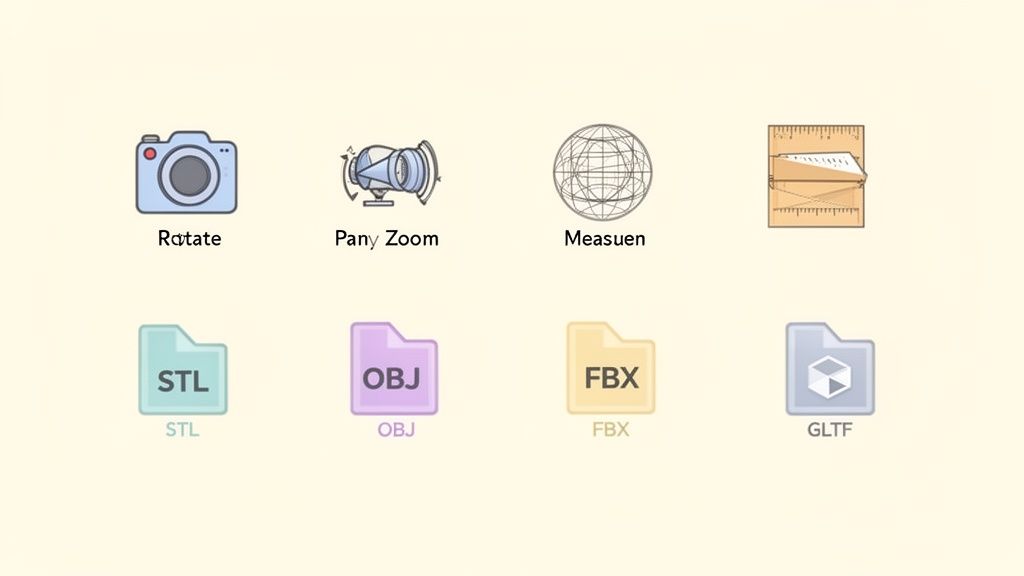
একটি ভালো অনলাইন 3D মডেল ভিউয়ার শুধু একটি ফাইল খোলার চেয়ে অনেক বেশি কাজ করে। এটি আপনার মডেলটি বিশ্লেষণ করার, প্রতিটি কোণ থেকে পরীক্ষা করার এবং আপনি যা তৈরি করেছেন তা সত্যিকার অর্থেই বোঝার জন্য একটি সম্পূর্ণ টুলকিট। লক্ষ্যটি হলো আপনার স্ক্রিনের একটি স্থির বস্তুকে এমন কিছুতে রূপান্তরিত করা যার সাথে আপনি মিথস্ক্রিয় করতে পারেন, যেন আপনি এটি হাতের মধ্যে ধরে রেখেছেন।
সব কিছুই শুরু হয় মৌলিক বিষয়গুলো থেকে: ক্যামেরা নিয়ন্ত্রণ।
- ঘুরানো: এটি আপনাকে মডেলটিকে ঘুরিয়ে দেওয়ার সুযোগ দেয়, যা আপনাকে সম্পূর্ণ 360-ডিগ্রি দৃশ্য প্রদান করে।
- প্যান করুন: এটিকে আপনার স্ক্রিনে মডেলটিকে বাম, ডান, উপর বা নিচে সরানো হিসেবে মনে করুন, আপনার দৃশ্যপট না পরিবর্তন করেই।
- জুম: কোনো ছোট বিস্তারিত দেখতে কাছে আসুন বা সম্পূর্ণ ছবিটি দেখতে পেছনে সরে যান।
এই তিনটি সহজ পদক্ষেপে দক্ষতা অর্জন করাটাই যেকোনো গুরুতর মডেল পর্যালোচনার ভিত্তি। কিন্তু সত্যিকারের বিশ্লেষণ করতে হলে আপনাকে আরও শক্তিশালী সরঞ্জামের প্রয়োজন।
উন্নত পরিদর্শন এবং ভিজ্যুয়ালাইজেশন সরঞ্জাম
পেশাদার-গ্রেডের ভিউয়ারগুলো আরও গভীরে যায়, এমন বৈশিষ্ট্য প্রদান করে যা একটি মডেলের স্তরগুলো খুলে দেখার সুযোগ দেয়—এর অন্তর্নিহিত গঠন দেখতে এবং নির্ভুলতা যাচাই করতে। যারা নির্ভুলতার উপর নির্ভর করে জীবনযাপন করেন—ইঞ্জিনিয়ার, আর্কিটেক্ট এবং ডিজাইনারদের জন্য এই সরঞ্জামগুলো অপরিহার্য।
সবচেয়ে কার্যকর সরঞ্জামগুলোর মধ্যে একটি হলো ওয়্যারফ্রেম ভিউ। মাত্র একটি ক্লিকেই আপনি কঠিন পৃষ্ঠগুলো সরিয়ে মডেলের কাঠামো দেখতে পাবেন—অর্থাৎ এর আকৃতি গঠনকারী বহুভুজ জালকে। জ্যামিতি বিশ্লেষণ, অতিরিক্ত জটিল এলাকা চিহ্নিত করা বা 3D প্রিন্টারে পাঠানোর আগে কোনো অংশের কাঠামোগত শক্তি নিশ্চিত করার জন্য এটি একেবারেই পারফেক্ট।
আরেকটি অপরিহার্য সরঞ্জাম হলো মাপজোক টুল। একটি ভালো ভিউয়ারে আপনাকে আপনার মডেলের যেকোনো দুটি বিন্দুর মধ্যে সহজেই দূরত্ব মাপার সুযোগ দেওয়া উচিত। একটি প্রোটোটাইপের মাত্রাগুলো প্রকৃতই মূল ডিজাইন স্পেসিফিকেশনের সাথে মেলেছে কিনা তা যাচাই করার জন্য এটি অত্যন্ত গুরুত্বপূর্ণ।
অবশেষে, সেকশন কাটস (অথবা ক্রস-সেকশন) আপনাকে একটি মডেলের মধ্যে সরাসরি কেটে ভিতরটি দেখার ক্ষমতা দেয়। একটি জটিল যান্ত্রিক সমাবেশের অভ্যন্তরীণ অংশ পরীক্ষা করার প্রয়োজন বা একটি বহুতল ভবন মডেলের মধ্যে একক তলার বিন্যাস দেখার কল্পনা করুন। সেখানেই সেকশন কাটস অমূল্য হয়ে ওঠে।
সেরা ভিউয়ারগুলো কেবল ডিজিটাল উইন্ডো নয়; এগুলো ইন্টারঅ্যাক্টি কর্মক্ষেত্র। এগুলো শুধু একটি মডেল দেখার জন্য নয়, বরং সত্যিকারের অর্থেই তা পরীক্ষা করে যাচাই করার জন্য প্রয়োজনীয় সরঞ্জাম প্রদান করে, যাতে তা প্রযুক্তিগত ও সৃজনশীল প্রতিটি চাহিদা পূরণ করে।
৩ডি ফাইল ফরম্যাটের জগৎে নেভিগেশন
যেমন ছবির জন্য JPEG এবং PNG, নথির জন্য PDF এবং DOC আছে, তেমনি ৩ডি মডেল বিভিন্ন ধরনের ফাইল ফরম্যাটে আসে। যেকোনো ভিউয়ারের কার্যকারিতা প্রায় সম্পূর্ণভাবে নির্ভর করে তা কোন ফরম্যাটগুলো হ্যান্ডেল করতে পারে তার ওপর। যদিও অনেক ফরম্যাট রয়েছে, তবুও কয়েকটি হলো আসল শিল্পের অশ্বারোহী।
নিচের সারণিটি আপনার সাথে সবচেয়ে বেশি দেখা যাওয়া সাধারণ ফরম্যাটগুলোর বিভাজন করে দেখাচ্ছে।
সাধারণ ৩ডি ফাইল ফরম্যাট এক নজরে
| ফরম্যাট | প্রাথমিক ব্যবহারের ক্ষেত্র | মূল বৈশিষ্ট্য | সাধারণত সমর্থিত |
|---|---|---|---|
| STL | 3D প্রিন্টিং, দ্রুত প্রোটোটাইপিং | সাধারণ ত্রিকোণ-মেশ জ্যামিতি; কোনো রঙ বা টেক্সচার ডেটা নেই। | প্রায় সর্বত্রই |
| OBJ | 3D গ্রাফিক্স, অ্যানিমেশন | জ্যামিতি, রঙ, টেক্সচার এবং উপাদান ডেটা সংরক্ষণ করে। | খুব ব্যাপকভাবে |
| FBX | গেমিং, চলচ্চিত্র, অ্যানিমেশন | মডেল, অ্যানিমেশন, লাইট, ক্যামেরার জন্য অল-ইন-ওয়ান ফরম্যাট। | প্রফেশনাল টুলসে প্রায়ই |
| GLTF/GLB | ওয়েব, AR/VR, মোবাইল অ্যাপ্লিকেশন | দ্রুত লোডিং এবং ওয়েব পারফরম্যান্সের জন্য অত্যন্ত অপ্টিমাইজড। | ক্রমশ বাড়ছে |
ত্রিভুজের সাদাসিধে মেশের মাধ্যমে মডেলের পৃষ্ঠকে বর্ণনা করে, যার জন্যে এটি বাজারের প্রায় প্রতিটি 3D প্রিন্টারের ক্ষেত্রেই সার্বজনীন ভাষা হয়ে উঠেছে। বিশেষত 3D প্রিন্টিংয়ের জগতে, যে ফরম্যাটটি শীর্ষে রাজা তা হলো STL (Stereolithography)। এর সরলতাই এর সবচেয়ে বড় শক্তি, তবে এটি একটি দুর্বলতাও—এতে শুধুমাত্র জ্যামিতিক তথ্য থাকে, রঙ, টেক্সচার বা উপাদান সম্পর্কে কোনো তথ্য নেই।
যেসব প্রজেক্টের জন্য অতিরিক্ত দৃশ্যমান বিবরণ প্রয়োজন, সেগুলোতে আপনি অন্যান্য ফরম্যাটের মুখোমুখি হবেন:
- OBJ: একটি নমনীয়, খোলা ফরম্যাট যা শুধু আকৃতি নয়, রঙ, টেক্সচার এবং উপাদানের তথ্যও সংরক্ষণ করতে পারে। সাধারণ 3D গ্রাফিক্স কাজের জন্যে এটি একটি জনপ্রিয় বিকল্প।
- FBX: Autodesk-এর এই শক্তিশালী ফরম্যাটটি অ্যানিমেশনের জন্যেই তৈরি। এটি জ্যামিতি, উপাদান, আলোর ব্যবহার এবং জটিল অ্যানিমেশন ডেটাকে একটি একক ফাইলে ধরন করে রাখে, যা গেম ডেভেলপমেন্ট এবং চলচ্চিত্র শিল্পে একে প্রিয় করে তুলেছে।
- GLTF/GLB: এই আধুনিক ফরম্যাটটিকে প্রায়ই 3D এর "JPEG" বলা হয়, যা ওয়েবে গতির জন্য মূলতোলন থেকেই তৈরি। এটি সংক্ষিপ্ত এবং দ্রুত লোড হয়, তাই অনলাইন 3D মডেল ভিউয়ার এবং AR অ্যাপ্লিকেশনের জন্য এটি একটি নিখুঁত পছন্দ।
শেষ পর্যন্ত, সঠিক ভিউয়ারটি বাছাই করা প্রায়ই আপনি দৈনন্দিনভাবে কী নিয়ে কাজ করেন তার ওপর নির্ভর করে। সকল সম্ভাব্য ফরম্যাট সমর্থনকারী একটি টুল থাকা ভালো, কিন্তু আপনার প্রাথমিক ফরম্যাটটি—যেমন STL— পুরোপুরি হ্যান্ডেল করতে পারে এমন একটি ভিউয়ার থাকাই প্রকৃতপক্ষে গুরুত্বপূর্ণ।
ব্রাউজারের রেন্ডারিং কীভাবে পারফরম্যান্সকে প্রভাবিত করে
আপনি কি কখনো ভেবেছেন, আপনার ব্রাউজার কীভাবে লক্ষ লক্ষ ছোট ত্রিকোণ দিয়ে তৈরি একটি জটিল 3D মডেলকে স্বাভাবিকভাবে ঘোরাতে পারে বিনা ঠোকরের নাড়াচাড়ায়? এর পেছনের জাদুটি হলো WebGL (Web Graphics Library).
নামক একটি প্রযুক্তি।WebGL-কে একটি ওয়েবপেজ এবং আপনার কম্পিউটারের গ্রাফিক্স কার্ডের মধ্যে একটি সরাসরি যোগাযোগের লাইন হিসেবে ভাবুন—যেটি একই শক্তিশালী হার্ডওয়্যার চালায় যেটি চাহিদাসম্পন্ন ভিডিও গেমগুলো চালায়। এটি ব্রাউজারকে 3D গ্রাফিক্সের সমস্ত ভারী কাজ সেই কাজের জন্যই তৈরি হার্ডওয়্যারে হস্তান্তর করতে দেয়।
এটিই হলো যা একটি উচ্চ-কার্যক্ষম অনলাইন 3D মডেল ভিউয়ারকে ঠিক একটি ব্রাউজার ট্যাবের মধ্যেই সম্ভব করে, কোনো প্লাগিন বা বিশেষ সফটওয়্যারের প্রয়োজন ছাড়াই। গ্রাফিক্স প্রসেসিং ইউনিট (GPU) ব্যবহার করে, WebGL বাস্তব সময়ে বিস্তারিত আকৃতি, টেক্সচার এবং আলোর রেন্ডারিংয়ের জন্য প্রয়োজনীয় তীব্র গণনা পরিচালনা করে। এই সহজলভ্যতাই হলো মূল কারণ যে কেন 3D রেন্ডারিং বাজার 2025 সালে ৪.৮৫ বিলিয়ন ডলার থেকে 2033 সালের মধ্যে বিশাল ১৯.৮২ বিলিয়ন ডলারে.
উন্নীত হওয়ার পূর্বাভাস দেওয়া হয়েছে।গুণমান এবং গতির মধ্যে সতত যুদ্ধ
3D গ্রাফিক্সের ক্ষেত্রে, দৃশ্যমান নির্ভুলতা এবং কার্যক্ষমতার মধ্যে সবসময় একটি বিনিময় চুক্তি থাকে। ফটোরিয়ালিস্টিক টেক্সচার, ডায়নামিক ছায়া এবং জটিল আলোর সাথে একটি মডেল অবিশ্বাস্যভাবে দেখতে হতে পারে, কিন্তু এটি GPU থেকে প্রচুর প্রক্রিয়াকরণ শক্তির দাবি করে।
আরেকদিকে, মৌলিক শেডিং এবং কম বিস্তারিত একটি সরল মডেল সহজেই লোড হবে এবং স্মুথভাবে ঘুরতে পারবে, এমনকি একটি স্মার্টফোন বা পুরনো ল্যাপটপে। এখানে মূল বিষয় হলো মডেলের পলিগন সংখ্যা— এর পৃষ্ঠকে গঠনকারী ত্রিভুজগুলোর সংখ্যা। একটি সরল ঘনক মাত্র 12 পলিগন দিয়ে তৈরি, কিন্তু একটি গাড়ির ইঞ্জিনের একটি বিস্তারিত CAD মডেলে সহজেই লক্ষ লক্ষ পলিগন থাকতে পারে।
যেকোনো ওয়েব-ভিত্তিক ভিউয়ারের জন্য, গতিই রাজা। একজন ব্যবহারকারী কোনো মডেল কতটা সুন্দর তা নিয়ে আগ্রহী হবে না যদি সেটি লোড হতে ৩০ সেকেন্ড সময় নেয় অথবা নাড়াচাড়ার চেষ্টা করার প্রতিবারই গড়িয়ে পড়ে।
যেকোনো অনলাইন ৩D মডেল ভিউয়ারের ক্ষেত্রে মূল চ্যালেঞ্জটি হলো ব্যবহারকারীরা একটি আধুনিক ওয়েব অ্যাপ্লিকেশন থেকে যে মসৃণ ও স্পন্দনশীল অভিজ্ঞতা প্রত্যাশা করেন তা বলি দেওয়া ছাড়াই সর্বোত্তম সম্ভাব্য ভিজ্যুয়াল মান প্রদান করা।
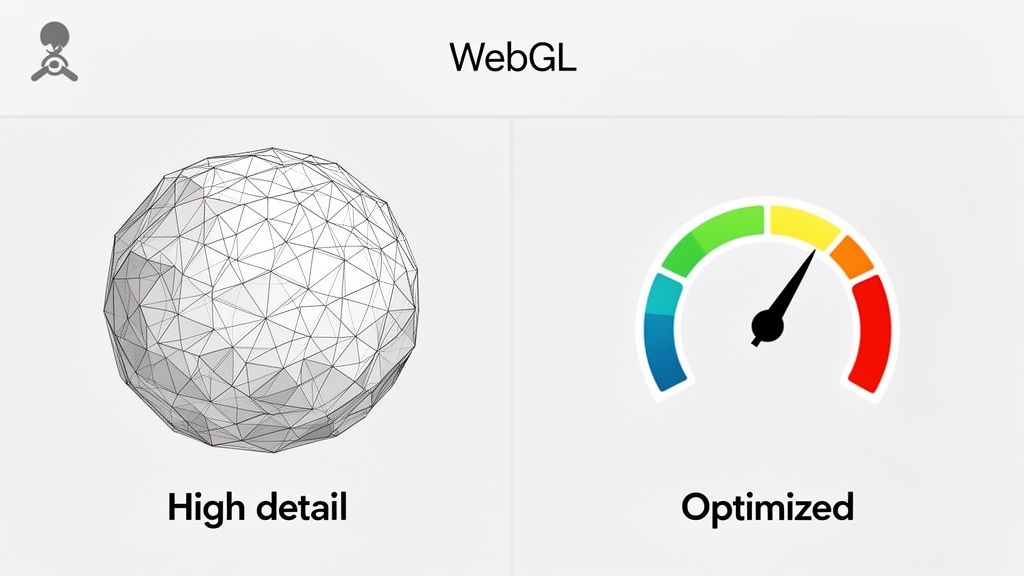
WebGL হলো সেই মৌলিক প্রযুক্তি যা একটি ব্রাউজারকে এই ধরনের জটিল দৃশ্য আঁকতে সাহায্য করে। আপনি যদি দেখতে চান ওয়েব-ভিত্তিক ৩D কতটা শক্তিশালী হতে পারে, তাহলে কিছু মুগ্ধকর Three.js উদাহরণ.
ওয়েবের জন্য মডেল অপ্টিমাইজ করার টিপস
আপনার মডেলগুলি যেকোনো অনলাইন 3D ভিউয়ারে সুষ্ঠুভাবে চালাতে হলে, সামান্য প্রস্তুতি অনেক দূর পর্যন্ত যায়। শুরু করতে কিছু ব্যবহারিক টিপস এখানে দেওয়া হলো:
- আপনার জ্যামিতি সরল করুন: প্রথম ধাপ হলো মডেলের পলিগন সংখ্যা কমানো। বেশিরভাগ 3D মডেলিং প্রোগ্রামে "ডিসিমেট" বা "পলিগন রিডাকশন"-এর মতো টুল থাকে যেগুলি সামগ্রিক আকৃতি নষ্ট না করে বুদ্ধিমত্তার সাথে ত্রিভুজ সরিয়ে ফেলে।
- আপনার টেক্সচার অপ্টিমাইজ করুন: বিশাল, উচ্চ-রেজোলিউশনের টেক্সচার মেমোরি খায় এবং লোডিং সময়কে উল্লেখযোগ্যভাবে ধীর করে দেয়। আপনার ছবি কম্প্রেস করুন এবং আধুনিক ফরম্যাট ব্যবহার করুন। মান এবং গতির মধ্যে ভারসাম্য রাখার জন্য https://shiftshift.app/blog/best-image-format-for-web বাছাই করার নীতির সাথে এটি একই রকম।
- ওয়েব-বান্ধব ফরম্যাট ব্যবহার করুন: যতটা সম্ভব, আপনার মডেলগুলি GLTF অথবা GLB হিসাবে এক্সপোর্ট করুন। এই ফরম্যাটগুলি ওয়েবের জন্য মূলতঃই তৈরি করা হয়েছে, ছোট, দক্ষ এবং ব্রাউজারে দ্রুত রেন্ডার করার জন্য ডিজাইন করা হয়েছে।
স্থানীয় বনাম ক্লাউড-ভিত্তিক নিরাপত্তার বোঝাপড়া
যখন আপনি কোনো অনলাইন ভিউয়ার ব্যবহার করে ৩ডি ফাইল খুলেন, তখন কি কখনো ভেবে দেখেন আপনার ডেটা আসলে কোথায় যাচ্ছে? এটি একটি গুরুত্বপূর্ণ প্রশ্ন যা প্রায়ই উপেক্ষিত থাকে, কিন্তু উত্তরটি এই সরঞ্জামগুলিকে দুটি সম্পূর্ণ আলাদা শ্রেণিতে ভাগ করে দেয়, প্রত্যেকটিরই আপনার গোপনীয়তার জন্য বিশাল প্রভাব রয়েছে।
এটি বিশেষভাবে সত্য যদি আপনি সংবেদনশীল ডিজাইনের ওপর কাজ করছেন। দুটি প্রধান পদ্ধতি হলো ক্লাউড-ভিত্তিক ভিউয়ার এবং স্থানীয়, ব্রাউজারের মধ্যে চলমান ভিউয়ার। একটি আপনার ফাইলকে ইন্টারনেটের মধ্য দিয়ে একটি দূরবর্তী সার্ভারে পাঠায়, আর অন্যটি আপনার নিজের মেশিনে তা সুরক্ষিত রাখে। এই একটি পার্থক্যই সবকিছু পরিবর্তন করে দেয়, যে ব্যক্তিরা আপনার মূল্যবান বুদ্ধিবৃত্তিক সম্পত্তির দিকে তাকাতে পারতে পারেন।
ক্লাউড-ভিত্তিক মডেল: এটি কীভাবে কাজ করে
আপনি যে বেশিরভাগ বড়, বৈশিষ্ট্যসমৃদ্ধ অনলাইন প্ল্যাটফর্ম পাবেন তা ক্লাউড-ভিত্তিক। যখন আপনি আপনার STL বা OBJ ফাইলটি ব্রাউজারে টেনে এনে ছেড়ে দেন, তখন আপনি আসলে এটিকে কোম্পানির সার্ভারে আপলোড করছেন। সেই শক্তিশালী মেশিনগুলি তারপর সমস্ত ভারী কাজ করে—জ্যামিতি বিশ্লেষণ করে, মডেলটি রেন্ডার করে এবং সম্পন্ন ছবিটি আপনাকে ফেরত দেখাতে স্ট্রিম করে।
এতে সত্যিই অনেক সুবিধা আছে। ক্লাউড সার্ভারগুলো এমন বিশাল ও জটিল মডেলগুলো হ্যান্ডেল করতে পারে যেগুলো একটি সাধারণ ল্যাপটপকে পুরোপুরি নষ্ট করে দেবে। যদি আপনি এর পেছনের প্রযুক্তি নিয়ে কৌতূহলী হন, তাহলে ক্লাউড-ভিত্তিক রেন্ডারিং সম্পর্কে আরও গভীরে যাওয়া এদের এতটা দুর্দান্ত কর্মক্ষমতা কীভাবে অর্জন করা হয় তা প্রকাশ করতে পারে।
কিন্তু এখানে একটি শর্ত আছে: এই সুবিধাটি একটি মূল্যে আসে। আপনার ফাইলটি আর শুধু আপনার নয়। এটি এখন অন্য কারো সার্ভারে বসে আছে, যা একটি সম্পূর্ণ নতুন ঝুঁকির সমষ্টি তৈরি করে।
প্রতিবার যখন আপনি একটি ক্লাউড সার্ভিসে ফাইল আপলোড করেন, তখন মূলত আপনি সেই কোম্পানির নিরাপত্তাকে বিশ্বাস করেন। একটি সাধারণ শখের প্রজেক্টের জন্য, ঝুঁকিটি সম্ভবত খুবই ক্ষুদ্র। কিন্তু একটি গোপনীয় প্রোটোটাইপ বা একটি মালিকানা প্রকৌশল নকশার জন্য? এটি এমন একটি জুয়া যেটি অনেকেই নিতে পারেন না।
স্থানীয়-প্রক্রিয়াকরণের সুবিধা: আপনার ডিভাইসেই তথ্য রাখুন
আরেকদিকে, একটি স্থানীয় অনলাইন 3D ভিউয়ার "গোপনীয়তা-প্রথম" ভিত্তিতে তৈরি। এই টুলগুলো, যা প্রায়ই সাধারণ ব্রাউজার এক্সটেনশন, আপনার নিজের কম্পিউটারের শক্তি ব্যবহার করে মডেলটিকে সরাসরি আপনার ব্রাউজার ট্যাবেই রেন্ডার করে। আপনার ফাইলটি কখনই, কখনই আপনার মেশিন ছাড়ে না।
এই পদ্ধতিটি WebGL-এর মতো আধুনিক ব্রাউজার প্রযুক্তি ব্যবহার করে সরাসরি আপনার কম্পিউটারের গ্রাফিক্স কার্ড (GPU) থেকে সরাসরি কাজ নেয়, যাতে সমস্ত প্রক্রিয়া আপনার পক্ষ থেকেই সম্পন্ন হয়। ফাইলটি আপনার হার্ড ড্রাইভ থেকে পড়া হয়, আপনার ব্রাউজারের মেমরিতে প্রদর্শিত হয় এবং ট্যাবটি বন্ধ করার সাথে সাথেই মিলিয়ে যায়। কোনো আপলোড নেই, কোনো সার্ভার কপি নেই, আপনার নিয়ন্ত্রণের বাইরে থাকা কোনো সিস্টেমে তথ্য বিচ্ছিন্ন থাকে না।
এই স্থানীয়-প্রথম মডেল আপনাকে কয়েকটি নির্ভরযোগ্য নিরাপত্তা গ্যারান্টি দেয়:
- জিরো সার্ভার-সাইড রিস্ক: যেহেতু কিছুই কখনো আপলোড করা হয় না, আপনার ফাইলটি সার্ভার ব্রিচে উন্মুক্ত হতে পারে না, অসৎ কোনো কর্মচারী দ্বারা অ্যাক্সেস করা যায় না, অথবা খারাপভাবে কনফিগার করা স্টোরেজ সিস্টেম থেকে লিক হতে পারে না।
- সম্পূর্ণ তথ্য গোপনীয়তা: আপনার মালিকানাধীন তথ্য—নতুন কোনো পণ্যের নকশা, স্থাপত্য পরিকল্পনা, বা একটি মেডিকেল ডিভাইস প্রোটোটাইপ হোক—সম্পূর্ণরূপে প্রাইভেট থাকে।
- অফলাইন কার্যকারিতা: যেহেতু প্রক্রিয়াকরণ ইন্টারনেট সংযোগের ওপর নির্ভর করে না, আপনি অফলাইন থাকাকালীনও আপনার মডেলগুলি নিরাপদে দেখতে পারেন।
এটিই হলো ShiftShift-এর ইন-ব্রাউজার STL Viewer যেভাবে কাজ করে। এটি মূলত এমনভাবে তৈরি করা হয়েছে যাতে নিশ্চিত করা যায় যে আপনার ডিজাইনগুলো শুধুমাত্র আপনারই থাকবে এবং অন্য কেউ তা দেখতে পাবে না। যেকোনো পেশাদার যিনি সংবেদনশীল ফাইল নিয়ে কাজ করেন, তার জন্য এটি শুধু একটি বাড়তি সুবিধার বিষয় নয়; বরং এটি একটি প্রয়োজনীয় বিষয়। নিরাপদ টুলগুলোকে শক্তিশালী ডিজিটাল স্বাস্থ্যবিধির সাথে জুড়ে দেওয়া একটি ভালো উপায়; আপনি সকল অ্যাকাউন্ট নিরাপদ রাখতে পাসওয়ার্ড নিরাপত্তার সেরা অনুশীলনগুলো সম্পর্কে জ্ঞান বাড়াতে পারেন।
চূড়ান্তভাবে, একটি স্থানীয় দর্শক এবং একটি ক্লাউড দর্শকের মধ্যে পছন্দ মূলত আপনার প্রয়োজনের উপর নির্ভর করে। আপনি যদি পাবলিক মডেল নিয়ে কাজ করেন এবং শক্তিশালী সহযোগিতা বৈশিষ্ট্যের প্রয়োজন হয়, তাহলে একটি ক্লাউড প্ল্যাটফর্ম আপনার জন্য উপযুক্ত হতে পারে। কিন্তু যদি ডেটা গোপনীয়তা এবং আপনার বুদ্ধিবৃত্তিক সম্পত্তির সুরক্ষা আপনার সর্বোচ্চ অগ্রাধিকার হয়, তাহলে একটি স্থানীয়, ইন-ব্রাউজার দর্শকই আপনার ফাইলগুলোকে নিরাপদ রাখার একমাত্র নিশ্চিত পথ।
৭. আপনার কার্যপ্রবাহে একটি 3D Viewer সংযুক্ত করা
একটি অনলাইন 3D মডেল ভিউয়ার তখনই সত্যিকারের কার্যকর হয় যখন এটি একটি আলাদা গন্তব্য হিসেবে থাকা বন্ধ করে এবং আপনি ইতিমধ্যে যেভাবে কাজ করেন তার সাথে মিশে যায়। প্রকৃত দক্ষতা হলো এক ডজন আলাদা অ্যাপ্লিকেশন নিয়ে ঝামেলা করা নয়; এটি হলো সঠিক সরঞ্জামগুলো সরাসরি আপনার পরিবেশে নিয়ে আসা।
ডেভেলপারদের বা ই-কমার্স ম্যানেজারদের জন্য, এটি প্রায়শই একটি ভিউয়ার সরাসরি একটি ওয়েবসাইটে এম্বেড করার মানে বোঝায়। একটি পণ্য পৃষ্ঠার কল্পনা করুন যেখানে একজন গ্রাহক একটি আসবাবটিকে ঘোরাতে পারেন, বিস্তারিত অংশগুলো জুম করতে পারেন এবং এটিকে প্রতিটি কোণ থেকে দেখতে পারেন। অথবা প্রাযোগিক নথিপত্রের কথা ভাবুন যেখানে একজন প্রকৌশলী একটি জটিল অংশের একটি ইন্টারেক্টিভ ডায়াগ্রাম অনুসন্ধান করতে পারেন। এটি সমতল, স্থির ছবির চেয়ে অনেক বেশি আকর্ষণীয় এবং উপযোগী অভিজ্ঞতা।
ইন্টারেক্টিভ অভিজ্ঞতার জন্য ভিউয়ার এম্বেড করা
একটি 3D ভিউয়ার এম্বেড করা হলো আপনার ওয়েবসাইটে একটি ছোট, ইন্টারেক্টিভ উইন্ডো খোলার মতো। মাত্র কয়েকটি কোড লাইন দিয়ে, আপনি যেকোনো ওয়েবপেজে একটি সম্পূর্ণ কার্যকর ভিউয়ার রেখে দিতে পারেন। এটি সব ধরনের অ্যাপ্লিকেশনের জন্য একটি অপরিহার্য হয়ে উঠছে:
- ই-কমার্স প্রোডাক্ট পেজ: গ্রাহকদের একটি 3D মডেলের সাথে বাস্তব সময়ে মিথস্ক্রিয় হতে দেওয়া প্রমাণিতভাবেই এনগেজমেন্ট এবং বিক্রয় বাড়ায়।
- টেকনিক্যাল ডকুমেন্টেশন: সমতল স্কিমেটিক্স ছেড়ে দিন। এর পরিবর্তে, এমন ইন্টার্যাক্টিভ মডেল অফার করুন যেগুলি ব্যবহারকারীরা ভার্চুয়ালভাবে আলাদা করে প্রতিটি কম্পোনেন্ট কীভাবে একসাথে সংযুক্ত হয় তা দেখতে পারেন।
- সহযোগিতামূলক ডিজাইন রিভিউ: আপনার প্রজেক্ট ম্যানেজমেন্ট টুলে একটি ভিউয়ার এম্বেড করুন, যাতে টিম তাদের কাজের প্রবাহ থেকে না সরেই সরাসরি একটি মডেলে মন্তব্য রাখতে পারে।
সহজসাধ্য উত্পাদকতার জন্য ব্রাউজার এক্সটেনশন
যাইহোক, আমাদের অধিকাংশের ক্ষেত্রেই, সবচেয়ে শক্তিশালী ইন্টিগ্রেশন আসে ব্রাউজার এক্সটেনশন থেকে। এই ছোট টুলগুলি সরাসরি আপনার ব্রাউজারে কার্যকারিতা যোগ করে, যেকোনো ওয়েবসাইটে আপনার ভিজিটের সময় শক্তিশালী ফিচারগুলি পাওয়া সম্ভব করে। এটি নতুন ট্যাব খোলার বা আলাদা অ্যাপ্লিকেশন চালু করার প্রয়োজনীয়তাকে সম্পূর্ণভাবে দূর করে দেয়, যা উত্পাদকতার পরিচিত শত্রু।
শুধু কল্পনা করুন আপনি কতবার একটি ইমেইল বা একটি ডিজাইন সাইট থেকে একটি STL ফাইল ডাউনলোড করেছেন। স্ট্যান্ডার্ড রুটিনটি অসুবিধাজনক: আপনার ডাউনলোড থেকে ফাইলটি খুঁজে বের করুন, আরেকটি প্রোগ্রাম চালু করুন, এবং তারপর শেষ পর্যন্ত এটি দেখতে পান। একটি ব্রাউজার এক্সটেনশন সেই সমগ্র ক্লান্তিকর প্রক্রিয়াটিকে ছোট করে দেয়।
সত্যিকারের একটি একীভূত টুল আপনার নিজের কাজের প্রবাহের একটি স্বাভাবিক সম্প্রসারণ বোধ হওয়া উচিত, বাধার নয়। লক্ষ্য হলো প্রসঙ্গ পরিবর্তন কমানো এবং আপনার মনোযোগ তার উচিত জায়গায়—বর্তমান কাজে—আটকে রাখা।
ShiftShift Extensions-এর মতো একটি টুল ব্যবহার করলে, আপনি একটি ডাউনলোড করা STL ফাইল একটি দ্রুত কীবোর্ড কমান্ডের (যেমন ডাবল-শিফট) সাথে তাৎক্ষণিকভাবে খুলে ফেলতে পারেন। আপনাকে কখনও আপনার প্রজেক্ট বোর্ড, ইমেইল, বা কোড রিপোজিটরি ছেড়ে যেতে হবে না। এই সাধারণ পরিবর্তনটি অবাক করার মতো পরিমাণ সময় এবং মানসিক শক্তি বাঁচায়, একটি সাধারণ ভিউয়ারকে এমন একটি টুলে রূপান্তরিত করে যাছাড়া আপনি চলতে পারবেন না। আপনি যদি কৌতূহলী হন, তাহলে আমাদের ডেভেলপারদের জন্য সেরা Chrome এক্সটেনশন নিয়ে গাইডটি দেখুন কীভাবে অন্যান্য একীভূত টুল আপনার জীবনকে সহজ করতে পারে।
এই চিত্রটি আপনাকে দেখায় কীভাবে আপনি একটি গোপনীয়তা-প্রথম স্থানীয় ভিউয়ার এবং একটি ক্লাউড-ভিত্তিক ভিউয়ারের মধ্যে পছন্দ করার সময় আপনার ডেটা পরিচালনা করা হয়।
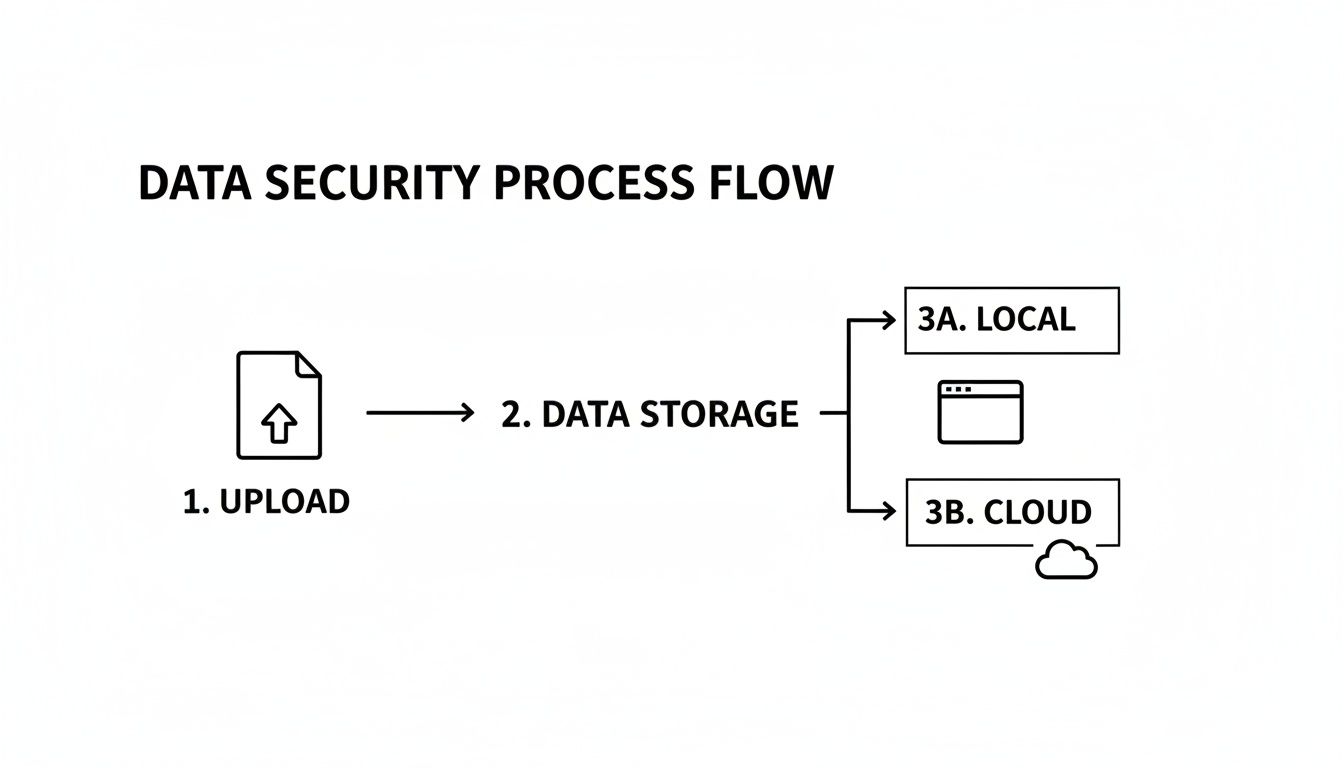
এখানে মূল কথা হলো যে, স্থানীয় ভিউয়াররা আপনার নিজের মেশিনেই ফাইলগুলো সরাসরি প্রসেস করে, যার অর্থ আপনার ডেটা কখনই কোনো বহিঃস্থ সার্ভারে পাঠানো হয় না।
এই ইন্টিগ্রেটেড টুলগুলোর মূল্য শুধুই বাড়বে। 2025 সালে $169.69 বিলিয়ন ডলারে পৌঁছেছে 3D ডিসপ্লে মার্কেট এবং 2026 সাল নাগাদ এটি $196.87 বিলিয়ন ডলারে ওঠার প্রত্যাশা করা হচ্ছে। ShiftShift-এর মতো ইন্টিগ্রেটেড টুল ব্যবহারকারীদের জন্য, এর অর্থ হলো ডেভেলপার এবং ডিজাইনাররা তাদের মডেলগুলোতে ওয়্যারফ্রেম বা অক্ষের মতো জিনিসপত্র একটি কমান্ড প্যালেট দিয়ে তাৎক্ষণিকভাবে টগল করতে পারেন। এটি প্রমাণ করে যে, ব্রাউজার-ভিত্তিক টুলগুলোই আপনার ডেটা ব্রাউজার ছাড়াই এই বুমে লাভ করার সেরা উপায়। আপনি 3D ডিসপ্লে মার্কেটের সম্পূর্ণ বিশ্লেষণ অনুসন্ধান করে সংখ্যাগুলো নিয়ে আরও গভীরে যেতে পারেন।
অনলাইন 3D মডেল ভিউয়ার সম্পর্কে সাধারণ প্রশ্ন
আপনি যখন আপনার ওয়ার্কফ্লোতে একটি অনলাইন 3D ভিউয়ার ব্যবহার শুরু করেন, তখন কয়েকটি ব্যবহারিক প্রশ্ন প্রায়ই মাথায় আসে। এটি কতটুকু সামলাতে পারে? এটি কি সত্যিই নিরাপদ? এই উত্তরগুলি জেনে ফেললে আপনাকার কাজের জন্য সঠিক টুল বাছাই করতে সাহায্য হবে। আসুন সবচেয়ে সাধারণ কিছু প্রশ্নের উত্তর খুঁজে বের করি।
কি একটি অনলাইন 3D ভিউয়ার অত্যন্ত বড় ফাইল সামলাতে পারে?
এটি একটি বড় প্রশ্ন। যদিও ওয়েব প্রযুক্তি অনেক এগিয়ে গেছে, ব্রাউজার-ভিত্তিক ভিউয়ারগুলি যাদুকরী নয়—এদের সীমাবদ্ধতা রয়েছে। মূল বাধা প্রায়ই থাকে মডেলটির পলিগন কাউন্ট, যা আসলে মডেলের পৃষ্ঠ তৈরি করা ছোট ত্রিভুজগুলির মোট সংখ্যা। একটি সাধারণ আকৃতি কয়েকশো ত্রিভুজ থাকতে পারে, কিন্তু একটি বিস্তারিত CAD মডেল বা উচ্চ-রেজোলিউশন স্ক্যান সহজেই লক্ষ লক্ষ পর্যন্ত হতে পারে।
যখন পলিগন সংখ্যা বেশি হয়ে যায়, আপনার কম্পিউটারের গ্রাফিক্স কার্ডকে (GPU) স্ক্রিনে সবকিছু আঁকতে অনেক বেশি পরিশ্রম করতে হয়। এর ফলে লোড হতে সময় লাগতে পারে এবং ঘুরিয়ে বা জুম করার চেষ্টায় একটা ল্যাগি, হতাশাজনক অভিজ্ঞতা হতে পারে। বর্তমানে বেশিরভাগ ভিউয়ার কয়েক লক্ষ পলিগন সহজেই সামলাতে পারে, কিন্তু সীমা অতিক্রম করলে, বিশেষত পুরানো মেশিনে, জিনিসপত্র একদম থেমে যেতে পারে। সেরা অনুশীলন কী? আপনি যদি ভারী একটি মডেল শেয়ার করেন, তাহলে এর জ্যামিতিক সরলীকরণ করে প্রথমেই এটি অপ্টিমাইজ করার সবসময় একটি ভালো ধারণা।
একটি লোকাল ব্রাউজার-ভিত্তিক ভিউয়ার কি সম্পূর্ণ নিরাপদ?
এই প্রশ্নটি তথ্য গোপনীয়তা নিয়ে সরাসরি মূল বিষয়ে চলে আসে। সংক্ষিপ্ত উত্তর হলো হ্যাঁ, একটি সত্যিকারের লোকাল, ব্রাউজারের ভিতরের ভিউয়ার এমন একটি নিরাপত্তার স্তর প্রদান করে যেটি ক্লাউড প্ল্যাটফর্মগুলো সরাসরি মেলাতে পারে না। কেন? কারণ আপনার ডেটা আপনার কম্পিউটার ছাড়ে না। ক্লাউড সার্ভিসগুলোর বিপরীতে, যেগুলো আপনাকে প্রথমে আপনার ফাইল তাদের সার্ভারে আপলোড করতে বলে, সবকিছুই আপনার নিজের মেশিনেই প্রক্রিয়া করা হয়।
এই লোকাল-ফার্স্ট পদ্ধতিটি নিরাপত্তার বৃহত্তম মাথাব্যথা সমস্যাগুলোকে সুন্দরভাবে এড়িয়ে যায়:
- তথ্য হস্তক্ষেপ নেই: আপনার ফাইলটি ইন্টারনেটের মধ্য দিয়ে উড়ে বেড়ায় না, তাই পাঠানোর মাঝখানে কোনো খারাপ অভিপ্রায়ের ব্যক্তির জন্য ধরার মতো কিছুই থাকে না।
- সার্ভার ভঙ্গ নেই: আপনার ডিজাইন অন্য কারো সার্ভারে সংরক্ষিত না হওয়ায়, সেই সার্ভার হ্যাক হলেও তা প্রকাশিত হতে পারবে না।
- সম্পূর্ণ গোপনীয়তা: সমস্ত নিয়ন্ত্রণ আপনার হাতে। শুরু থেকে শেষ পর্যন্ত আপনার বৌদ্ধিক সম্পদ আপনারই থাকবে।
মূলত, একটি লোকাল-ফার্স্ট অনলাইন 3D মডেল ভিউয়ার এমনভাবে ডিজাইন করা হয়েছে যে আপনার গোপনীয় ব্লুপ্রিন্ট, প্রোটোটাইপ এবং সংবেদনশীল ফাইলগুলো তাইই থাকে—গোপনীয়। এটিই হলো ShiftShift STL Viewerের মতো .
গোপনীয়তা-কেন্দ্রিক সরঞ্জামগুলোর পেছনের সমগ্র দর্শন।
সেরা বিনামূল্যে অনলাইন 3D মডেল ভিউয়ারগুলো কী?
সত্যি বলতে গেলে, "সেরা" ভিউয়ারটি সত্যিই নির্ভর করে আপনি কী অর্জন করতে চাইছেন তার উপর। এটি একটি র্যাঙ্কিং তালিকার চেয়ে বরং হাতের কাজের জন্য সঠিক সরঞ্জাম খুঁজে পানোর বিষয়।
যদি আপনি একটি দলে কাজ করছেন এবং গভীর সহযোগিতা বৈশিষ্ট্যের প্রয়োজন হয়—যেমন রিয়েল-টাইম মন্তব্য, সংস্করণ ইতিহাস এবং বিশাল অ্যাসেম্বলির সমর্থন—তবে একটি সম্পূর্ণ ক্লাউড প্ল্যাটফর্ম সম্ভবত আপনার সেরা বিকল্প। এগুলো সেই ধরনের শেয়ারড, জটিল কার্যপ্রবাহের জন্য মূলতঃই নির্মিত।
আরেকদিকে, আপনার প্রধান উদ্বেগ যদি গোপনীয়তা এবং গতি আপনার নিজের কাজের জন্য, তবে একটি স্থানীয় ব্রাউজার এক্সটেনশন অনেক ভালো ফিট। ShiftShift Extensions আপনাকে STL ফাইলগুলি দ্রুত এবং নিরাপদভাবে খুলতে সাহায্য করে, কখনওই আপলোড না করেই। এটি দ্রুত ডিজাইন পর্যালোচনা, 3D প্রিন্টিংয়ের জন্য ডাউনলোড করা ফাইলগুলি পরীক্ষা করা, অথবা নিরাপত্তা শীর্ষ অগ্রাধিকার হিসেবে থাকা যেকোনো মডেলের সাথে কাজ করার জন্য একদম উপযুক্ত।
আপনার ব্রাউজারে সরাসরি 3D মডেল দেখার একটি আরও দ্রুত ও নিরাপদ পদ্ধতির অভিজ্ঞতা নিতে প্রস্তুত? ShiftShift Extensions ইকোসিস্টেমে একটি প্রাইভেসি-ফার্স্ট STL ভিউয়ার অন্তর্ভুক্ত রয়েছে যা আপনার ডেটা আপনার মেশিনে নিরাপদ রাখে। একটি একক কমান্ড প্যালেটের সাথে এটি এবং ডজন ডজন অন্যান্য পণ্যদ্রষ্টি টুলগুলি তাৎক্ষণিকভাবে অ্যাক্সেস করুন। আরও জানুন https://shiftshift.app.