12 Beste Chrome-Erweiterungen für Produktivität, um Ihren Workflow im Jahr 2026 zu optimieren
Entdecken Sie die 12 besten Chrome-Erweiterungen für Produktivität im Jahr 2026. Dieser Leitfaden behandelt die besten Tools zur Verwaltung von Tabs, zur Optimierung von Aufgaben und zur Reduzierung von Ablenkungen.

Empfohlene Erweiterungen

Der durchschnittliche Fachmann verbringt täglich Stunden in seinem Browser, aber wie viel von dieser Zeit ist wirklich produktiv? Mit endlosen Tabs, ablenkenden Benachrichtigungen und ständigem Kontextwechsel kann Google Chrome schnell zu einem Produktivitätsloch werden, anstatt ein leistungsstarkes Werkzeug zu sein. Die richtige Auswahl an Browser-Erweiterungen kann jedoch dieses dynamische Verhältnis vollständig umkehren und Ihren Browser in ein fokussiertes, effizientes Kommandocenter verwandeln, das auf Ihre spezifischen Bedürfnisse zugeschnitten ist. Dieser Leitfaden geht über allgemeine Listen hinaus und bietet einen kuratierten tiefen Einblick in die besten Chrome-Erweiterungen für Produktivität.
Wir haben die schwere Arbeit geleistet und Werkzeuge für eine Vielzahl von Fachleuten analysiert. Egal, ob Sie ein Entwickler sind, der Formatierer und Diff-Tools benötigt, ein Designer, der schnelle Bildkonverter sucht, oder ein Remote-Arbeiter, der versucht, Zeit und Fokus zu managen, hier finden Sie erprobte Lösungen. Jede Empfehlung enthält eine detaillierte Analyse ihrer praktischen Anwendungsfälle, eine ehrliche Bewertung ihrer Einschränkungen und Hinweise zur Integration in Ihre täglichen Aufgaben. Wir erkunden auch einheitliche Alternativen wie ShiftShift Extensions, die mehrere Funktionen in einem einzigen, optimierten Paket kombinieren.
Unser Ziel ist einfach: Ihnen zu helfen, die perfekten Erweiterungen zu finden, um Ihren Fokus zurückzugewinnen und die Fähigkeiten Ihres Browsers zu maximieren. Wir bieten direkte Links und Screenshots für jedes Tool, um Ihren Bewertungsprozess nahtlos zu gestalten. Um Ihren Browser von einer Ablenkung in eine echte Produktivitätsmaschine zu verwandeln, erkunden Sie diesen umfassenden Leitfaden zu den 12 besten Chrome-Erweiterungen für Produktivität im Jahr 2025. Diese kuratierte Sammlung ist der erste Schritt zu einem effizienteren und weniger ablenkenden digitalen Arbeitsplatz. Lassen Sie uns anfangen.
1. ShiftShift Extensions
ShiftShift Extensions hebt sich als leistungsstarke, All-in-One-Produktivitäts-Suite hervor, die grundlegend verändert, wie Sie mit Ihrem Browser interagieren. Anstatt Ihre Symbolleiste mit Dutzenden von Einzweck-Erweiterungen zu überladen, konsolidiert es eine riesige Bibliothek von Werkzeugen in einer einzigen, tastaturgesteuerten Befehls-Palette. Dieser einheitliche Ansatz macht es zu einer der besten Chrome-Erweiterungen für Produktivität, minimiert den Kontextwechsel und beschleunigt die gängigen Arbeitsabläufe für Entwickler, Designer und allgemeine Benutzer erheblich.
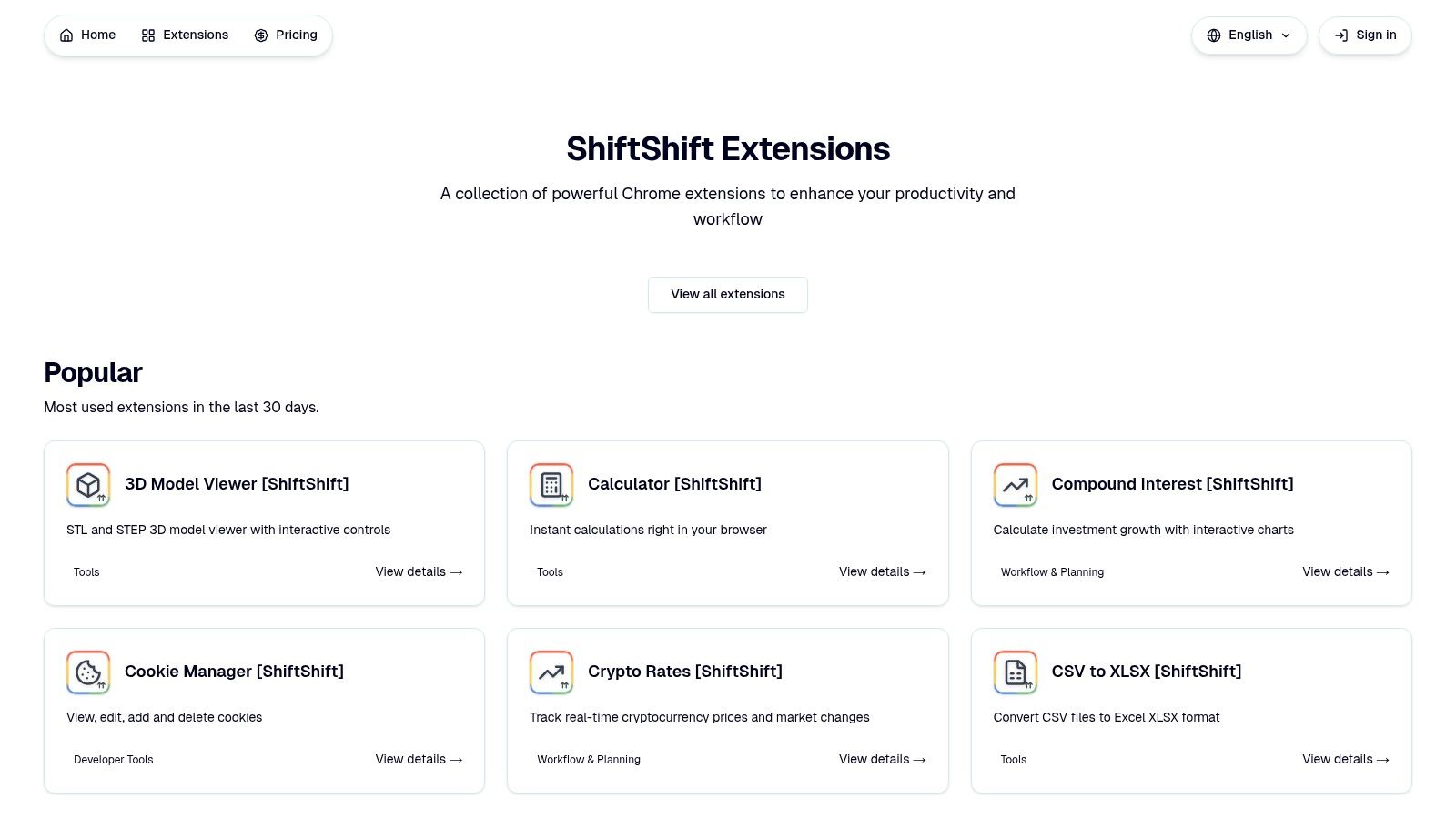
Die Kernstärke von ShiftShift liegt in seiner Geschwindigkeit und der datenschutzorientierten Architektur. Durch die Verarbeitung aller Daten lokal in Ihrem Browser stellt es sicher, dass Ihre Informationen niemals hochgeladen oder verfolgt werden, und viele seiner Werkzeuge funktionieren vollständig offline. Drücken Sie einfach zweimal die Shift-Taste (oder verwenden Sie Cmd/Ctrl+Shift+P), um sofort auf alles von einem JSON-Formatter und Text-Diff-Tool bis hin zu einem Batch-Bildkonverter und einem Zinseszinsrechner zuzugreifen.
Für wen sind ShiftShift Extensions am besten geeignet?
Das breite Werkzeugset von ShiftShift dient einer Vielzahl von Fachleuten. Entwickler finden unverzichtbare Hilfsprogramme wie den Cookie-Manager und SQL-Formatter, während Content-Ersteller die schnellen Bildkonverter (PNG, WebP, AVIF) und das Vollseiten-Screenshot-Tool nutzen können. Alltagsbenutzer profitieren von schnellem Zugriff auf einen Rechner, QR-Code-Generator und Übersetzer, was es zu einer vielseitigen Ergänzung für jeden macht, der seine Browseraufgaben optimieren möchte.
Praktische Implementierung und Hauptmerkmale
| Funktion | Primärer Anwendungsfall | Praktischer Tipp |
|---|---|---|
| Befehls-Palette | Sofortiger, tastaturorientierter Zugriff auf alle Werkzeuge. | Doppelklicken Sie auf Shift, um die Palette zu öffnen. Beginnen Sie mit der Eingabe des Werkzeugnamens; die frecency-basierte Suche priorisiert Ihre am häufigsten verwendeten Werkzeuge. |
| Entwickler-Hilfsprogramme | JSON/SQL formatieren, Text mit einem Diff-Tool vergleichen, Cookies verwalten. | Verwenden Sie das Text-Diff-Tool direkt im Browser, um Code-Snippets oder Dokumentversionen schnell zu vergleichen, ohne eine separate App zu öffnen. |
| Bild- & Dateikonverter | Bilder (JPG, PNG, WebP, SVG) konvertieren, QR-Codes generieren. | Die Batch-Konvertierungsfunktion ist eine erhebliche Zeitersparnis für die Verarbeitung mehrerer Bilder gleichzeitig zur Web-Optimierung oder Inhaltserstellung. |
| Datenschutz & Offline-Nutzung | Sichere, lokale Verarbeitung für alle Werkzeuge. | Verlassen Sie sich auf den Passwortgenerator und andere Hilfsprogramme, selbst wenn Ihre Internetverbindung instabil ist, da keine Cloud-Verbindung erforderlich ist. |
Vorteile und Nachteile
Vorteile:
- Vereinigtes Ökosystem: Eine einzige, tastaturorientierte Schnittstelle bietet sofortigen Zugriff auf Dutzende von Werkzeugen, reduziert Browser-Unordnung und Kontextwechsel.
- Datenschutzorientiert: Alle Verarbeitung erfolgt lokal in Ihrem Browser, ohne Daten-Uploads oder Verfolgung, und viele Werkzeuge funktionieren offline.
- Breites & wachsendes Werkzeugset: Kontinuierlich aktualisierte Bibliothek bedient Entwickler, Designer und allgemeine Benutzer mit Hilfsprogrammen für Finanzen, Gesundheit und Produktivität.
Nachteile:
- Nur für den Browser: Die Funktionalität der Erweiterung ist auf die Chrome-Browserumgebung beschränkt; keine plattformübergreifende Synchronisierung oder eigenständige Apps werden erwähnt.
- Unklare Preisgestaltung: Spezifische Details zu Premium-Funktionen oder kostenpflichtigen Plänen waren nicht verfügbar und erfordern einen Besuch der offiziellen Website.
Website: https://shiftshift.app
2. Chrome Web Store – Produktivitätskollektion
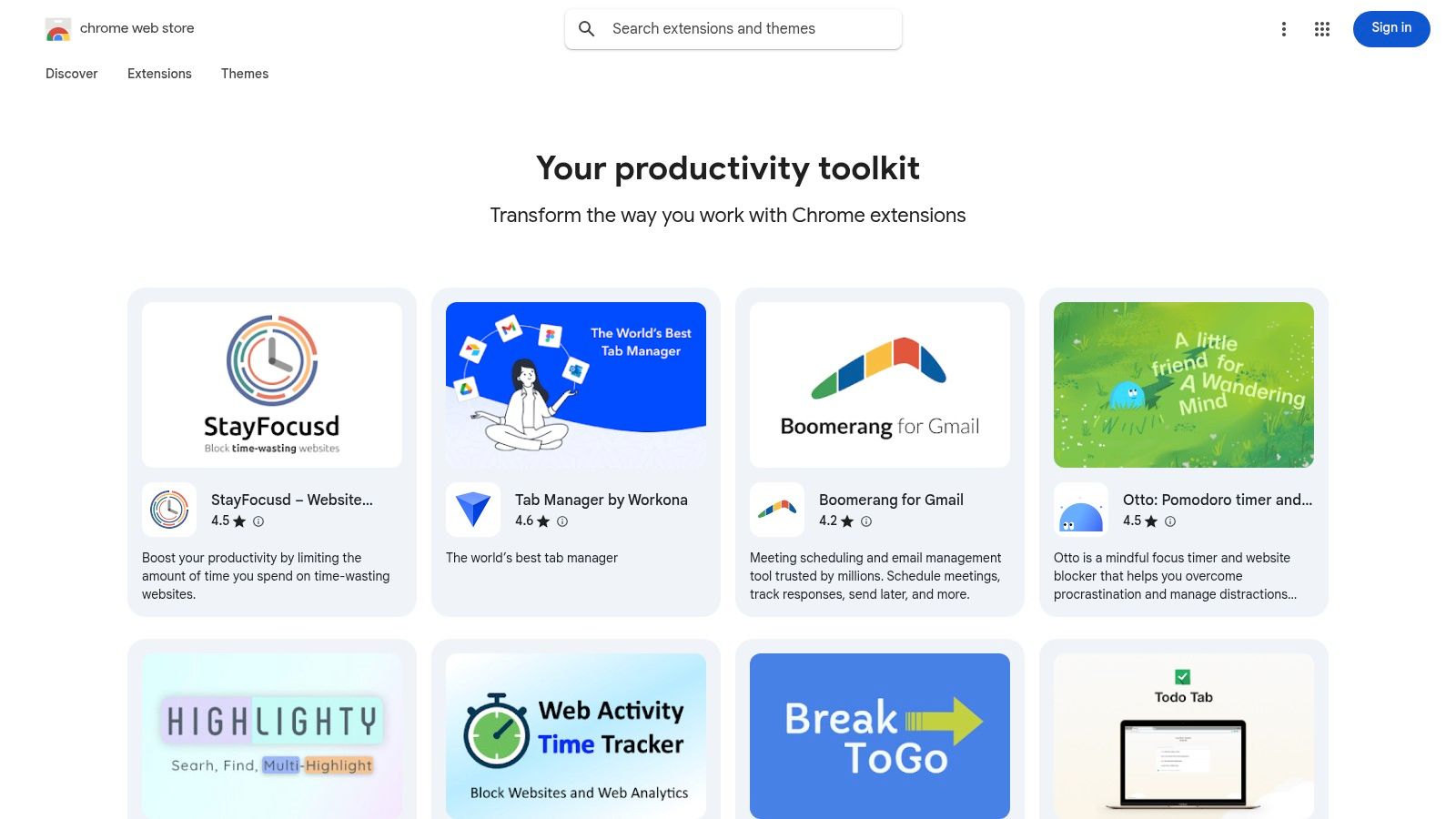
Der offizielle Chrome Web Store ist der Ausgangspunkt für alle, die ihren Browser aufpeppen möchten. Seine kuratierte Produktivitätskollektion ist die umfassendste und sicherste Quelle, um die besten Chrome-Erweiterungen für Produktivität zu finden, von Aufgabenmanagern und Notiz-Apps bis hin zu komplexen Automatisierungstools. Er dient als das definitive Verzeichnis und stellt sicher, dass jede Erweiterung die Richtlinienprüfungen von Google durchläuft.
Die Plattform glänzt durch Transparenz. Jede Erweiterung hat eine eigene Seite, die ihren Zweck, die Versionshistorie, die erforderlichen Berechtigungen und Benutzerbewertungen detailliert beschreibt. Dies ermöglicht es Ihnen, Werkzeuge gründlich zu überprüfen, bevor Sie sie installieren, und genau zu verstehen, auf welche Daten sie zugreifen. Die Installation mit einem Klick und automatische Updates machen die Verwaltung Ihres Werkzeugkastens mühelos.
Hauptmerkmale und Nutzung
- Vertrauen und Sicherheit: Als offizieller Marktplatz ist es der sicherste Ort, um Erweiterungen herunterzuladen. Googles Durchsetzung von Datenverwendungs-Offenlegungen hilft, Ihre Privatsphäre zu schützen.
- Umfangreiche Auswahl: Der Store bietet Tausende von Erweiterungen, was ihn zum umfangreichsten Katalog macht, der verfügbar ist. Während dies überwältigend wirken kann, führen spezifische Schlüsselwörter wie "Kanban-Board" oder "Pomodoro-Timer" zu gezielten Ergebnissen.
- Soziale Bestätigung: Benutzerbewertungen und die Anzahl der Bewertungen bieten schnelle, wertvolle Einblicke in die Qualität und Zuverlässigkeit einer Erweiterung.
Für diejenigen, die gerade mit ihrer Suche beginnen, kann die schiere Menge an Optionen ein zweischneidiges Schwert sein. Während die Auswahl unübertroffen ist, erfordert das Entdecken von Nischen- oder neuen Werkzeugen präzises Suchen. Trotz dieser Herausforderung ist seine Rolle als zentraler, sicherer Hub für Erweiterungen eine unverzichtbare Ressource. Für einen kuratierten Blick auf die besten Picks aus dem Store können Sie einige der besten kostenlosen Chrome-Erweiterungen für Produktivität erkunden.
3. Product Hunt – Thema Browser-Erweiterungen
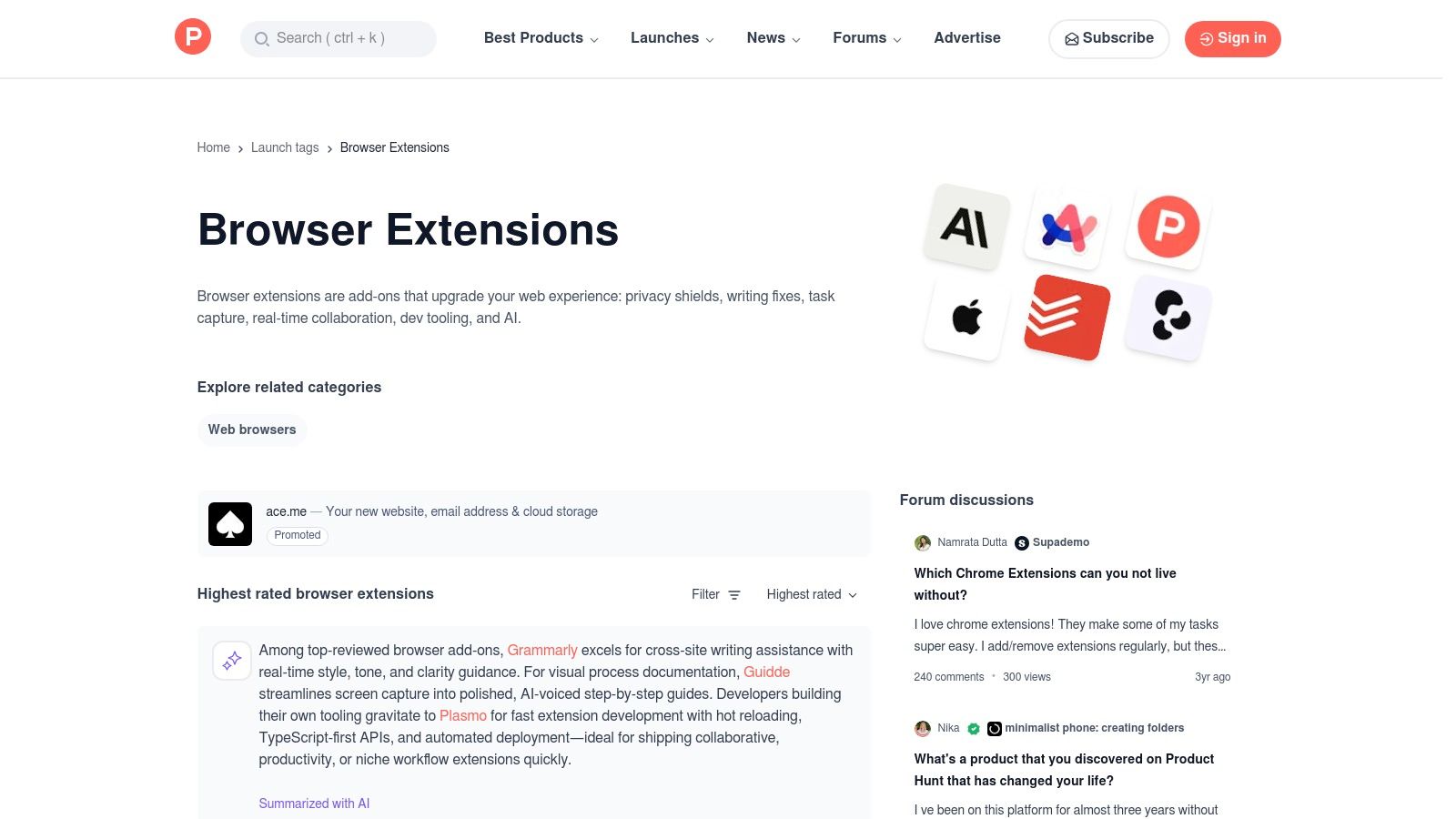
Product Hunt ist die führende Plattform für die Einführung neuer Technologieprodukte, und sein Thema Browser-Erweiterungen ist eine Goldgrube, um die besten Chrome-Erweiterungen für Produktivität zu entdecken, bevor sie im Mainstream ankommen. Hier stellen innovative Entwickler ihre Werkzeuge zum ersten Mal vor und bieten einen Live-Einblick in die aktuellen Trends. Diese Plattform ist weniger ein Verzeichnis und mehr eine dynamische Gemeinschaft, in der neue Erweiterungen täglich hochgevotet und diskutiert werden.
Im Gegensatz zu einem statischen App-Store bietet Product Hunt eine direkte Verbindung zu den Entwicklern. Sie können an Diskussionen teilnehmen, Fragen stellen und direkt auf der Produktstartseite Feedback geben. Diese gemeinschaftlich getragene Kuratierung hilft, einzigartige und leistungsstarke Erweiterungen zu finden, die sonst möglicherweise im riesigen Chrome Web Store verborgen wären, und gibt Ihnen frühzeitigen Zugang zu Werkzeugen, die Ihren Arbeitsablauf neu definieren könnten.
Hauptmerkmale und Nutzung
- Frühe Entdeckung: Finden Sie brandneue und innovative Erweiterungen am Tag ihrer Einführung. Es ist der beste Ort, um aufstrebende Stars und hochmoderne Produktivitätswerkzeuge zu entdecken.
- Gemeinschaftliche Kuratierung: Das Upvote-System und die Kommentarsektionen fungieren als leistungsstarker Filter. Echte Benutzerfeedbacks helfen Ihnen, den Wert einer Erweiterung und mögliche Fehler vor der Installation einzuschätzen.
- Direkte Interaktion mit Entwicklern: Engagieren Sie sich direkt mit den Machern der Erweiterungen. Dies ist von unschätzbarem Wert, um den Produktfahrplan zu verstehen oder Unterstützung für Werkzeuge in der frühen Phase zu erhalten.
Der Hauptnachteil ist die Variabilität in der Qualität; viele Produkte befinden sich in ihrer Beta- oder MVP-Phase und könnten an Raffinesse oder langfristiger Unterstützung mangeln. Für diejenigen, die an der Spitze bleiben möchten, ist es jedoch eine unvergleichliche Ressource für Entdeckungen. Viele der vorgestellten Werkzeuge sind auch großartige Ergänzungen für das Toolkit eines Entwicklers, ein Thema, das in diesem Leitfaden zu Entwickler-Produktivitätswerkzeugen weiter untersucht wird.
4. Zapier Blog – Beste Chrome-Produktivitäts-Erweiterungen
Der Zapier Blog bietet eine forschungsbasierte Zusammenstellung der besten Chrome-Erweiterungen für Produktivität und geht über ein einfaches Verzeichnis hinaus, um workflow-orientierte Empfehlungen zu geben. Ihre Leitfäden sind kuratierte Kurzlisten, die den Benutzern helfen, geprüfte Werkzeuge zu entdecken, ohne endlos scrollen zu müssen. Der Inhalt ist nach Kategorien organisiert, was es einfach macht, Lösungen für spezifische Bedürfnisse wie Tab-Management, Schreibunterstützung oder Fokus-Hilfen zu finden.
Jede Empfehlung enthält prägnante "am besten geeignet für"-Szenarien, Preisnotizen und direkte Links zu den offiziellen Seiten im Chrome Web Store. Dieser Ansatz spart Zeit und stellt sicher, dass die Benutzer zuverlässige Informationen erhalten. Der Blog glänzt darin, Werkzeuge mit praktischen Ergebnissen zu verbinden und zu zeigen, wie eine Erweiterung in ein umfassenderes Produktivitätssystem passt. Während Zapier leistungsstarke Integrationen bietet, könnten diejenigen, die einfachere Automatisierungen suchen, einfachere Alternativen zu Zapier für wiederkehrende E-Mails und andere Aufgaben erkunden.
Hauptmerkmale und Nutzung
- Workflow-orientierte Kuratierung: Anstatt nur Funktionen aufzulisten, konzentriert sich der Blog darauf, wie jede Erweiterung ein spezifisches Workflow-Problem löst, was die Ratschläge äußerst praktisch macht.
- Kategorisierte Empfehlungen: Der Inhalt ist in logische Kategorien wie Tab-Manager, Schreibhilfen und Blocker unterteilt, sodass Sie schnell relevante Werkzeuge finden können.
- Transparente Preisgestaltung: Jede Empfehlung gibt klar an, ob eine Erweiterung kostenlos ist, eine kostenpflichtige Stufe hat oder ein Abonnement erfordert, was Ihnen hilft, informierte Entscheidungen zu treffen.
Die Hauptbeschränkung besteht darin, dass die Listen von Zapier kuratiert sind und keine umfassenden Verzeichnisse darstellen, sodass Sie nicht jede mögliche Erweiterung finden werden. Darüber hinaus hängt die Nützlichkeit des Artikels vom Datum der letzten Aktualisierung ab, da sich das Erweiterungs-Ökosystem schnell ändert. Für einen vertrauenswürdigen Ausgangspunkt mit umsetzbaren Ratschlägen ist der Zapier Blog jedoch eine ausgezeichnete Ressource zur Steigerung der Effizienz Ihres Browsers.
5. TechRadar – Google-empfohlene Chrome-Erweiterungen
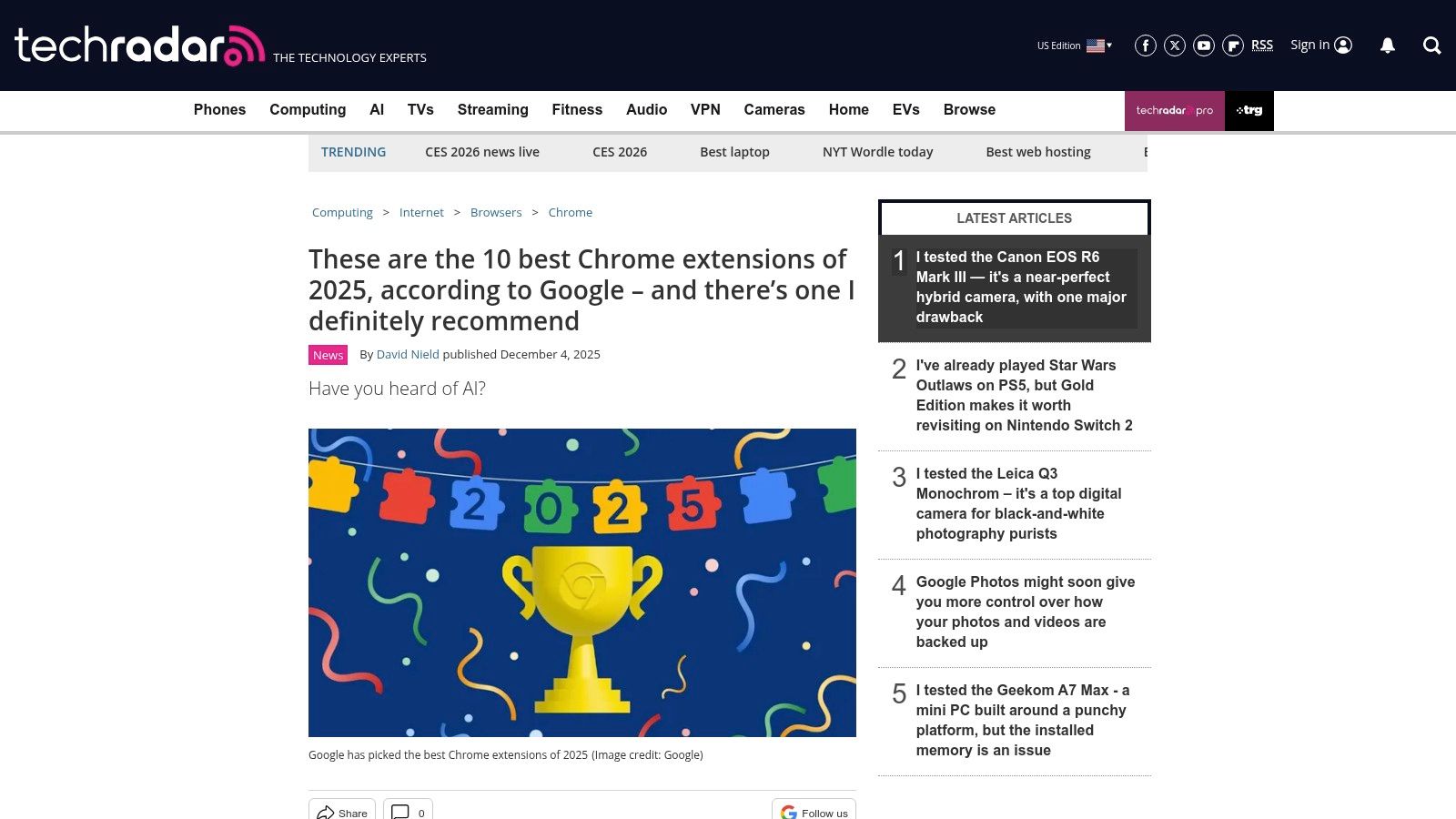
TechRadar bietet redaktionelle Berichterstattung, die die von Google empfohlenen Chrome-Erweiterungen hervorhebt und einen wertvollen Filter für die Entdeckung von Mainstream-, redaktionell geprüften Werkzeugen bietet. Ihre Artikel destillieren die offiziellen Picks von Google und erklären das "Warum" hinter jeder Empfehlung, was besonders nützlich ist, um aktuelle Trends wie den Aufstieg von KI-Helfern zu verstehen. Es ist eine hervorragende Ressource, um zu sehen, welche großen Technologiestimmen die besten Chrome-Erweiterungen für Produktivität zu einem bestimmten Zeitpunkt als die besten erachten.
Die Plattform bietet prägnante Begründungen für jede vorgestellte Erweiterung und durchbricht das Rauschen des riesigen Chrome Web Store. Durch den Fokus auf von Google unterstützte und redaktionell ausgewählte Werkzeuge gibt sie den Benutzern einen vertrauenswürdigen Überblick darüber, was in der Produktivitätslandschaft beliebt, effektiv und aktuell ist. Dieser kuratierte Ansatz hilft Ihnen, hochwertige Erweiterungen zu finden, ohne selbst durch Tausende von Optionen filtern zu müssen.
Hauptmerkmale und Nutzung
- Kuratierte redaktionelle Picks: Anstatt eine umfassende Liste zu präsentieren, bietet TechRadar eine überschaubare Auswahl an erstklassigen Erweiterungen mit klaren Erklärungen für ihre Aufnahme.
- Kontextuelle Empfehlungen: Die Artikel erklären oft den Kontext hinter Googles Empfehlungen und helfen Ihnen zu verstehen, wie ein Werkzeug in die aktuelle Technologielandschaft passt.
- Direkte Store-Links: Jede Empfehlung enthält einen direkten Link zu ihrer offiziellen Seite im Chrome Web Store, was den Installationsprozess vereinfacht.
Die Hauptbeschränkung besteht darin, dass TechRadar kein umfassendes Verzeichnis ist; seine Berichterstattung ist selektiv und neigt oft dazu, in trendige Kategorien wie KI zu gehen, wodurch möglicherweise Nischen-, aber leistungsstarke Werkzeuge übersehen werden. Für einen schnellen, autoritativen Überblick darüber, welche Erweiterungen gerade im Trend liegen, dient es jedoch als zuverlässiger und aufschlussreicher Leitfaden. Sie können ihre neuesten Zusammenstellungen auf ihrer Website erkunden.
6. AlternativeTo – Vergleichsseiten für Erweiterungen/Apps
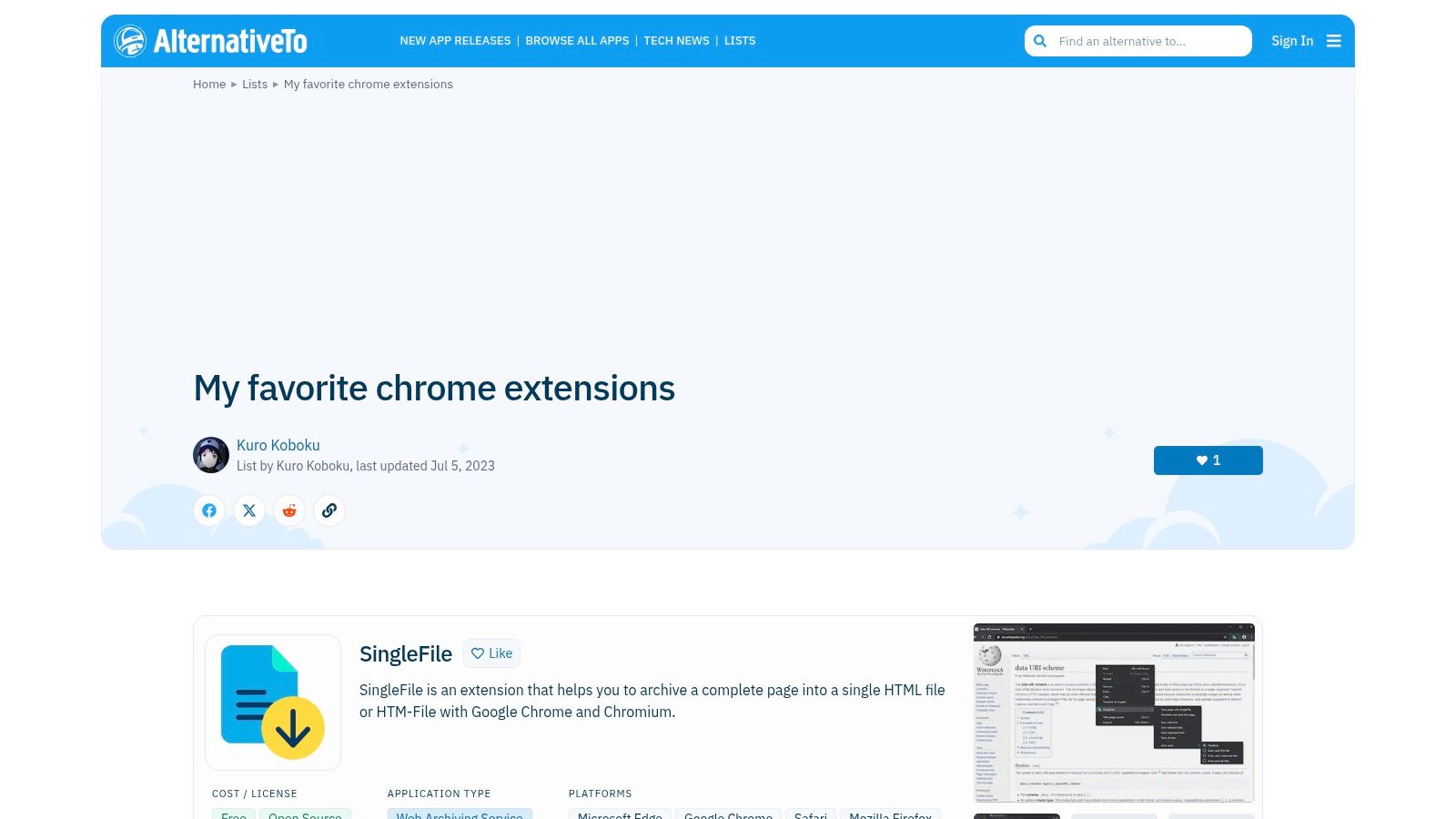
AlternativeTo ist ein von der Gemeinschaft betriebenes Verzeichnis, in dem Benutzer Alternativen zu beliebter Software finden können, einschließlich der besten Chrome-Erweiterungen für Produktivität. Es glänzt darin, ähnliche Werkzeuge nebeneinander zu vergleichen, wie Tab-Manager wie Workona versus Toby, und ermöglicht es den Benutzern, Substituten zu entdecken, die besser zu ihren spezifischen Bedürfnissen passen. Die detaillierten Filter für Plattform, Lizenz (kostenlos, Open Source) und Funktionen machen es zu einem leistungsstarken Recherchewerkzeug.
Die Stärke der Plattform liegt in ihrem nutzergenerierten Inhalt. Jede Anwendungsseite enthält eine Liste von Alternativen, die von der Gemeinschaft vorgeschlagen und abgestimmt wurden, komplett mit Tags, Screenshots und Links zu offiziellen Quellen. Dieser Ansatz hebt sowohl Mainstream- als auch Nischen-Erweiterungen hervor, die im riesigen Chrome Web Store möglicherweise übersehen werden, und bietet ein kuratiertes Entdeckungserlebnis, das auf realen Nutzungen und Vorlieben basiert.
Hauptmerkmale und Nutzung
- Gemeinschaftlich erstellte Vergleiche: Entdecken Sie neue Werkzeuge, indem Sie sehen, was andere Benutzer als Alternativen zu Erweiterungen vorschlagen, die Sie bereits verwenden. Dies ist ideal, um einen Open-Source- oder kostenlosen Ersatz für ein kostenpflichtiges Werkzeug zu finden.
- Erweiterte Filterung: Verfeinern Sie Ihre Suche nach Lizenz (z. B. FOSS), Plattform (Chrome, Firefox, Edge) und beschreibenden Tags wie "Tab-Manager" oder "Aufgabenmanagement", um schnell relevante Optionen zu finden.
- Einblicke der Gemeinschaft: Benutzerbewertungen und Kommentare bieten direkte Perspektiven auf die Funktionalität und Zuverlässigkeit einer Erweiterung und helfen Ihnen, Optionen über deren Marketingbeschreibungen hinaus zu bewerten.
Während AlternativeTo für vergleichende Recherchen von unschätzbarem Wert ist, bedeutet die Abhängigkeit von Benutzereinsendungen, dass einige Listen oder Einträge veraltet sein können. Die Qualität der Benutzerbewertungen kann ebenfalls variieren. Für alle, die sich in einem bestimmten Tool gefangen fühlen oder eine Nischenlösung suchen, bleibt es jedoch eine erstklassige Ressource zur Erweiterung Ihres Produktivitätstools. Sie können eine kuratierte Liste von Erweiterungen auf AlternativeTo erkunden.
7. Slant – Community-Rankings für Chrome-Produktivitätserweiterungen
Slant bietet einen einzigartigen, gemeinschaftsgetriebenen Ansatz zur Entdeckung der besten Chrome-Erweiterungen für Produktivität. Anstelle eines Algorithmus oder eines Redaktionsteams verlässt es sich auf echte Benutzer, die abstimmen, bewerten und detaillierte Vor- und Nachteile für jede Empfehlung bereitstellen. Dieses Q&A-Format hilft Ihnen zu verstehen, nicht nur was eine Erweiterung tut, sondern warum jemand sie einer Alternative vorziehen würde, basierend auf praktischen Erfahrungen.
Die Plattform zeichnet sich durch nuancierte, erfahrungsbasierte Rückmeldungen aus. Jede Erweiterung wird in eine Liste von crowdsourced Vor- und Nachteilen unterteilt, die oft spezifische Schmerzpunkte oder versteckte Vorteile hervorheben, die Sie in einer Standardfunktionsliste nicht finden würden. Die aktiven Kommentarstränge bieten weiteren Kontext, wobei Benutzer Kompromisse und spezifische Anwendungsfälle erklären, die ein Tool für ihren Arbeitsablauf wertvoll machen.
Hauptmerkmale und Nutzung
- Community-Quellen-Rankings: Die Listen werden nach Benutzerabstimmungen eingestuft und bieten eine demokratische Sicht darauf, was die Community als am nützlichsten erachtet.
- Detaillierte Vor- und Nachteile: Erhalten Sie schnelle, zusammengefasste Gründe für und gegen die Verwendung einer Erweiterung. Dies ist ideal, um Tools zu vergleichen und potenzielle Dealbreaker vor der Installation zu identifizieren.
- Aktive Diskussion: Die Kommentarabschnitte ermöglichen es Ihnen, tiefer in Benutzererfahrungen einzutauchen, Antworten auf spezifische Fragen zu finden und die praktischen Kompromisse jedes Tools zu verstehen.
Während Slant unschätzbare Einblicke aus der realen Welt bietet, ist sein Umfang begrenzter als ein umfassendes Verzeichnis wie der Chrome Web Store. Die Benutzeroberfläche ist funktional, aber spärlich, und da die Inhalte benutzergeneriert sind, können einige Empfehlungen veraltet sein. Dennoch ist Slant eine ausgezeichnete Ressource für alle, die ihre Entscheidungen mit ehrlichem, ungefiltertem Benutzerfeedback überprüfen möchten.
8. ChromeHunt – Menschlich kuratierte Erweiterungsentdeckung
ChromeHunt bietet eine erfrischende Alternative zur überwältigenden Auswahl des offiziellen Chrome Web Store. Es fungiert als ein menschlich kuratiertes Verzeichnis, das die besten Chrome-Erweiterungen für Produktivität in thematischen Sammlungen wie „Tab Tamers“ oder „Datenschutz & Sicherheit“ organisiert. Dieser Ansatz macht die Entdeckung hochwertiger, relevanter Tools erheblich schneller und intuitiver, als durch Tausende von Suchergebnissen zu sichten.
Die Plattform bietet einen klaren, übersichtlichen Überblick über jede Erweiterung, zeigt ihre Kernfunktion, Benutzeranzahl und Sternebewertung, die direkt aus dem Web Store stammen. Anstatt die Erweiterungen selbst zu hosten, bietet sie direkte, sichere Links zu den offiziellen Installationsseiten. Dies stellt sicher, dass Benutzer von einem optimierten Entdeckungsprozess profitieren, während die Sicherheit beim Herunterladen von Googles offizieller Quelle gewahrt bleibt.
Hauptmerkmale und Nutzung
- Themen-Sammlungen: Ihre größte Stärke liegt in der Organisation von Erweiterungen nach Anwendungsfall. Das Durchstöbern von Sammlungen wie „Dunkelmodus“ oder „Schreibwerkzeuge“ ist eine hervorragende Möglichkeit, erstklassige Optionen für einen spezifischen Bedarf zu finden, ohne genaue Schlüsselwörter zu kennen.
- Effiziente Prüfung: Schneller Zugriff auf Benutzerzahlen und Bewertungen hilft Ihnen, die Beliebtheit und Zuverlässigkeit einer Erweiterung zu beurteilen, bevor Sie überhaupt auf die Store-Seite klicken.
- Vereinfachte Entdeckung: Die kuratierte Natur bedeutet, dass Sie weniger wahrscheinlich auf minderwertige oder verlassene Erweiterungen stoßen, was Zeit spart und die Installationsbedauern reduziert.
Obwohl das Katalogangebot von ChromeHunt viel kleiner ist als das des offiziellen Stores, liegt sein Wert in der Qualität über der Quantität. Die Kuratierung ist subjektiv, und die Häufigkeit der Updates kann variieren, aber für Benutzer, die zielgerichtete Empfehlungen suchen, ist es eine unschätzbare Entdeckungsplattform. Für einen direkten Blick können Sie die Sammlungen auf der ChromeHunt-Website durchsuchen.
9. StackSocial (StackCommerce) – Marktplatz für Angebote
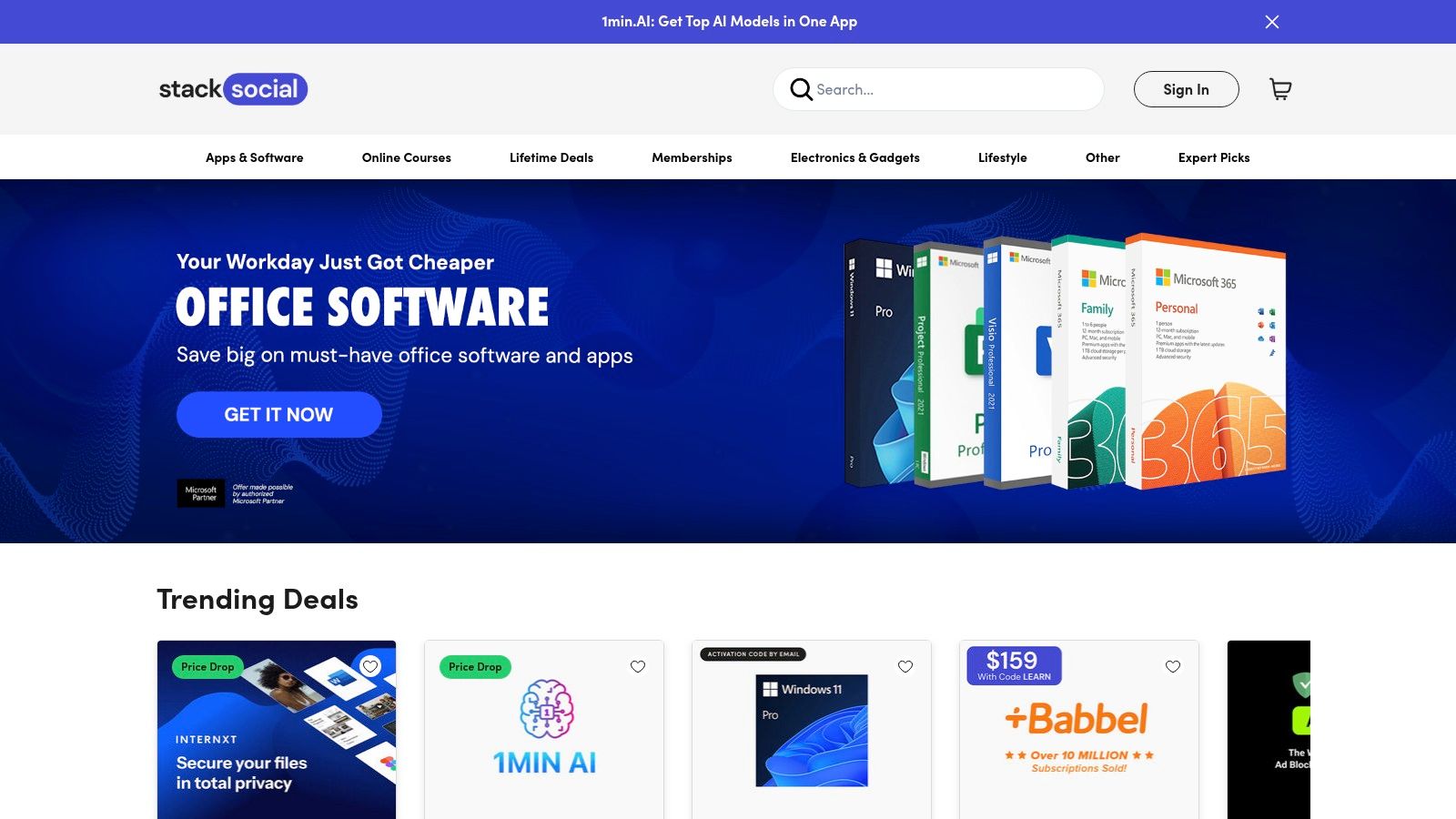
StackSocial ist ein in den USA ansässiger Marktplatz für Angebote, der regelmäßig Chrome-zentrierte Produktivitätstools und erweiterungsbasierte Angebote zu ermäßigten Preisen anbietet. Obwohl es keine direkte Quelle für Erweiterungen wie der Chrome Web Store ist, ist es eine hervorragende Ressource, um zeitlich begrenzte Aktionen, lebenslange Lizenzen oder gebündelte Software zu finden, die einige der besten Chrome-Erweiterungen für Produktivität umfasst. Es dient als Entdeckungsplattform für Premium-Tools, die sonst möglicherweise außerhalb Ihres Budgets liegen.
Die Plattform zeichnet sich durch die Kuratierung tiefer Rabatte auf Software und SaaS-Abonnements aus, die oft in Paketen angeboten werden. Jedes Angebot hat eine eigene Seite, die die Funktionen des Tools, die Einlösungsbedingungen und die Lizenzdauer erklärt. Dies erleichtert die Bewertung des Wertes eines Angebots vor dem Kauf, obwohl die Angebote selbst oft zeitlich begrenzt sind und schnell ausverkauft sein können.
Hauptmerkmale und Nutzung
- Große Rabatte: Der Hauptanziehungspunkt von StackSocial ist das Angebot erheblicher Einsparungen im Vergleich zu den Standardverkaufspreisen, insbesondere bei lebenslangen Angeboten (LTDs) für aufstrebende Produktivitäts-Apps.
- Kuratierte Pakete: Der Marktplatz gruppiert häufig verwandte Software, sodass Sie eine vollständige Produktivitätssuite zu einem Bruchteil der Kosten erwerben können. Suchen Sie nach Begriffen wie „Produktivitätsbundle“, um diese Angebote zu finden.
- Redaktionelle Aktionen: Durch Partnerschaften mit Technikpublikationen hebt StackSocial Tools und Erweiterungen hervor und bietet sozialen Beweis sowie detaillierte Anwendungsfälle für die angebotene Software.
Der Hauptnachteil ist die vorübergehende Natur der Angebote; was heute verfügbar ist, kann morgen verschwunden sein. Darüber hinaus können die Support- und Rückerstattungsrichtlinien je nach spezifischem Anbieter des Angebots variieren, nicht StackSocial selbst. Trotz dieser Einschränkungen ist StackSocial ein wertvolles Ziel für den Erwerb von Premium-Produktivitätstools und deren zugehörigen Chrome-Erweiterungen zu einem erheblichen Rabatt.
10. AppSumo – Marktplatz für Software- und erweiterungsbasierte Angebote
Obwohl es sich nicht um einen Erweiterungsstore handelt, ist AppSumo eine wichtige Ressource für clevere Benutzer, die hochwertige Produktivitätstools zu einem Bruchteil ihrer Einzelhandelskosten erwerben möchten. Es ist ein beliebter Marktplatz für zeitlich begrenzte Softwareangebote, bei denen häufig erweiterungsbasierte Produktivitätstools erscheinen. Die Überwachung von AppSumo kann zu erheblichen Einsparungen bei Automatisierung, Web-Scraping und anderen fortschrittlichen Erweiterungen durch ermäßigte jährliche oder lebenslange Angebote führen.
Die Stärke der Plattform liegt in ihrem gemeinschaftsgetriebenen Prüfprozess. Jedes Angebot enthält umfangreiche Benutzerbewertungen und einen Q&A-Bereich, in dem potenzielle Käufer dem Entwickler direkte Fragen stellen können. Diese Transparenz hilft Ihnen, die Qualität, den Support und die langfristige Lebensfähigkeit des Tools zu bewerten, bevor Sie sich festlegen, ein Merkmal, das in Standardmarktplätzen oft fehlt.

Hauptmerkmale und Nutzung
- Zeitlich begrenzte Angebote: AppSumo spezialisiert sich auf „lebenslange“ oder stark ermäßigte jährliche Angebote, was es potenziell zur günstigsten Möglichkeit macht, auf Premium-Funktionen für einige der besten Chrome-Erweiterungen für Produktivität zuzugreifen.
- Community-Feedback: Die aktiven Bewertungs- und Q&A-Bereiche bieten ungefilterte Einblicke in die reale Leistung eines Tools, Bugs und die Qualität des Kundenservice. Dies ist für die Due Diligence von unschätzbarem Wert.
- Entdeckungsplattform: Es ist ein ausgezeichneter Ort, um neue und aufstrebende Produktivitätstools zu entdecken, die möglicherweise noch nicht die Sichtbarkeit etablierter Erweiterungen im Chrome Web Store haben.
Der Hauptnachteil ist die zeitlich begrenzte und begrenzte Natur der Angebote; sobald ein beliebtes Angebot ausverkauft ist, könnte es nie zurückkehren. Es ist auch wichtig, das Kleingedruckte sorgfältig zu lesen, da nicht alle aufgeführten Software eine Chrome-Erweiterung enthält und einige frühere „lebenslange“ Angebote von Entwicklern geändert wurden. Trotz dieser Vorbehalte ist AppSumo für budgetbewusste Benutzer, die leistungsstarke Tools suchen, eine wesentliche Seite, die man im Auge behalten sollte.
11. GitHub – Thema chrome‑extension
Für Entwickler, datenschutzbewusste Benutzer und diejenigen, die experimentelle Tools suchen, ist GitHub eine unverzichtbare Ressource. Die Themenseiten der Plattform, insbesondere das chrome-extension-Thema, aggregieren Open-Source-Projekte und bieten unvergleichliche Transparenz. Im Gegensatz zu einem traditionellen App-Store gibt Ihnen GitHub direkten Zugang zum Quellcode, zu Fehlerverfolgungen und zu Versionshinweisen für jede Erweiterung.
Dieser direkte Zugang ermöglicht eine tiefere Prüfungsstufe als jede andere Plattform. Sie können den Code selbst überprüfen, die Entwicklungsaktivität des Projekts überprüfen und sogar zu dessen Verbesserung beitragen. Es ist das ultimative Ziel, um hochspezialisierte oder Nischen-Produktivitätstools zu entdecken, die möglicherweise noch nicht im offiziellen Chrome Web Store verfügbar sind, oder für Benutzer, die aus Sicherheitsgründen ihre Software manuell installieren möchten.

Hauptmerkmale und Nutzung
- Maximale Transparenz: Die Möglichkeit, den Quellcode zu inspizieren, ist ein erheblicher Vorteil für Benutzer, die überprüfen möchten, was eine Erweiterung mit ihren Daten macht.
- Nischen-Tools entdecken: GitHub beherbergt unzählige experimentelle oder hochspezifische Tools. Die Suche nach Repositories, die mit „Produktivität“ und „chrome-extension“ gekennzeichnet sind, kann einzigartige Lösungen aufdecken.
- Gemeinschaft und Zusammenarbeit: Benutzer können Bugs melden, Funktionen über Fehlerverfolgungen anfordern und den Fortschritt der Entwicklung eines Tools in Echtzeit verfolgen.
Der Hauptnachteil ist, dass viele Projekte Do-it-yourself sind. Die Installation kann technische Schritte wie das Laden einer entpackten Erweiterung erfordern, und die Wartungsqualität variiert erheblich zwischen den Repositories. Trotz dieser Einschränkungen ist es für diejenigen, die mit dem Prozess vertraut sind, ein unschätzbares Zentrum, um einige der besten Chrome-Erweiterungen für Produktivität zu finden. Für Entwickler ist diese Plattform besonders leistungsstark, wie in diesem Leitfaden zu Chrome-Erweiterungen für Webentwickler behandelt.
12. G2 – Beste Chrome-Erweiterungen Redaktion und Bewertungen
G2 ist ein vertrauenswürdiger Software-Marktplatz, der einen hervorragenden Ausgangspunkt für die Entdeckung der besten Chrome-Erweiterungen für Produktivität bietet und über die oft überwältigende Auswahl des Chrome Web Store hinausgeht. Die redaktionell kuratierten Leitfäden und detaillierten Produktseiten bieten eine gefilterte, geschäftsorientierte Perspektive auf erstklassige Tools. Die Plattform hilft Benutzern, Erweiterungen durch umfassende Analysen und Benutzerstimmungen auszuwählen.
Im Gegensatz zu einem einfachen Verzeichnis liegt die Stärke von G2 in seinem bewertungsgetriebenen Format. Jede Produktseite enthält aggregierte Benutzerbewertungen, Vor- und Nachteile, die von echten Benutzern stammen, und direkte Vergleiche mit alternativen Tools. Dies ermöglicht es Ihnen, eine Erweiterung basierend auf echtem Feedback zu bewerten und zu sehen, wie sie im Vergleich zu ihren Hauptkonkurrenten abschneidet, was eine Validierungsebene bietet, die Sie anderswo nicht finden werden.

Hauptmerkmale und Nutzung
- Kuratiertes redaktionelles Material: G2 veröffentlicht „Best of“-Artikel, die nach Anwendungsfall kategorisiert sind, wie „beste Erweiterungen für den Vertrieb“, was Ihre Suche erheblich eingrenzt.
- Umfassende Benutzerbewertungen: Die Plattform sammelt detailliertes Feedback von einer großen Benutzerbasis und bietet praktische Einblicke in die Stärken und Schwächen einer Erweiterung in realen Szenarien.
- Vergleich und Alternativen: Jede Auflistung schlägt ähnliche Produkte vor, was es einfach macht, Alternativen zu entdecken und zu vergleichen, wenn eine bestimmte Erweiterung Ihren Bedürfnissen nicht entspricht.
Die Hauptbeschränkung besteht darin, dass G2 kein umfassendes Verzeichnis jeder verfügbaren Erweiterung ist; es konzentriert sich auf etabliertere oder geschäftsorientierte Tools. Darüber hinaus konzentrieren sich einige Artikel auf SaaS-Plattformen, die zufällig eine Begleit-Erweiterung haben, anstatt auf die Erweiterung selbst. Trotz dieser Einschränkungen macht es sein kuratierter Ansatz und die zuverlässigen Benutzerbewertungen zu einer unschätzbaren Ressource für informierte Entscheidungen. Für ein gutes Beispiel ihres redaktionellen Inhalts können Sie ihren Leitfaden zu den besten Chrome-Erweiterungen einsehen.
Top 12 Ressourcen für Chrome-Produktivitätserweiterungen — Vergleich
| Option | Kernmerkmale & USPs ✨ | Qualität & UX ★ | Wert & Preisgestaltung 💰 | Zielgruppe 👥 |
|---|---|---|---|---|
| 🏆 ShiftShift Erweiterungen | Vereinheitlichte Befehlspalette; nur lokale Verarbeitung; 52 Sprachen; Offline-Tools; erweiterte Tool-Bibliothek ✨ | ★★★★☆ tastaturorientiert, schnell, datenschutzfokussiert | 💰 Kostenlose Kernversion; Pro-/gestaffelte Funktionen auf der Seite (überprüfen) | 👥 Entwickler, Kreative, Power-User, datenschutzbewusste Benutzer |
| Chrome Web Store – Produktivitätskollektion | Offizielle Auflistungen, kuratierte Kategorien, Ein-Klick-Installation & automatische Updates | ★★★☆☆ breites Katalogangebot; Qualität variiert je nach Erweiterung | 💰 Kostenlos zu durchsuchen; Erweiterungen können kostenlos/bezahlt sein | 👥 Allgemeine Benutzer, die nach geprüften Erweiterungen suchen |
| Product Hunt – Thema Browsererweiterungen | Neuheiten, trendige Produkte, Community-Feedback & Links | ★★★☆☆ Auswahl in der frühen Phase; aktive Diskussion | 💰 Kostenlose Entdeckung; Links zu Erstellern oder Stores | 👥 Macher, Early Adopters, Produktscouts |
| Zapier Blog – Beste Chrome-Produktivitätserweiterungen | Kuratiertes „Best of“-Rundup mit Workflow-Auswahlen & Preisnotizen | ★★★★☆ forschungsbasiert, workflow-orientiert | 💰 Hebt kostenlos vs. bezahlt hervor; prägnante Preisinformationen | 👥 Teams, nicht-technische Benutzer, die nach Workflows suchen |
| TechRadar – Google-empfohlene Berichterstattung | Redaktionelle Auswahl mit Kontext und Store-Links | ★★★★☆ Mainstream-redaktionelle Perspektive | 💰 Kostenlose Artikel; Preislinks zu Stores | 👥 Verbraucher, die nach Mainstream-Empfehlungen suchen |
| AlternativeTo – Alternativen-Seiten | Alternativen-Diagramm, Plattform-/Lizenzfilter, Benutzerbewertungen | ★★★☆☆ community-getrieben; variable Genauigkeit | 💰 Kostenlos; großartig, um kostenlose/FOSS-Alternativen zu finden | 👥 Benutzer, die nach Alternativen oder Open-Source-Optionen suchen |
| Slant – Community-Rankings | Vergleichs-Rankings, Vor- und Nachteile, aktive Threads | ★★★☆☆ meinungsstark, erfahrungsbasierte Anleitung | 💰 Kostenlose Einblicke; crowdsourced Rankings | 👥 Benutzer, die praktische Vor- und Nachteile vor der Installation wünschen |
| ChromeHunt – Kuratierte Entdeckung | Menschlich kuratierte thematische Sammlungen; schnelle Statistiken & Links | ★★★★☆ schnelles Überfliegen; kleiner, fokussierter Katalog | 💰 Kostenlose Kuratierung; weniger Einträge als im Store | 👥 Benutzer, die thematische/Tool-Sammlungen suchen |
| StackSocial (StackCommerce) – Angebote | Zeitlich begrenzte Aktionen, lebenslange Angebote, Gutscheine | ★★★☆☆ schnäppchenorientiert; Verfügbarkeit variiert | 💰 Große Rabatte; zeitlich begrenzte Angebote | 👥 Schnäppchenjäger, Käufer, die Bundles/lebenslange Angebote wünschen |
| AppSumo – Marktplatz für Angebote | Zeitlich begrenzte Softwareangebote, Bewertungen & Q&A | ★★★☆☆ günstige Optionen; Risiko des Ausverkaufs | 💰 Potenziell der niedrigste Preis für Premium-Tools | 👥 KMUs, Unternehmer, Schnäppchenjäger |
| GitHub – chrome‑extension Thema | Open-Source-Repos, Issue-Tracker, Versionshinweise | ★★★★☆ transparenter Code; Wartung variiert | 💰 Kostenlos/FOSS; prüfbar & abzweigbar | 👥 Entwickler, datenschutzbewusste Nutzer, Bastler |
| G2 – Redaktion & Bewertungen | Von Mitarbeitern kuratierte Listen, Produktseiten mit Nutzerbewertungen | ★★★★☆ große Bewertungsbasis; Unternehmensbias | 💰 Kostenlos nutzbar; hilfreich bei der Anbieterauswahl | 👥 Teams, Unternehmenskäufer, Entscheidungsträger |
Ihr nächster Schritt: Einen intelligenteren, produktiveren Browser aufbauen
Die Navigation durch die riesige Landschaft des Chrome Web Store kann überwältigend wirken. Das Ziel ist nicht, die meisten Erweiterungen zu sammeln, sondern strategisch ein Toolkit zusammenzustellen, das Ihren täglichen Arbeitsablauf wirklich verbessert. Wie wir erkundet haben, erfordert die Suche nach den besten Chrome-Erweiterungen für Produktivität mehr als nur eine schnelle Suche; es erfordert einen durchdachten Ansatz für Entdeckung, Bewertung und Implementierung.
Die in diesem Leitfaden beschriebenen Ressourcen, von gemeinschaftsgetriebenen Plattformen wie Product Hunt und Slant bis hin zu von Experten kuratierten Listen auf Zapier und TechRadar, bieten vielfältige Wege, um leistungsstarke Tools zu entdecken. Sie ermöglichen es Ihnen, über oberflächliche Empfehlungen hinauszugehen und Lösungen zu finden, die auf Ihre einzigartigen beruflichen Bedürfnisse zugeschnitten sind, egal ob Sie ein Entwickler sind, der komplexe Projekte verwaltet, ein Designer, der kreative Aufgaben optimiert, oder ein Fachmann, der in einem Meer digitaler Ablenkungen den Fokus zurückgewinnen möchte.
Von der Entdeckung zu einem integrierten Workflow
Das wahre Maß für ein Produktivitätstool ist nicht die Liste der Funktionen, sondern die nahtlose Integration in Ihre Gewohnheiten. Eine Erweiterung, die Ihnen fünf Sekunden bei einer Aufgabe spart, die Sie hundertmal am Tag ausführen, hat einen viel größeren Einfluss als ein funktionsreiches Tool, das Sie nur einmal pro Woche nutzen. Die wichtigste Erkenntnis ist, klein anzufangen und bewusst zu sein.
Bevor Sie eine neue Erweiterung hinzufügen, stellen Sie sich diese kritischen Fragen:
- Welches spezifische Problem versuche ich zu lösen? Identifizieren Sie einen präzisen Schmerzpunkt in Ihrem Workflow, wie z. B. sich wiederholende Datenformatierung, umständliches Tab-Management oder langsamen Zugriff auf häufig verwendete Informationen.
- Reduziert dieses Tool Reibung oder schafft es neue? Eine gute Erweiterung sollte sich wie eine natürliche Erweiterung Ihres Browsers anfühlen, nicht wie ein weiteres komplexes System, das Sie lernen und verwalten müssen. Berücksichtigen Sie die Lernkurve und ob die Tastenkombinationen oder die Benutzeroberfläche für Sie intuitiv sind.
- Was sind die Leistungs- und Datenschutzimplikationen? Jede Erweiterung verbraucht Systemressourcen und erfordert in vielen Fällen Zugriff auf Ihre Daten. Überprüfen Sie immer die Berechtigungen und lesen Sie die Nutzerbewertungen auf Kommentare zu Leistungsproblemen oder Datenschutzbedenken. Eine Erweiterung, die Ihren Browser zum Stocken bringt, ist kontraproduktiv.
Ein einheitlicher Ansatz vs. spezialisierte Tools
Die zweite Philosophie, verkörpert durch Lösungen wie ShiftShift Extensions, befürwortet einen einheitlichen, All-in-One-Ansatz. Durch die Konsolidierung von Dutzenden von Dienstprogrammen, von einem JSON-Formatter und Cookie-Editor für Entwickler bis hin zu einem QR-Code-Generator und Bildkonverter für allgemeine Nutzer, entfällt die Notwendigkeit für zahlreiche individuelle Installationen. Diese Konsolidierung reduziert nicht nur das Browserchaos und potenzielle Sicherheitsanfälligkeiten, sondern schafft auch ein kohärentes, tastaturgesteuertes Benutzererlebnis. Sie lernen ein System, ein Set von Tastenkombinationen, um auf eine Vielzahl von Funktionen zuzugreifen.
Ihr ideales Setup könnte sogar ein hybrides Modell sein. Sie könnten sich auf ein einheitliches Tool wie ShiftShift für Ihre alltäglichen, schnell zugänglichen Bedürfnisse verlassen, während Sie ein oder zwei hochspezialisierte Erweiterungen für mission-critical, Nischenaufgaben behalten, die eine dedizierte Benutzeroberfläche erfordern. Das ultimative Ziel ist es, ein Ökosystem zu schaffen, das sowohl leistungsstark als auch minimalistisch ist und Ihren Chrome-Browser von einem einfachen Webportal in ein hoch effizientes, personalisiertes Kommandocenter verwandelt. Indem Sie bewusst mit Ihren Entscheidungen umgehen, verwandeln Sie Ihren Browser in Ihr wertvollstes Produktivitätswerkzeug.
Bereit, Ihren Browser zu entrümpeln und Ihren Workflow zu konsolidieren? Erleben Sie die Kraft eines All-in-One-Toolkits, das für maximale Effizienz entwickelt wurde. Entdecken Sie, wie ShiftShift Extensions Dutzende Ihrer Einzelaufgaben-Erweiterungen durch eine einzige, elegante und tastaturorientierte Befehlspalette ersetzen kann. Testen Sie ShiftShift Extensions noch heute und schalten Sie ein neues Niveau der Browserproduktivität frei.